Assignment 15:- System Integration
This week task
This week focused on system integration and testing. The assignment required integrating all the subsystems developed during previous weeks into a single functional system, testing the integrated setup, documenting the complete workflow, and preparing a Bill of Materials (BOM).
Brainstorming
For my final project, I developed a solar panel cleaning machine designed to clean the surface of solar panels and improve their efficiency. During this phase, I integrated the mechanical, electrical, and control systems into one complete machine. After integration, the system was tested to verify proper operation and functionality. The entire integration and testing procedure was documented, and a detailed BOM was prepared.
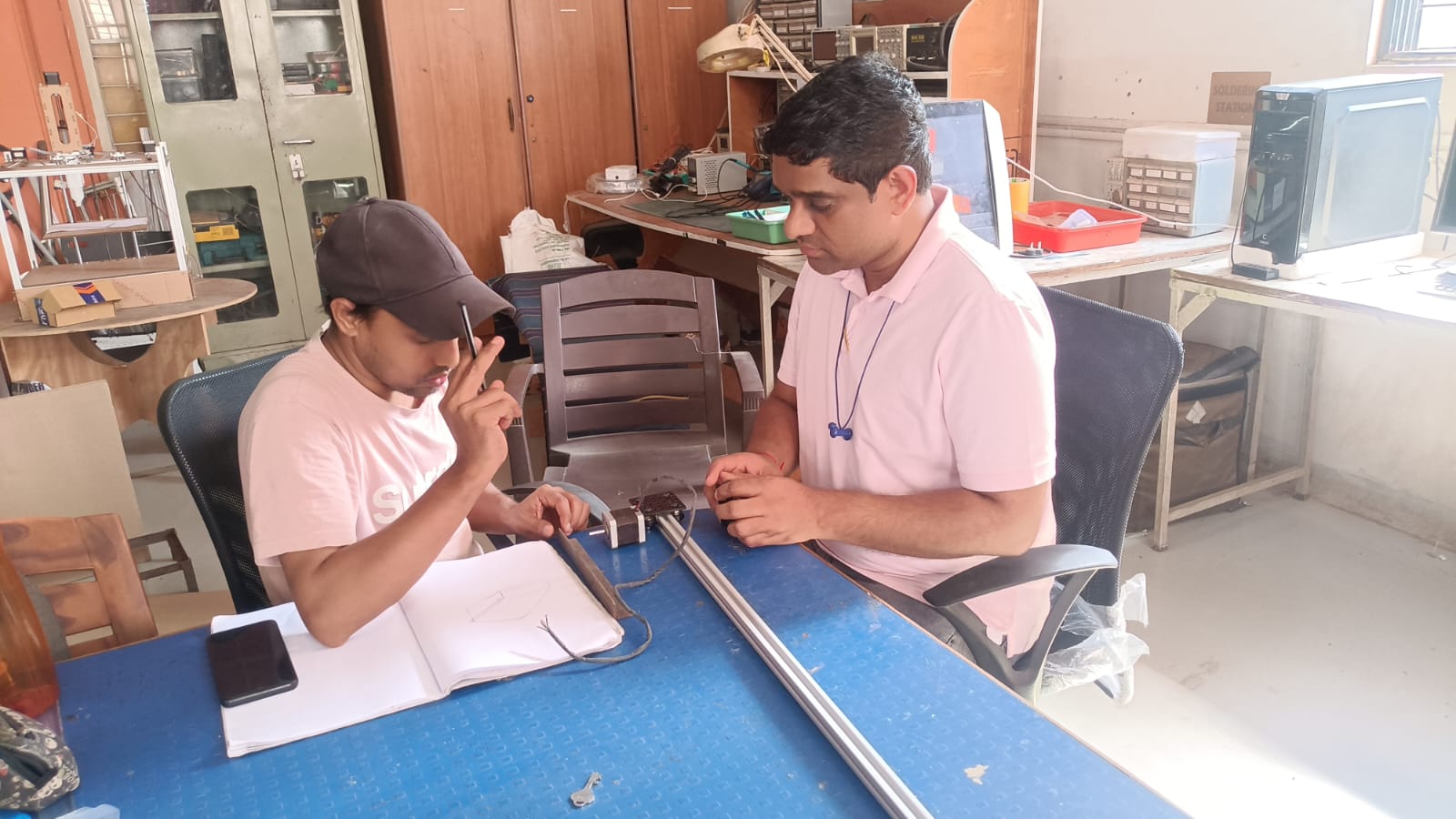
My initial concept was to design a mobile robot capable of moving freely across the solar panel surface for cleaning. However, after discussions with my mentor, the design was modified to use a sliding mechanism, which provided a simpler and more stable solution for the cleaning process.
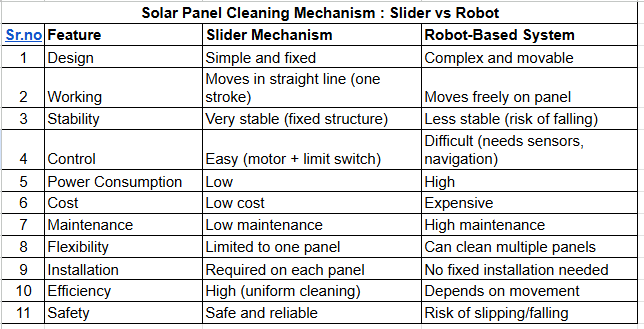
Conclusion:- After comparing both systems, I decided to use a sliding mechanism for my solar panel cleaning project. The sliding mechanism has a simple and stable design, which makes it more reliable for cleaning operations. It moves in a fixed straight path, providing uniform cleaning across the solar panel surface. Compared to the robot-based system, the sliding mechanism consumes less power and has a lower overall cost. It is also easier to control because it only requires a motor and limit switches. In addition, the maintenance requirements are lower, and the system is safer because there is less risk of slipping or falling. Therefore, the sliding mechanism was selected as the final design for my project.
What happens if you don't clean solar panels or over heated?
Heated solar panels produce less electricity because efficiency decreases with temperature. Flowing water over the panels helps cool and clean them, which improves efficiency and overall performance.
Available on the internet Research Papers.
Effect of water cooling temperature on photovoltaic panel performance by using computational fluid dynamics (CFD)
Enhancing Photovoltaic Performance through Water-Based Cooling:
Enhancement of performance and exergy analysis of a water-cooling solar photovoltaic panel
Solar PV Cell Cooling with cool water circulation system
Effect of Dust Accumulation on PV Performance
Experimental Study of Dust on PV Modules
Literature Review (Dust Effect on Solar PV):-
Dust deposition on solar photovoltaic panels significantly affects their performance and energy generation capability. Several studies report that accumulated dust blocks incident sunlight, reducing light transmittance and electrical output. Research shows that efficiency losses due to dust can range from 5% to 50%, depending on environmental conditions, dust density, humidity, and cleaning frequency.
Solar photovoltaic (PV) panels lose efficiency as temperature increases, especially in hot regions such as Vidarbha and drought-prone areas like Pabal. Studies show that PV efficiency decreases by approximately 0.3%–0.5% for every 1°C rise in temperature due to reduced output voltage and internal losses. Water-based cooling techniques, including surface spraying and circulation systems, can reduce panel temperature by 15°C–20°C and improve efficiency by 3%–38%. Additionally, water cooling helps remove dust from the panel surface, improving solar absorption and overall performance.
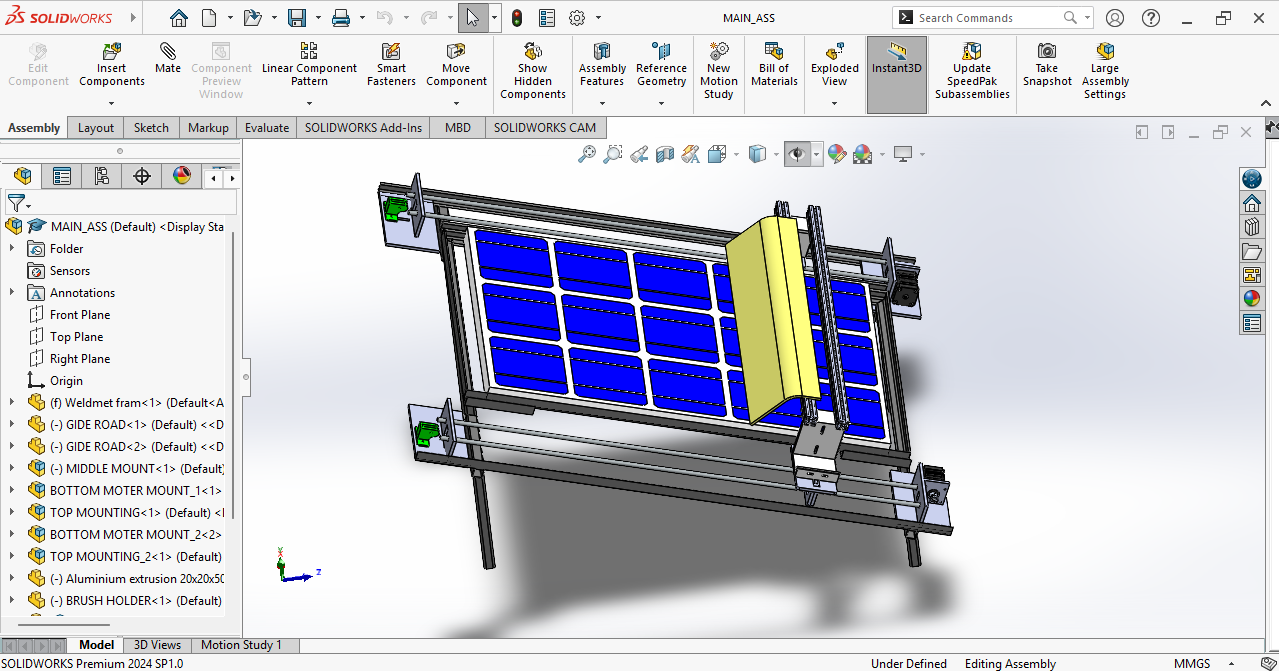
I found a simple slider mechanism design consisting of a motor, belt, and brush. The motor drives the belt, while the brush attached to the belt moves across the panel surface for cleaning.
Sketche of my final project
This sketch was generated by ChatGPT using the AI image generation tool based on uploaded my prototype image.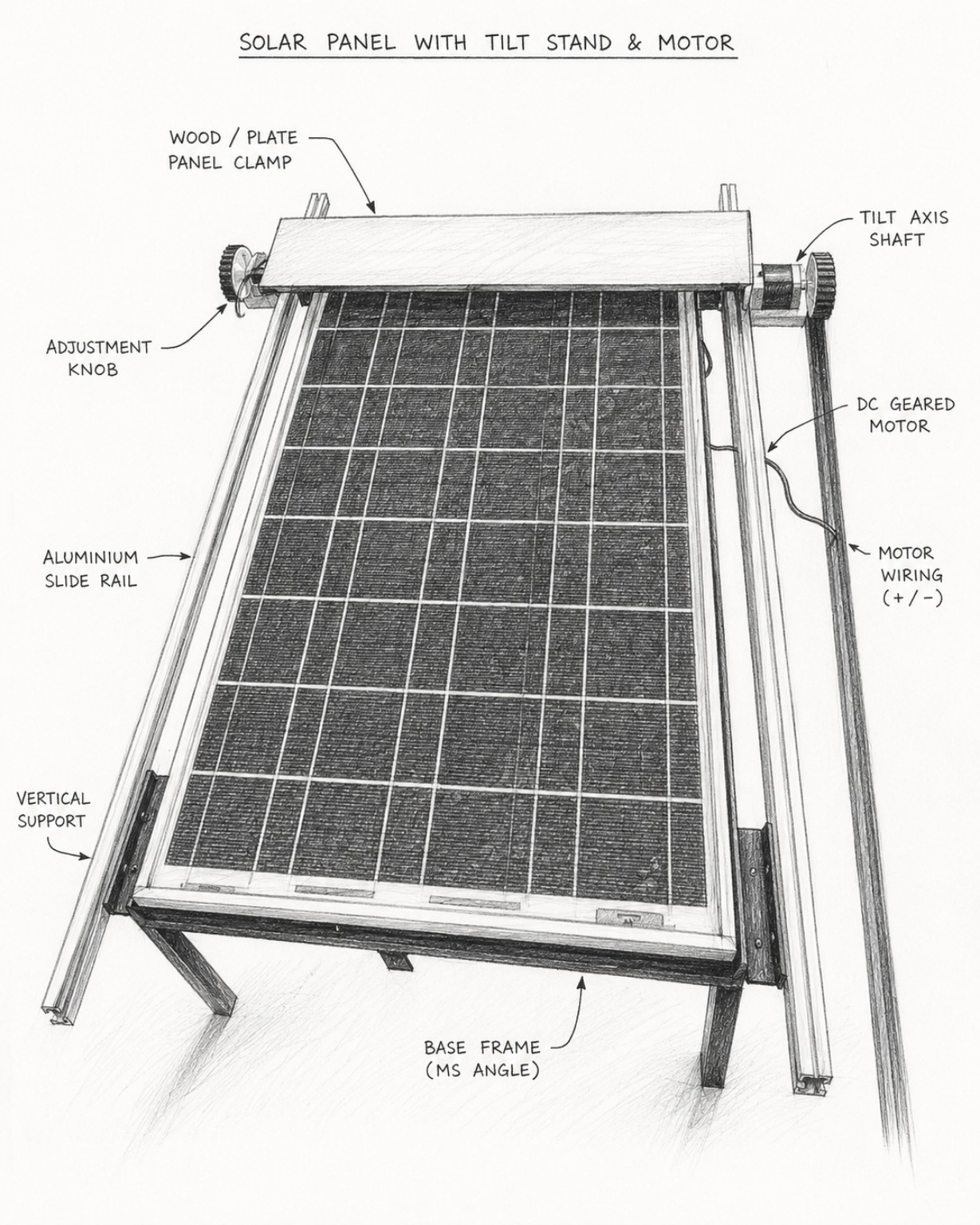
Working Flow of System
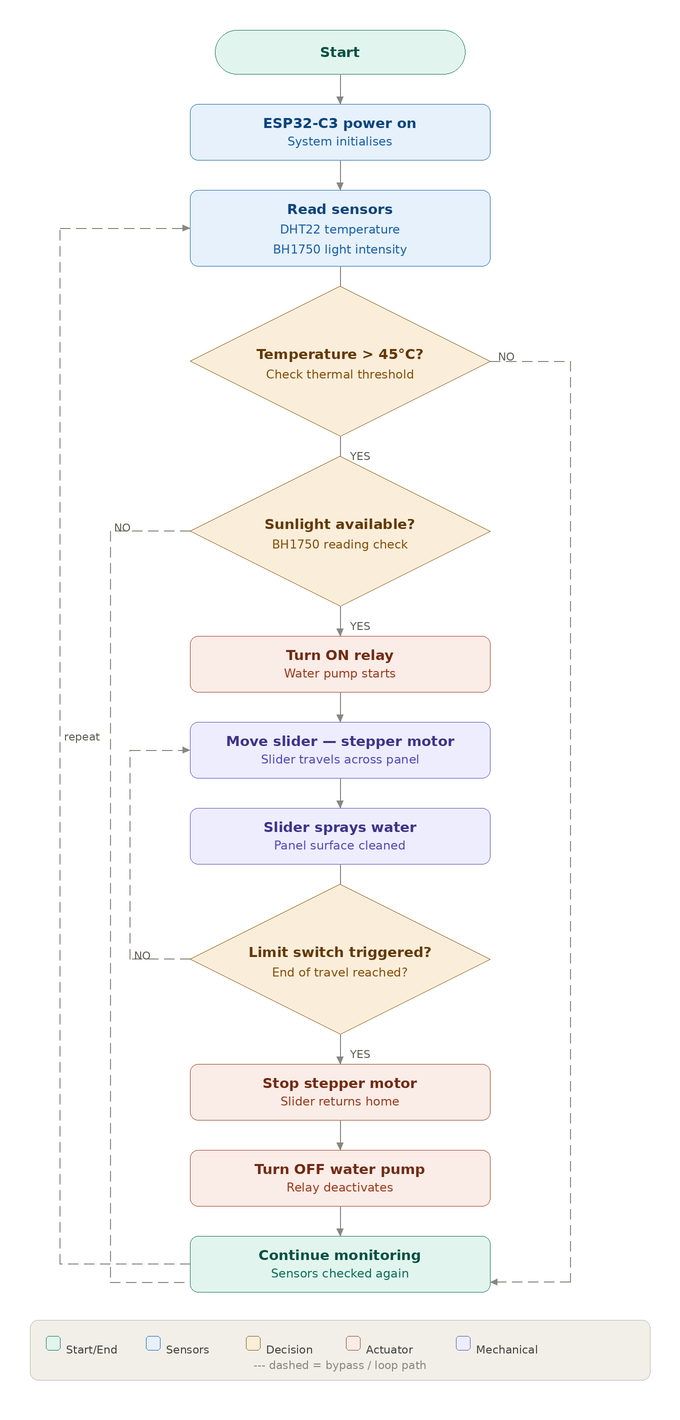
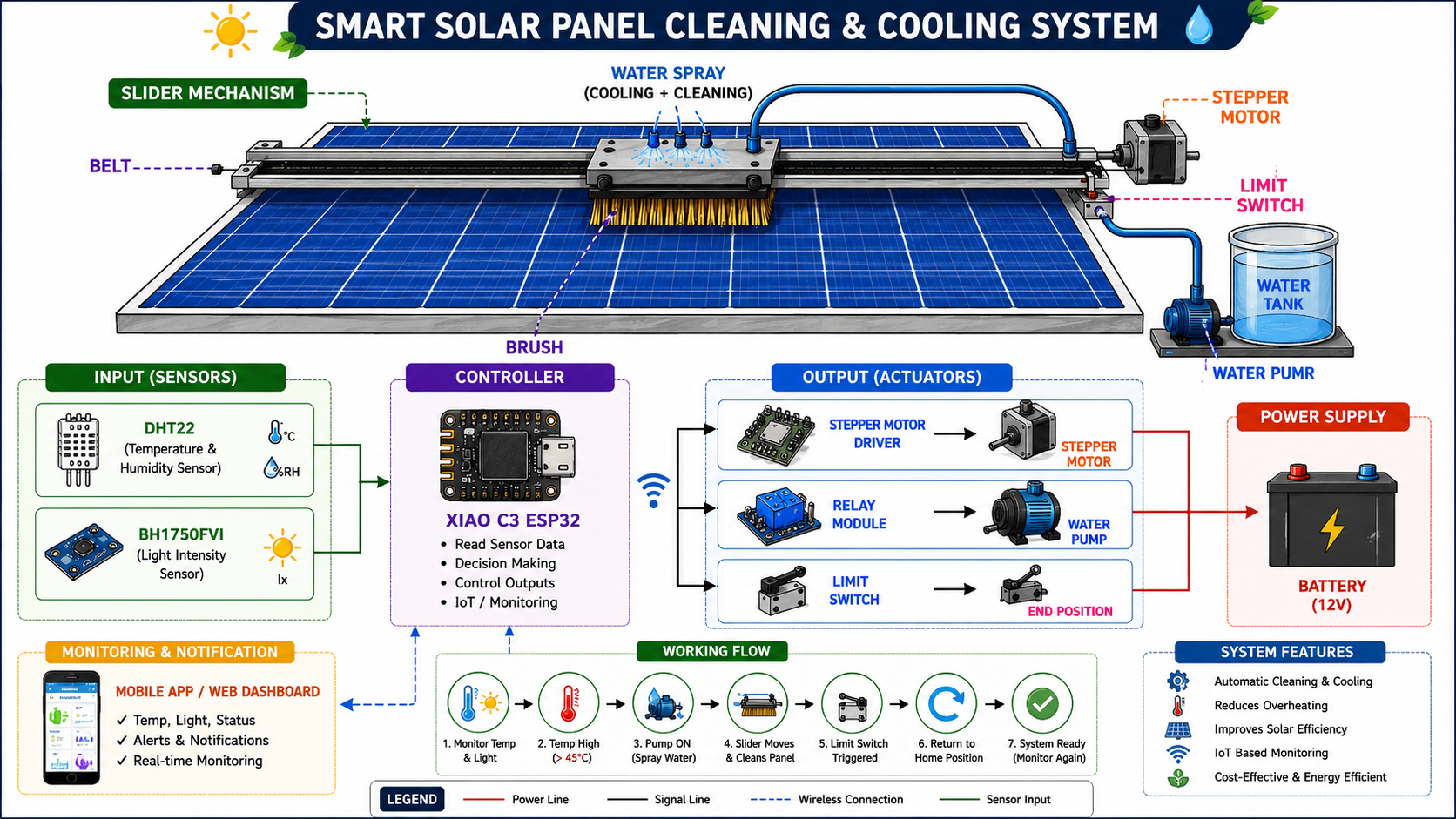
This image was generated by ChatGPT using the AI image generation tool based on project description and system components.
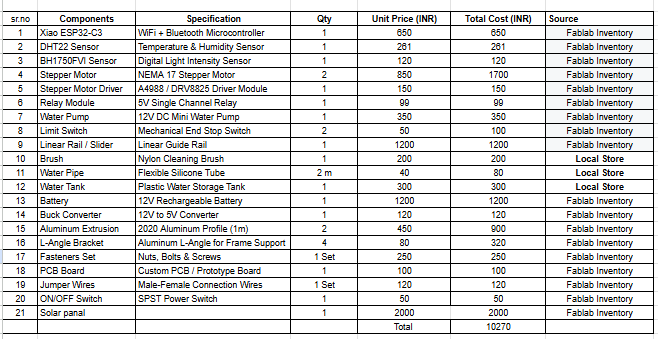
Bill of Materials (BOM)
The following components and mechanical parts are used for building the prototype of the Smart Solar Panel Cleaning and Cooling System:
Slider Mechanism
Before making the slider mechanism, I first created the base frame for the solar panel. The base frame was built using MS angle and metal support structures to provide stability and proper support for the solar panel.
After completing the frame assembly, I mounted the solar panel securely and then started designing and installing the slider mechanism on top of the frame.
The first step in the fabrication process was cutting the required metal parts using a metal cutting machine. Different metal sections and support parts were cut according to the required dimensions.
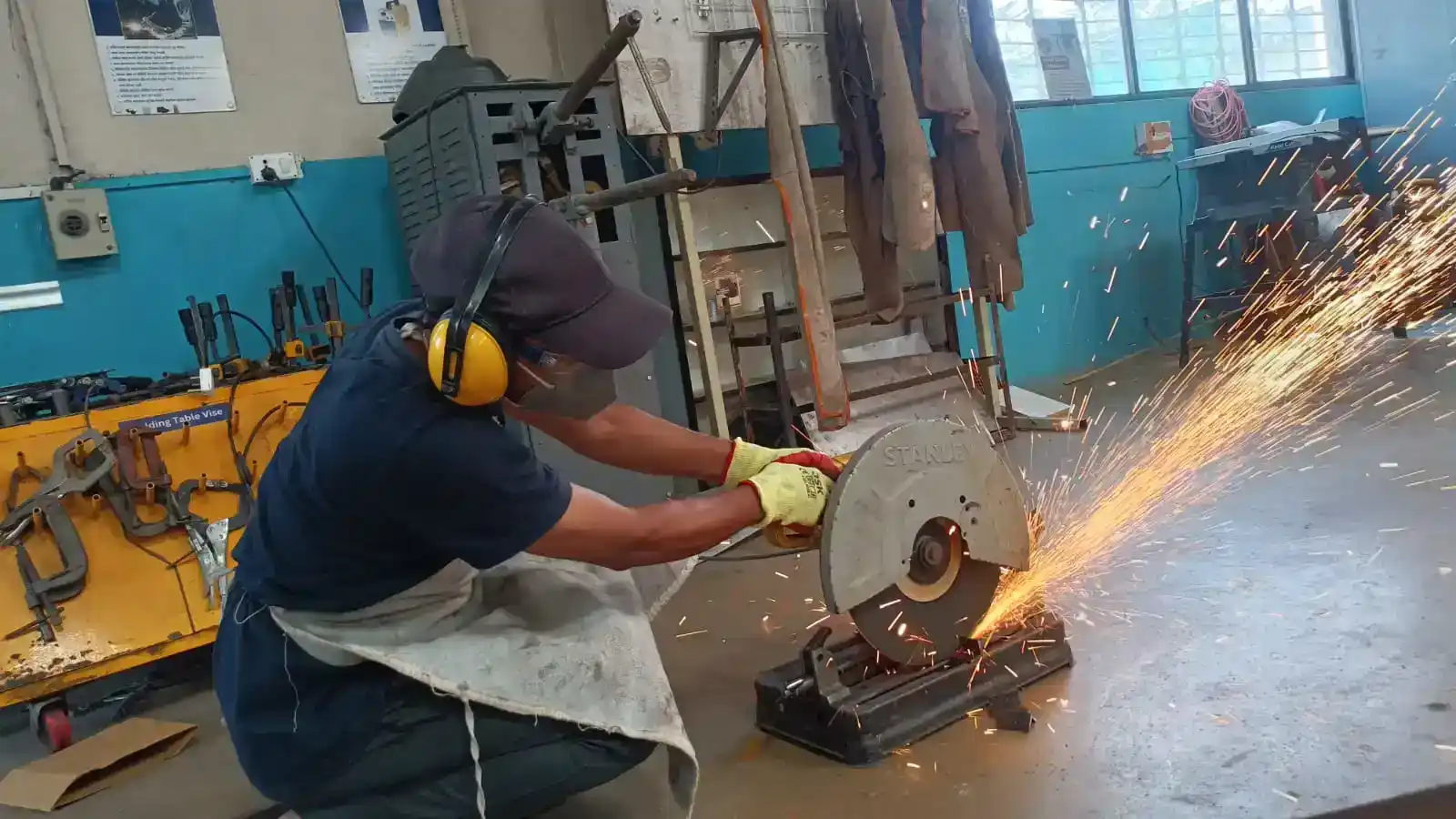
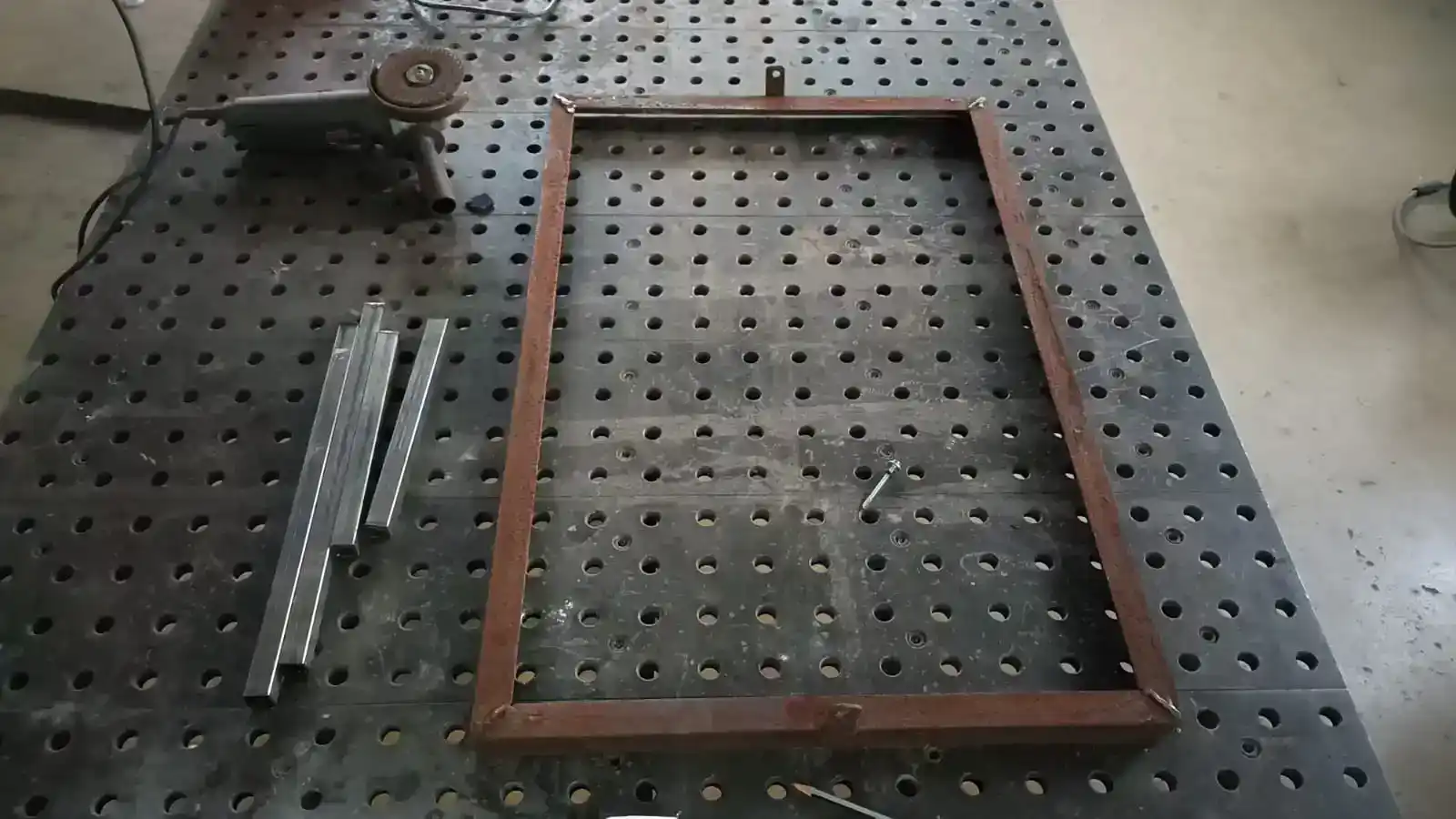
After cutting the metal parts, I used a grinder machine to clean the sharp edges and smooth the metal surfaces. I also grinded the solar panel frame to remove rust and improve the surface finish.
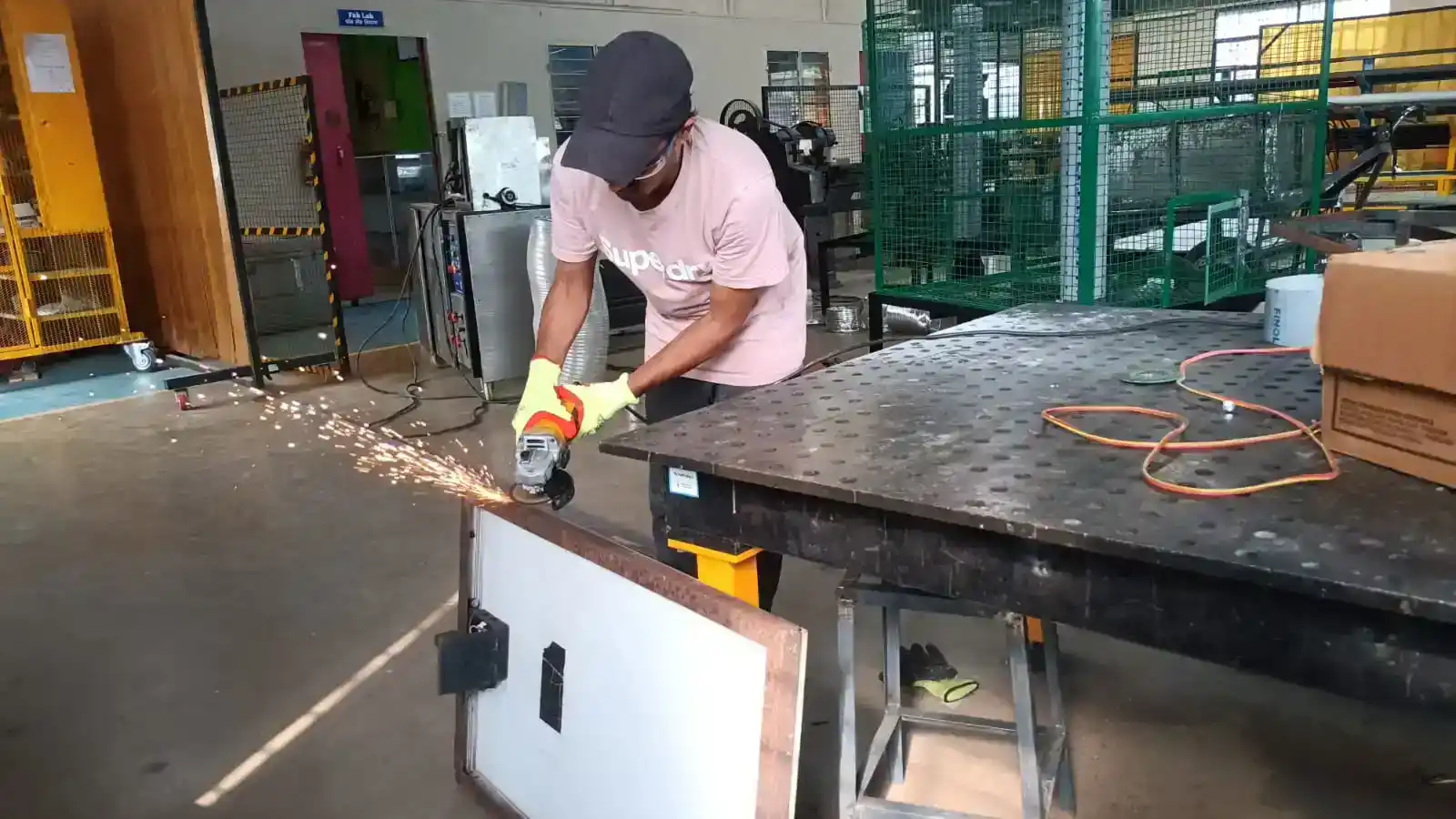
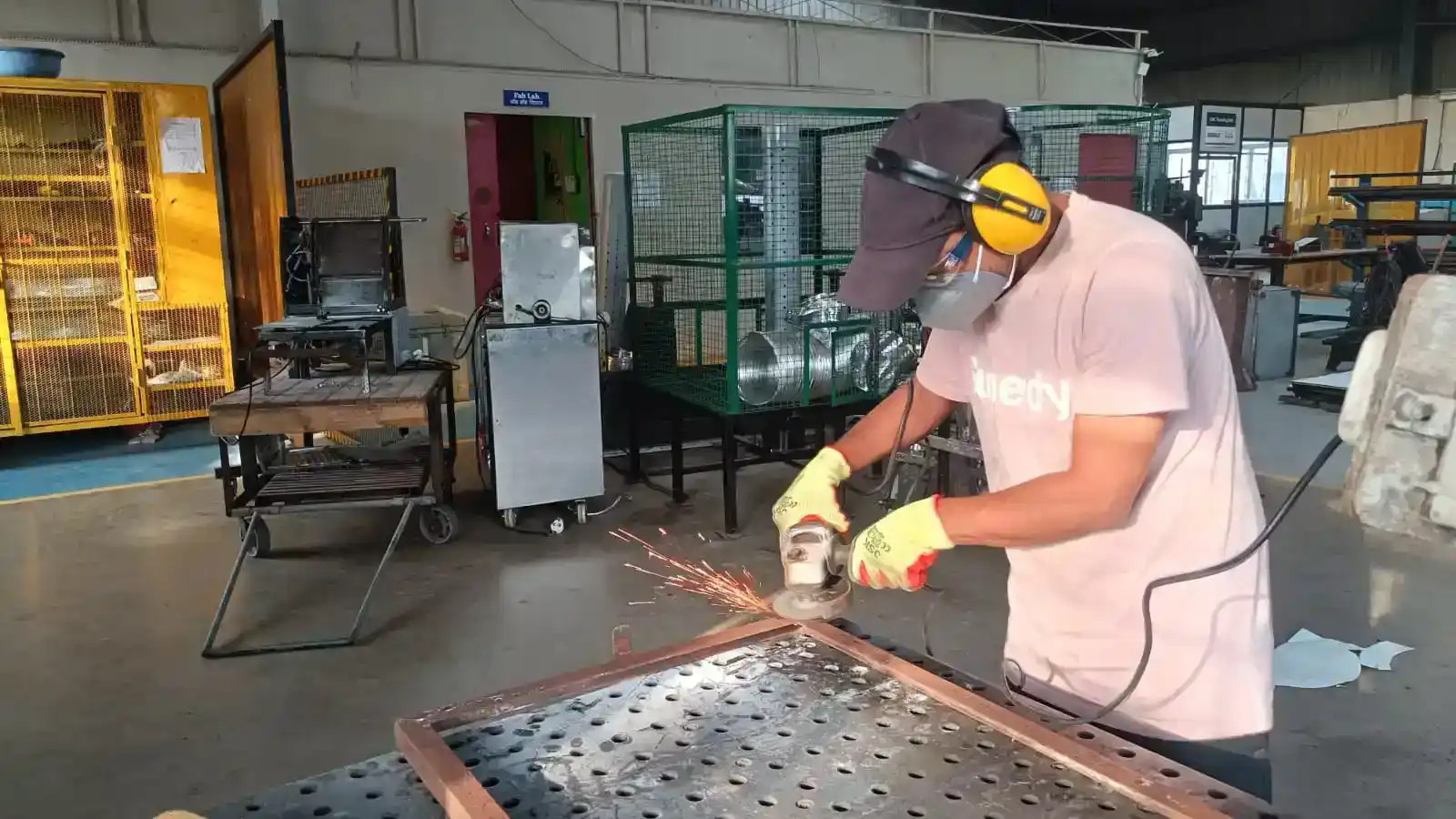
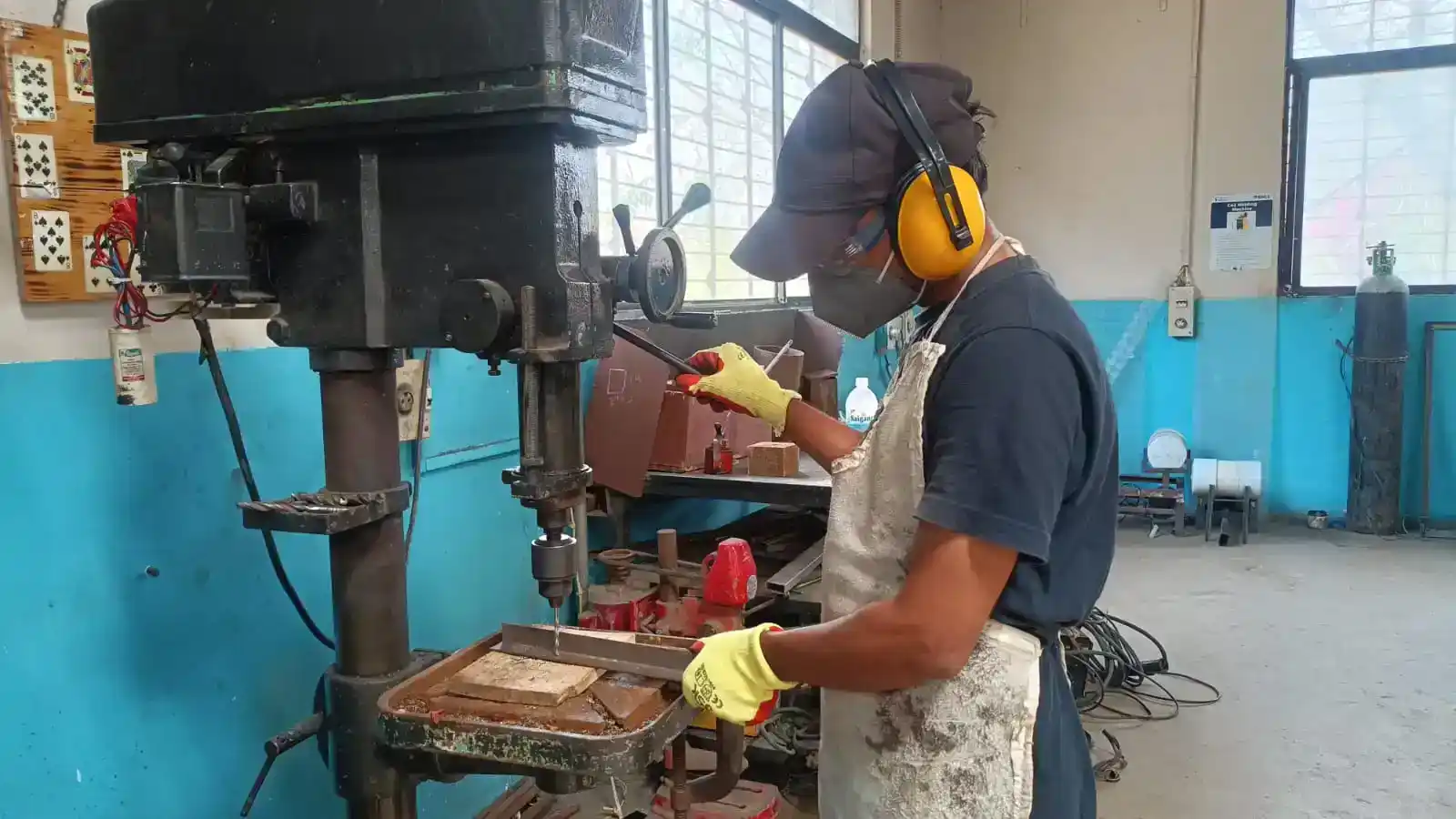
After cleaning the metal parts, I made the required holes using a drilling machine for mounting and assembly purposes. Then, all the metal parts were aligned properly and welded together to create the base frame structure for the solar panel system.
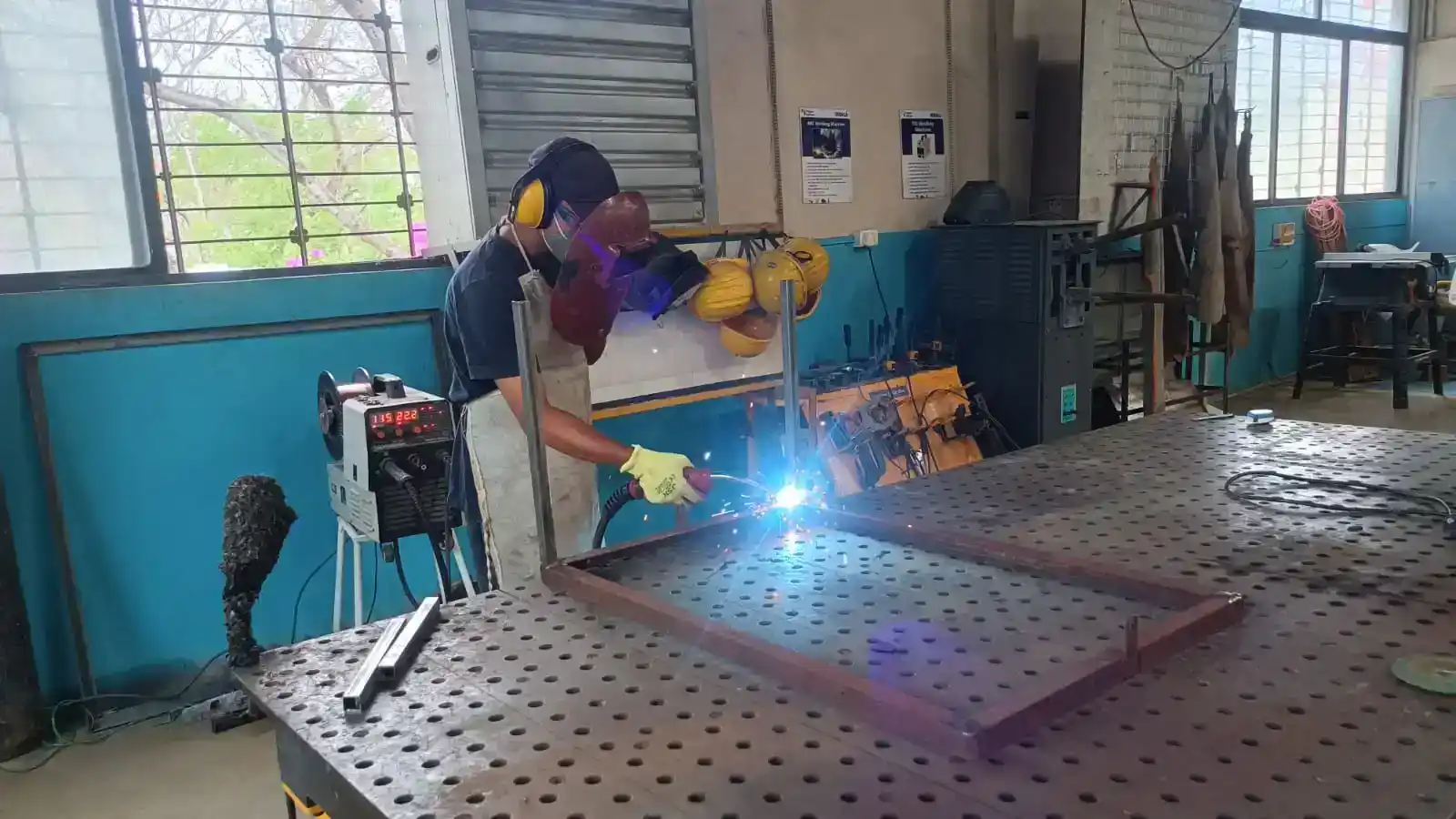
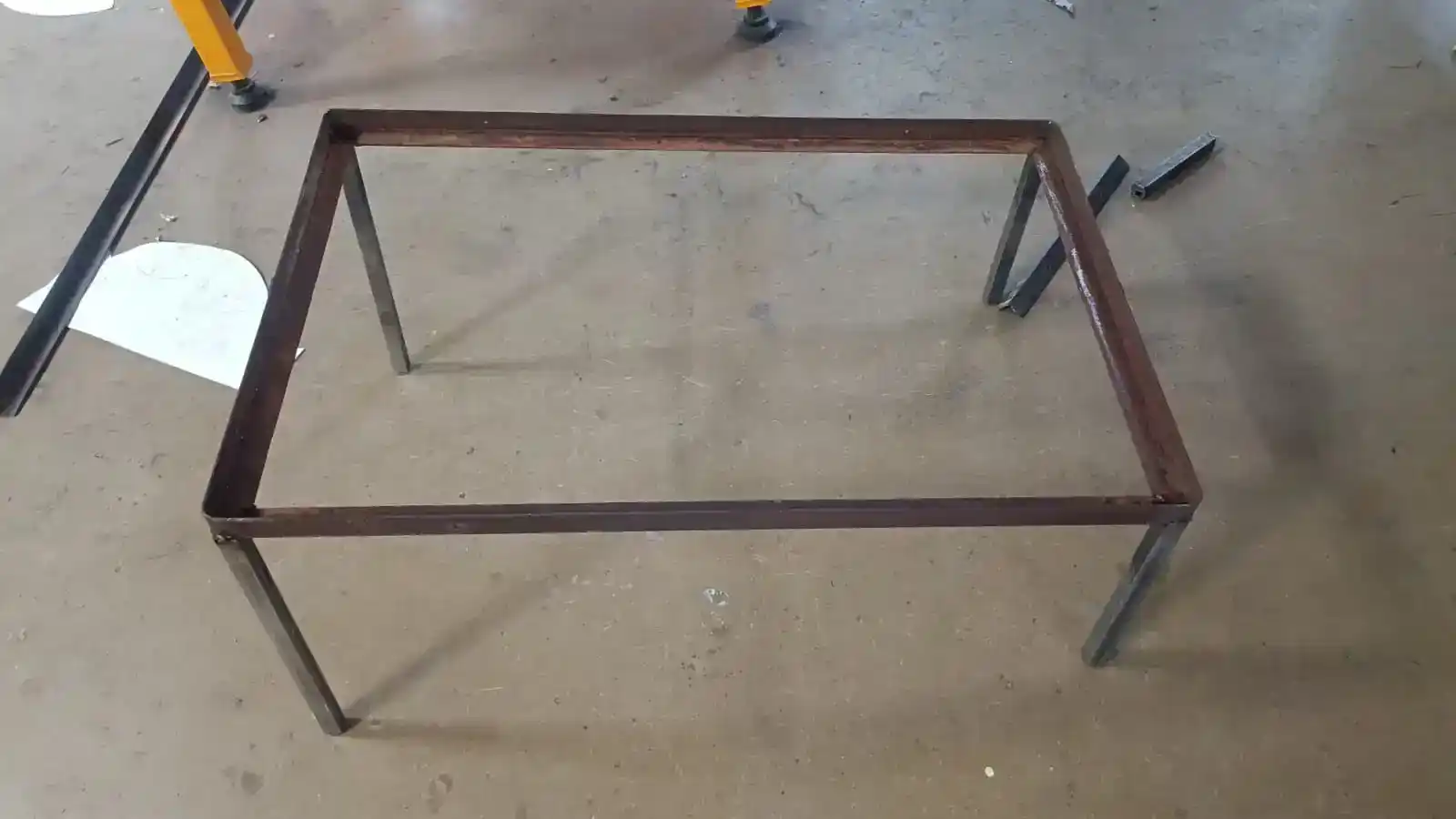
After completing the welding process, the base frame structure was fully assembled and became strong and stable.
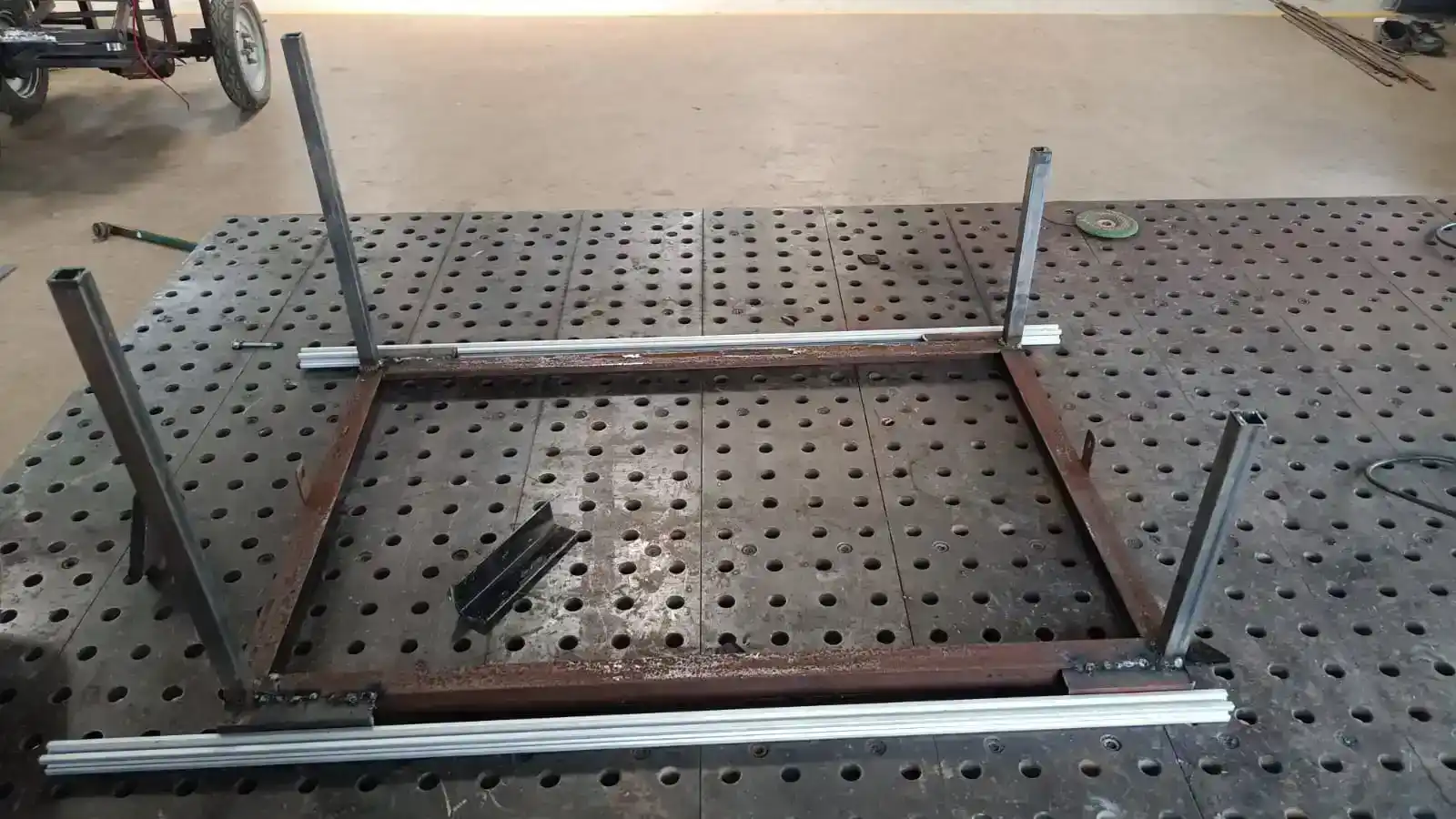
 After completing the frame assembly, the aluminum extrusion profiles were attached to the frame using M4 bolts and T-nuts.
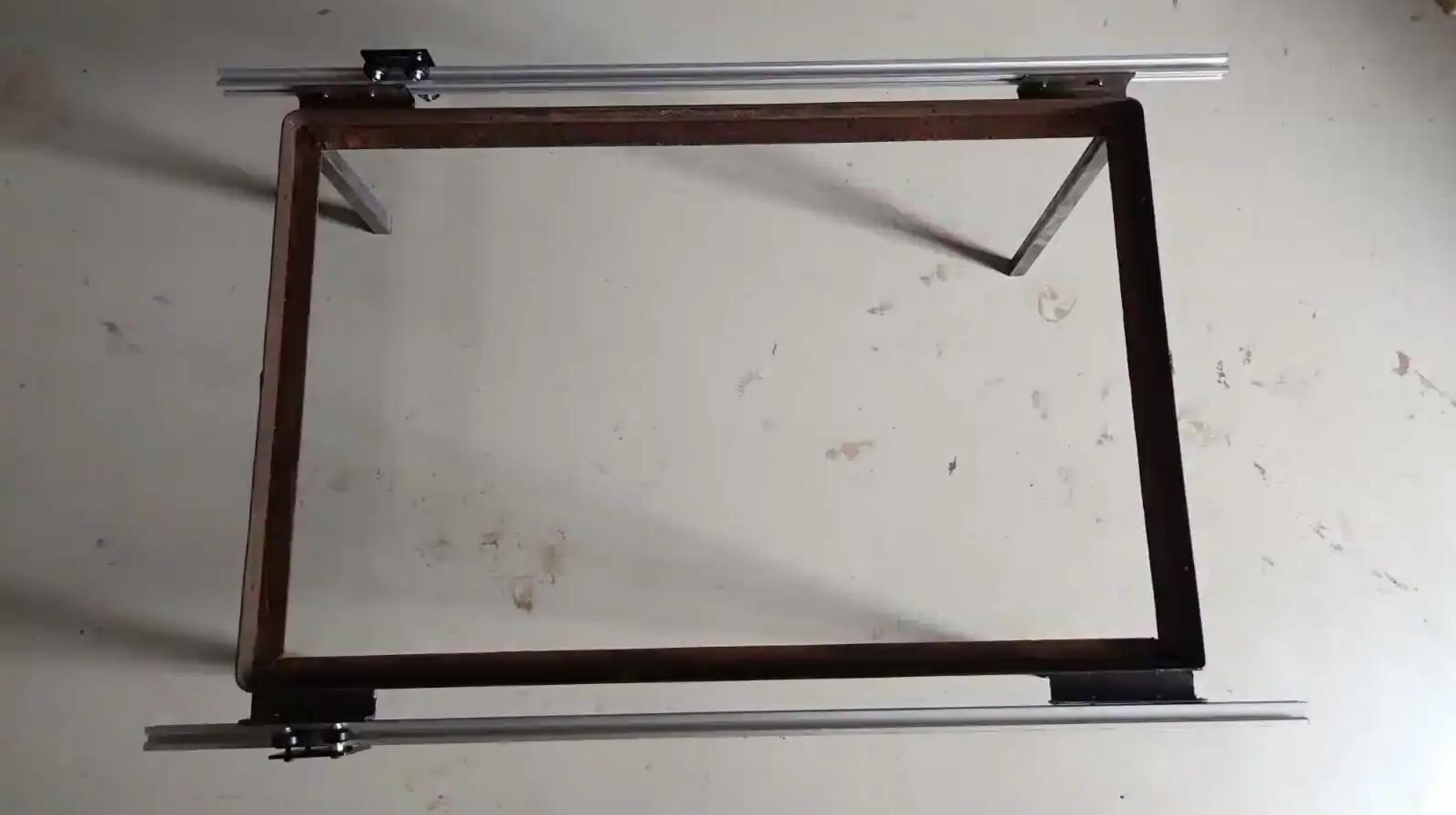
After that, I needed to mount the motor connected to the gantry mechanism, so I designed a stepper motor stand using CAD software and printed it using the A1 3D printer.
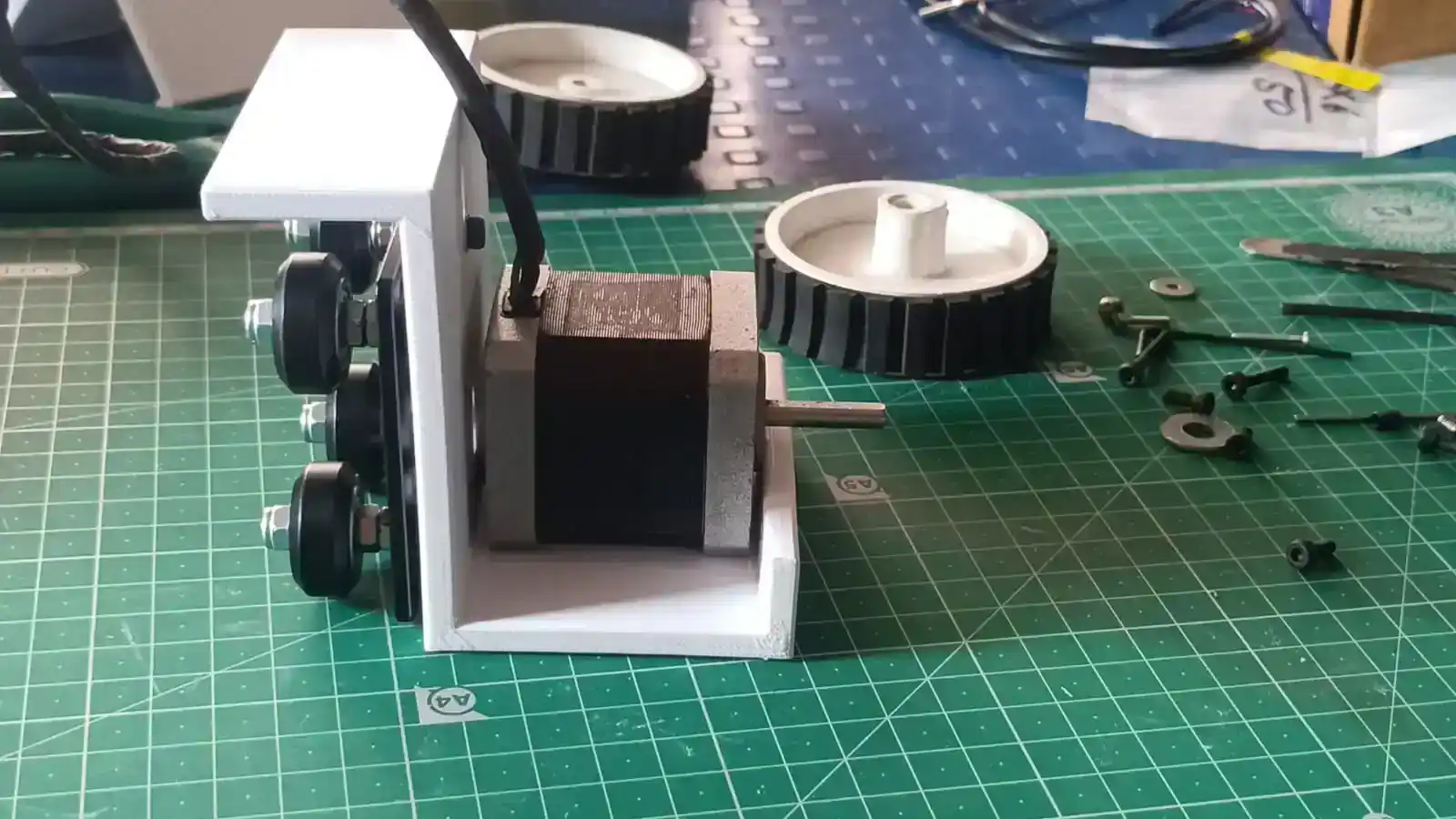
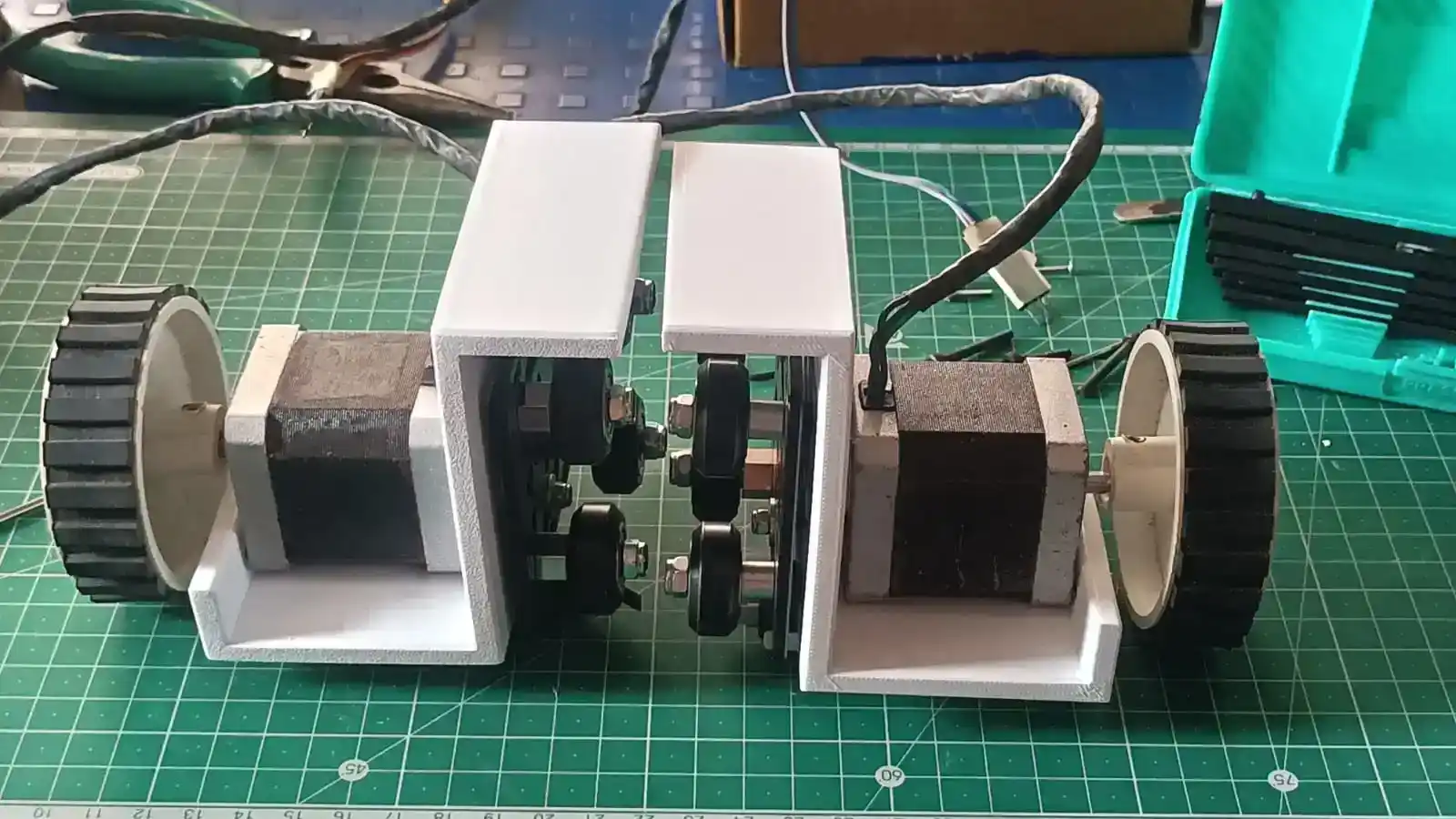 The printed motor mount was then attached to the stepper motor and fixed securely to the frame structure.
Finally, I checked both side motor mounts by sliding them manually along the aluminum extrusion rails. This testing helped verify the smooth movement, alignment, and stability of the slider mechanism.
failure modes
During the 3D printing of the motor mount, the print failed because the part was not attached to the print bed properly. I didn't use enough glue to improve bed adhesion so the part moved a bit during printing. And so the print part was rendered unusable. After locating the problem, I reprinted the motor mount with correct bed adhesion and the print turned out fine.
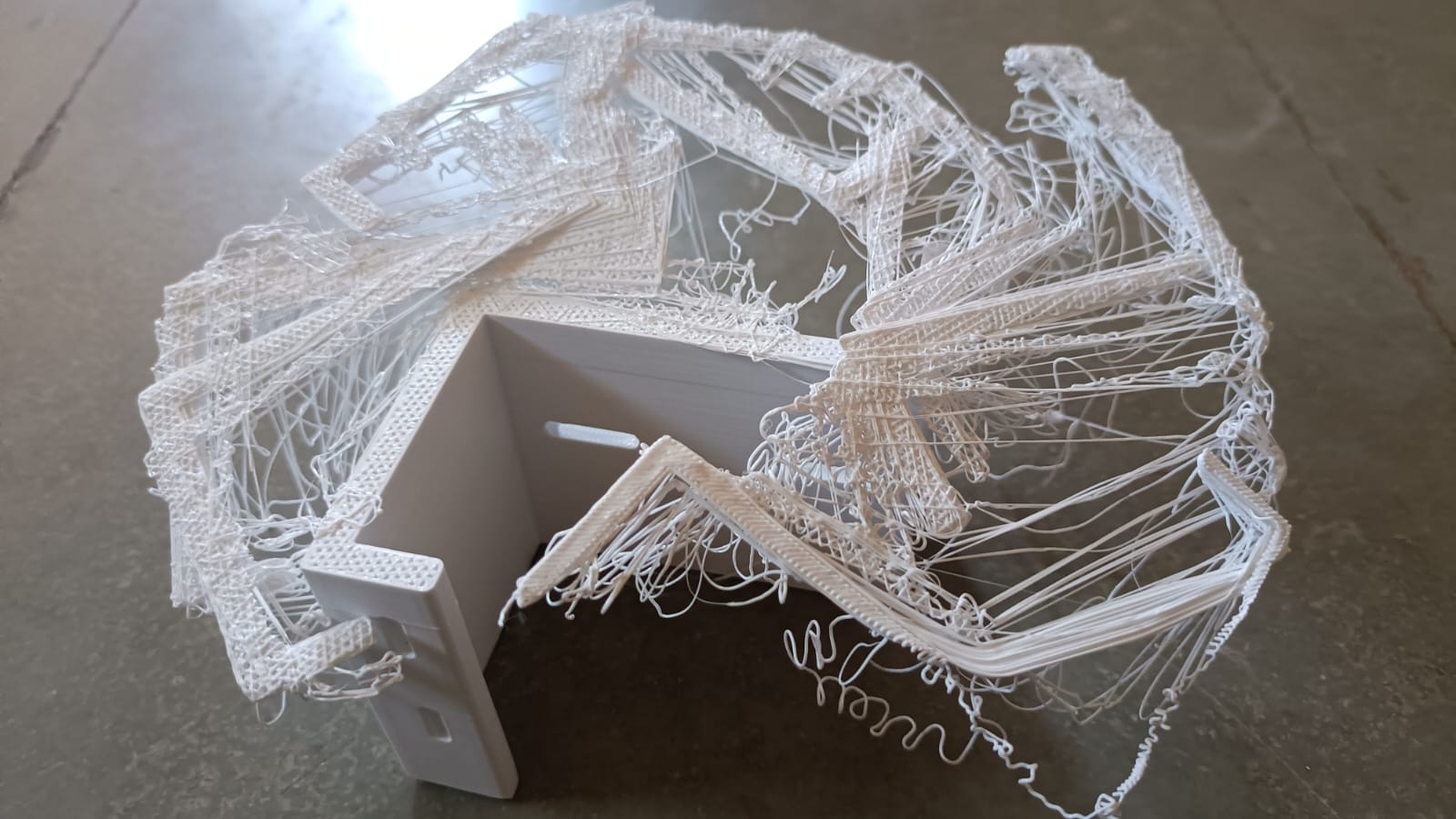 I then installed the stepper motor, mounted all the parts and tested the slider mechanism. The slider did not work in the tests due to misalignment in the mechanical assembly. The motor mount angle was wrong, and the slider wheels were slipping on the guide surface. This made the slider movement unstable and inaccurate. Once the alignment issue is found.
Design Improvement:
After experiencing issues with the slider mechanism, I decided to switch to a belt and pulley mechanism. To implement this change, I designed and fabricated several parts using laser cutting and 3D printing. These parts were then assembled into the system. After the modification, the mechanism operated smoothly and reliably, resolving the alignment and slipping issues encountered with the previous slider design.
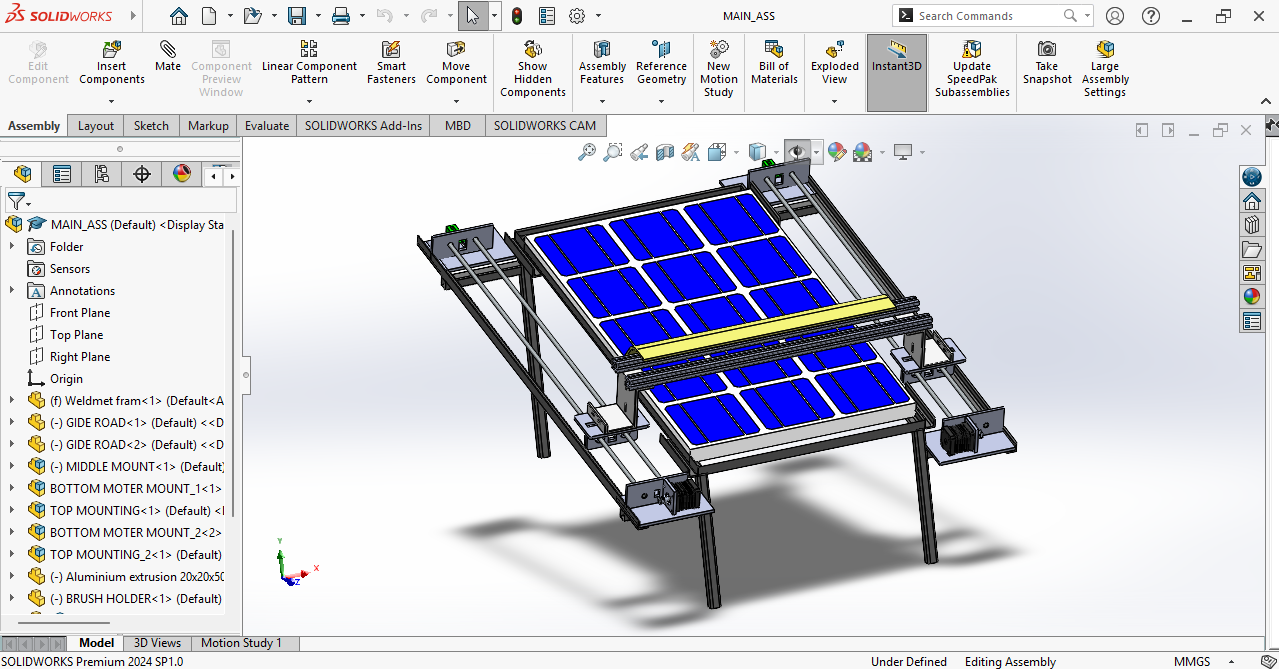
 Laser cutting and 3D Printing
Based on the final design, I manufactured the required components using laser cutting and 3D printing techniques. The fabricated parts were used to assemble the mechanical structure and ensure proper integration of all system components.
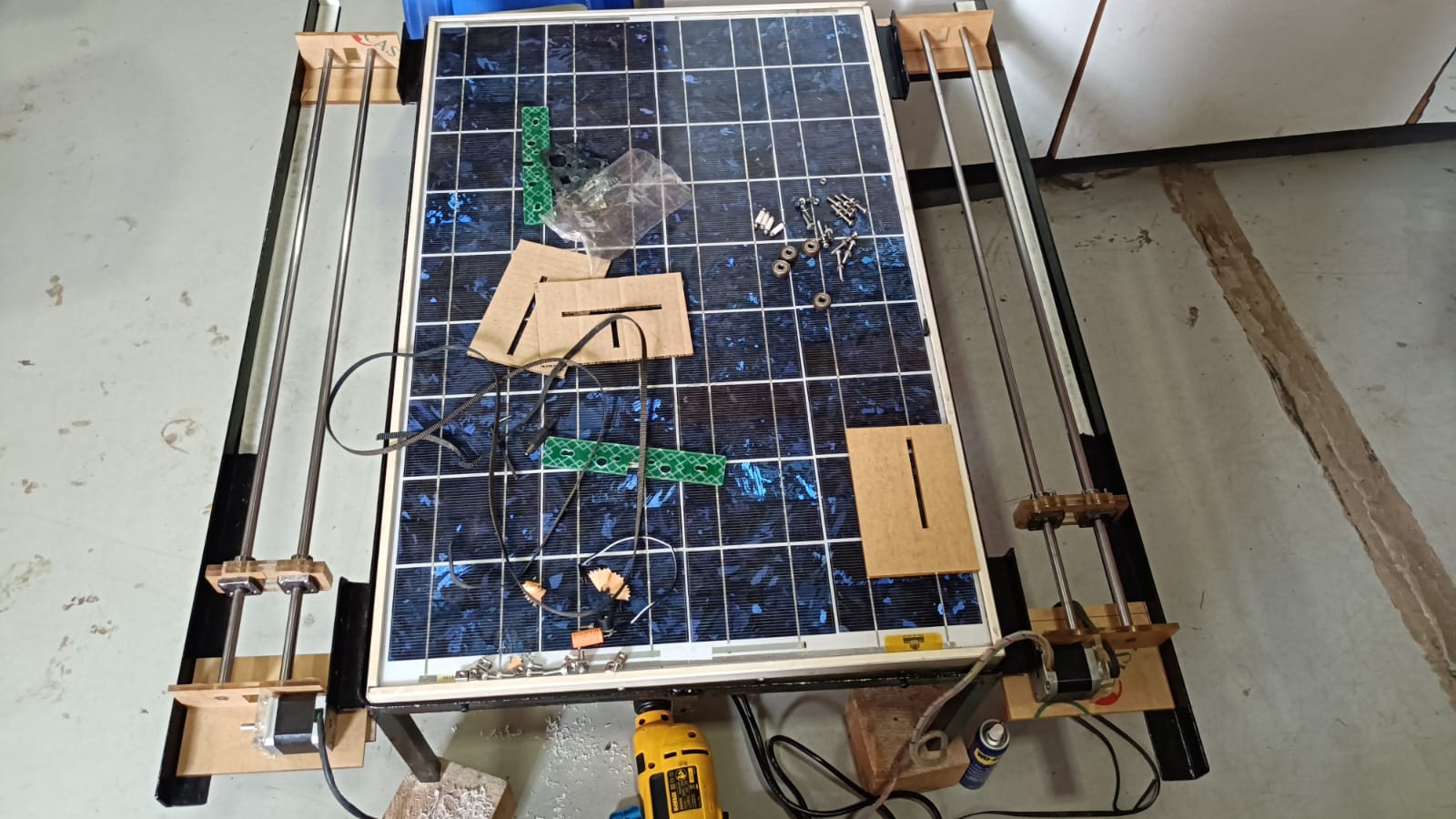 With the mechanical assembly done, I took the opportunity to test the slider mechanism and see how well it performed, checking that it operated smoothly. The testing process helped to verify that all components were correctly aligned and working as intended.
Electronic system design
After completing the slider mechanism, I moved on to the electronic system design. In my system, I used a Xiao ESP32-C3 microcontroller, DHT22 temperature sensor, BH1750 light intensity sensor, two stepper motors, limit switches, and a relay module.
My main task was to combine and integrate all these components into a single working system for automatic solar panel cleaning and cooling.
Step 1: Input Sensor Testing
In my project, I used a DHT11 temperature and humidity sensor and a BH1750 light intensity sensor as input devices. During the input devices week, I tested both sensors individually to check their functionality and accuracy before integrating them into the main system.
I used KiCad to create a PCB this week for my final project. The system includes an ESP32-C3 microcontroller, a BH1750 light intensity sensor, and a DHT22 temperature and humidity sensor. A water pump, two stepper motors, two limit switches, and a display for system operation and monitoring are also included. I created the PCB to combine all of these parts into a single system based on the project specifications.
Schematic Diagram
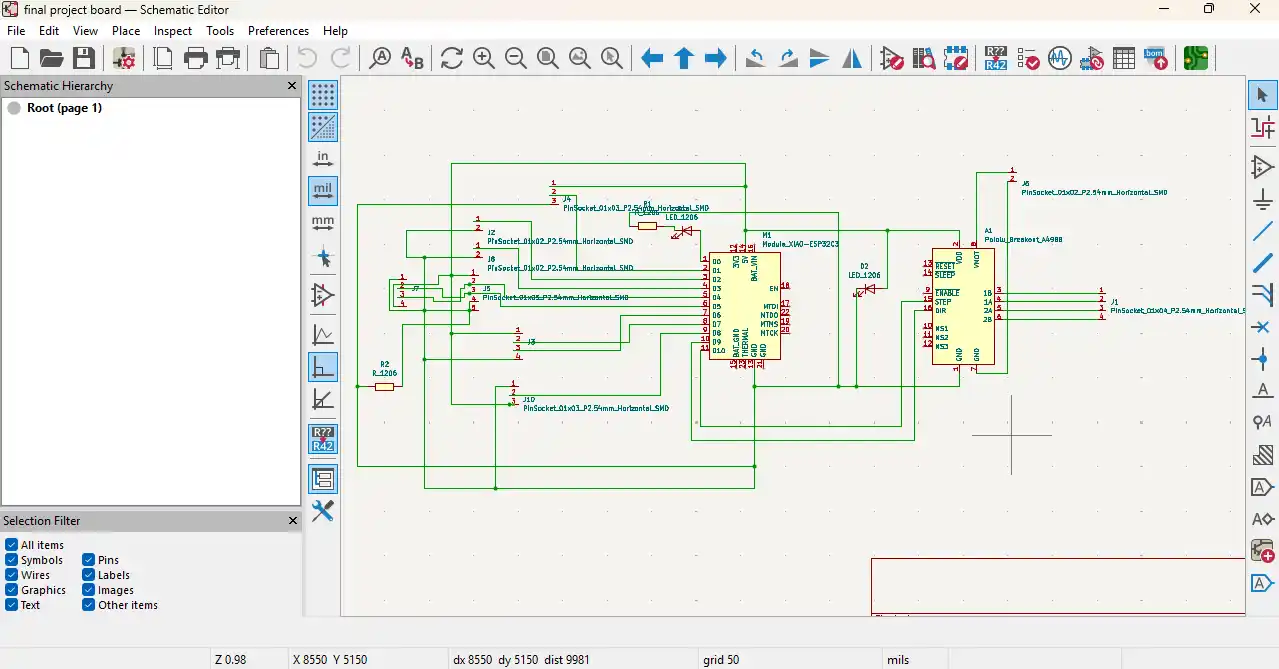
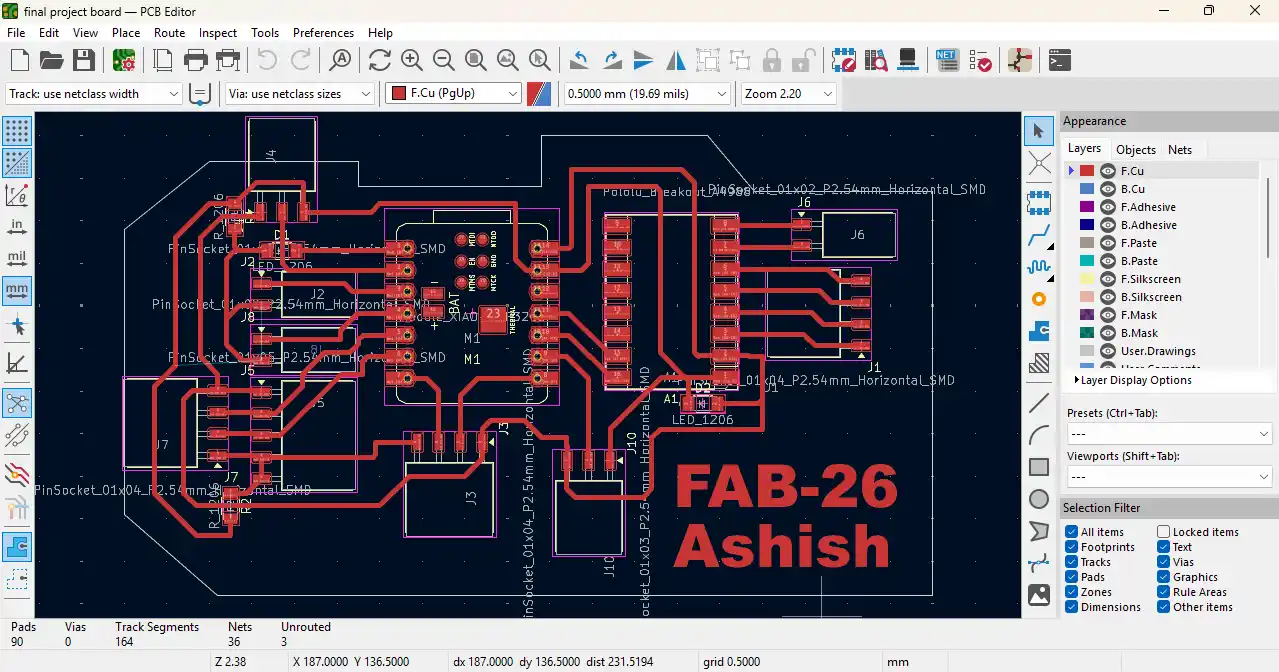
After the schematic and PCB design was done, I generated the Gerber files with KiCad. Then the Gerber files were converted to PNG images.
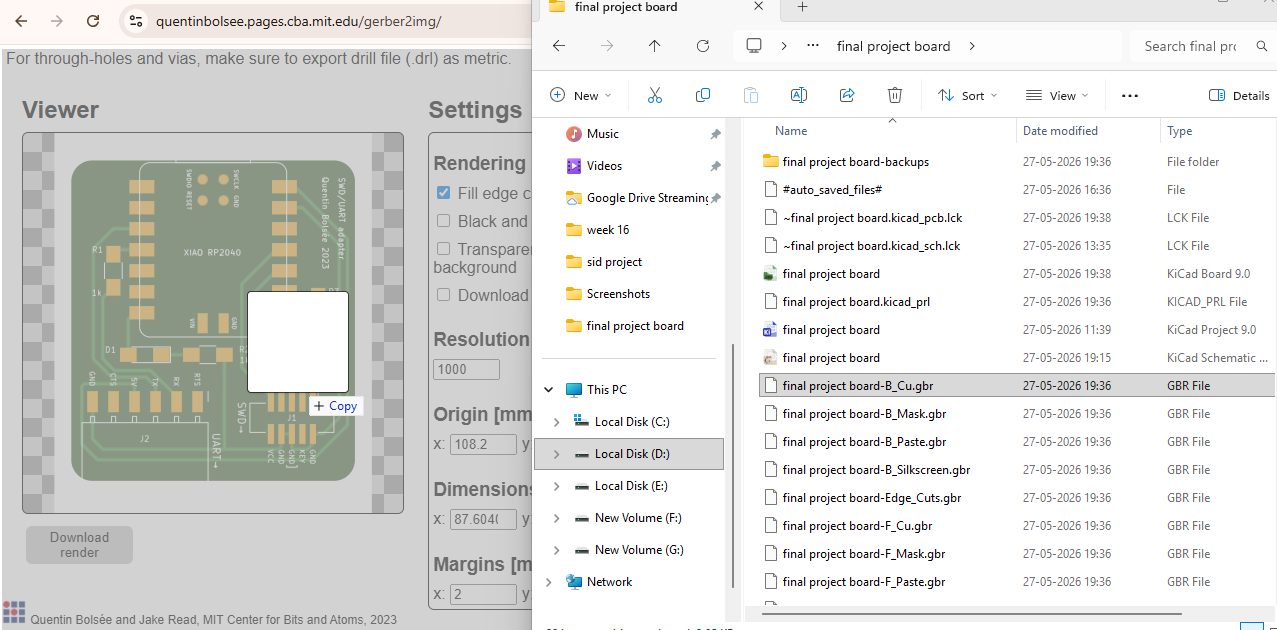
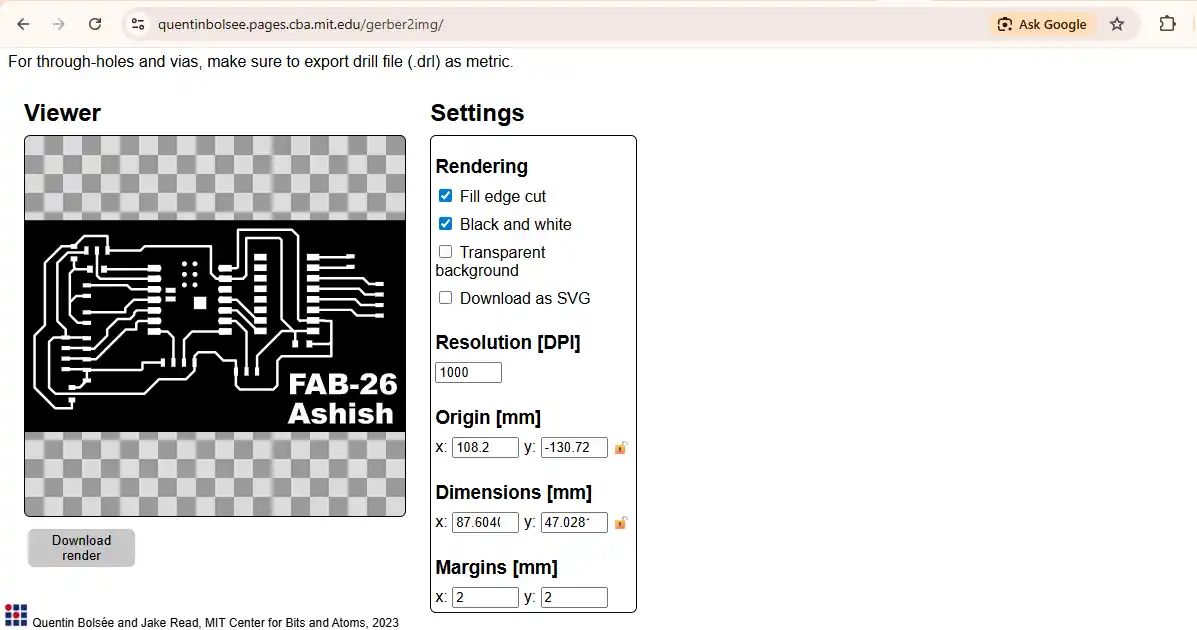
The PNG Files
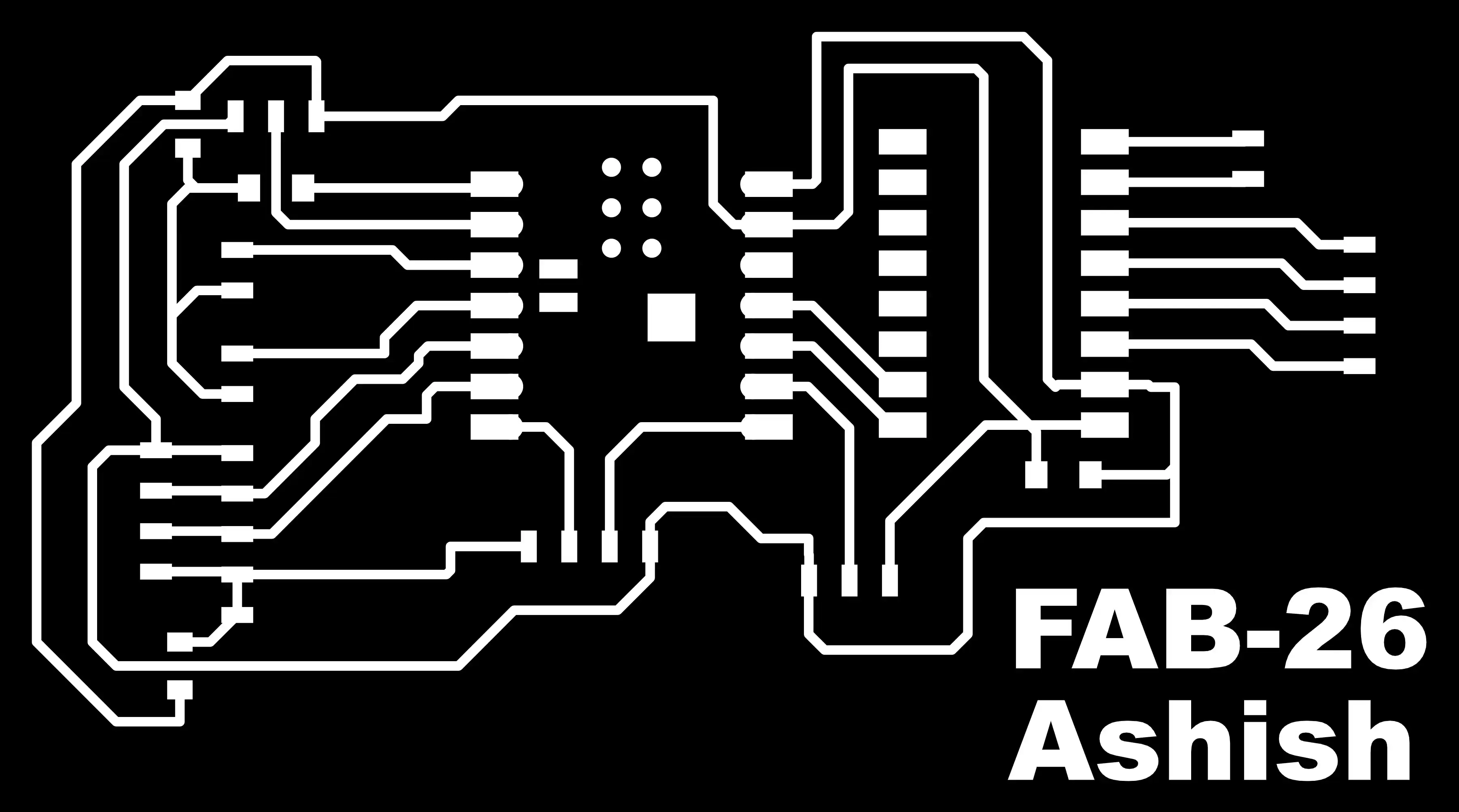
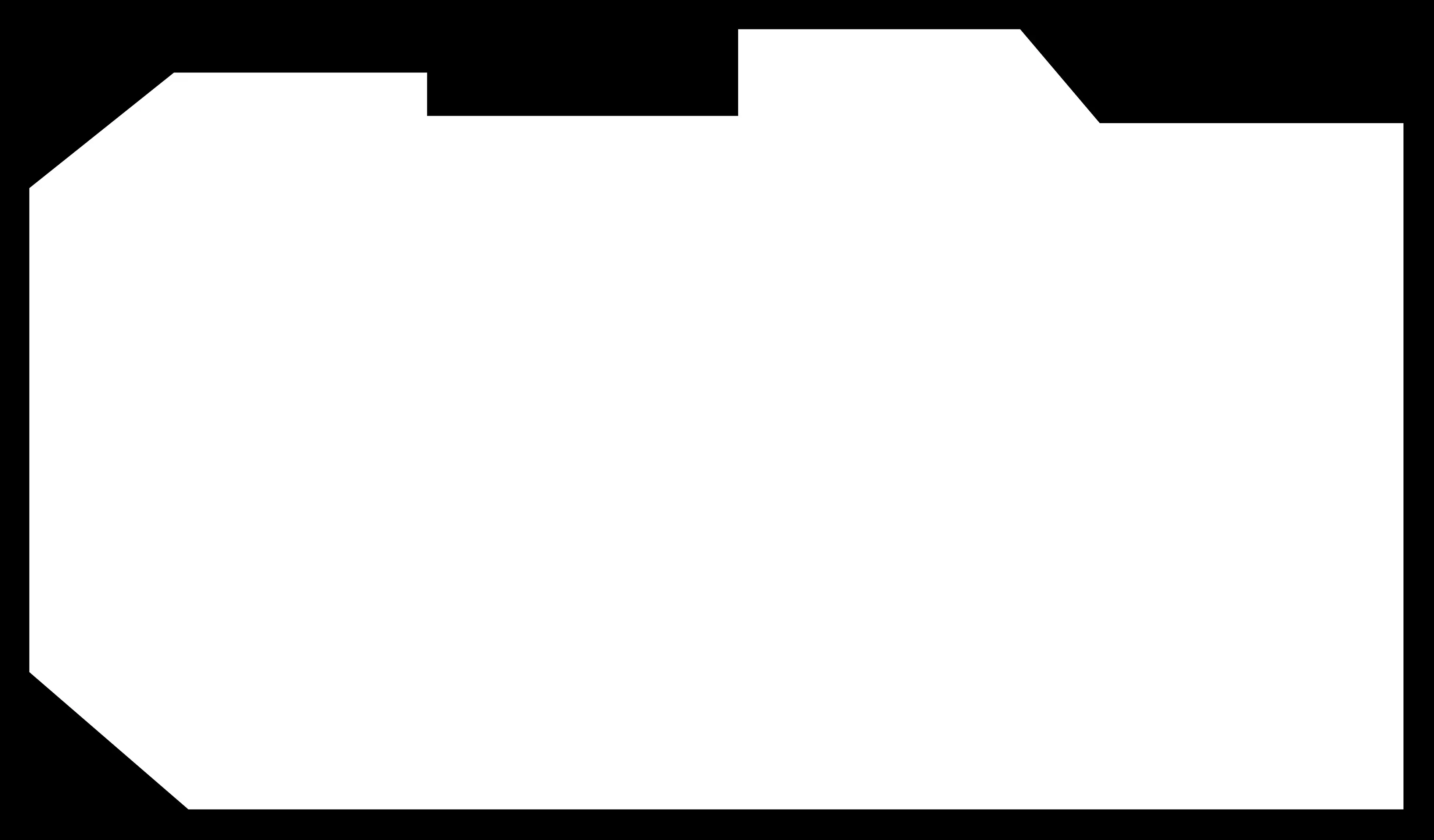
imported to MODS software. The PNG files were used to produce the required toolpaths for PCB milling. The generated toolpaths were then used to manufacture the PCB on the milling machine.
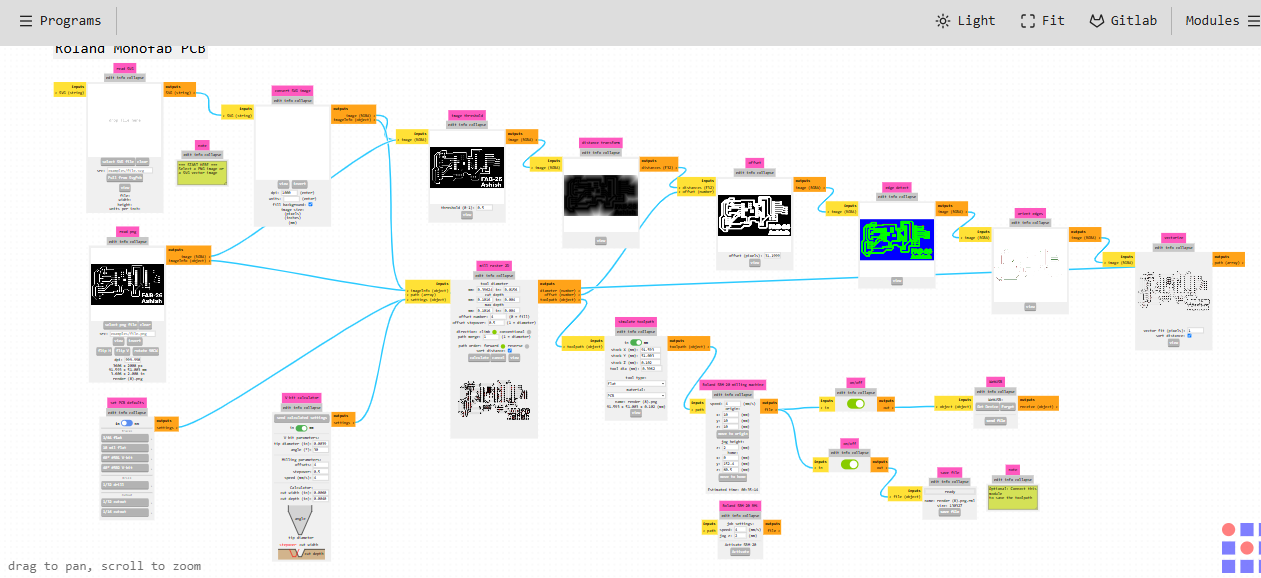
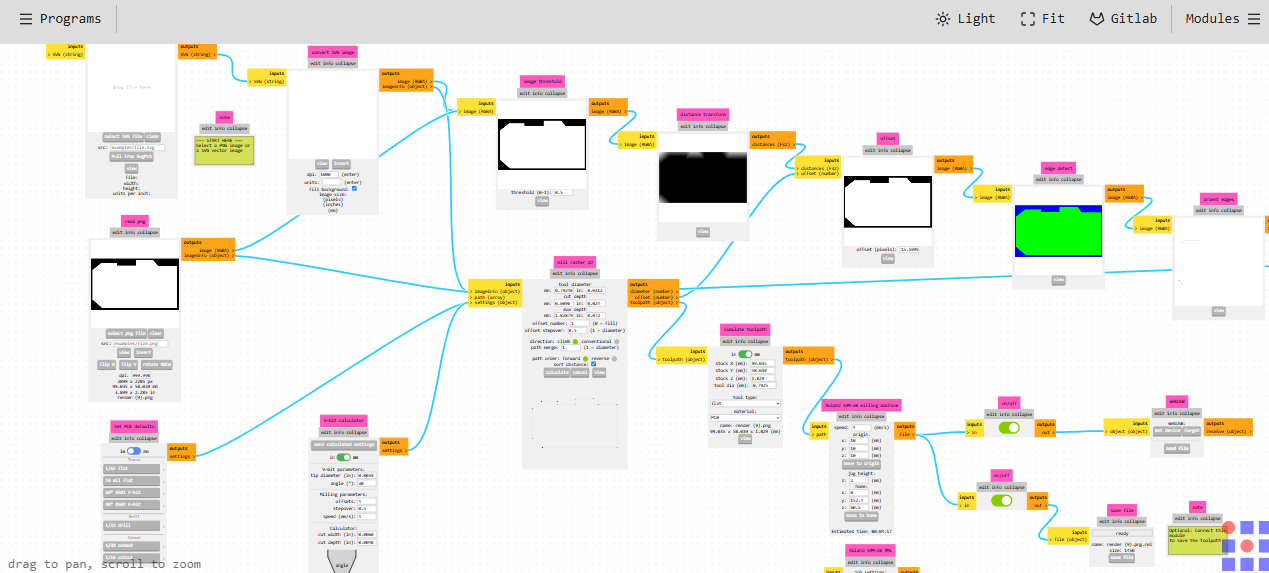
Once the RML file was generated in MODS, it was transferred to the Roland SRM-20 milling machine. The RML file was then used to perform the milling process and fabricate the PCB.
After the milling process, the PCB was cleaned to eliminate dust and debris. Then the board was cut to the required sizes and got ready for component assembly.
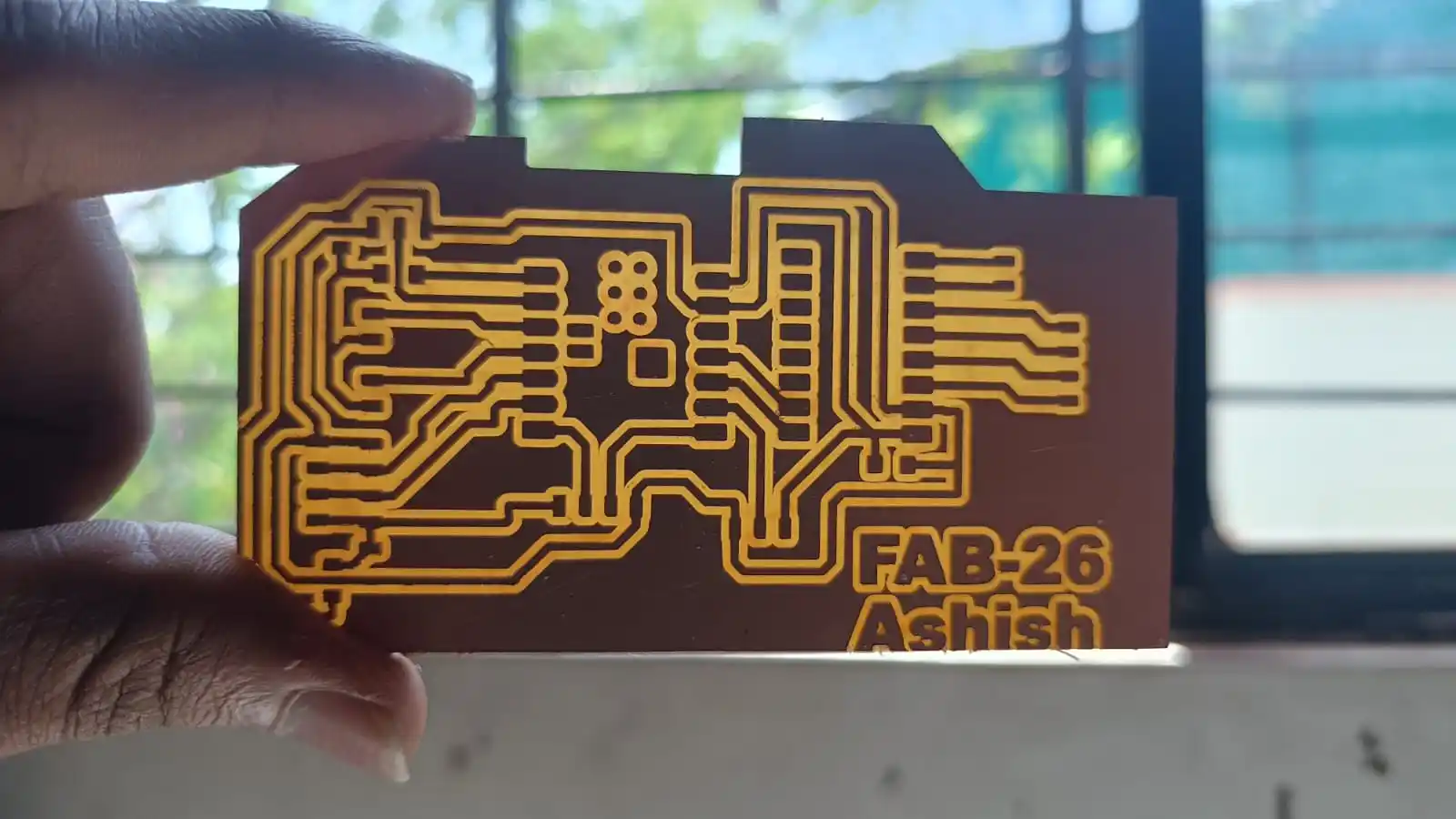
When the PCB was milled and cleaned I soldered all the electronic components. Once the soldering was done, the board was inspected and ready to be tested.
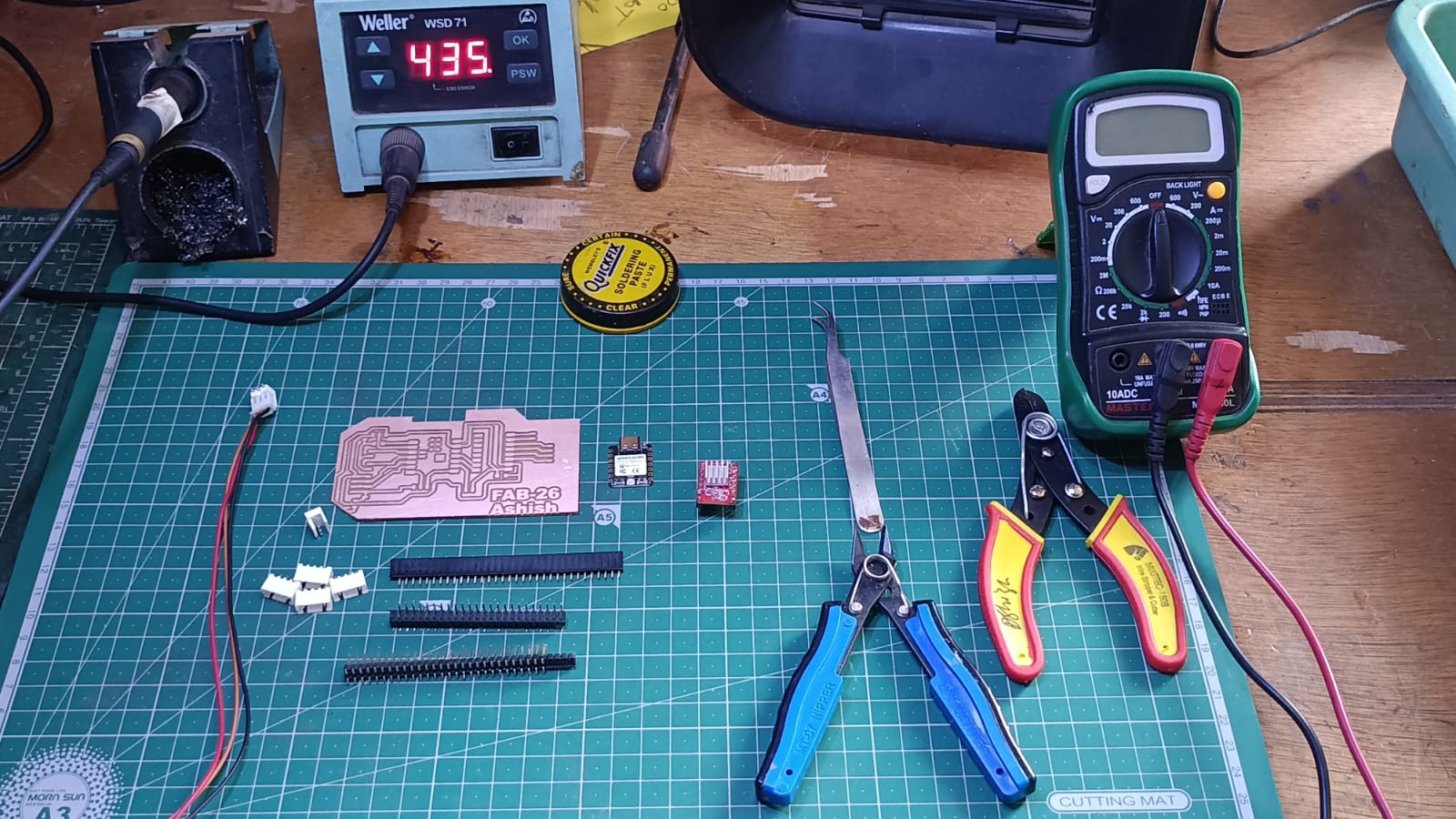
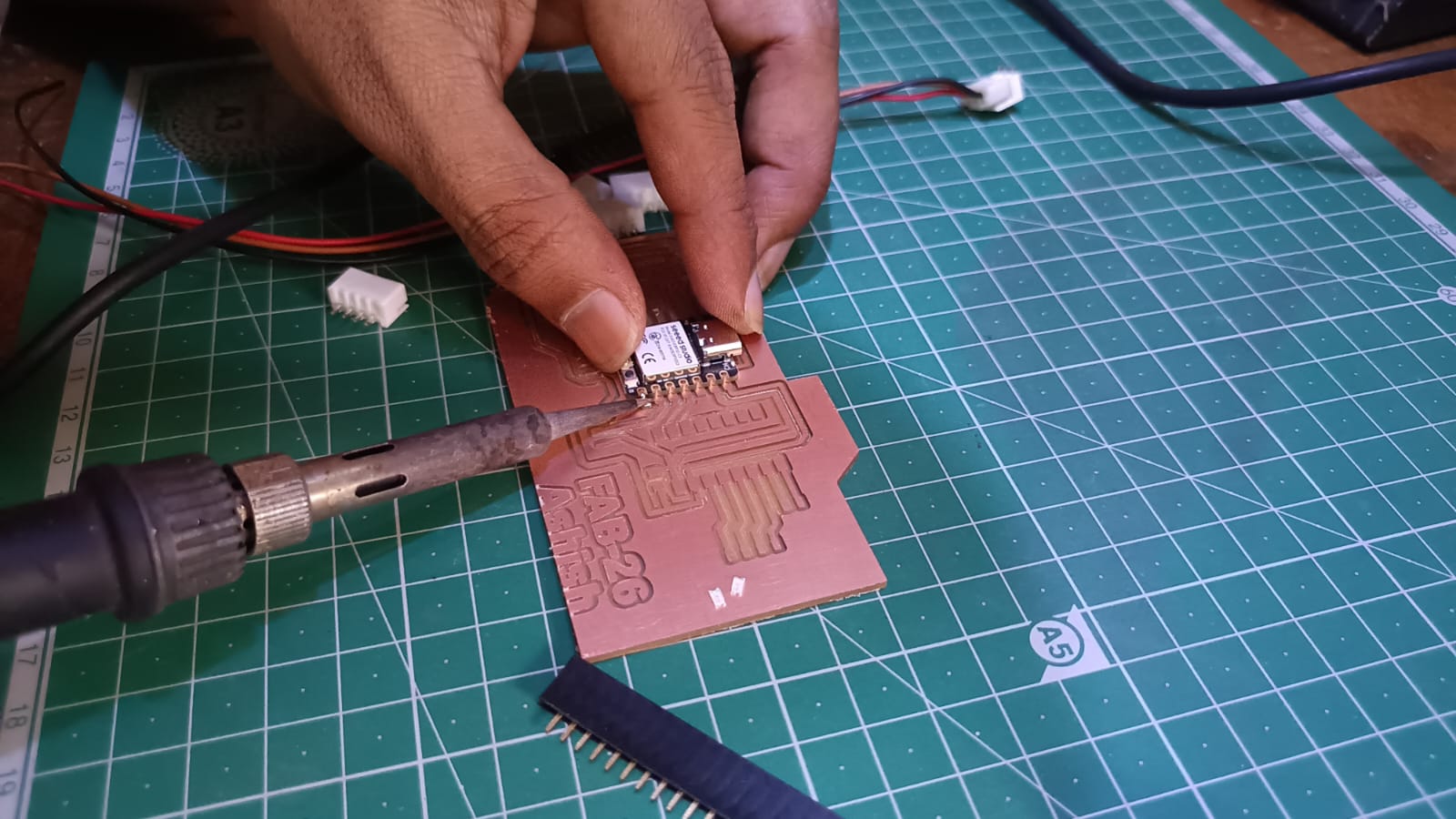
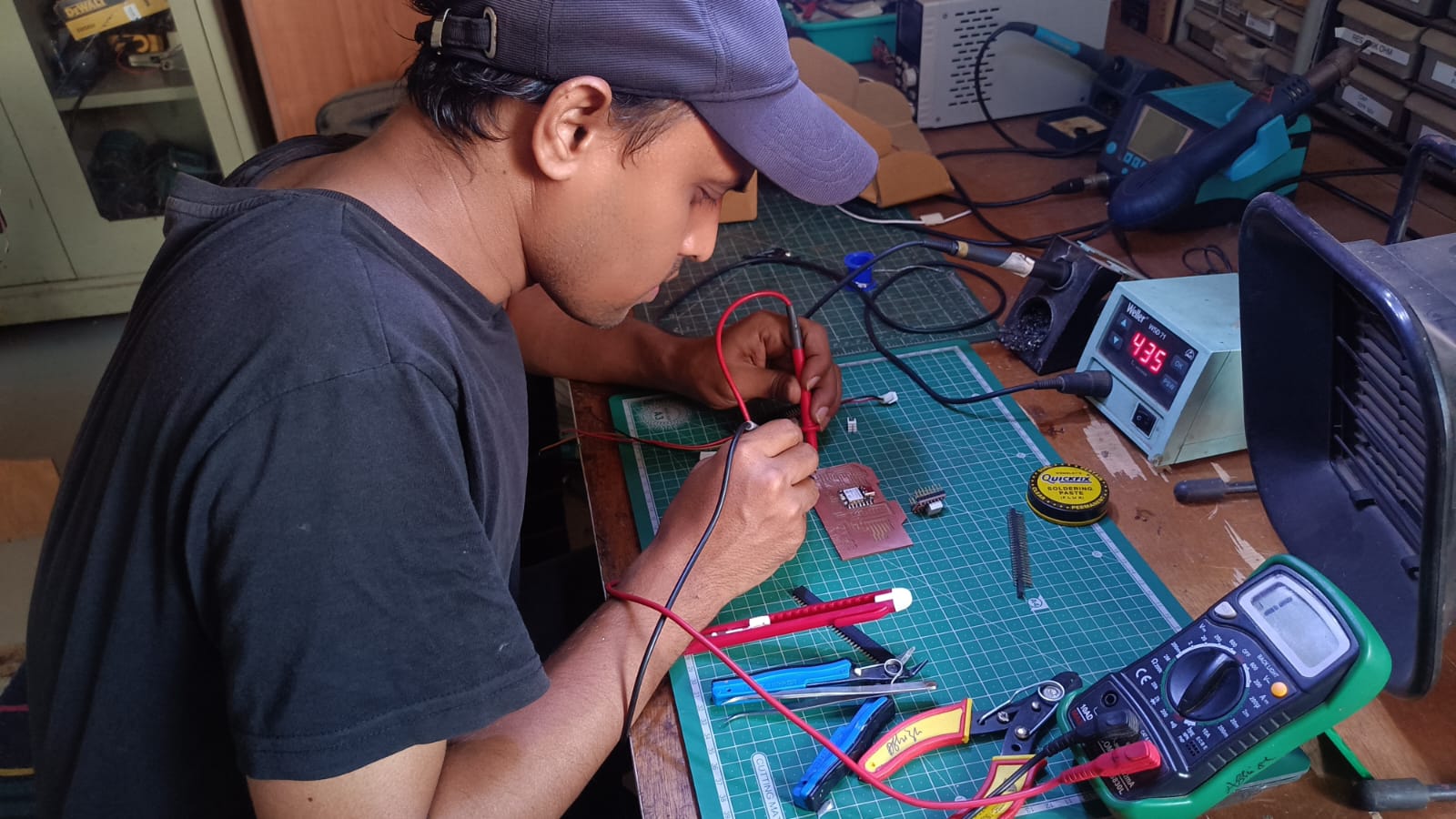
After all the components were soldered, the PCB was tested with a multimeter to check the continuity, connections and to check for short circuits before powering the board.
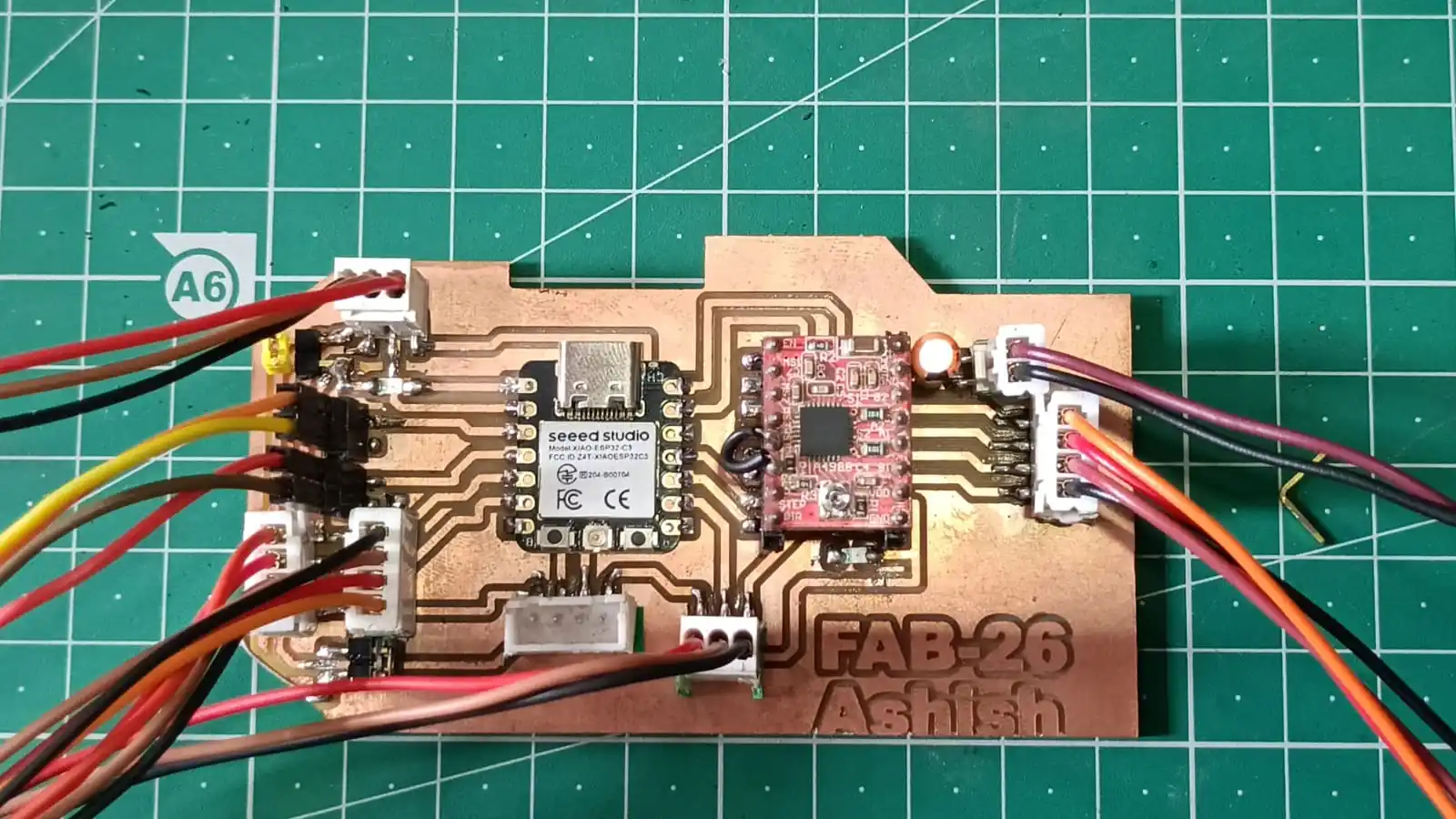
My final PCB board looks like this.
Once the PCB assembly and testing was done I designed an enclosure for the PCB board. The enclosure was designed to protect the electronic components, enhance the overall look of the system and provide a safe mounting for the board.
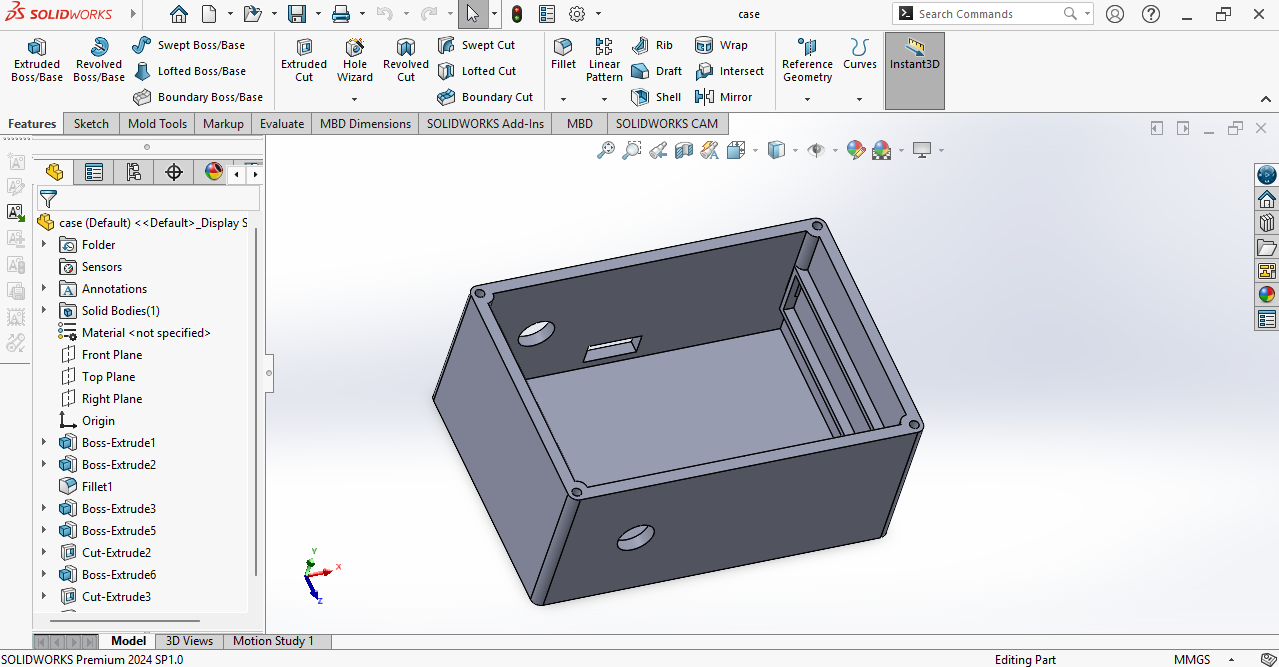
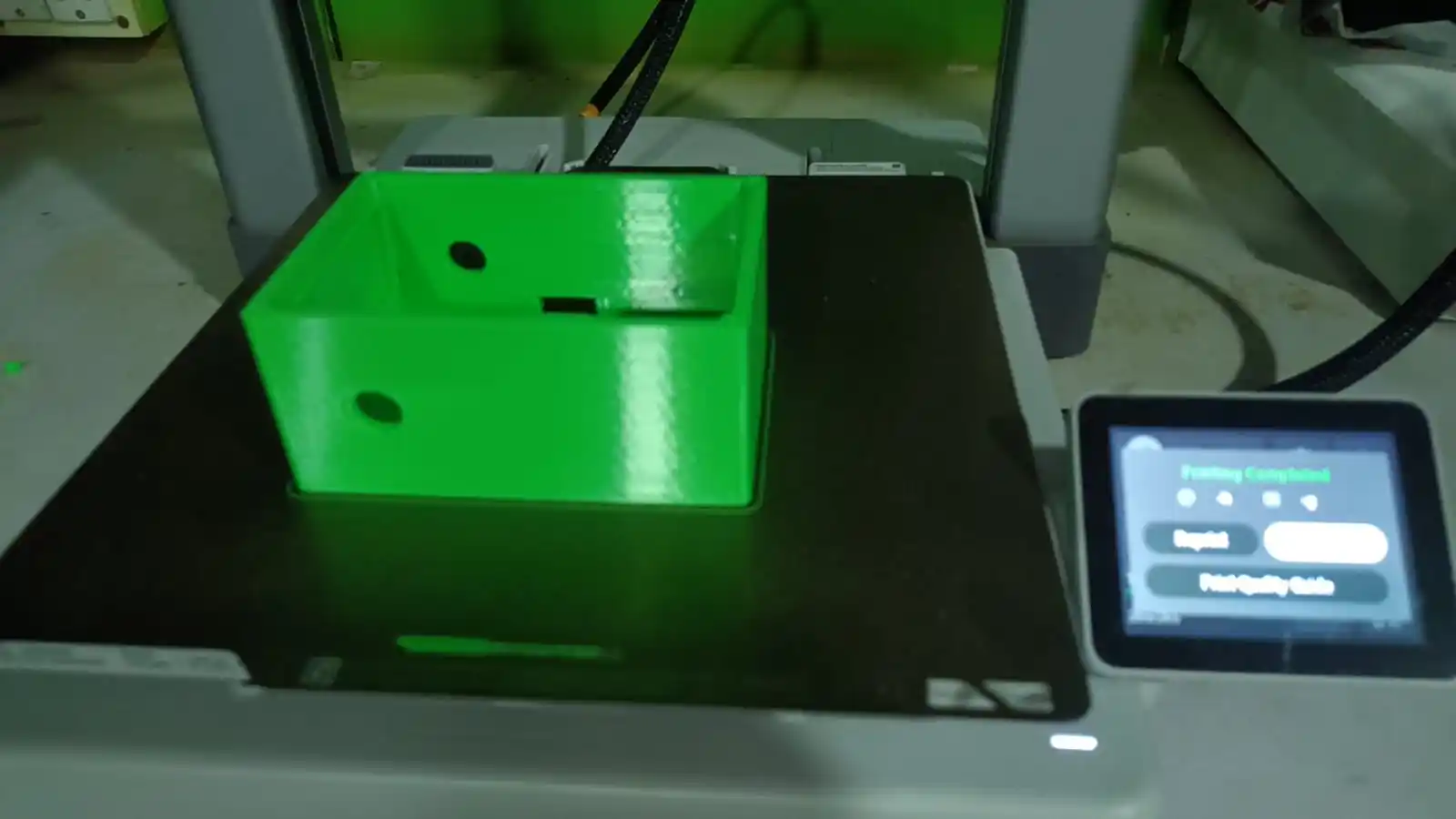
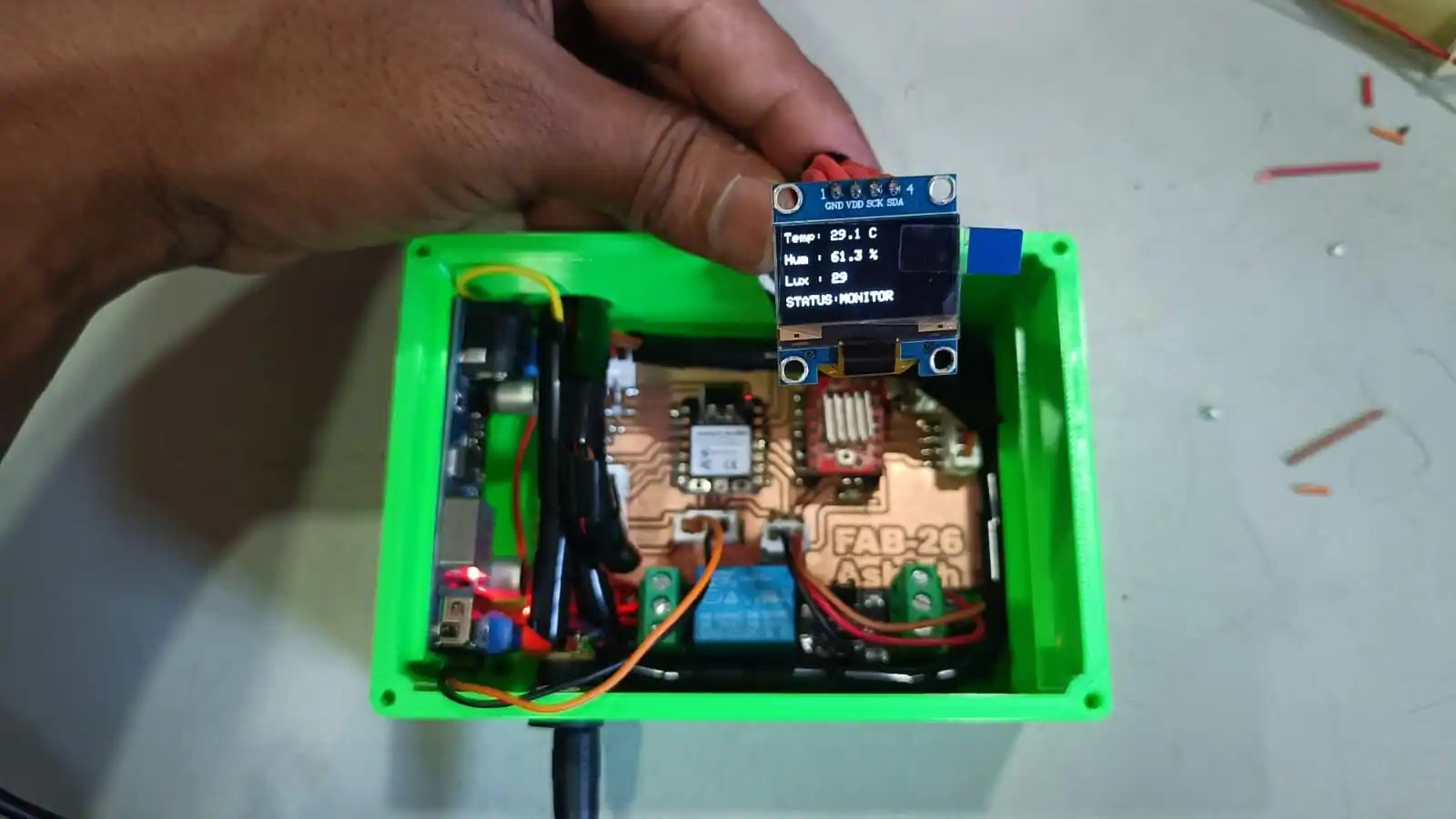
Once the enclosure design was done and the case was 3D printed I assembled the system by putting the PCB board and all the other components inside the enclosure. This gave the final project a secure and organized structure.
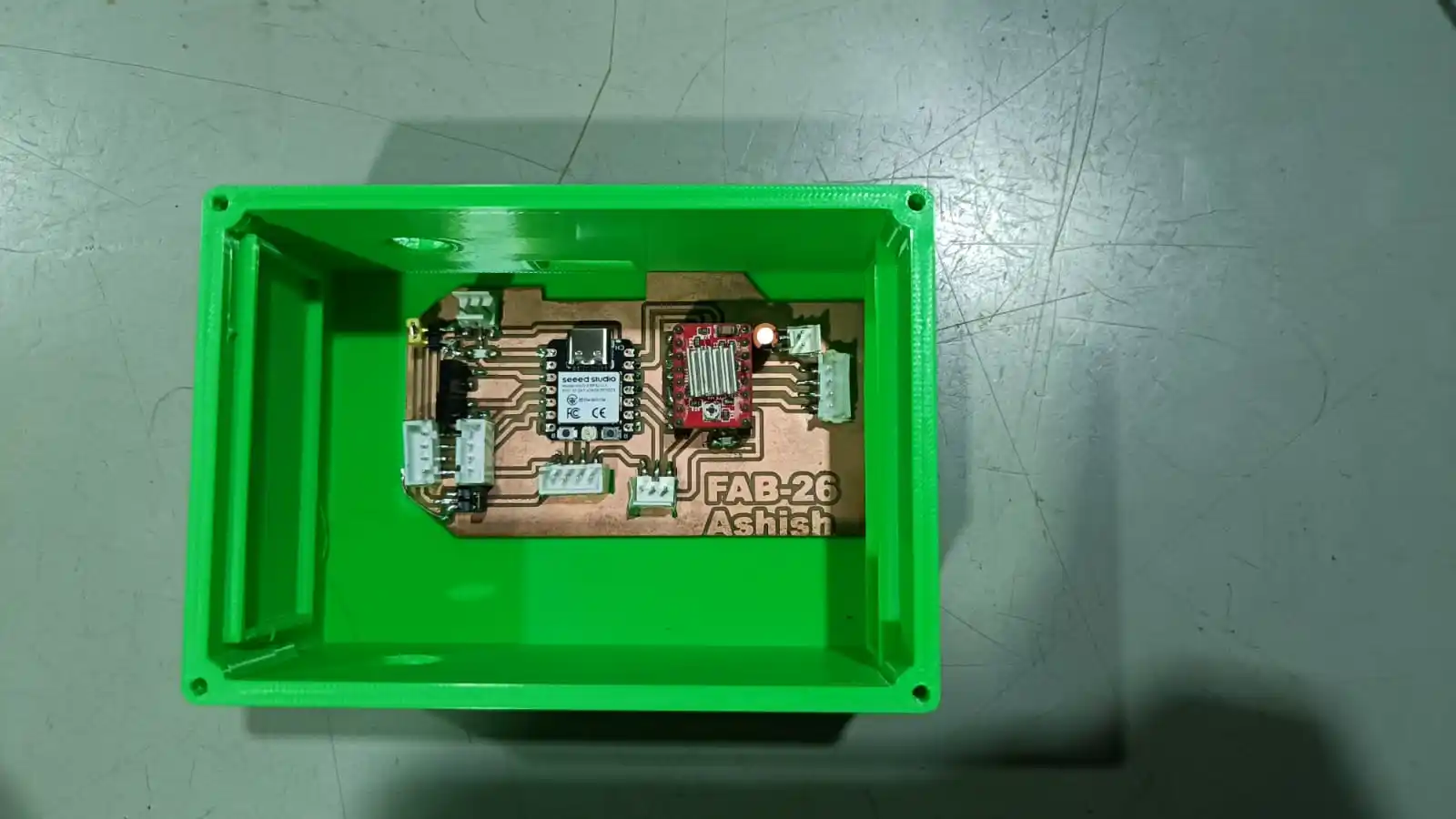
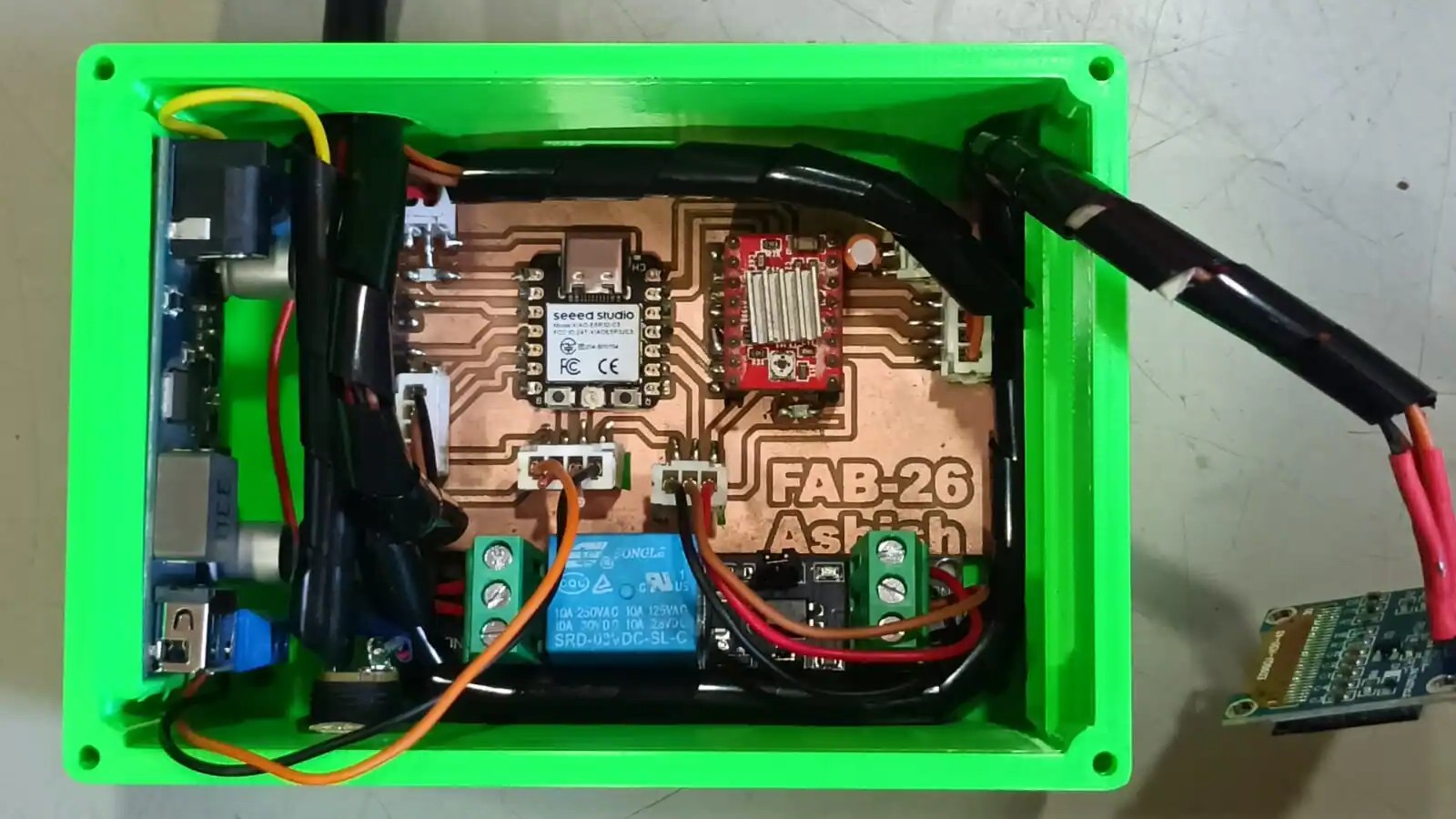
All wiring connections between the PCB board, sensors, display, and other parts were finished after the enclosure was put together. After that, the system as a whole was tested to confirm correct operation and make sure every part was working as it should.