Invention, Intellectual Property and Income
Week 18
Dissemination Plan
For the dissemination of this project, I will mainly focus on an open-source hardware approach. All technical documentation, 3D models, PCB design and fabrication files, and source code will be available in my Fab Academy repository so that anyone can replicate, learn from, or modify their own version of the Haptic Auditory Location Orientator. Sharing the project openly will allow others to improve the design and adapt it to their own needs.
Future Possibilities
For future improvements, I would recommend using higher-quality components and redesigning the PCB to make it more compact. The final device does not necessarily need to remain a headband; it could evolve into a smaller and more comfortable wearable form factor. Another possible improvement would be using multiple microcontrollers that communicate wirelessly through Wi-Fi or Bluetooth. This would eliminate the need for cables between both sides of the device and make the system fully wireless.
What Tasks Have Been Completed, and What Tasks Remain?
-
Completed Tasks
- Design, fabrication, and soldering of the PCBs for the microphones and vibration motors.
- Design and 3D printing of the enclosures.
- Design and fabrication of the headband.
- Microphone sensitivity and calibration testing.
-
Remaining Tasks
- Final assembly of all enclosures and components.
- More accurate microphone testing in outdoor environments with ambient noise.
- Improve cable routing and organization for better usability.
- Complete the integration between the interface and all operating modes.
- Perform extended user testing and comfort evaluation.
What's Working? What's Not?
-
Working
- The electronics are functioning correctly.
- The vibration motors respond to microphone input as intended.
- The microphones are able to detect sound and generate vibration feedback.
-
Not Working Yet
- Full calibration through the interface is not yet implemented.
- Mode switching between the interface and the electronics still requires further integration and testing.
- Directional sound detection accuracy needs additional validation.
What Questions Need to Be Resolved?
- How can ambient noise be prevented from interfering with directional sound detection?
- Will the headband be comfortable enough for long-term use?
- How practical and intuitive will the interface be when used with the device?
- What is the best placement of the microphones to maximize directional accuracy?
What Have You Learned?
I learned how challenging system integration can be. Building individual parts separately is often straightforward, but combining mechanical, electronic, and software systems into a single functional product can be much more difficult. I also learned how important comfort is when designing wearables. A wearable device must not only function correctly but also be comfortable enough that people actually want to use it. Another important lesson was understanding how hardware development constantly evolves through testing. Each prototype can reveal unexpected issues that affect the mechanical design, electronics, or overall usability of the device. Throughout this project, I gained experience in PCB design and fabrication, embedded programming, 3D design, interface development, and integrating all these elements into a single working system.
Creative Commons
-
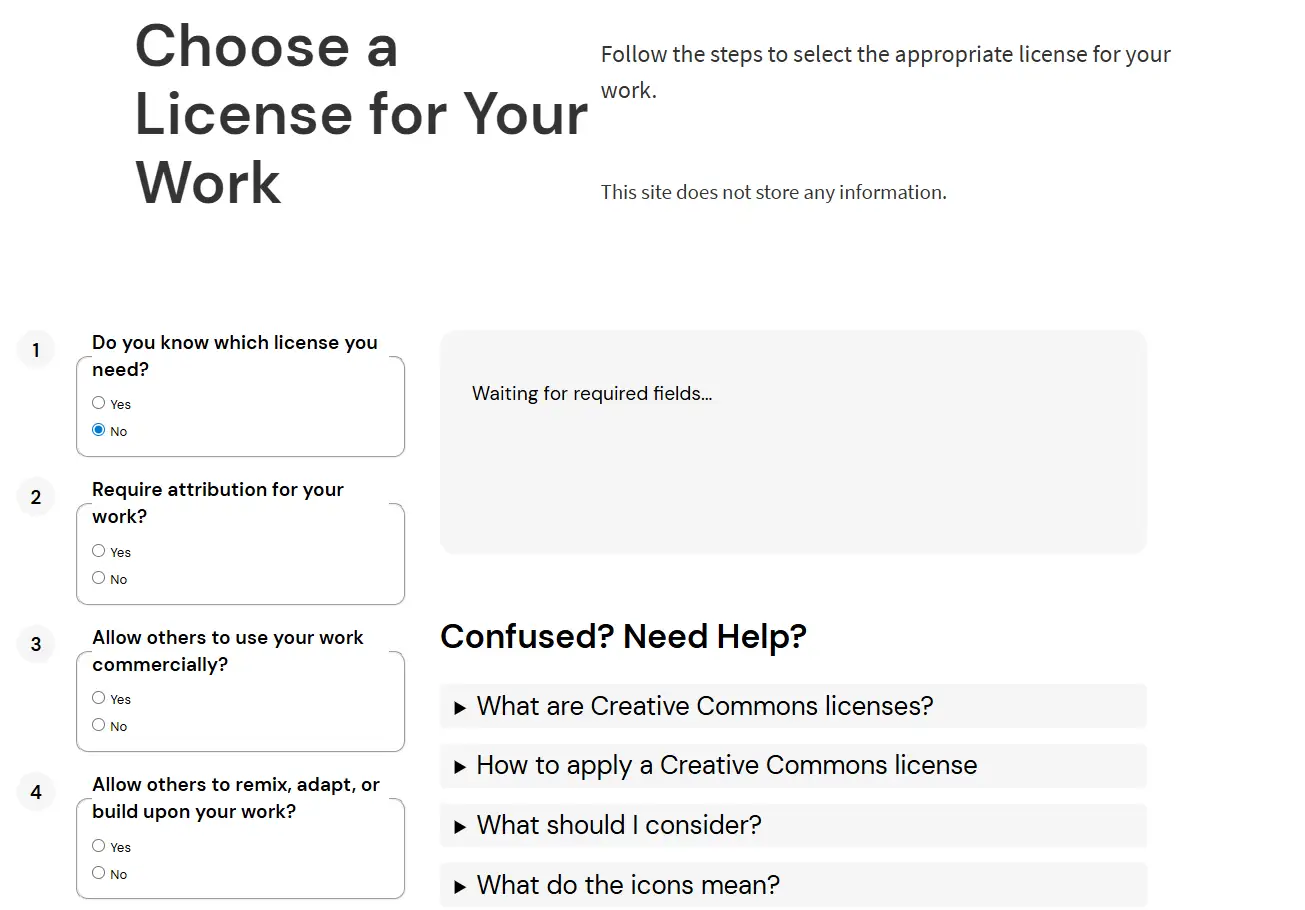
To create a Creative Commons license, go to the Creative Commons website. Since I was not sure which license to choose, I used the Chooser section to help determine the most appropriate option.
-
This is the menu that appears for selecting a license. If you are unsure which license to use, select No and answer the corresponding questions.
-
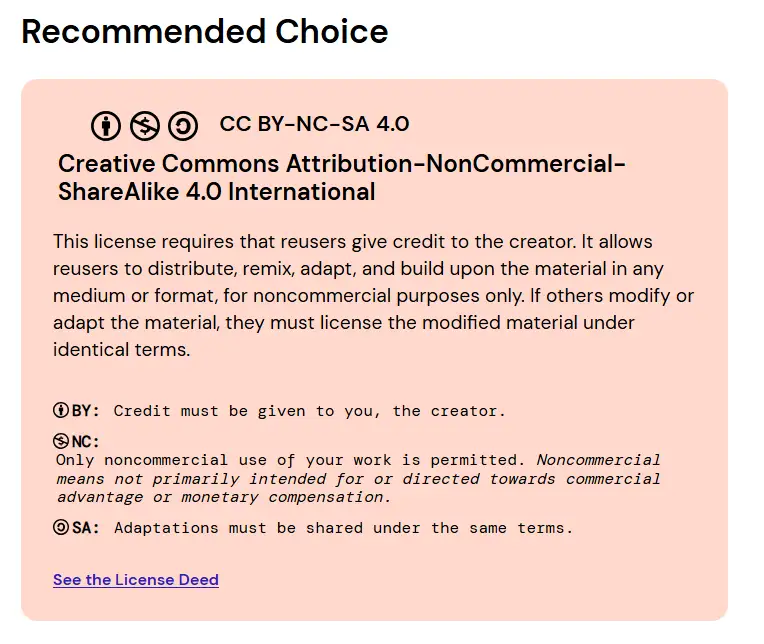
Once all the questions have been answered, the website will recommend a license. This was the license recommended for my project.
-
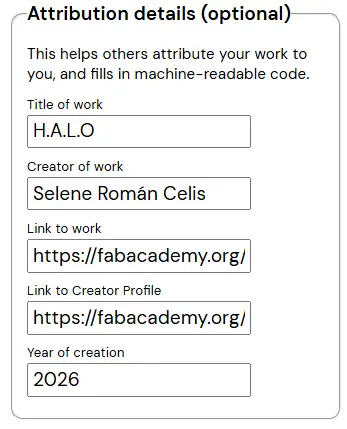
After identifying the correct license, return to the first question and select the Yes option. Then fill in the requested information about your project.
-
At the bottom of the page, under Mark Your Work, you will find your license information and the HTML code that can be used to display the license on your website. This is the license for my project.
H.A.L.O © 2026 by Selene Román Celis is licensed under CC BY-NC-SA 4.0


 FAB ACADEMY