1. Project management
This week I worked on defining my final project idea and started to getting used to the documentation process.
First things first, Git...
- GitLab is the online space where all FabAcademy sites and resources live. It is open source and allows you to edit the sites on the browser.
- Another option to edit sites LOCALLY is downloading a local code editor (like VSCode), as well as git.
- *Make sure to download everything correctly, or the commands will mean nothing, or uploading changes will become impossible. (This all happened to me)
- Check documentation online from GitLab, other projects, ask friends (both people and AI) about errors or doubts so you can move forward.
- Learn with trial and error, using the common comands and exploring new features.
- Remember the site is a living, changing thing that will continue to grow as you go.
Here are some of the steps on finding your way through Git:
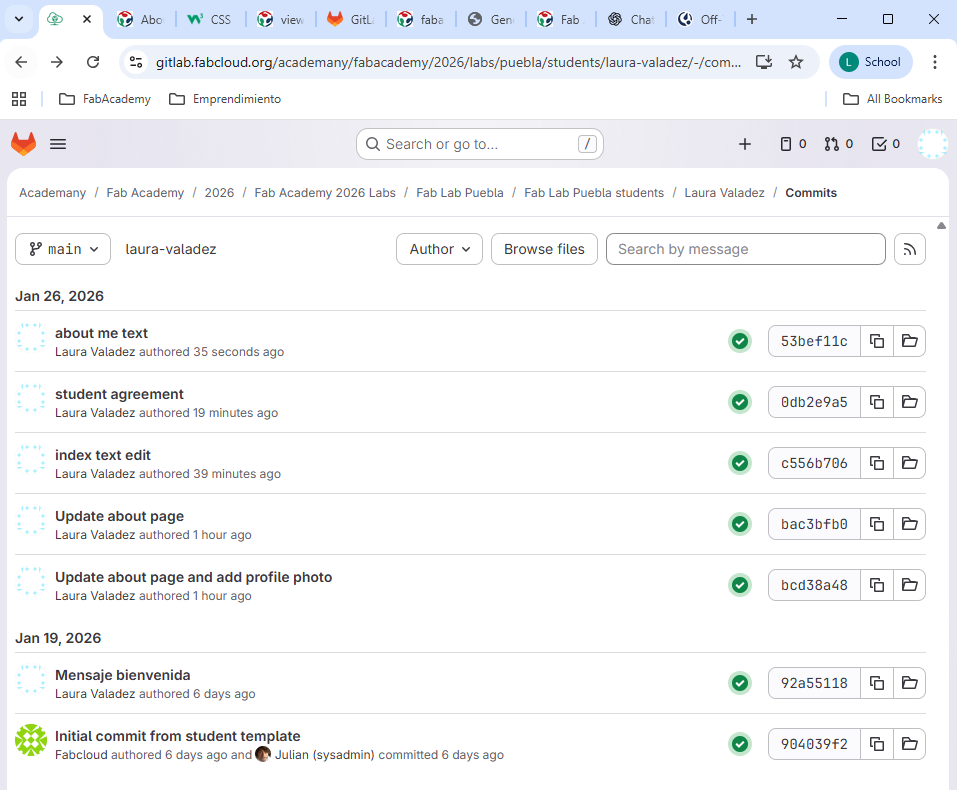
This is how your GitLab site looks like from the back-end. This is the cloud repository where the html code, files and history of changes.
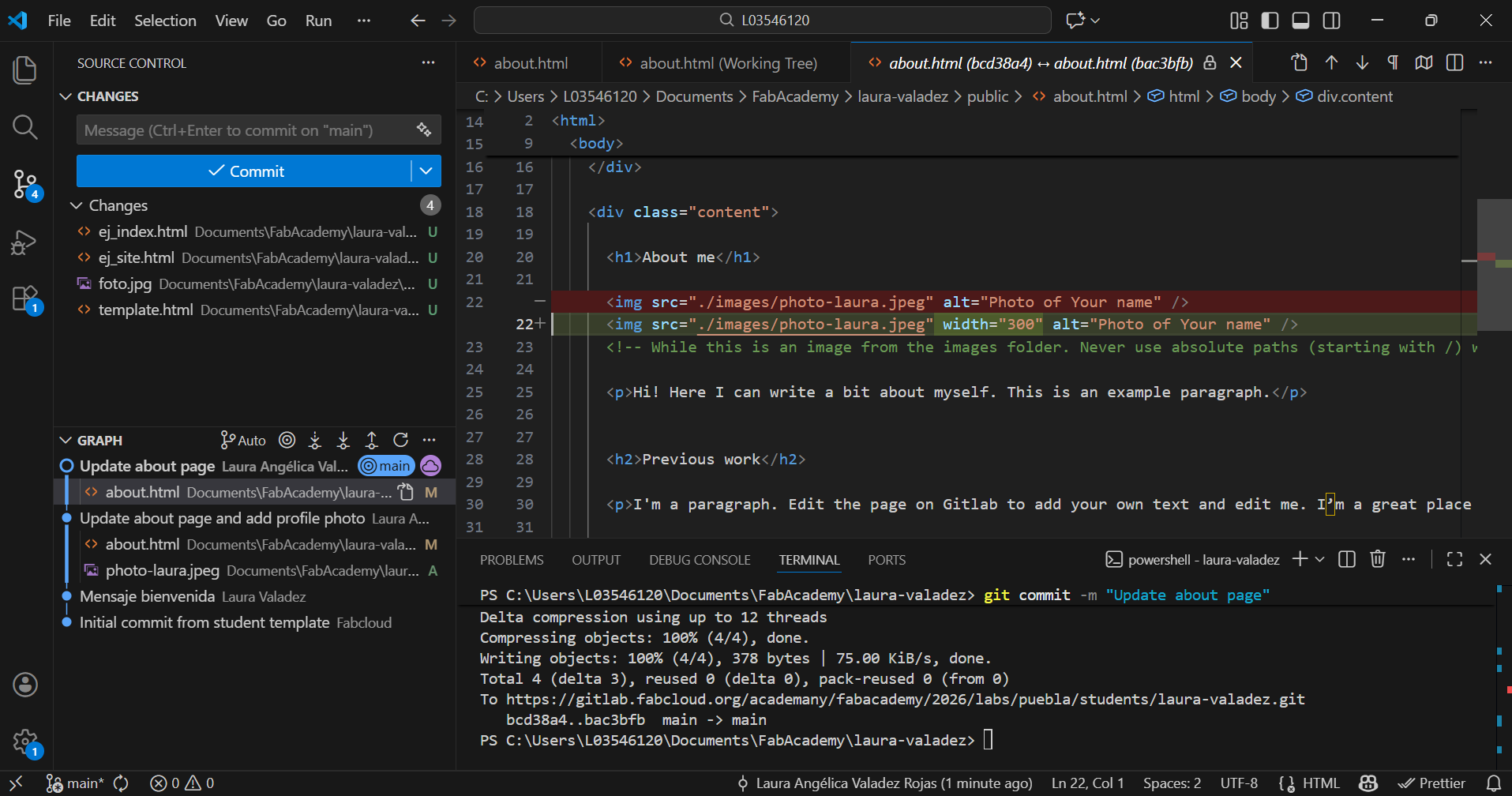
This is how local editor VSCode looks like. This is a local software where html code, files and changes can be edited before pushing to the cloud.
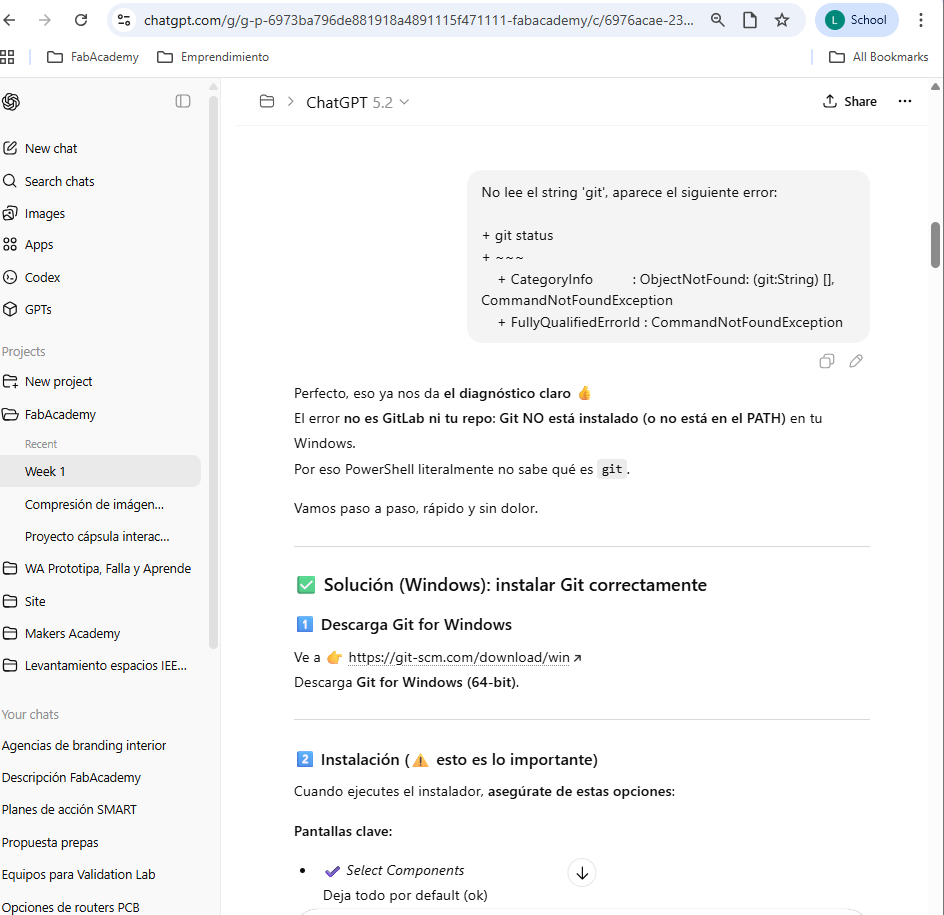
This is evidence of me getting help from my friend ChatGPT when I couldn't push my changes to the cloud. (I got desperate)
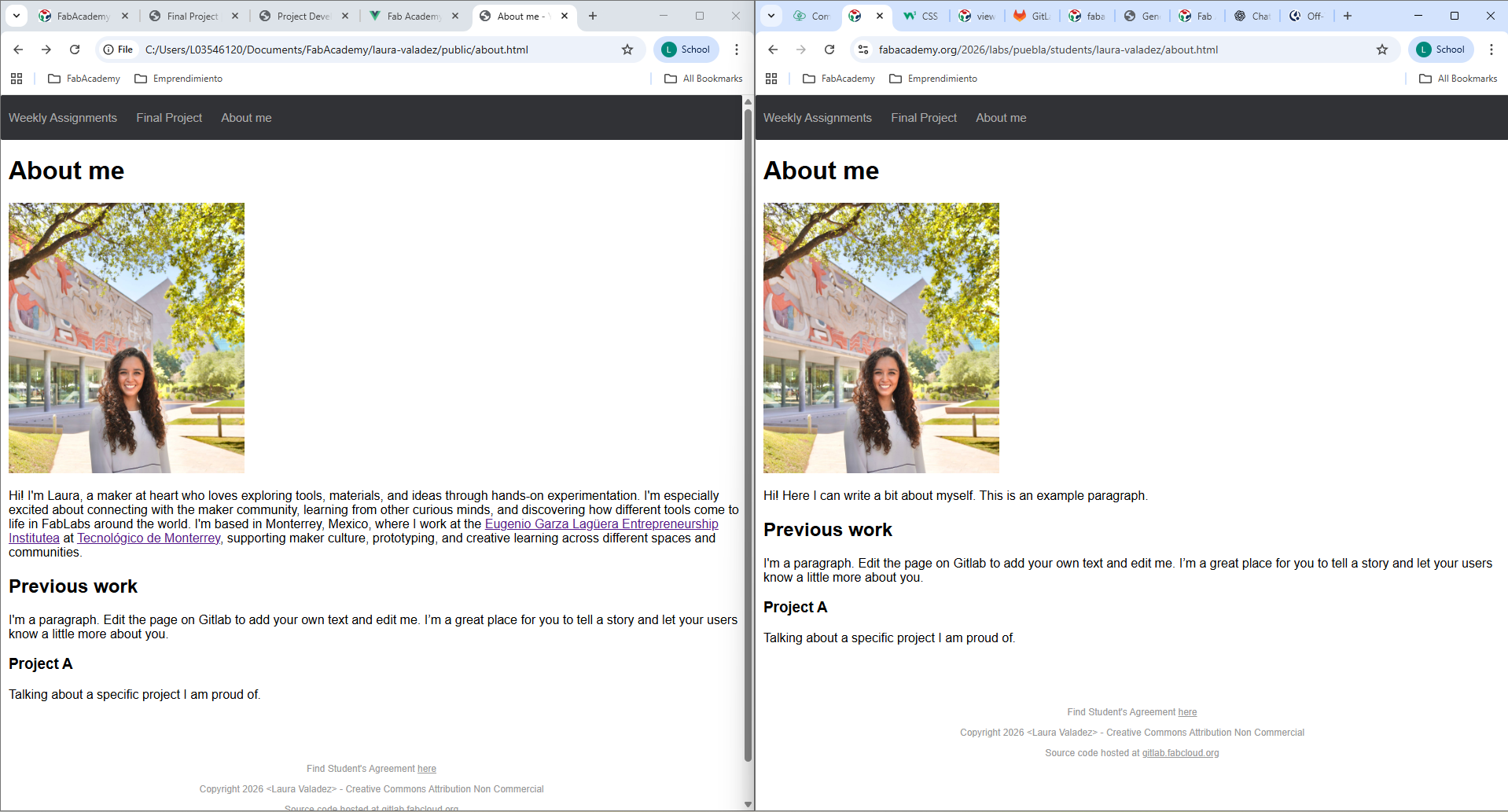
This is how I was comparing local changes VS synchronization on the cloud. Checking everything worked out as I intended it to.
About my project
As I work with several coworking and making spaces that register visits often inaccurately, I'd like to create a friendly device that invites visitors to register with a nice, welcoming gesture, converting this action into a fun activity that you'll want to do each time you come back (by choice). This concept of looking to change peoples' actions through amusing interactions is also known as Fun Theory.
Research
First, I looked for similar existing projects and came across the following:
Then I made some sketches of what this device could look like, taking into account the topics of the course and trying to include what is required:
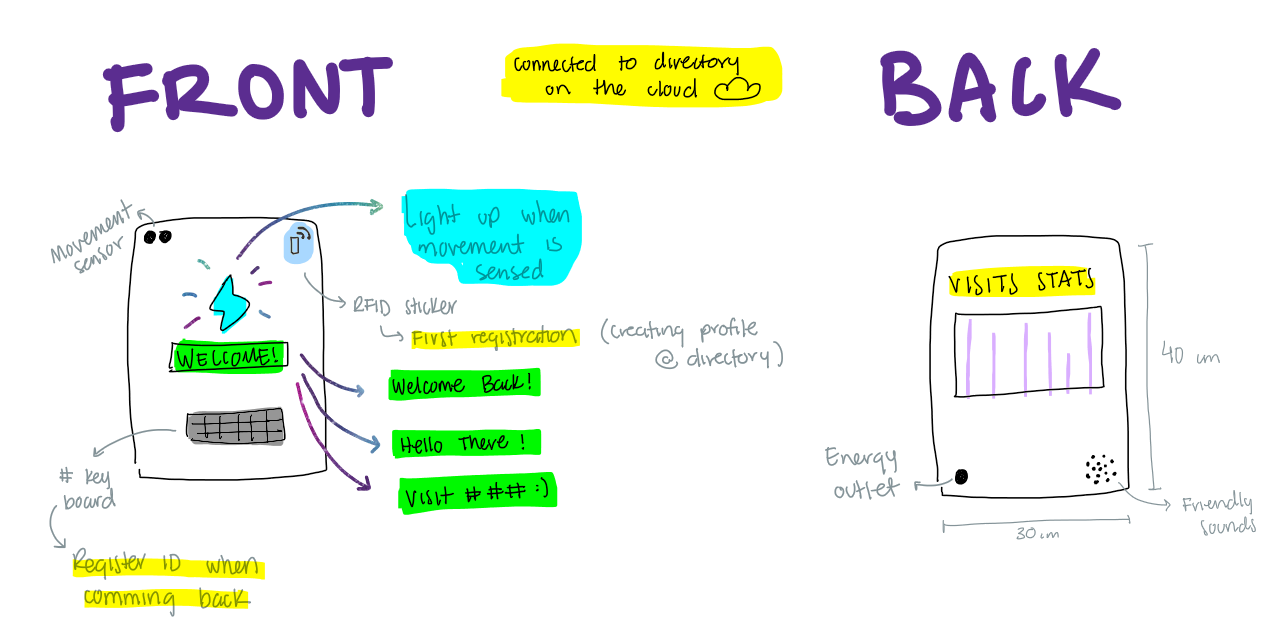
I'd like to create an interactive box that catches your atention whit light and friendly sounds, while it displays some welcoming messages and a dashboard on the back that displays data from the cloud.
The cloud directory would require users to classify their ID through a simple form scaned with their phone from an RFID sticker (ID, campus, affiliation), so when they register again on the key board later, the dashboard can be updated.
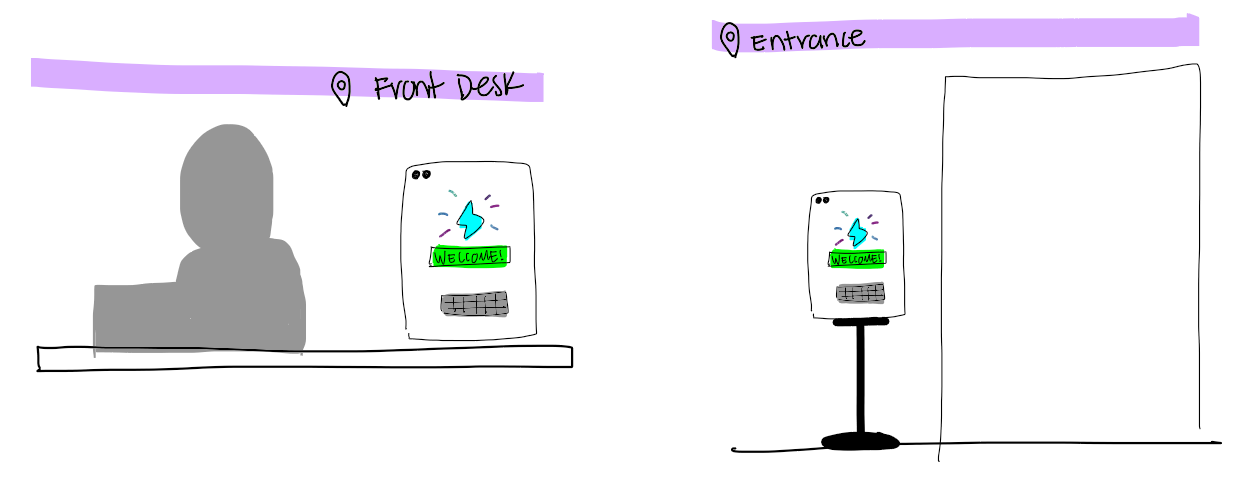
The dimesions for this box would be a size that let it fit right both at a desk and beside an entrance.
Let's see how this turns out!