Week 4: Embedded programming
Datasheet
A datasheet in electronics is a technical document provided by manufacturers that details the specifications, functionality, pinout, and physical characteristics of a component. It acts as a guide for engineers to design reliable circuits by defining operating parameters, electrical characteristics, and maximum ratings.
One of the assignments for this week was browse through the data sheet for a microcontroller. A microcontroller unit (MCU) is essentially a small computer on a single chip. It is designed to manage specific tasks within an embedded system without requiring a complex operating system. I chose the ESP32 WROOM 32 by Espressif Systems and a Raspberry Pi Pico by Raspberry Pi.
Classification of Microcontrollers by Number of Bits
Bit: Is the smallest unit of data in electronics and computing, representing a single binary value of either 0 or 1. It acts as the fundamental building block for all digital information, representing logical states like on/off, true/false, or high/low voltage.
- 8-bit Microcontrollers: Performs operations on 8 bits at a time. Ideal for basic simple tasks, such as timers, sensors, and motor control.
- 16-bit Microcontrollers: Performs operations on 16 bits at a time. They are ideal for real-time control, precision measurement and industrial applications.
- 32-bit Microcontrollers: Performs operations on 32 bits at a time. They offer high-performance processing, large memory addressing, and advanced peripherals, making them ideal for complex, power-efficient applications like IoT and industrial control.
Classification of Microcontrollers by Memory
- Embedded Memory Microcontroller: Is a compact, single-chip computer that integrates all the necesary components. integrating a processor core, program memory (Flash/ROM), data memory (SRAM), and peripherals.
- External Memory Microcontroller: Is a compact chip without on-chip integrated memory. It requires external program memory (Flash/ROM) and data memory (SRAM).
ESP32 WROOM 32
| Feature | ESP32 WROOM 32 |
|---|---|
| ROM | 448 KB |
| SRAM | 520 KB |
| SRAM in RTC | 8 KB |
| Wifi |
|
| Bluetooth |
|
| Peripherals |
|
| Analog Inputs | 18 Analog enabled pins |
| Operating Conditions |
|
Pinout
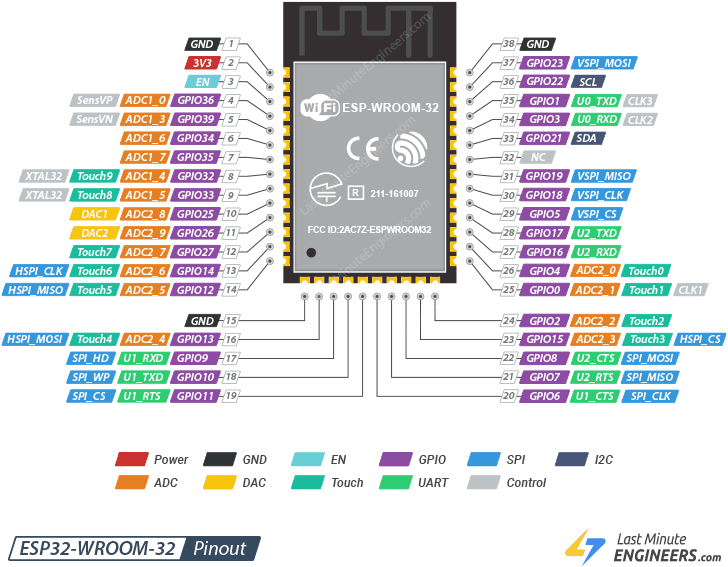
Power: These are the power supply pins, such as 3V3, which provide the necessary voltage for the module to operate.GND: Ground pins that act as the common reference point for the electrical circuit.EN: The Enable pin, used to boot, reset, or disable the chip.GPIO: General Purpose Input/Output pins that can be programmed to act as either digital inputs or outputs.SPI: Serial Peripheral Interface pins that are high-speed communication protocols for external devices like SD cards or displays.I2C: Serial Data (SDA) and Serial Clock (SCL). These pins allow microcontrollers to connect to multiple sensors or devices simultaneously using a master-slave architecture.DAC: Digital-to-Analog Converters used to output an analog voltage signal from the microcontroller.Touch: Capacitive touch sensors that can detect human touch on conductive surfaces without mechanical buttons.UART: Universal Asynchronous Receiver-Transmitter pins, typically used for serial communication with a PC or other microcontrollers.Control: Pins used for specific internal system functions or clock signals.Programming in C++
What is C++?
C++ is a high-level, general-purpose programming language created by Bjarne Stroustrup in 1979 as an extension of the C programming language. It is often described as "C with Classes," designed to provide the efficiency of low-level coding with the power of modern abstractions.
What is Wokwi?
Wokwi is an online platform that allows you to design, program, and simulate electronic projects, all from your web browser. It is perfect for learning electronics and programming, as well as for experienced developers looking for a practical and versatile simulation environment.

Wokwi
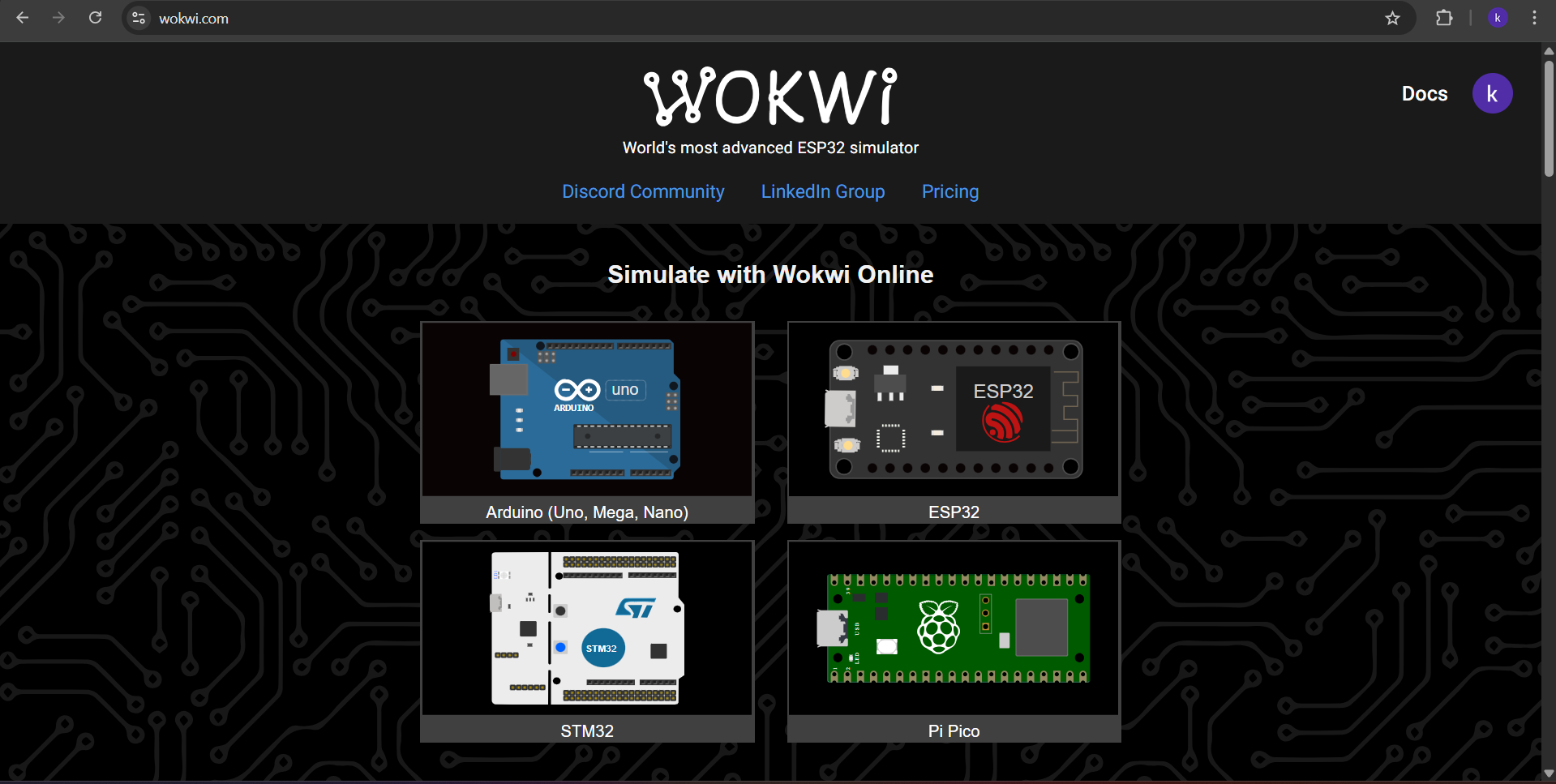
To use Wokwi, first we have to enter the site Wokwi.
Then we have to choose our Microcontroller. In this case I chose the ESP32.
Wokwi
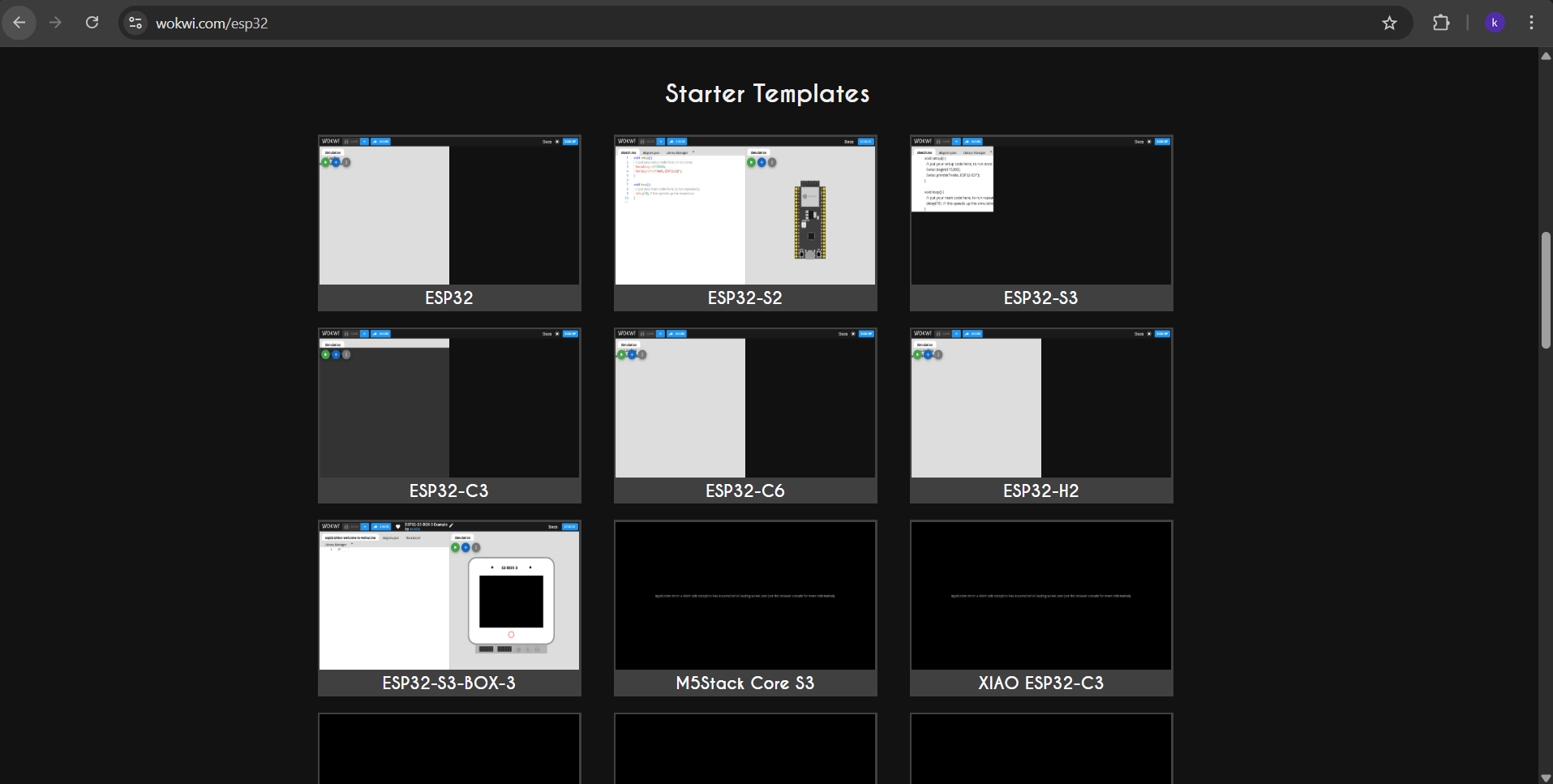
After choosing the ESP32, a menu will be displayed. In that menu we can choose between the different ESP32 models and different projects. I selected the generic version of ESP32.
Wokwi
In the ESP32 project, a new page will be deployed. There is the place where we can upload our code and in the right section we can simulate our code by adding components to our microcontroller. The programming language we can use will depend on the microcontroller we choose. In this case, it will be C++
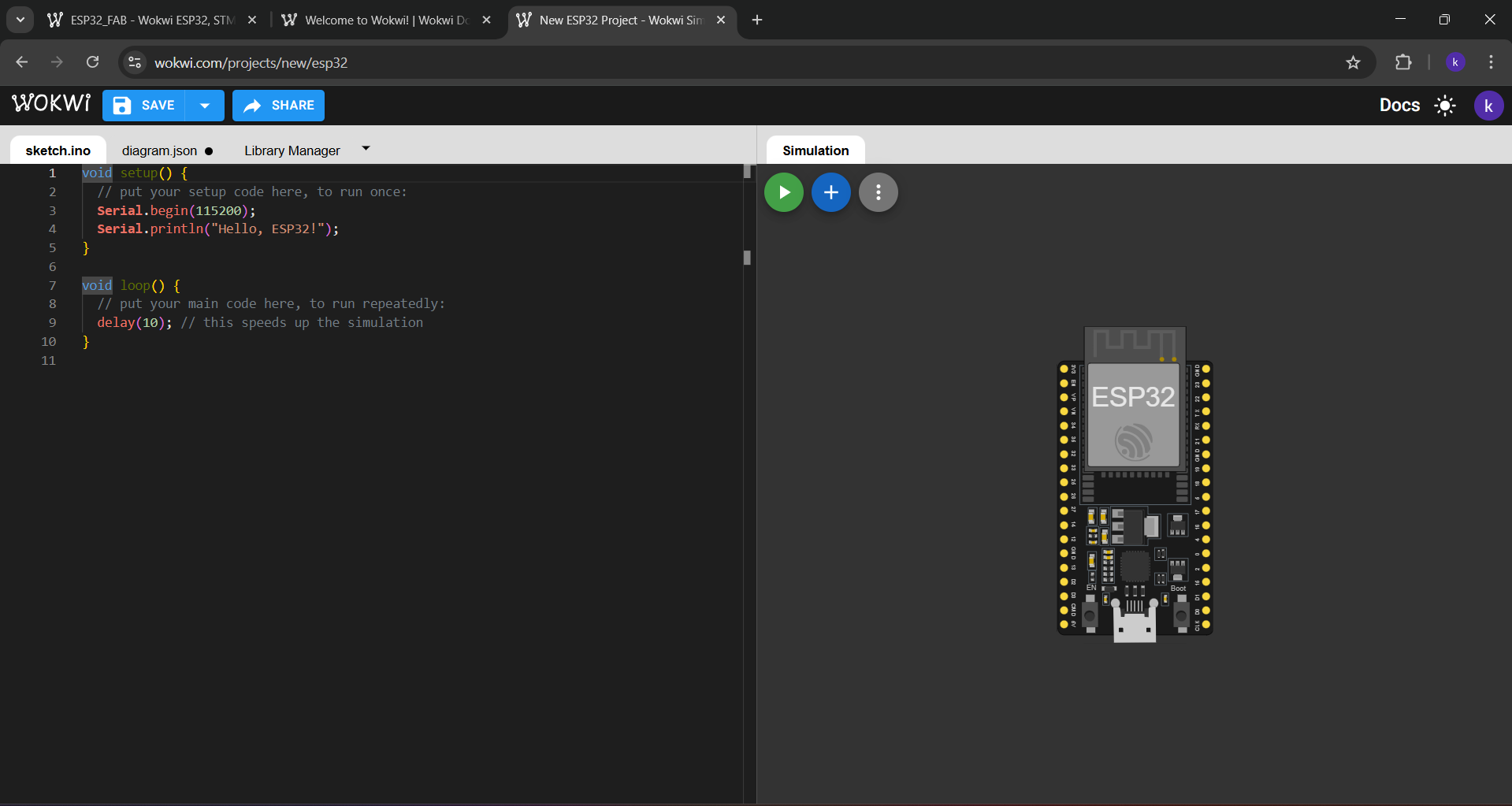
Wokwi
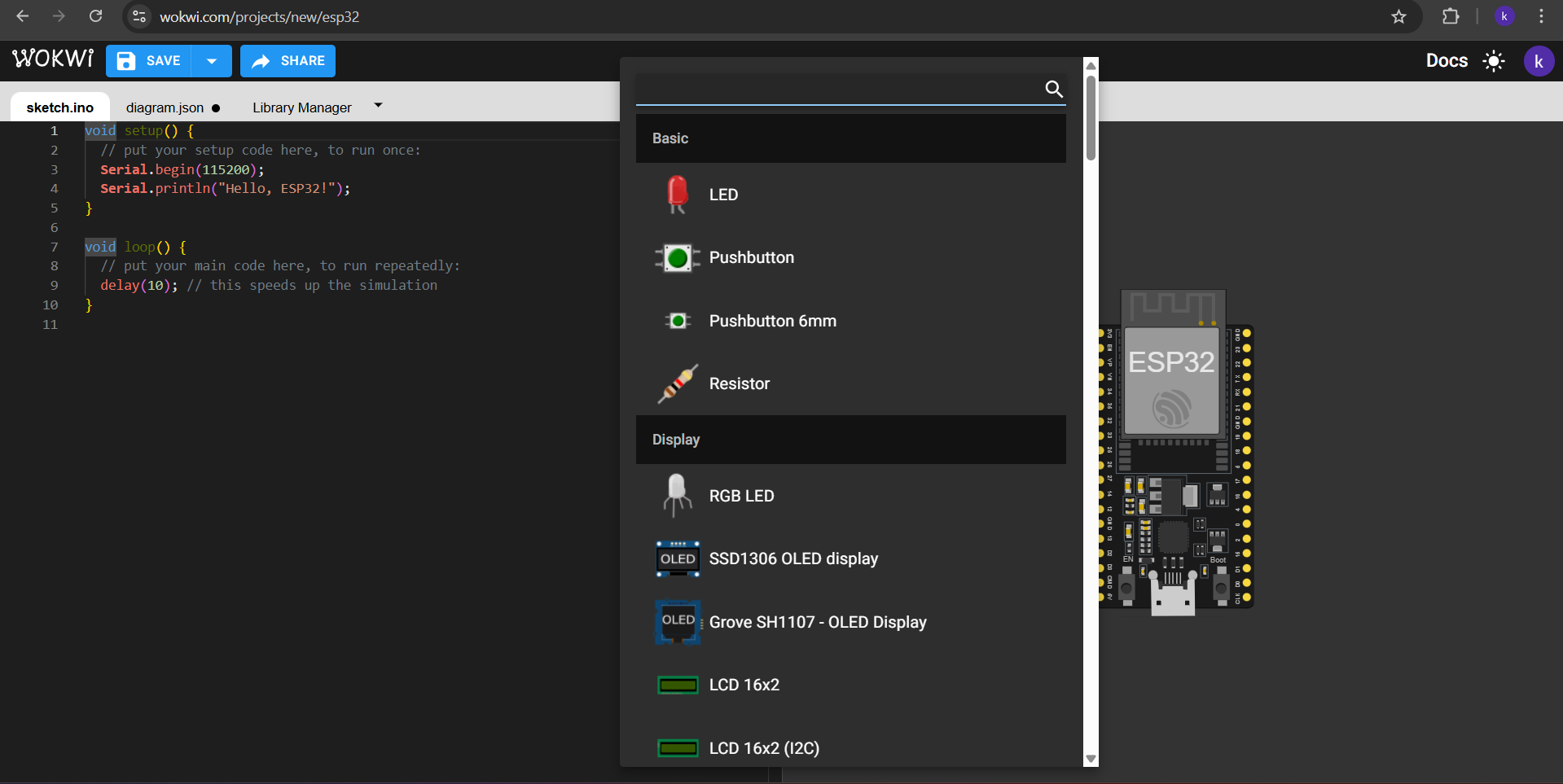
To add components to our microcontroller simulator we have to click in the + symbol blue button in the top of that section. There we have a large list of components we can insert, like LEDs, Buttons, resistors, etc.
ARDUDINO IDE
To upload the code into an ESP32 WROOM 32 I used ARDUINO IDE. ARDUINO IDE is a free, open-source application for Windows, macOS, and Linux, used to write, compile, and upload code to Arduino boards. It provides a text editor, toolbar, and serial monitor, supporting C/C++ to create ".ino" sketch files for controlling microcontrollers.
ESP32 Board
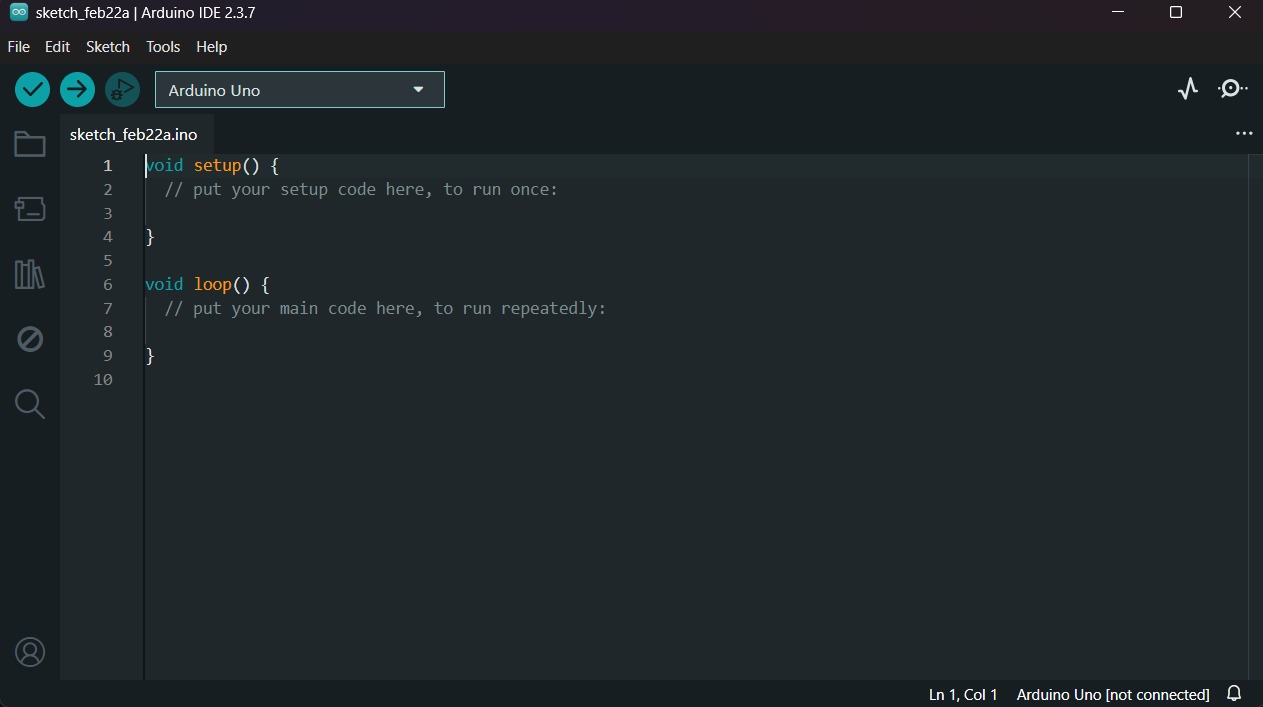
After installing ARDUINO IDE, we must open a new sketch. To do that we have to click in File located in the top menu and select New sketch.
ESP32 Board
Then go to the left menu and press the second icon in descendent order, it is the Board Manager.
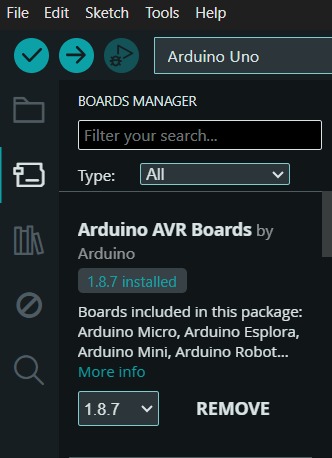
ESP32 Board
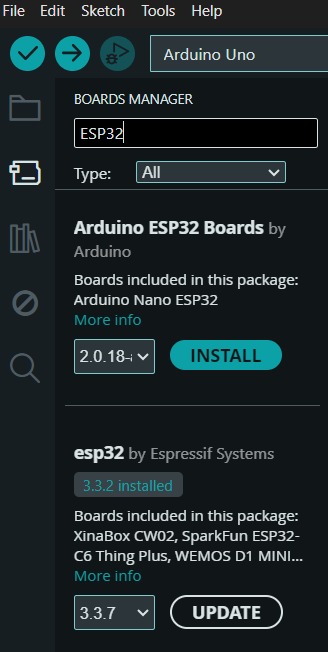
In the Board Manager, we must write in the searcher this: ESP32. And install the Espressif version.
Uploading
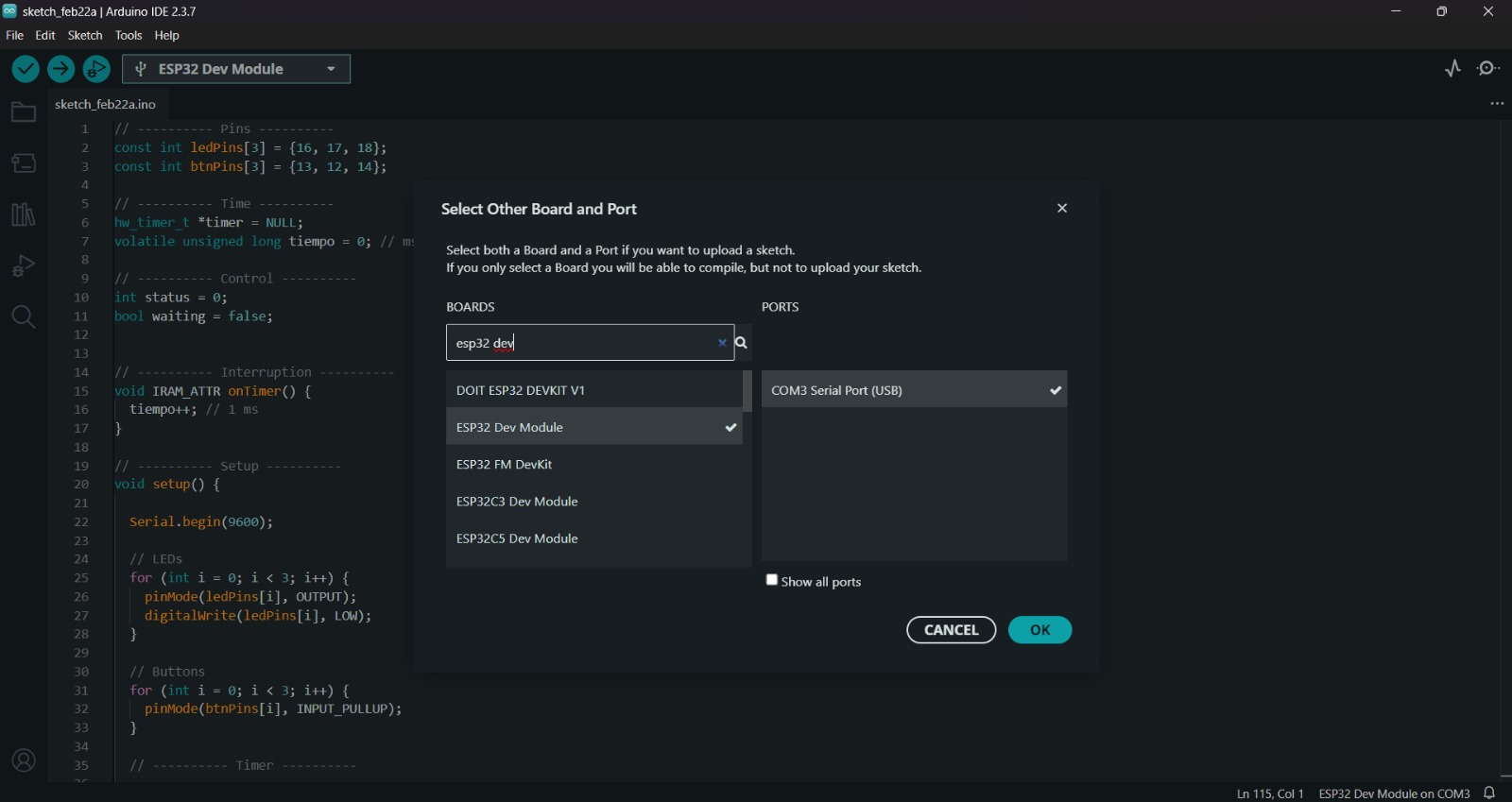
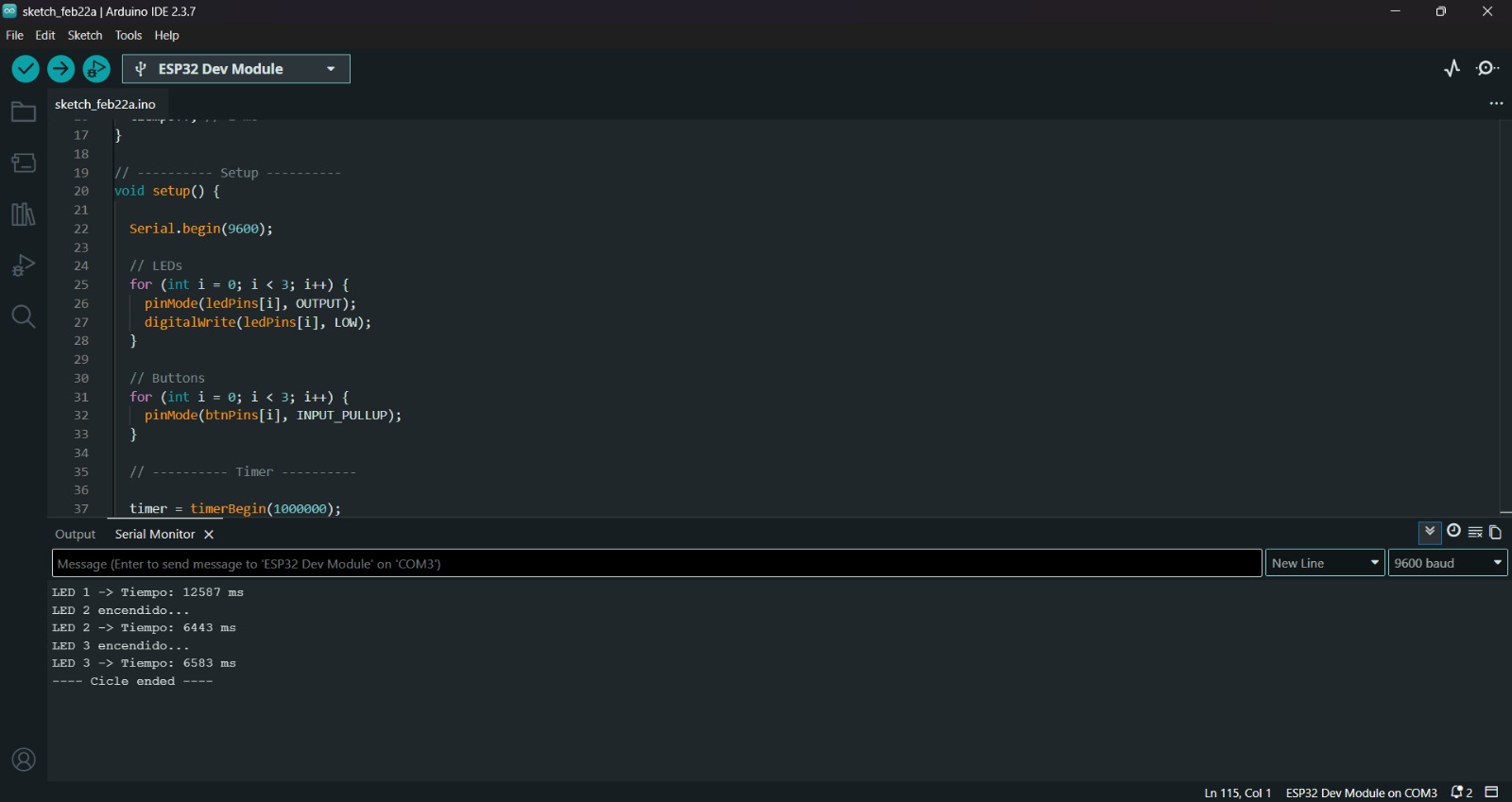
After installing the ESP32 Board, we must click on the tab that says select board and write ESP32 Dev Module, then select the PORT where our microcontroller is connected and upload the information.
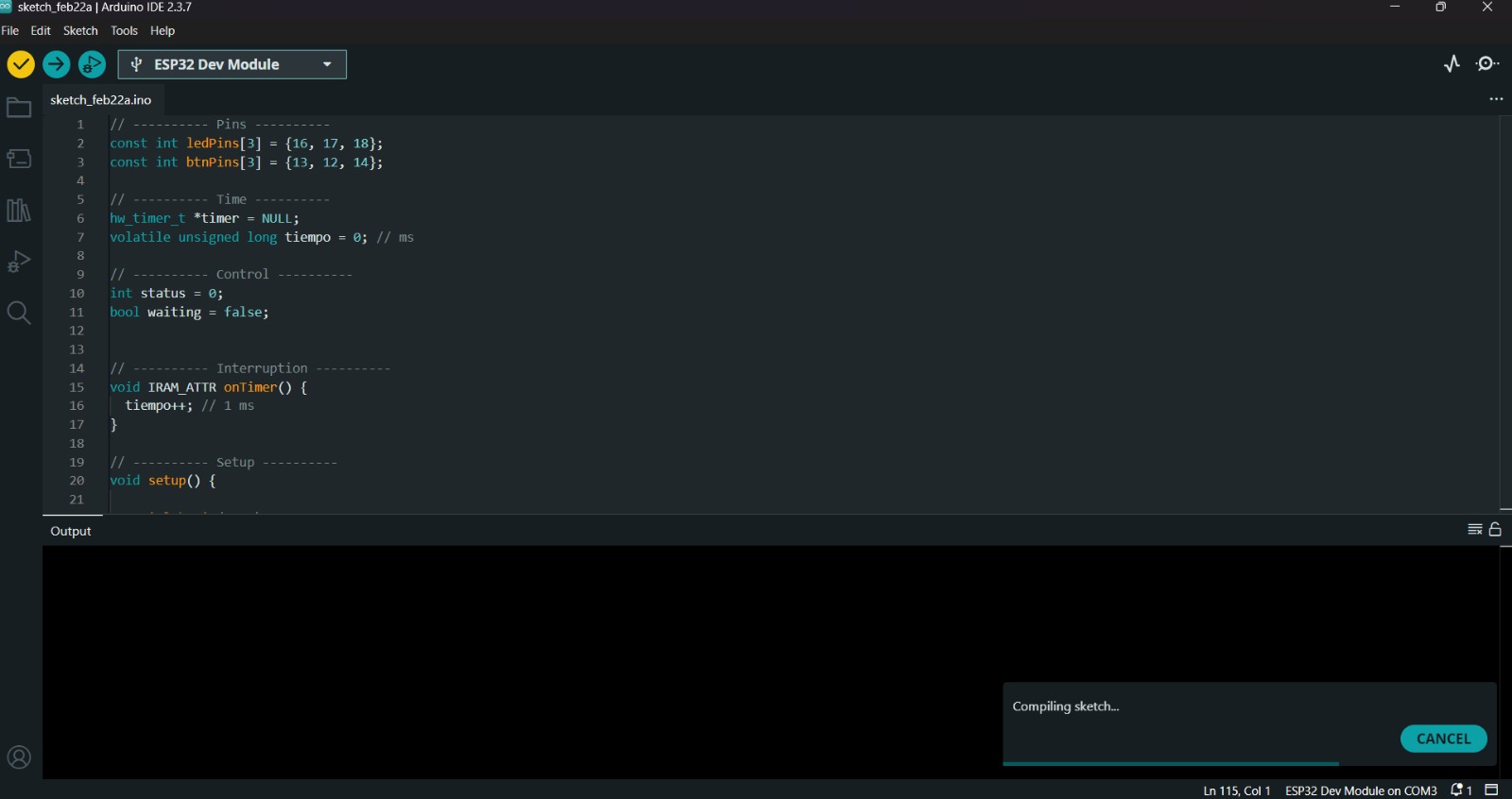
Before uploading our code to the microcontroller we should use the verify tool, that compiles the code before uploading it in order to detect mistakes or problems. The verify tool is the one in the top with the check.
Uploading
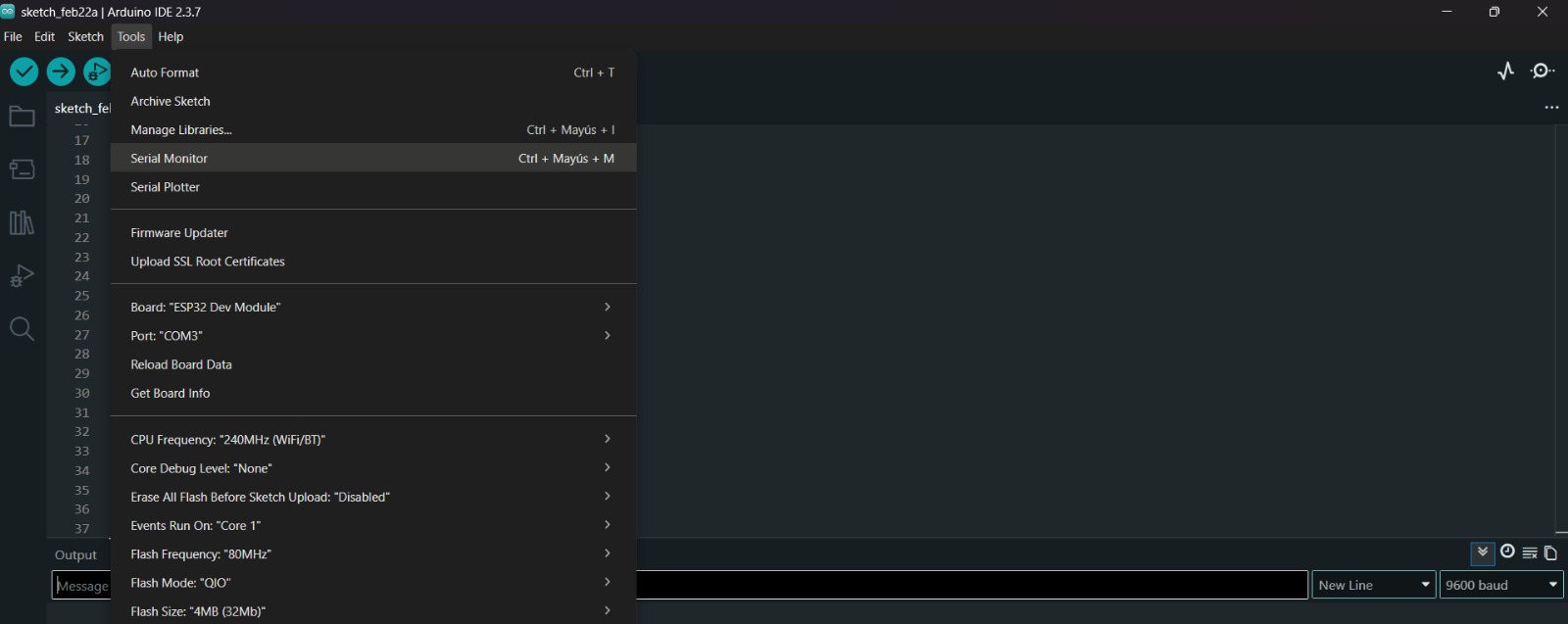
To get the Serial Monitor, we must click on Tools un in the top menu and select Serial Monitor.
Finally, to upload our code we must click the upload tool, that is the one with the arrow pointing to the right. If our code is right, it shall compile.
Programming in Python
What is Python?
Python is an interpreted, object-oriented, high-level programming language with dynamic semantics. Its high-level built in data structures, combined with dynamic typing and dynamic binding, make it very attractive for Rapid Application Development, as well as for use as a scripting or glue language to connect existing components together. Python's simple, easy to learn syntax emphasizes readability and therefore reduces the cost of program maintenance..

Learning outcomes
This week, I read several microcontroller datasheets and concluded that the ESP32-WROOM-32 chip is the best choice for my project due to its integrated Bluetooth and Wi-Fi capabilities, as well as its large number of analog and digital pins. I also returned to programming in C++ and Python after some time without practicing, which allowed me to refresh my understanding of both languages.
In my opinion, C++ offers better performance because the program is compiled and executed as a whole, whereas Python is interpreted line by line. This makes C++ more efficient for real-time and embedded applications, where speed and hardware control are essential. Additionally, C++ provides greater control over memory management and system resources, which is important when working with microcontrollers. On the other hand, Python is more intuitive and easier to read, allowing faster development and testing of ideas. For this reason, I see Python as an excellent tool for prototyping, while C++ is better suited for final embedded implementations.
Understanding the ESP32 timer was particularly challenging and required significant time to fully grasp. My goal is to use this timer for a timing application in my boxing project.