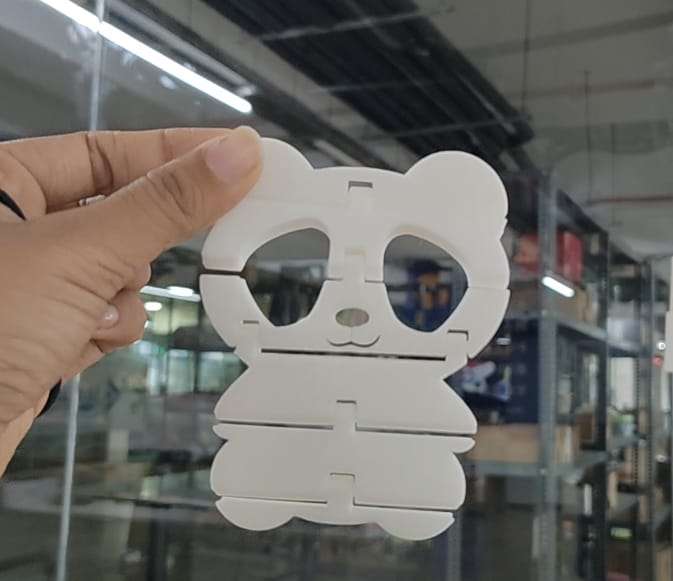
Group Assignment:
As part of our group assignment, we downloaded an all-in-one test model and 3D printed it. One of the models was specifically used for a clearance test. After printing, we analyzed the model and recorded the measured values for future reference. This hands-on experience helped us learn about the 3D printing process, different types of 3D printing technologies, and important safety measures when operating the machines. Through this assignment, I had the opportunity to explore and learn more about the Bambu Lab A1 3D printer, which was the main machine I focused on. I was impressed by how user-friendly and efficient it was—features like automatic bed leveling and multi-color printing made the process much smoother than I expected. I also gained valuable insights from my teammates’ research on other 3D printing technologies, which helped broaden my understanding of the different machines and methods available.
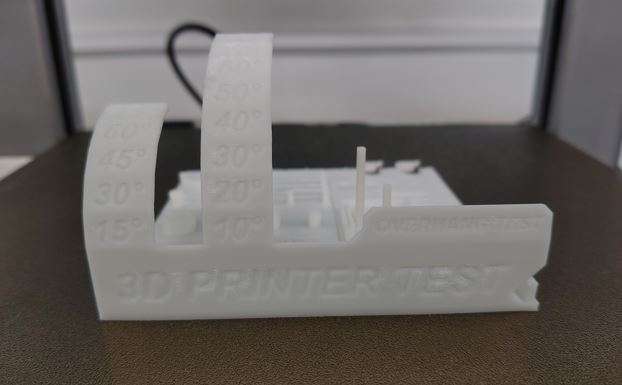 To know more, visit group assignment page
3D PRINTING
3D printing, also called additive manufacturing, is a technique for creating three-dimensional objects by layering materials based on a digital design. Unlike traditional manufacturing, which involves cutting or molding, 3D printing builds objects from the ground up, reducing waste and enabling intricate designs.How it works ?
Designing the Model
A 3D object is created using computer-aided design (CAD) software or scanned with a 3D scanner. The design is then converted into a stereolithography (STL) file or another format suitable for 3D printing.
Slicing the Model
The 3D model is digitally divided into thin layers using slicing software.
The sliced file is sent to the 3D printer for fabrication.
Printing Process
The printer builds the object layer by layer, following the sliced model’s instructions.
Various materials can be used, including plastics, resins, metals, ceramics, and even biological substances.
Common printing techniques include:
Fused Deposition Modeling (FDM) – Melts and extrudes plastic filament.
Stereolithography (SLA) – Uses UV light to cure liquid resin.
Selective Laser Sintering (SLS) – Fuses powdered material using lasers.
Post-Processing
After printing, the object may require cleaning, curing, or additional finishing, such as sanding or painting, to enhance its appearance and functionality.
Additive manufacturing vs Substractive manufacturing
Subtractive manufacturing shapes an object by removing material, while additive manufacturing constructs it by gradually adding layers of material. Subtractive methods have been in use for a longer time and are typically faster, making them well-suited for high-volume production. In contrast, additive manufacturing allows for the creation of intricate designs, such as hollow or nested structures, which are challenging or even impossible to achieve with subtractive techniques.
Bambu Lab A1
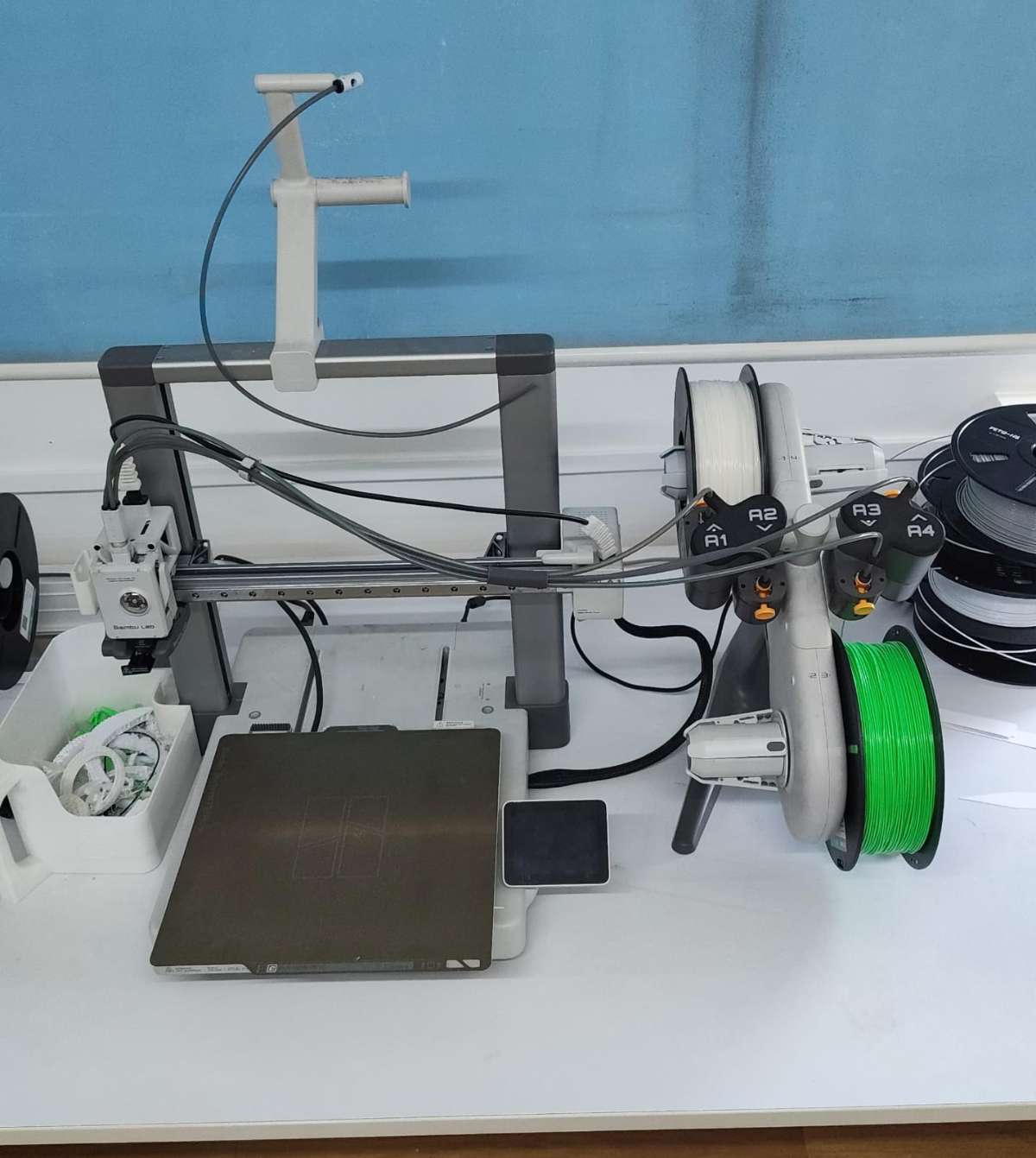
The Bambu Lab A1 is a high-speed Core XY 3D printer , offering smart automation features like auto Z-offset, auto flow calibration, auto belt tensioning, and real-time flow rate compensation.
The A1 features several smart automation functions that simplify the printing process, including:
Auto Z-Offset: Automatically calibrates nozzle height with precise probing, removing the need for manual bed leveling.
Auto Flow Dynamics: Calibrates pressure advance to improve extrusion accuracy and quality.
Auto Belt Tension: Monitors and adjusts the tension of belts to ensure consistent motion and accuracy.
Real-Time Flow Rate Compensation: Uses high-frequency sensors to adjust filament flow dynamically during printing.
Auto Vibration Calibration: Tunes X and Y axis resonance to reduce vibration and enhance print quality.
Auto Filament Loading: Allows for simple, one-touch filament changes.
Another highlight was the multi-color printing capability made possible with the optional AMS Lite system, allowing seamless color transitions in a single print job. The printer also includes safety and recovery features like filament run-out detection and power loss recovery, which add reliability to longer or unattended prints.
From a usability perspective, the A1’s touchscreen interface is intuitive and easy to navigate, and it supports both cloud-connected and offline LAN mode for privacy-conscious users. The build volume of 256×256×256 mm³ is ample for most desktop printing needs, and the machine supports a wide range of materials including PLA, PETG, TPU, and more.
Overall, I learned how modern 3D printers like the Bambu Lab A1 can automate much of the calibration and maintenance traditionally required, making high-quality printing more accessible and efficient.
Individual Assignment
3D Designing
This week i thought of making an articulated Panda, in reference to video
First, i began by importing an svg file of the Panda to Fusion 360.
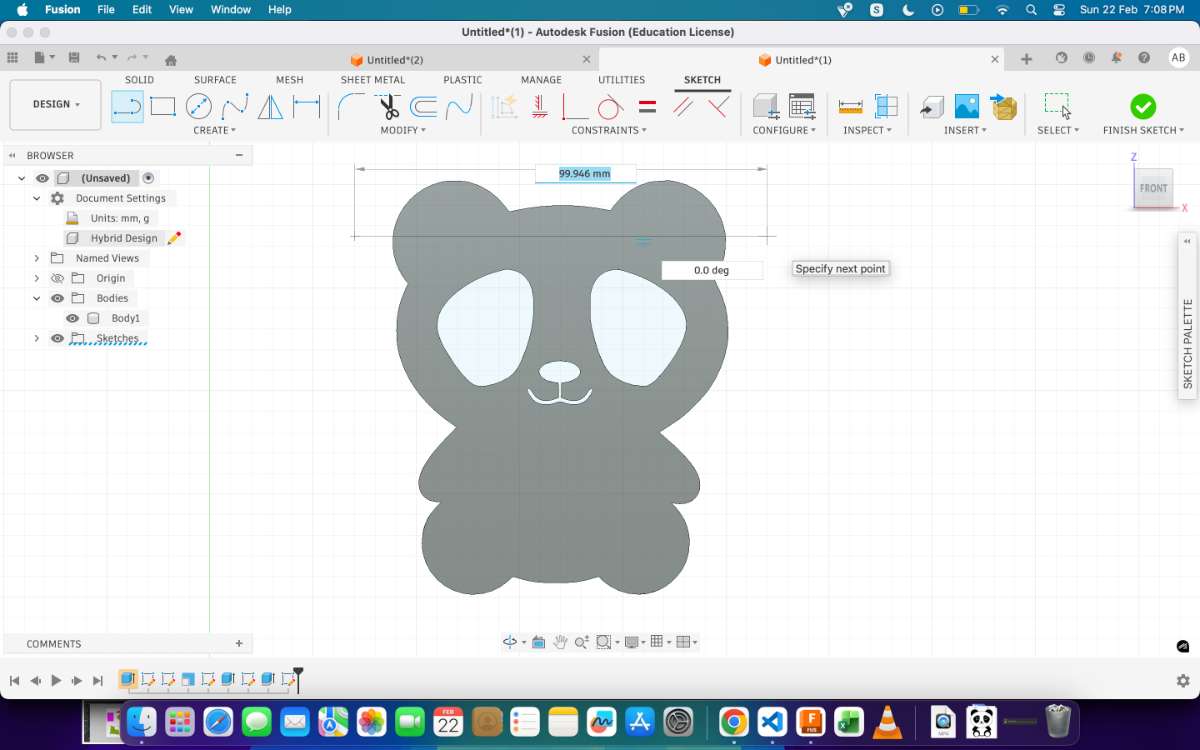
Then I scaled it to my required size, i was aiming for 10cm(100mm) in height & 7-8cm in breadth, After which i extruded it, added the material thickness of 8mm. Then drew horizontal lines which are parallel ot one another.
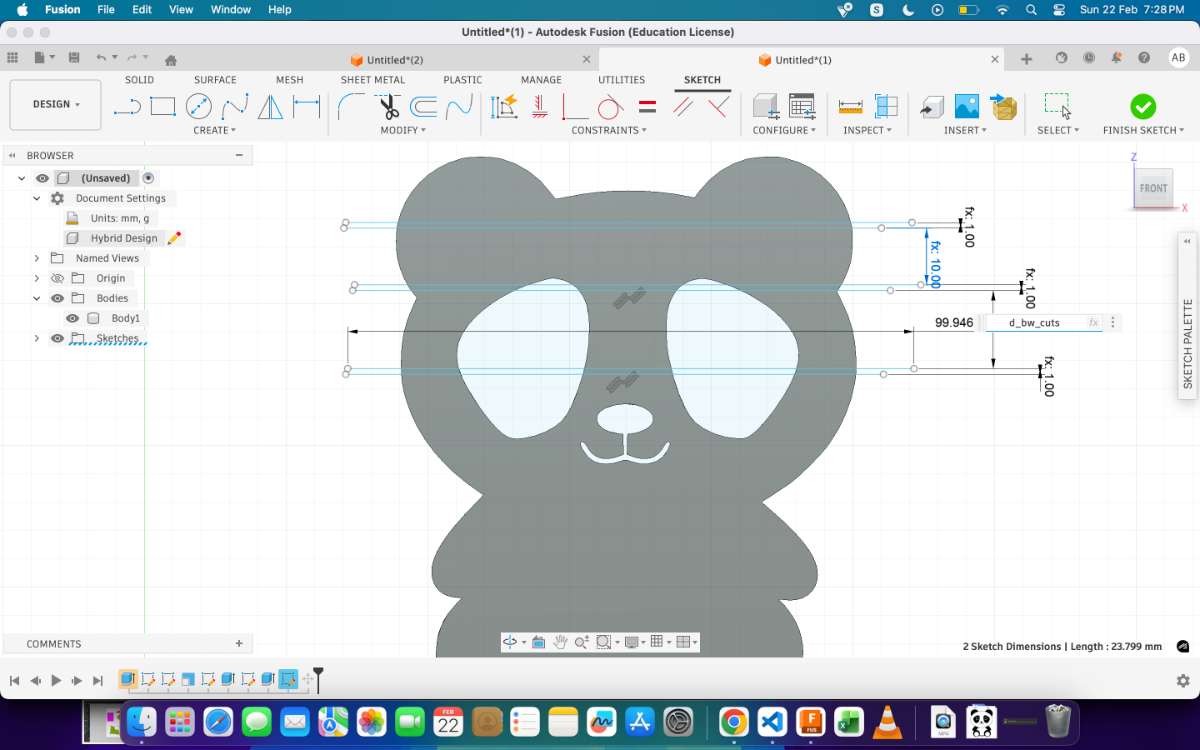
The following image shows tbe mxact measurments that i took:
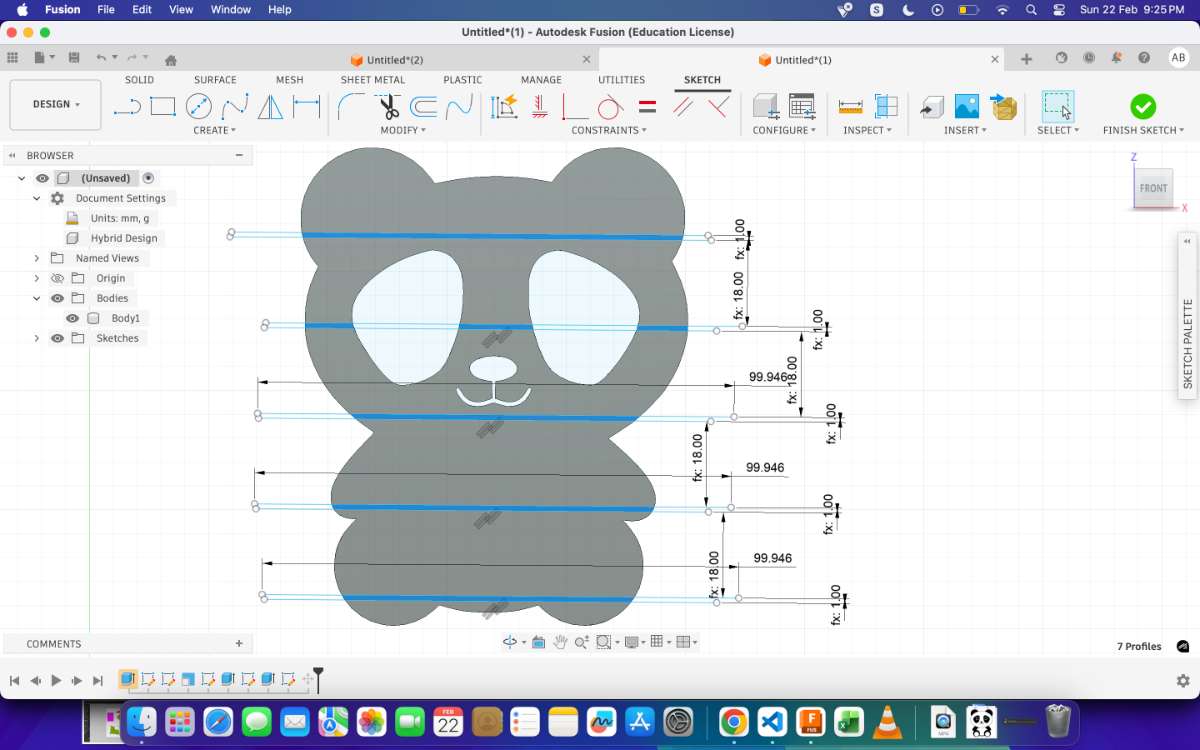
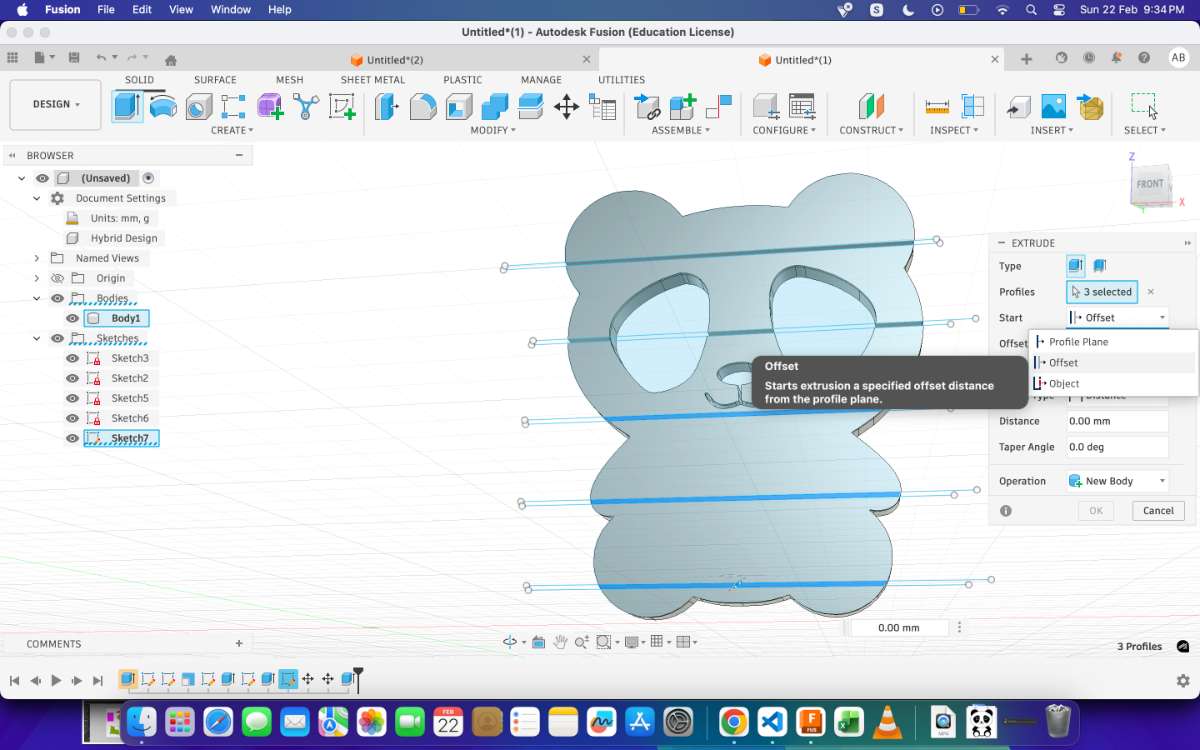
Now to form the cuts, select the extrude option from the top bar or simply press "E", switch the start section to Z- Offsetand then distance to -10mm or pull the arrow key back, this will cut the needed section.
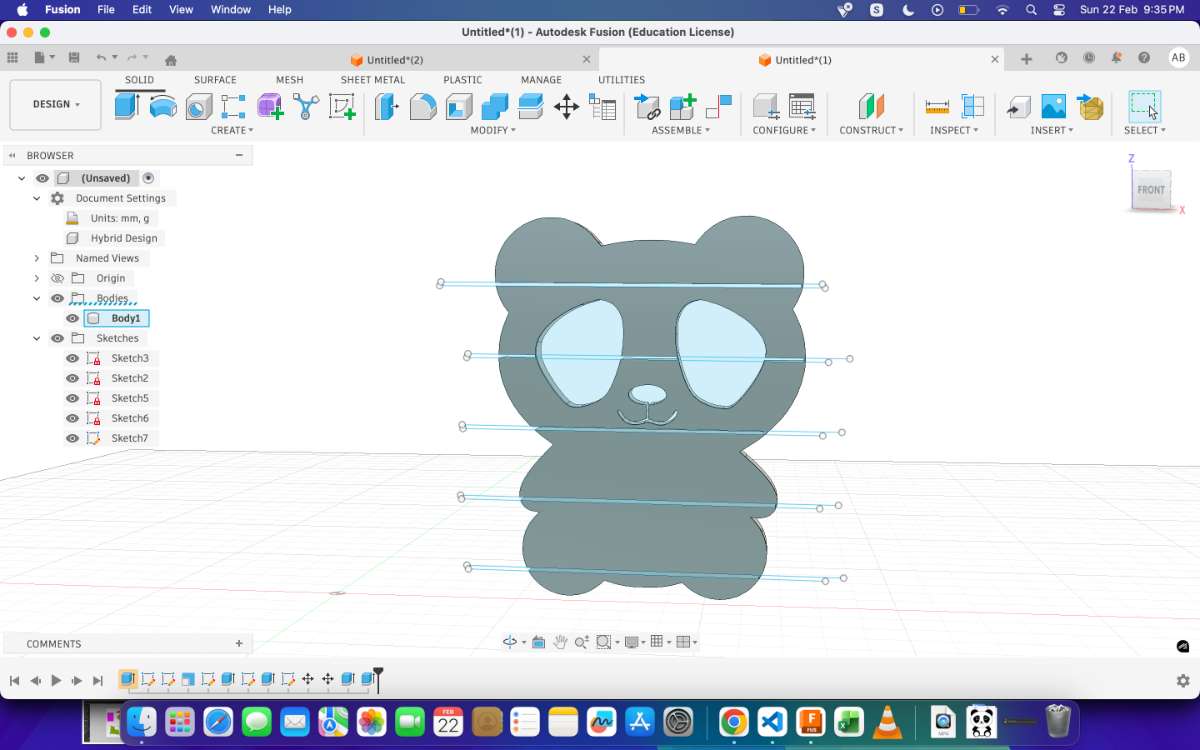
Then to make the joint, i drew a rectangle sketch, b=6mm, h=8mm, with an offset of 0.5mm. and then cut the outer section , creating a space between the body and the rectangle, then connect the rectangle to the lower body.
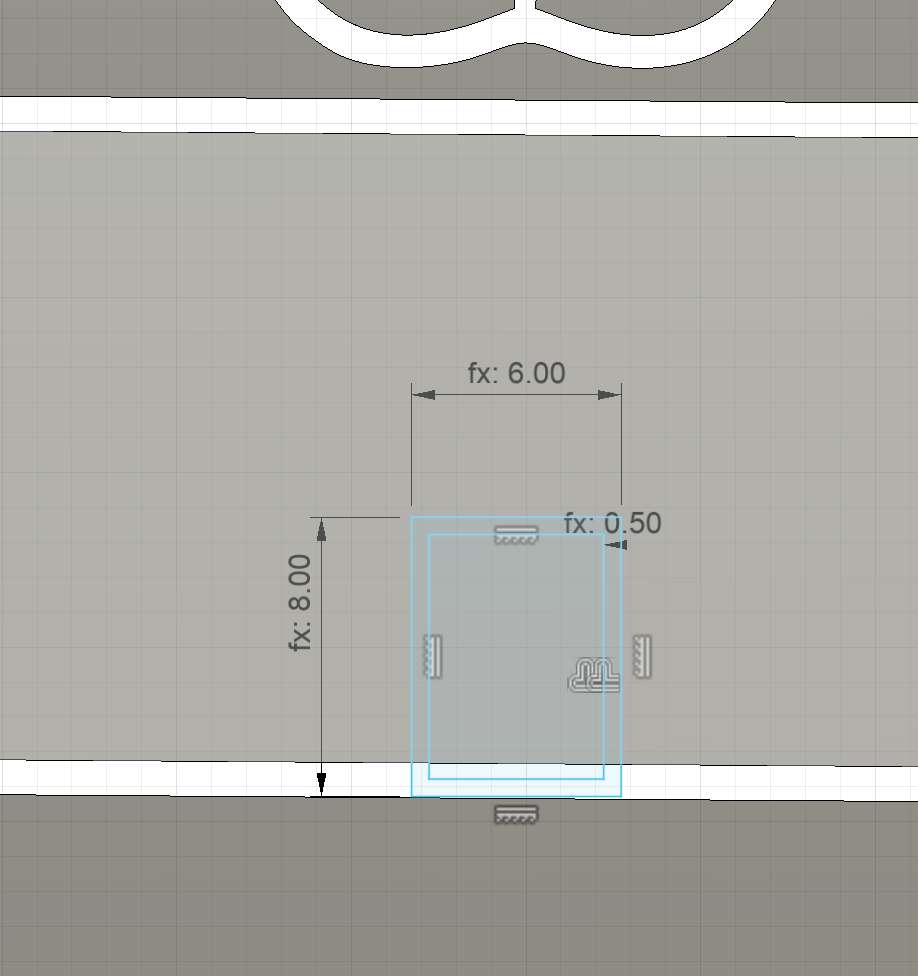
Do this throughout the design.
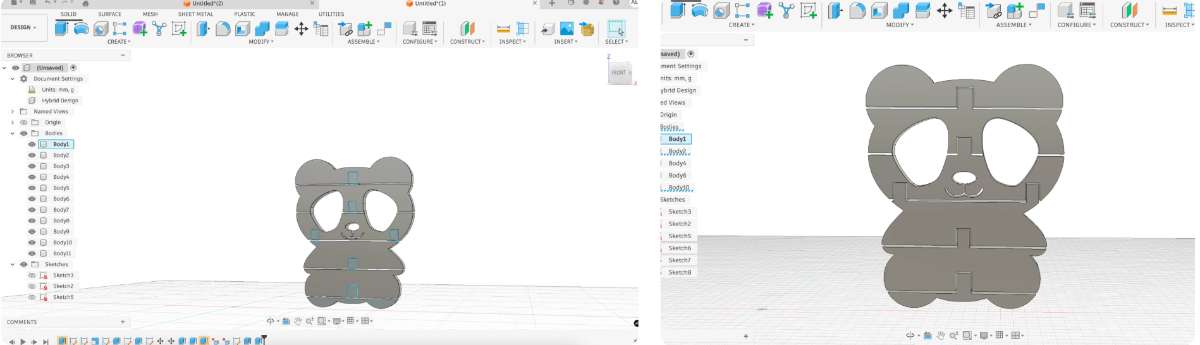
Then hide the body you're connecting to(in this case the upper body), and set view from the y axis. Draw a mid line of 4mm to be the centre point of your circle, then draw 3 circles or diameter 8mm,4.5mm and 3mm.
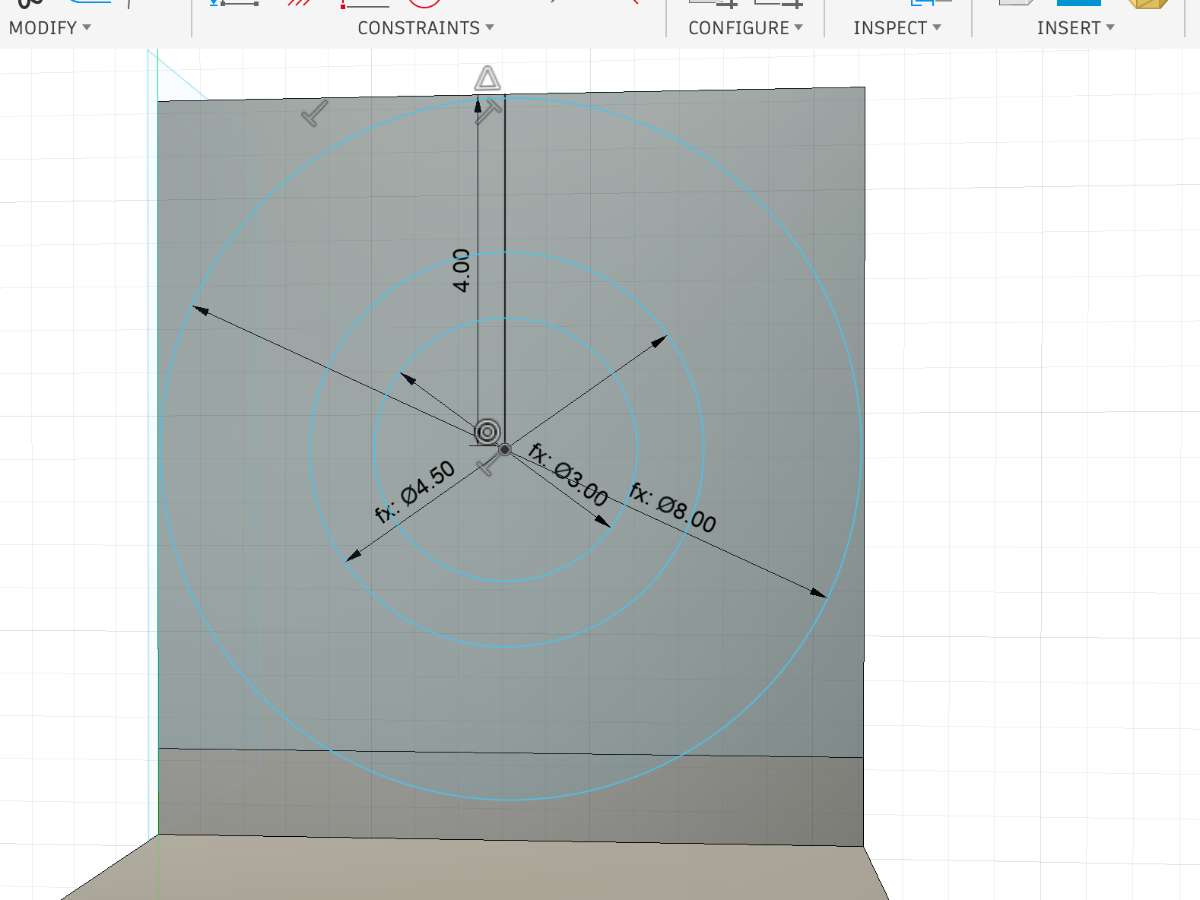
Cut the section between 4.5 and 3mm, here you'll get a cylindrical rod with a clearance of 0.5mm, which allows smooth movement.
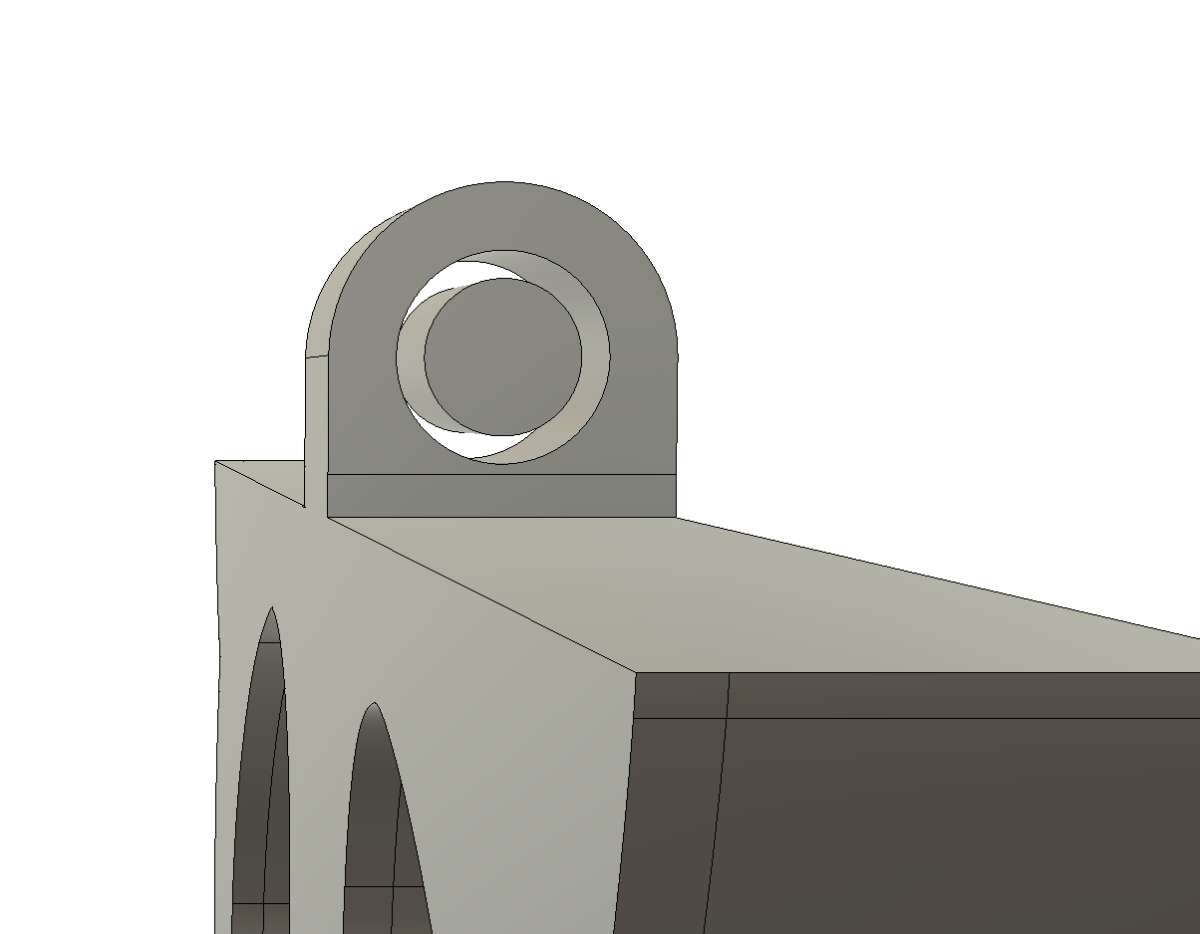
Extrude the circular faces of the cylinder into the upper body.
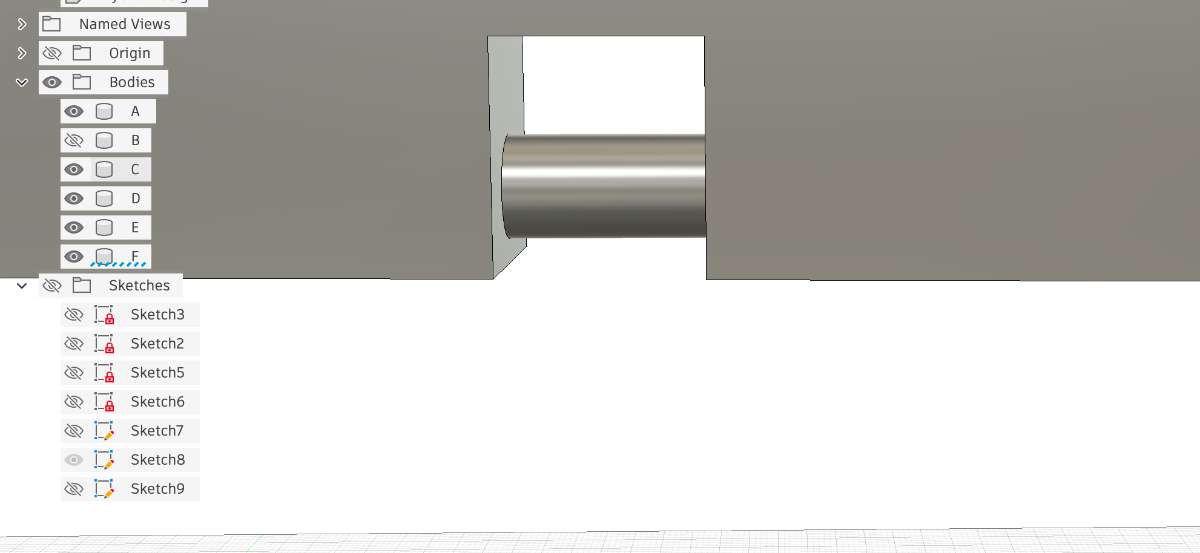
This is how the final joint will look:
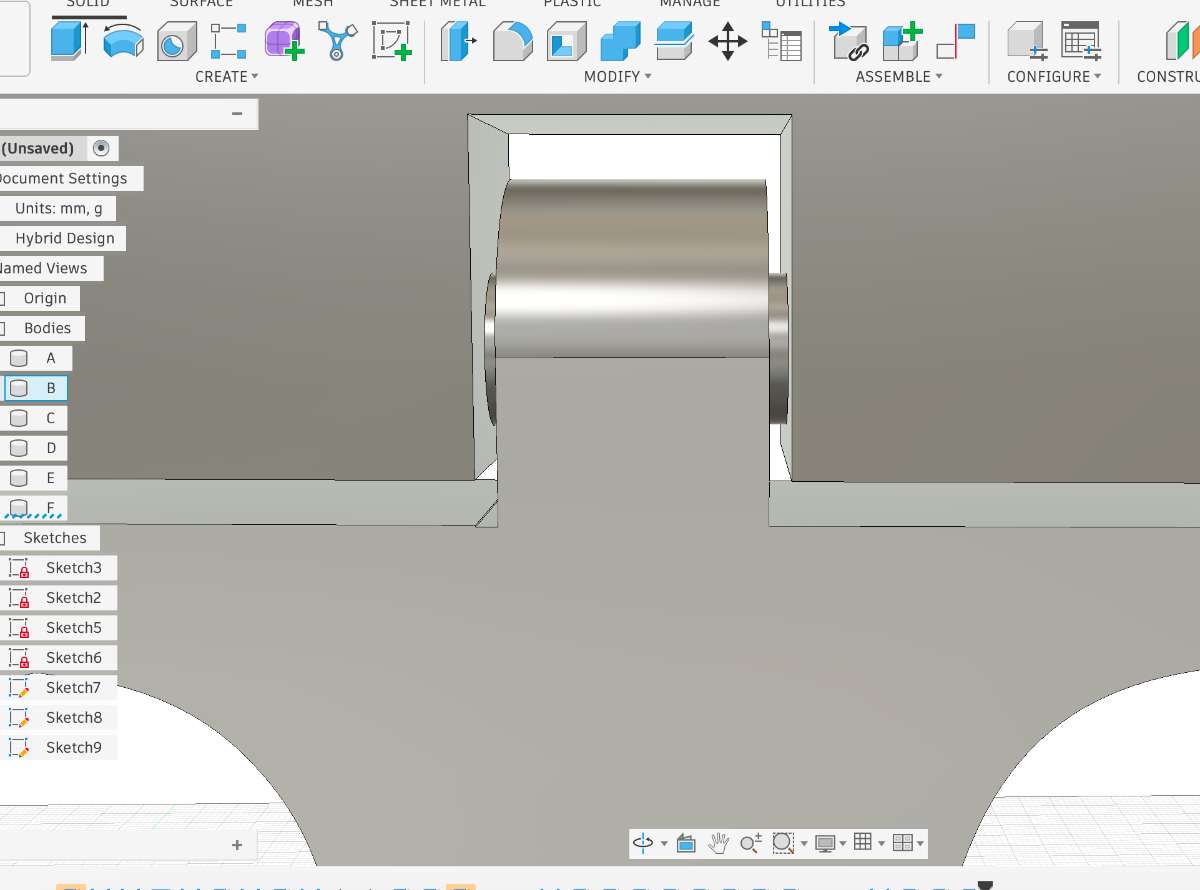
Now, repeat the process throughout your model.
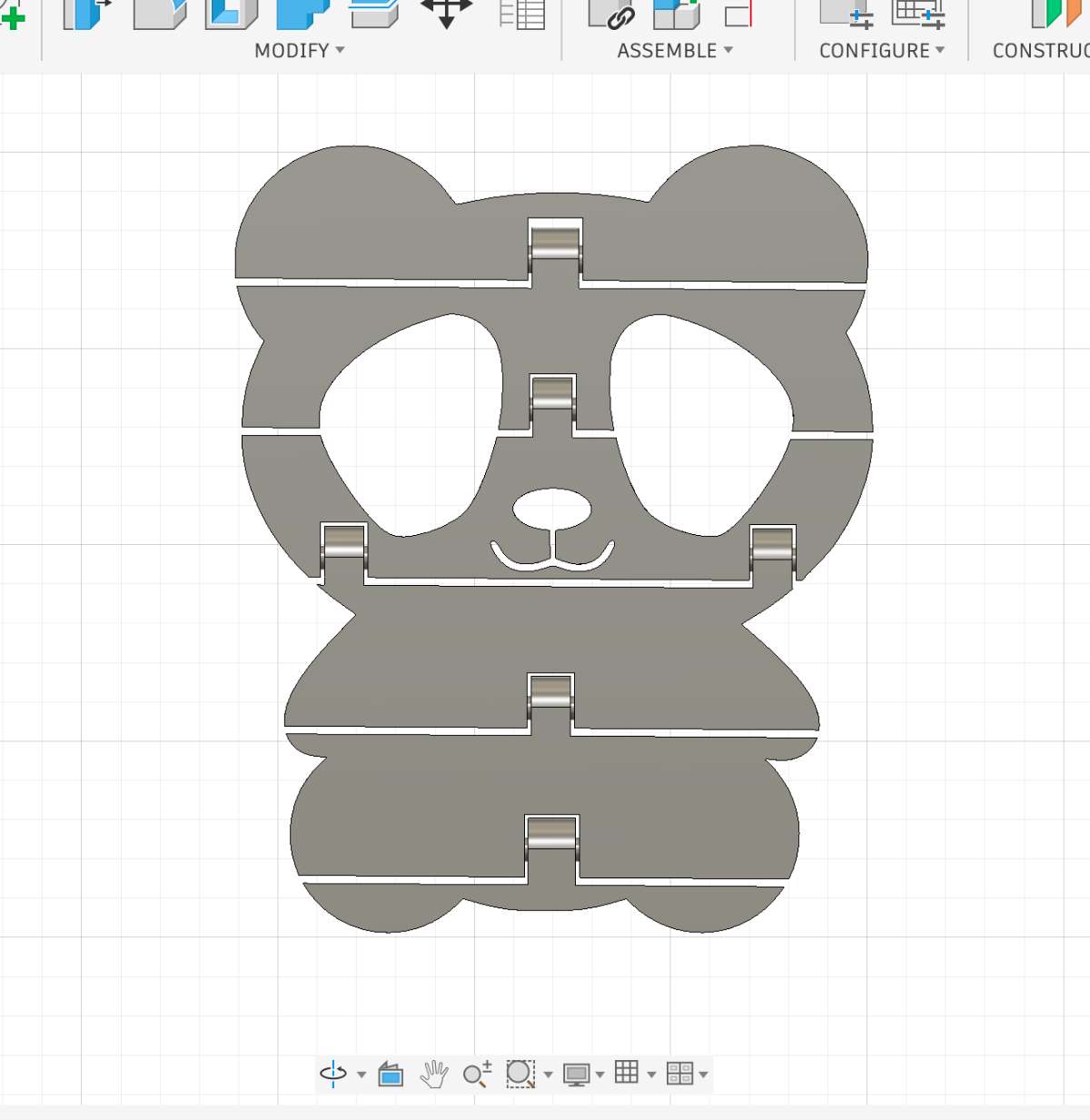
Now as you can see the movements are restricted to 11 degrees.
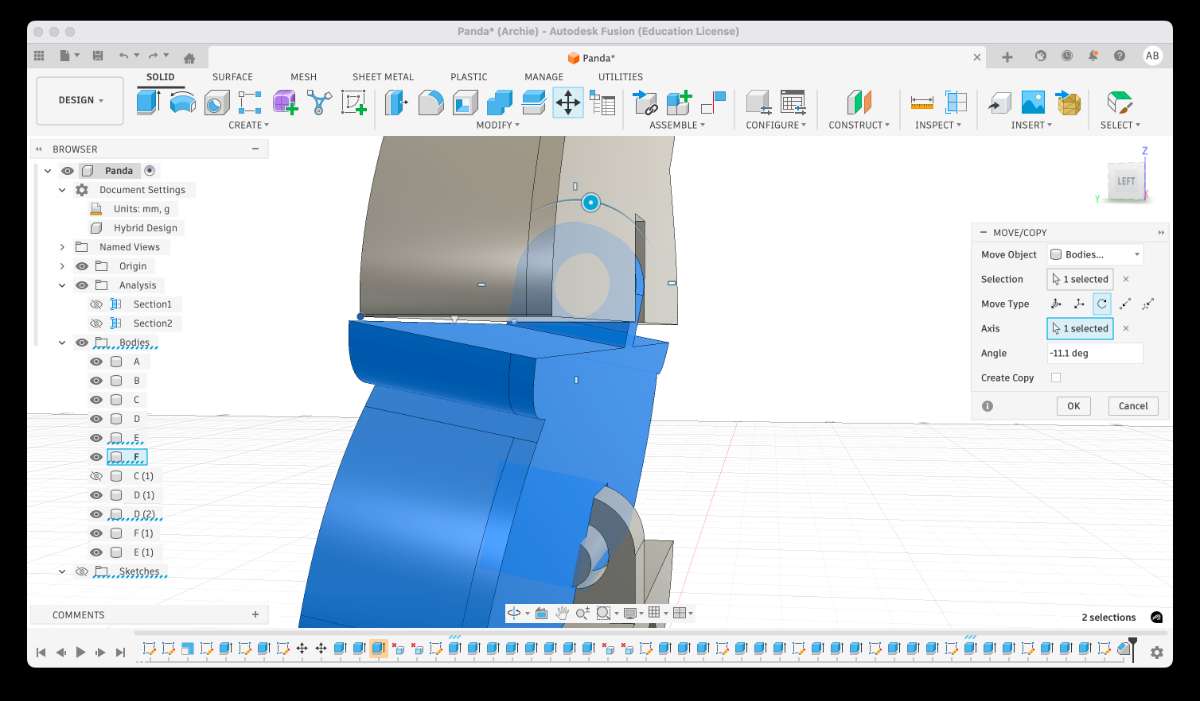
We can increase the movement of parts by Chamfering the sidess, here i did a chamfer of 1.5mm.
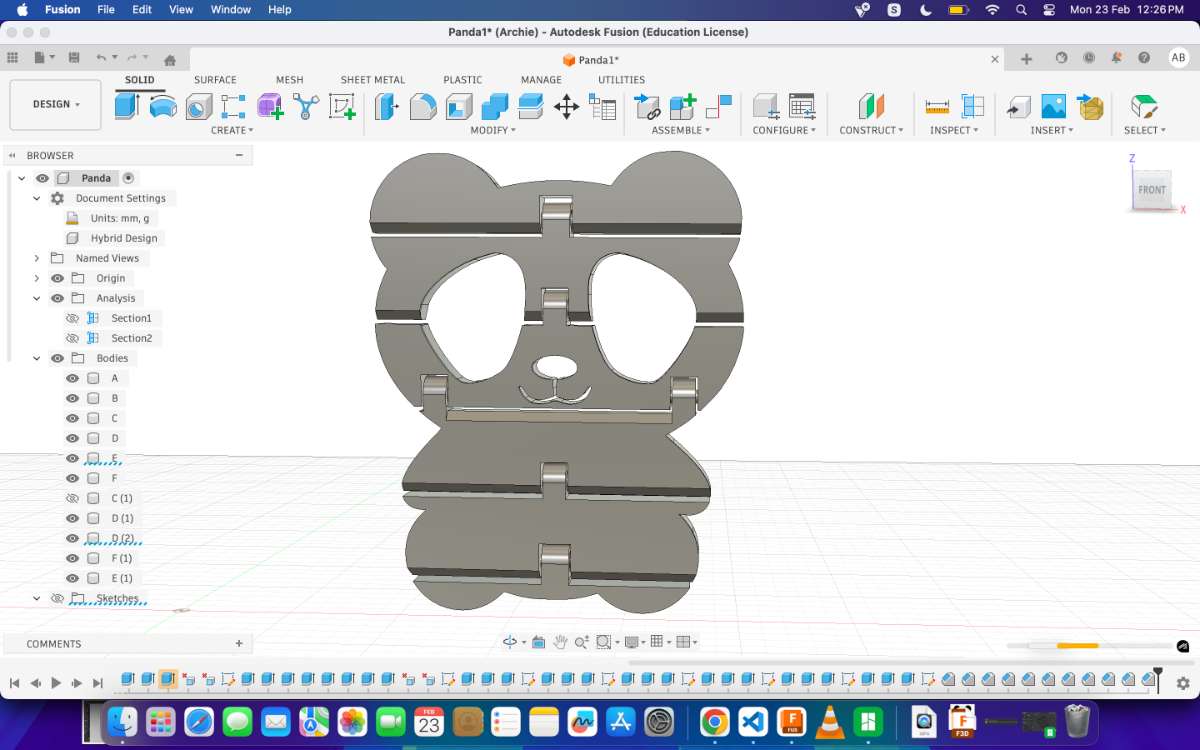
After Combining your model is ready for print!
To print the 3D model you export the file as a .stl file and head to Bambulab studio (if you're using the Bambulab Printer)
Bambu Studio is an open-source, cutting-edge, and feature-rich slicing software designed specifically for Bambu Lab 3D printers. It offers a project-based workflow, systematically optimized slicing algorithms, and an intuitive graphical user interface, providing users with an incredibly smooth and efficient printing experience. This slicer is based on PrusaSlicer, but it has been heavily customized to support high-speed Cartesian kinematics motion systems and multi-material printing through the AMS (Automatic Material System). With these enhancements, Bambu Studio helps users unlock the full potential of their Bambu Lab printers while maintaining compatibility with advanced print settings, customizable supports, and fine-tuned control over print parameters. Download bambu studio. Click on the exported step file. It will open in bambu slicer or you can open it from slicer.
Click here for a detailed tutorial on how to use the Bambu Studio.
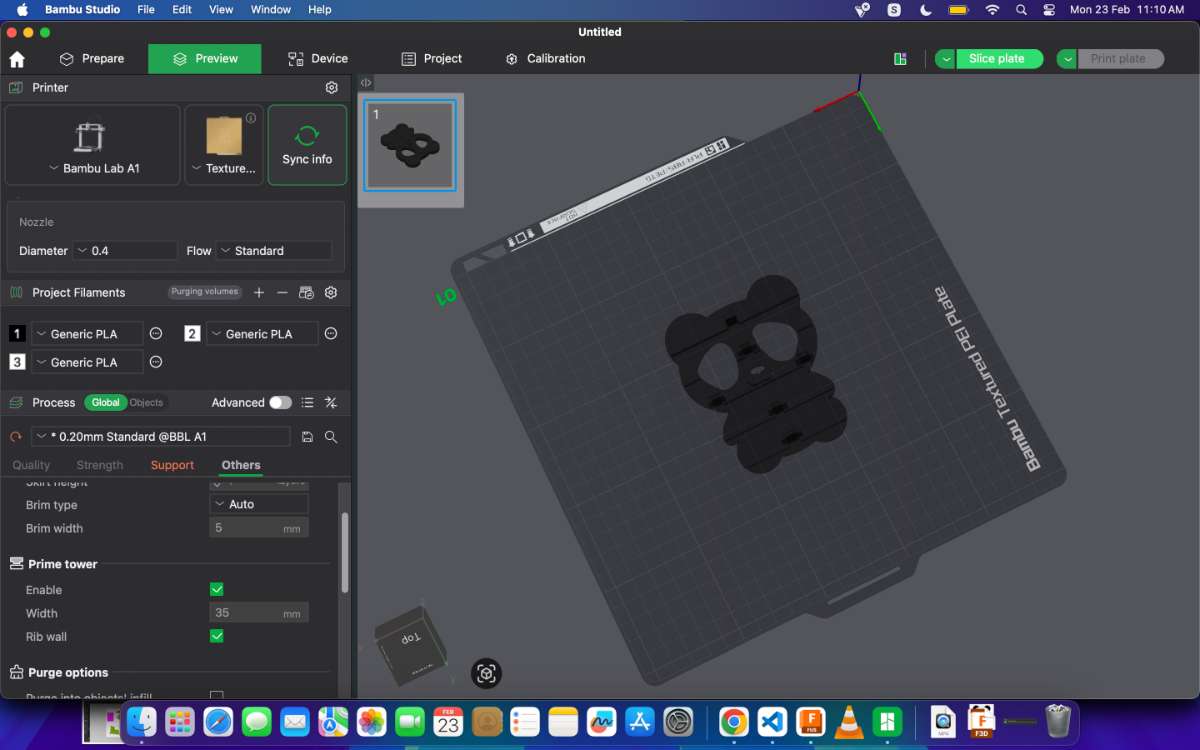
First you select your printer, from the left toolbar and then select the most commonly used presets, 0.20 mm Standard setting, which provides a good balance between speed and quality.
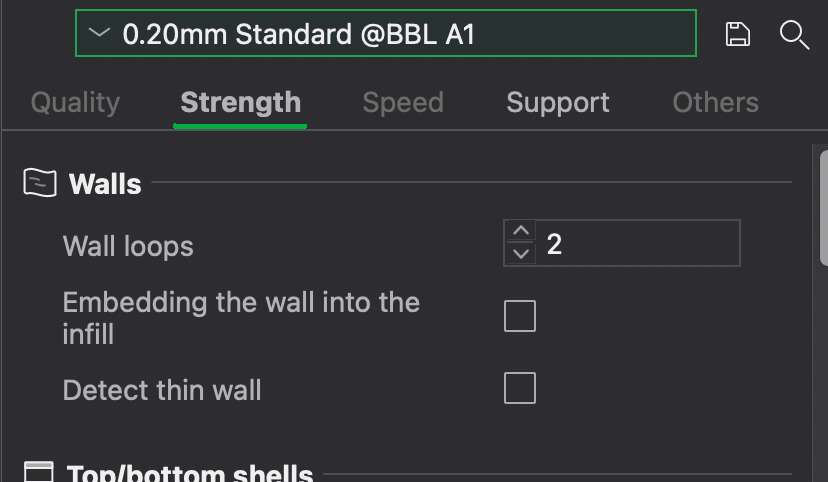
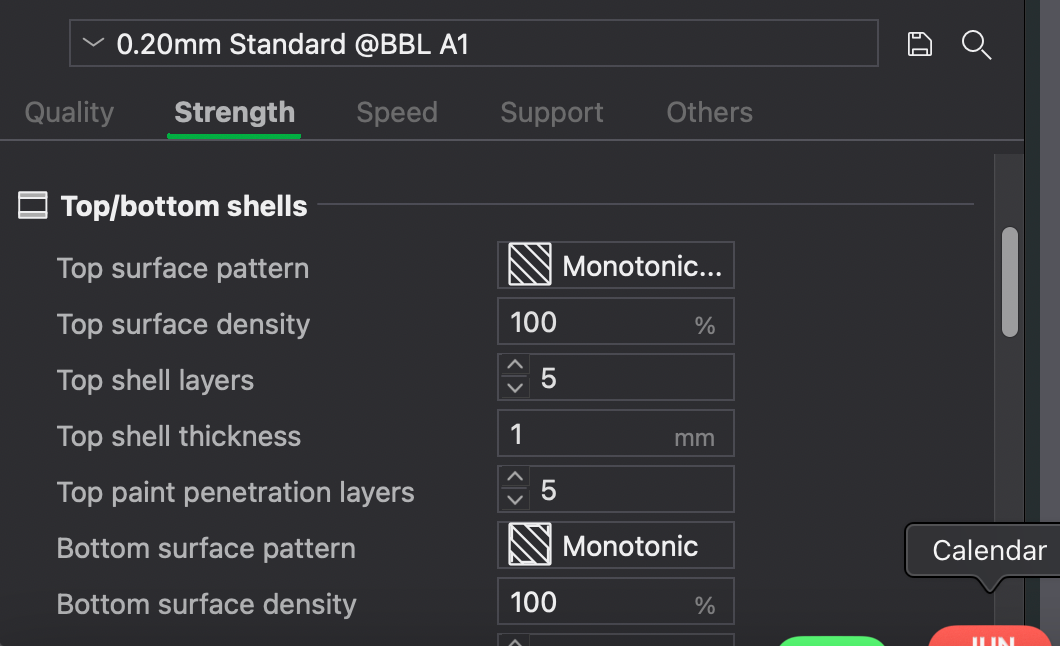 No supports were used for this model. The material used was PLA.
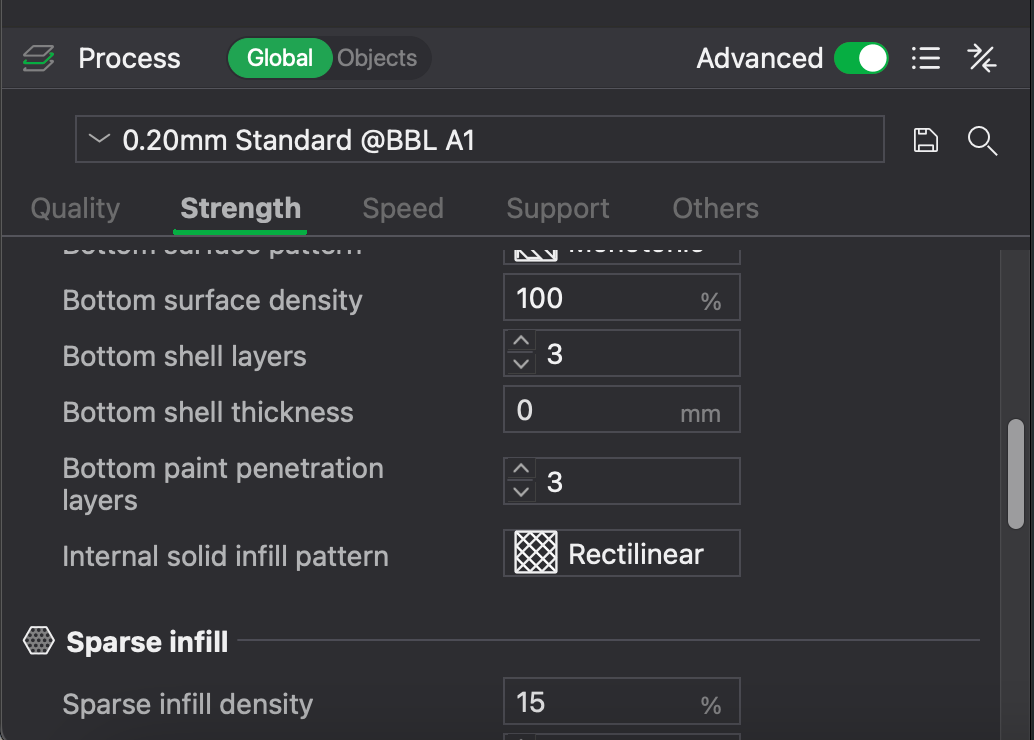
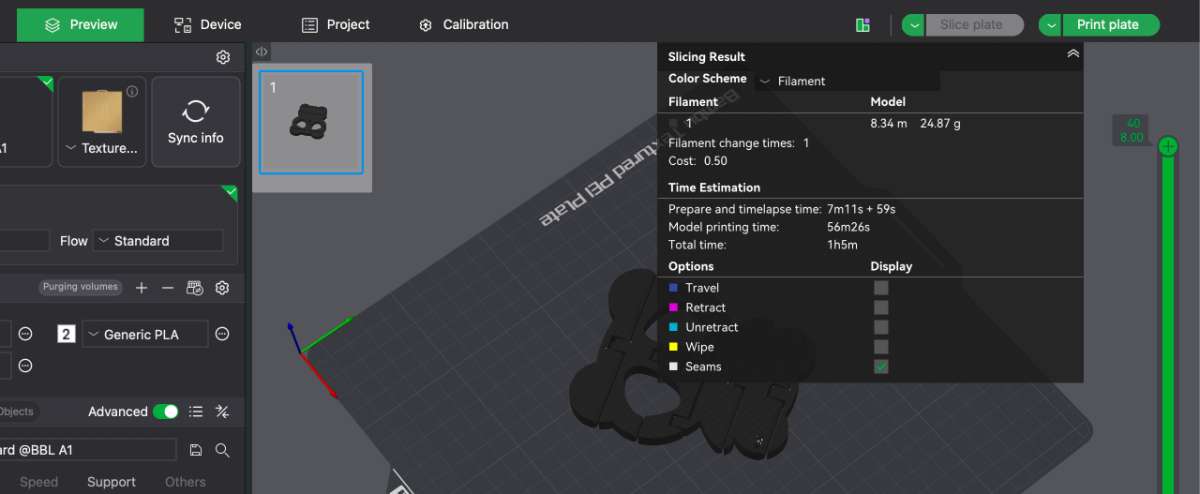
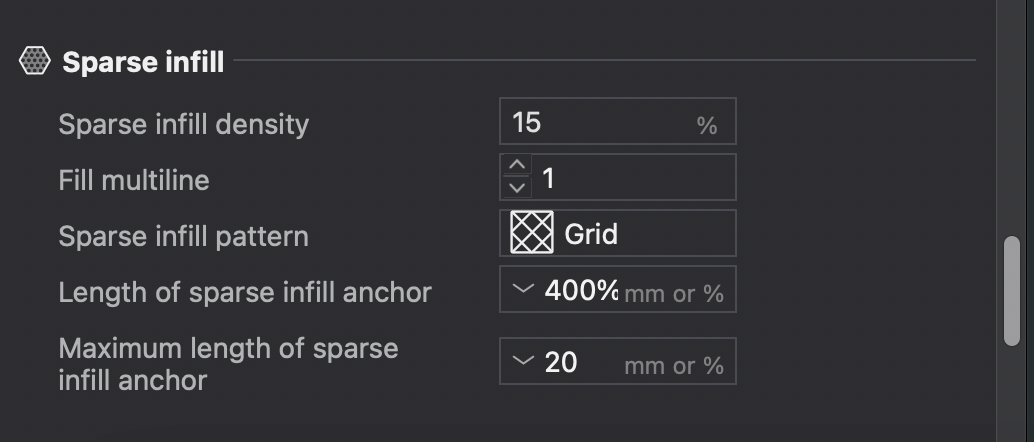 Then you go to slice plate, in which you'll be able to get an overview of how much time the print will take and
the type of fill and the direction or the manner in which the print take places.For me it takes around 1h7mins
Then you go to slice plate, in which you'll be able to get an overview of how much time the print will take and
the type of fill and the direction or the manner in which the print take places.For me it takes around 1h7mins
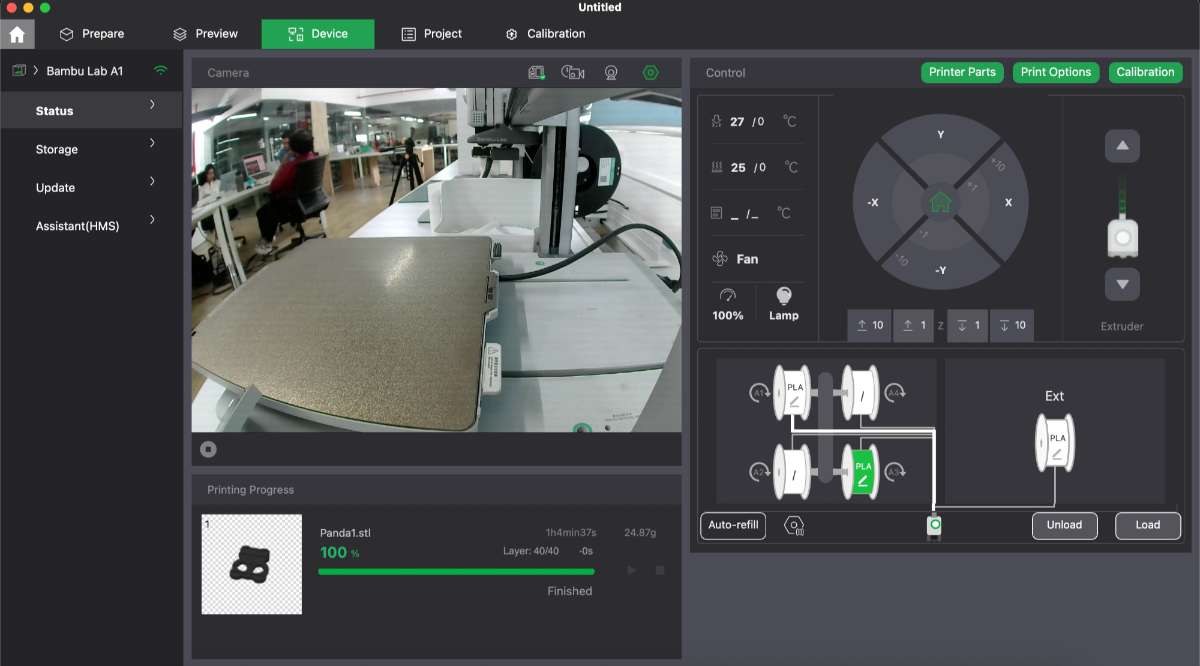
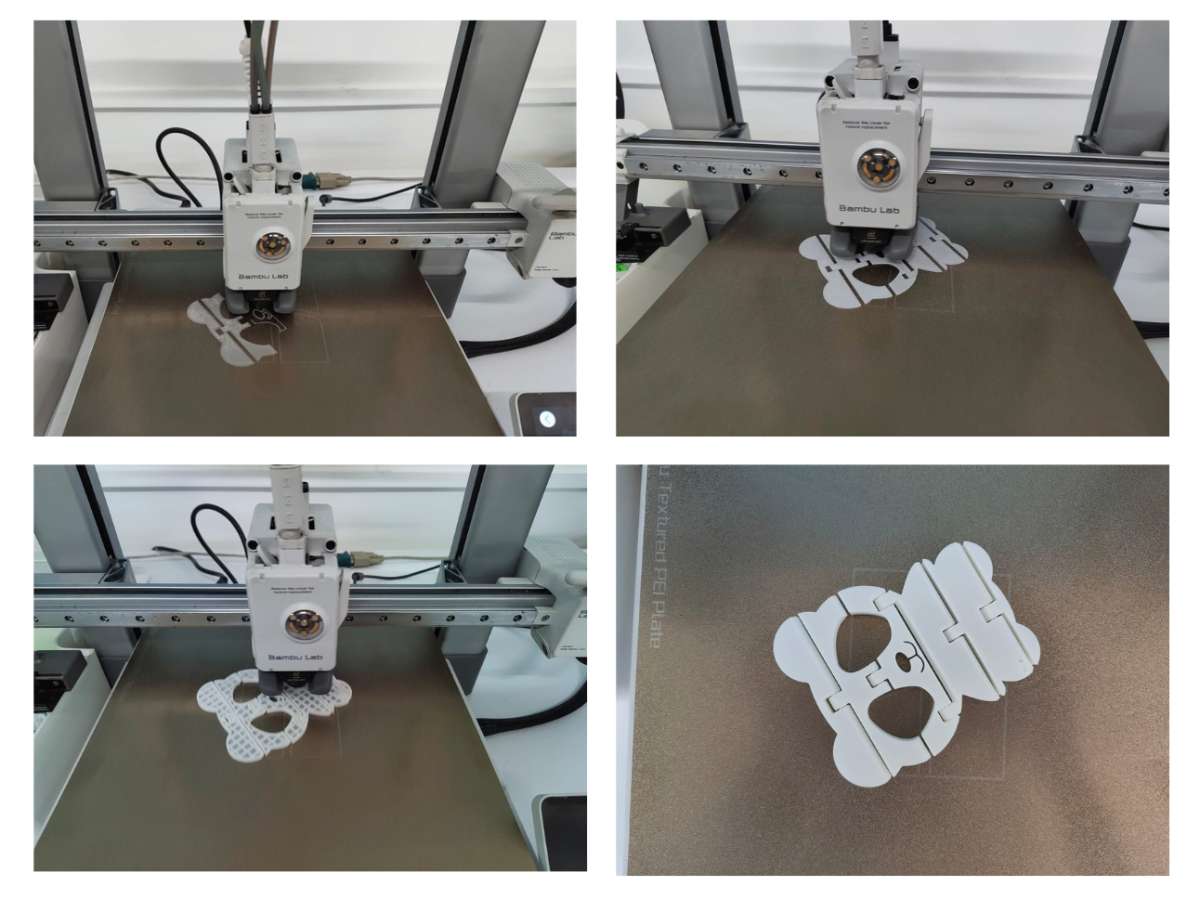
Then you click print plate and you go to the overview page where you can see the print status and camera feed.
Following is how the print turned out:
3D Scanning
3D scanning is a technology that captures the shape, size, and details of a physical object or environment to create a digital 3D model. It uses specialized scanners to collect data from multiple angles, which is then processed into an accurate virtual representation.How it works?
Data Capture – The scanner projects light (lasers, structured light, or infrared) onto the object while sensors record how the light interacts with the surface. Depth Calculation – The scanner measures distortions in the projected light and calculates 3D coordinates for each point on the object. Point Cloud Generation – The collected points form a "point cloud," a raw representation of the object's shape. Model processing – Software converts the point cloud into a 3D mesh, which can be refined and exported for applications like 3D printing, virtual reality, or engineering. Artec 3D scanner
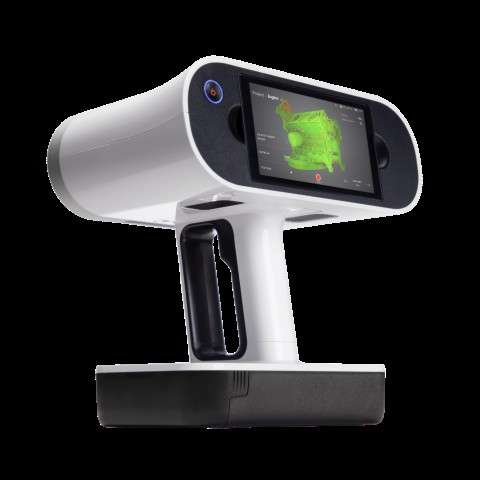
The Artec Leo is a professional handheld 3D color scanner with automatic onboard processing and a touchscreen display for real-time model visualization.With an upgraded NVIDIA Jetson TX2 processor, it delivers faster processing speeds, enabling high-quality, real-time 3D data capture.
Artec Leo Scanner – Technical Specifications
Accuracy: Up to 0.1 mm
Resolution: Up to 0.2 mm
Accuracy Over Distance: Up to 0.1 mm + 0.3 mm/m
Algorithms: HD mode, hybrid geometry/texture tracking, auto background removal
Field of View: 244×142 mm (close), 838×488 mm (far), 0.35–1.2 m working distance
Texture: 2.3 MP, 24-bit color, supports photo texture
Speed: Up to 80 fps, 35 million points/sec
Light Source: VCSEL (3D), 12-LED white array (2D), Class 1 laser (808 nm)
Hardware: 5.5" touchscreen, built-in battery, 9 DoF sensor, 512 GB SSD
Processor: NVIDIA Jetson TX2, 256-core GPU
Interfaces: Wi-Fi, Ethernet
Computer Requirements (Processing Only): Windows 8.1/10/11, i7/i9, 32–64 GB RAM, NVIDIA GPU
Output Formats: OBJ, PLY, STL, WRL, STEP, IGES, CSV, etc.
Dimensions: 231 × 162 × 230 mm
Weight: 2.6 kg
Scanning the object
I scanned a drill machine .
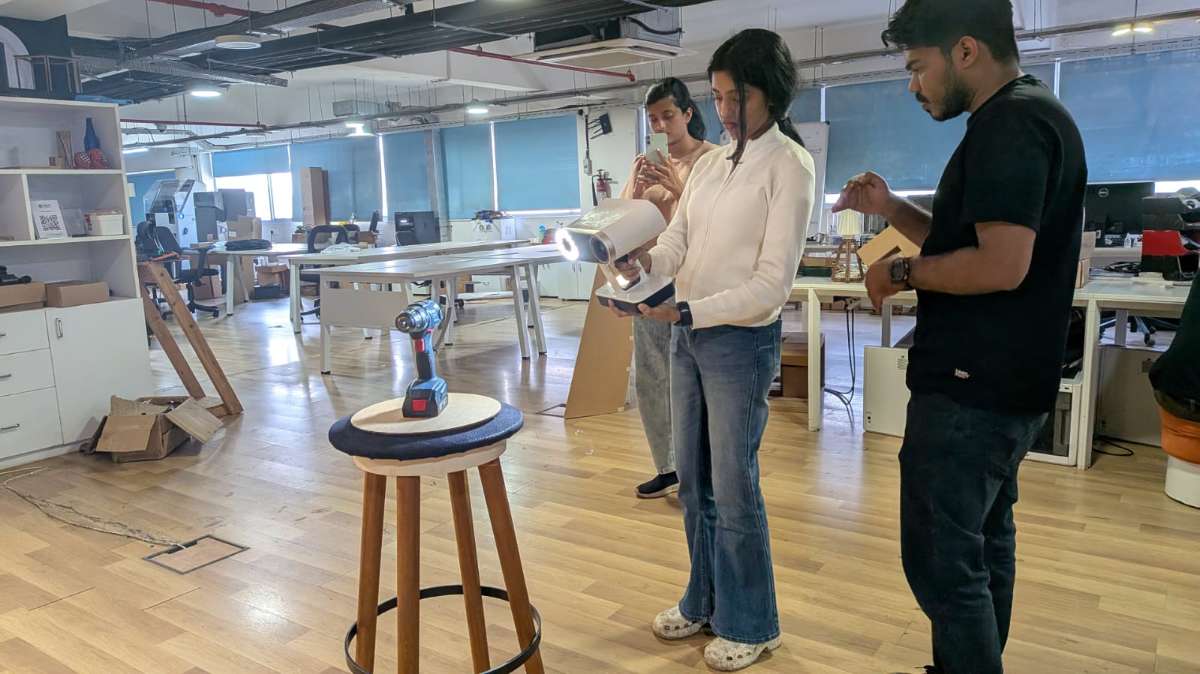
Press and hold the power button to turn on the Artec Leo. Ensure the battery is charged or the scanner is connected to a power source.
Adjust scan settings such as resolution, texture capture, and sensitivity based on the object. Maintain a working distance for optimal results.
Point the scanner at the object and press the start scan button. Move smoothly around the object to capture all angles. Monitor the real-time 3D model on the touchscreen to ensure full coverage.
Rotate and zoom in on the scanned model to identify any gaps. Rescan areas as needed for a complete and accurate capture.
Transfer the scan to Artec Studio software on a PC for further processing, cleaning, and exporting in different formats.
Post-Processing
The scan is transferred to Artec Studio 15 software.From the top toolbar select the scan from file -> import, and select the file you want to import.
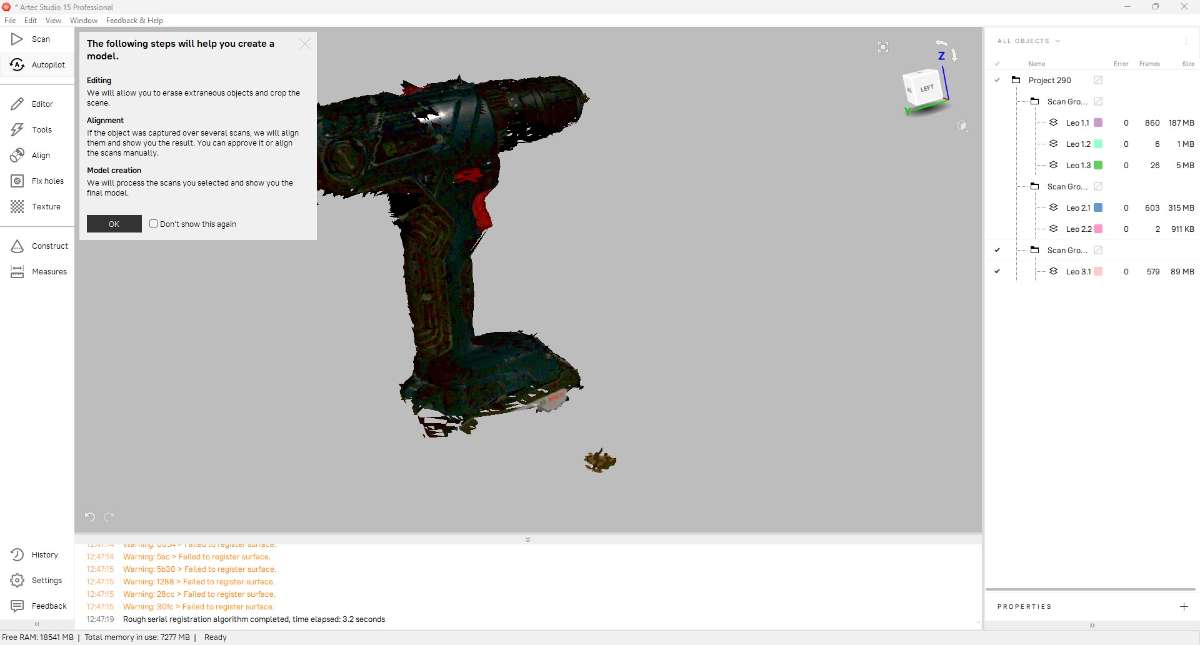
Then select Autopilot from the left tool bar and it will run through the processes giving you an apt combined result. Now, incase you feel like you need to change/remove then you can do those manually. click here for a detailed tutorial.
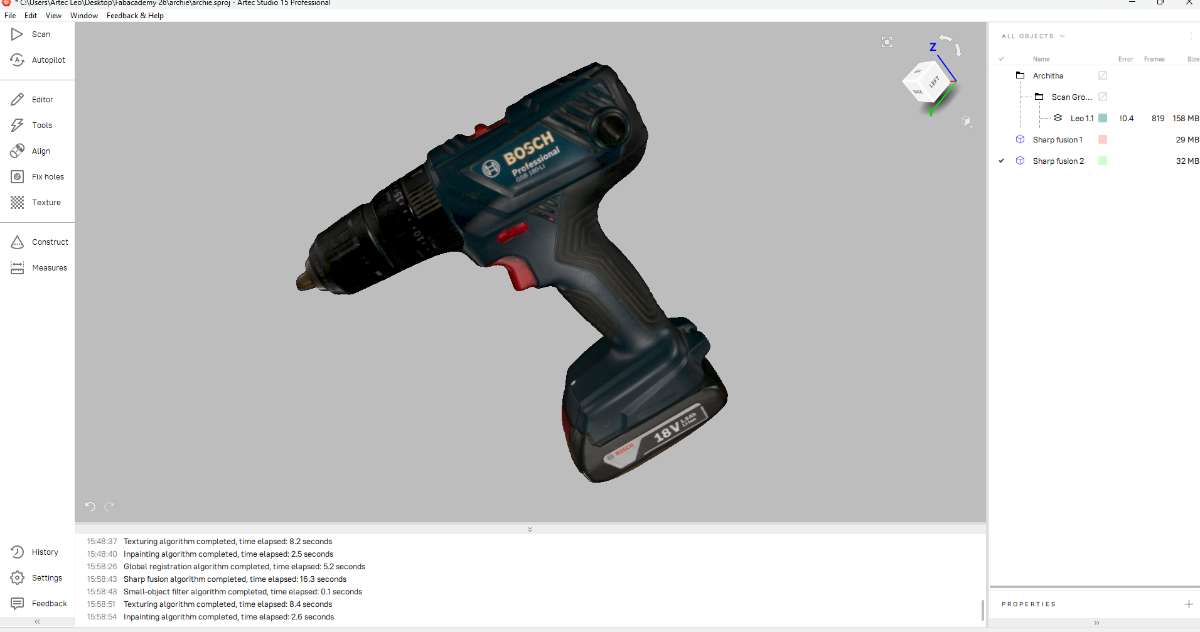
After the process, we get the 3d model of drill machine. The processed scan is then saved in OBJ & STL formats.
Now, if you want to make the above animation head to this site.
Conclusion
This week I learned about 3D scanning and printing. In group assignment we explored about 3D printing , its types, safety measures and test rules.3D models were made in fusion 360 and printed in Bambu Lab A1 printer. Learned about 3D scanning process and scanned an object.The scanning process was definitely more challenging than I expected. The software struggled to track certain parts of the object, and I had to make multiple attempts before getting a usable model. Making sure that every side of the object was captured without leaving gaps took some patience and experimentation.
Hero Shot