FINAL PROJECT IDEAS
1.FX-E : Wearable Mechatronics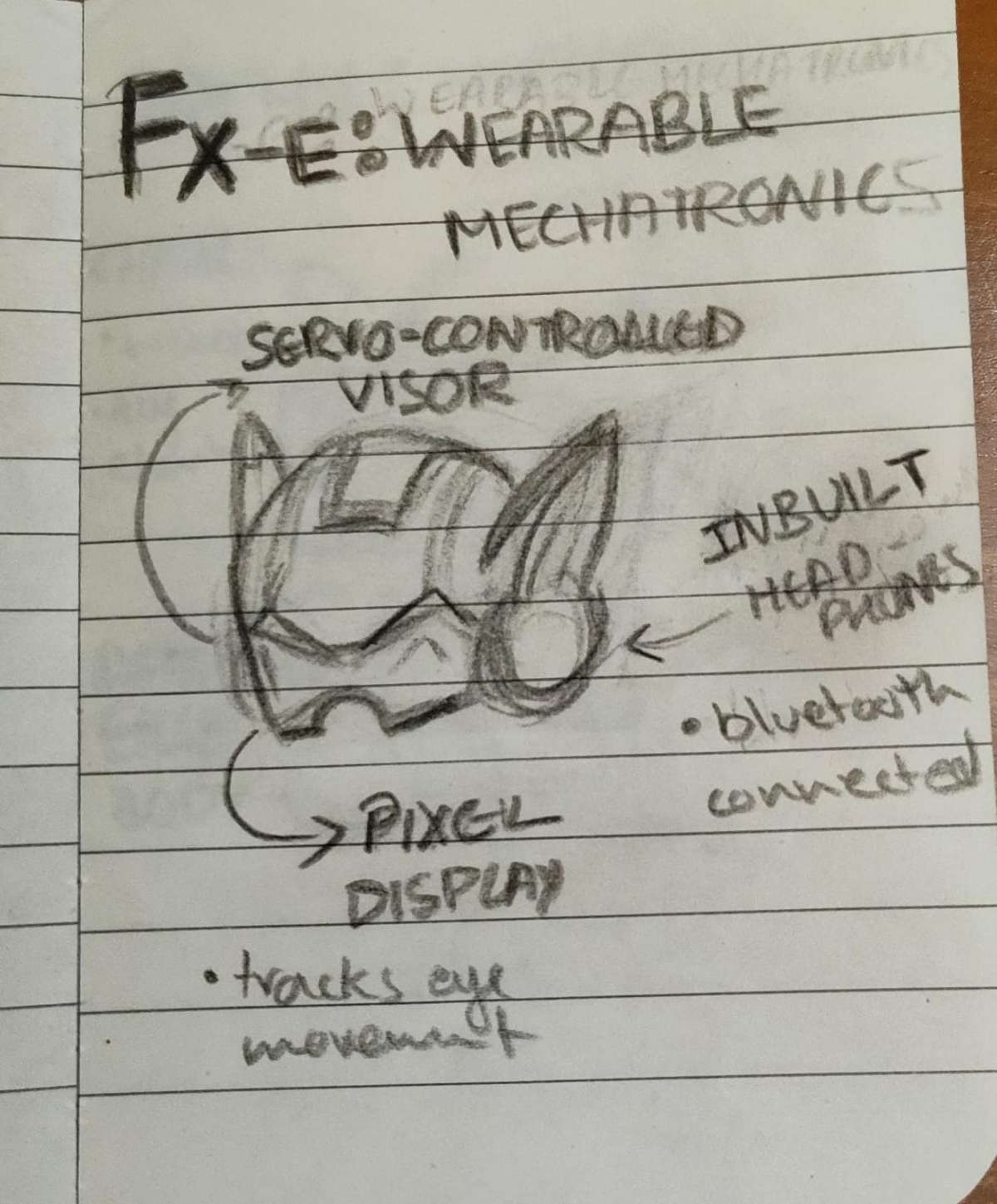
- Now, this is an iron man inspired helmet.
- Visor detects hand movements to control opening and closing.
- Includes eye-tracking to monitor eye movement andDisplays a pixelated visual output based on eye movement.
- Has inbuilt headphones for audio output.
- Bluetooth-enabled for wireless connectivity.
2.Archy : Wearable Desktop Companion
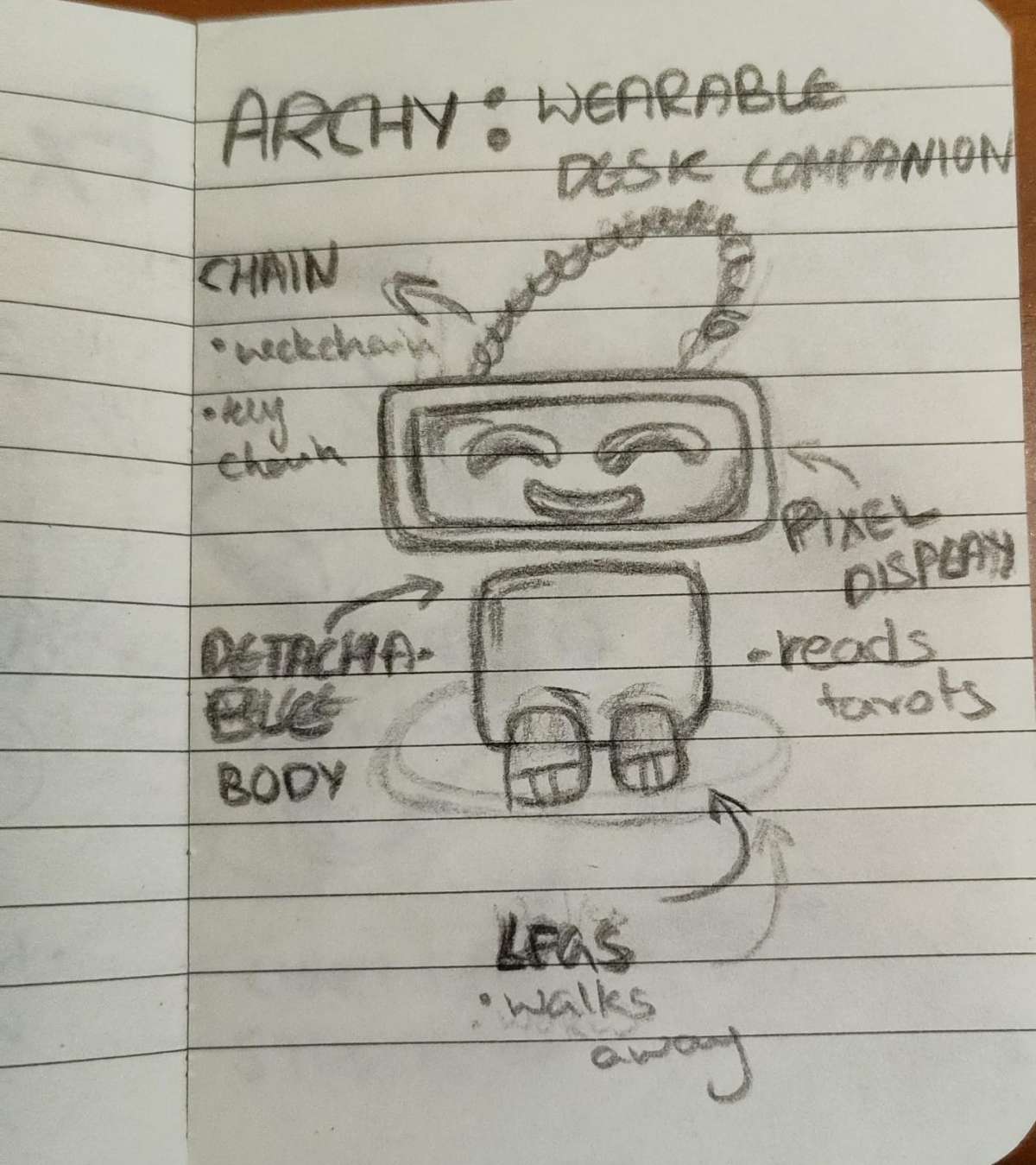
- A small wearable desk companion robot, Designed with a friendly, expressive form.
- Uses a pixel display to show facial expressions.
- Can read tarots.
- Has a detachable body, Includes a chain/neckband for wearing or carrying.
- Features moving legs that allow simple walking motion
- Focuses on interaction, expression, and companionship
3. TICO: Biomic Butterfly
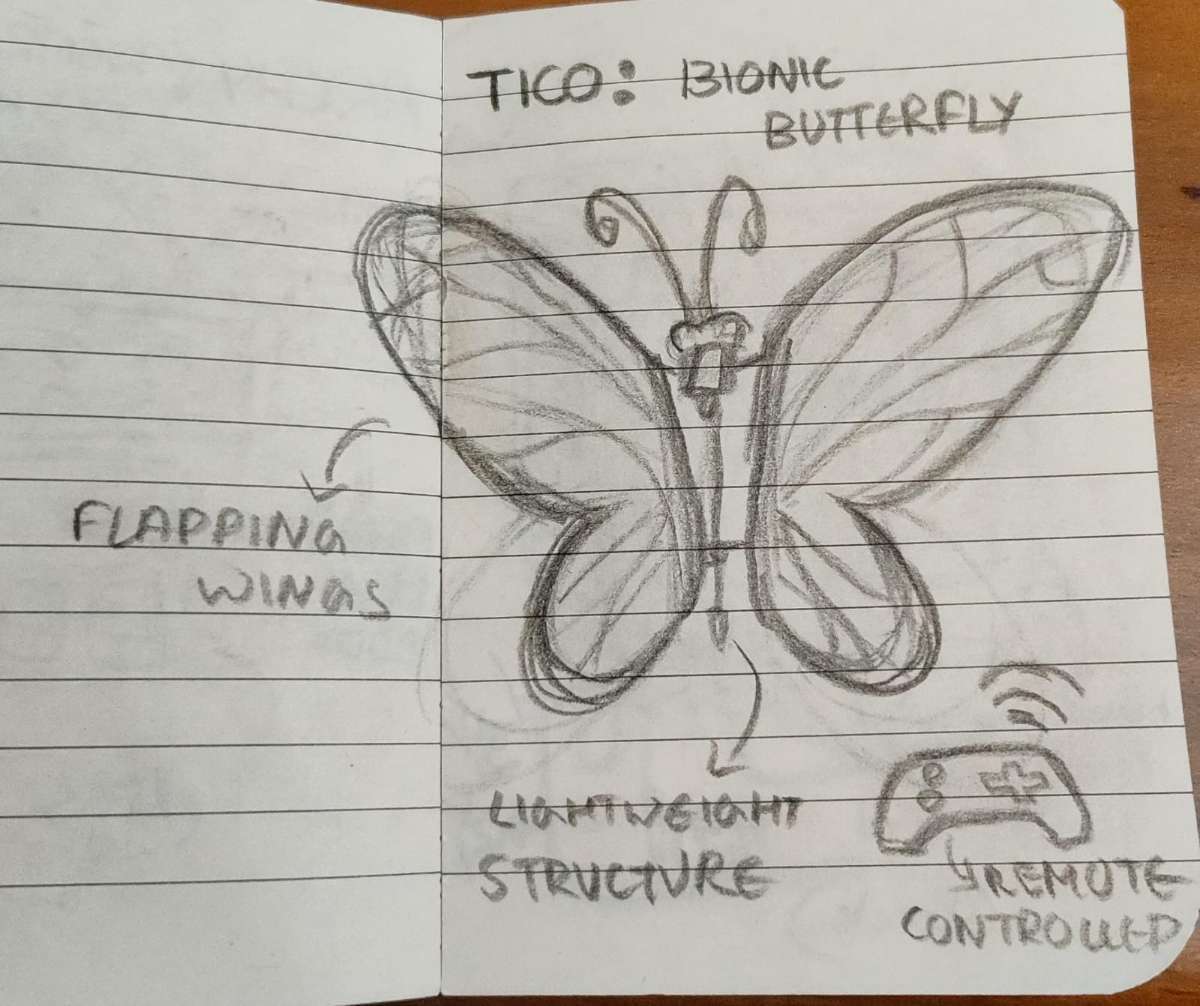
- A bionic butterfly inspired by natural wing Movement.
- Features flapping wings controlled using a mechanism.
- Designed with a lightweight structure for smooth motion.
- Wings mimic the natural motion of a butterfly.
- Remote controlled for movement and interaction.
- Focuses on biomimicry and motion design.
4. N.J : Mini Nano Jammer
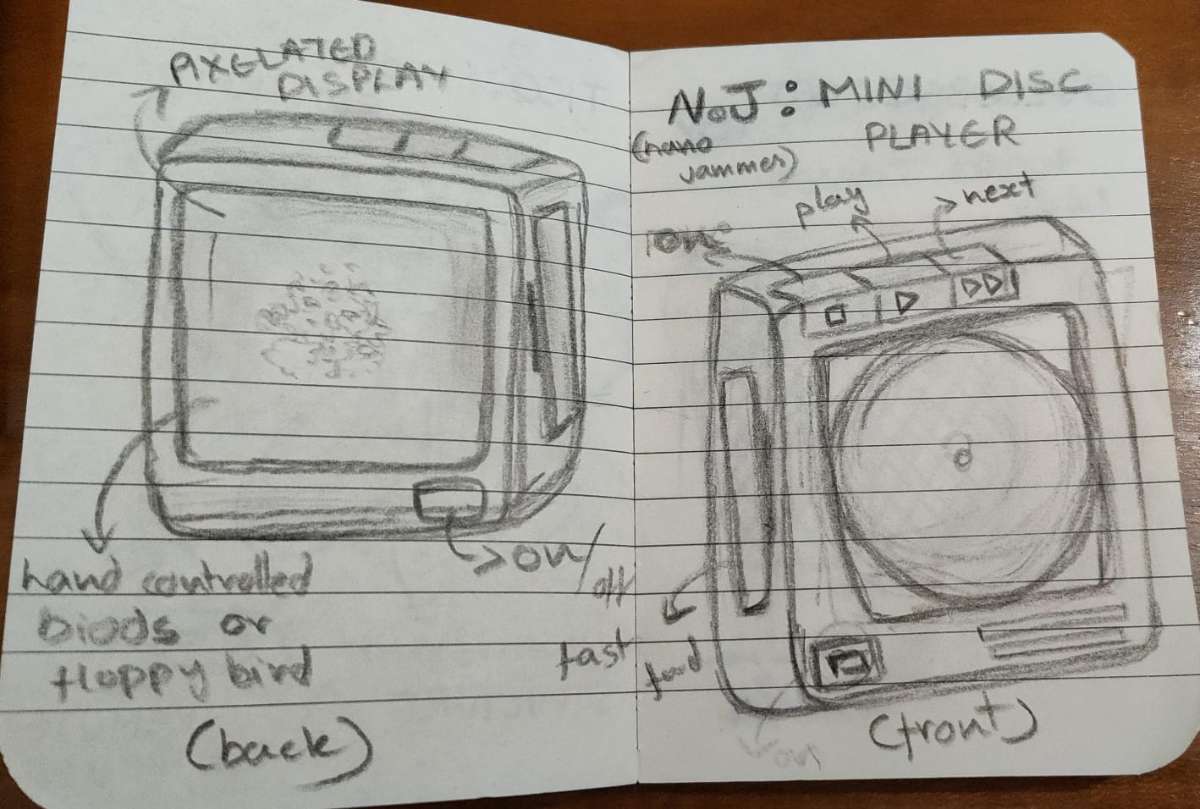
- A compact handheld mini disc player.
- Features a pixelated display on the back.
- Supports hand-controlled games like Flappy Bird.
- Includes an on/off button for power control.
- Has physical buttons for play, pause, next, and fast-forward.
- Designed with a front disc interface.
- Focuses on retro-inspired interaction and compact design.
- Explores the blend of hardware controls and digital display.
I have mentioned my pick in the final projet page.
DESIGNING AND INITIAL WEBSITE SETUP
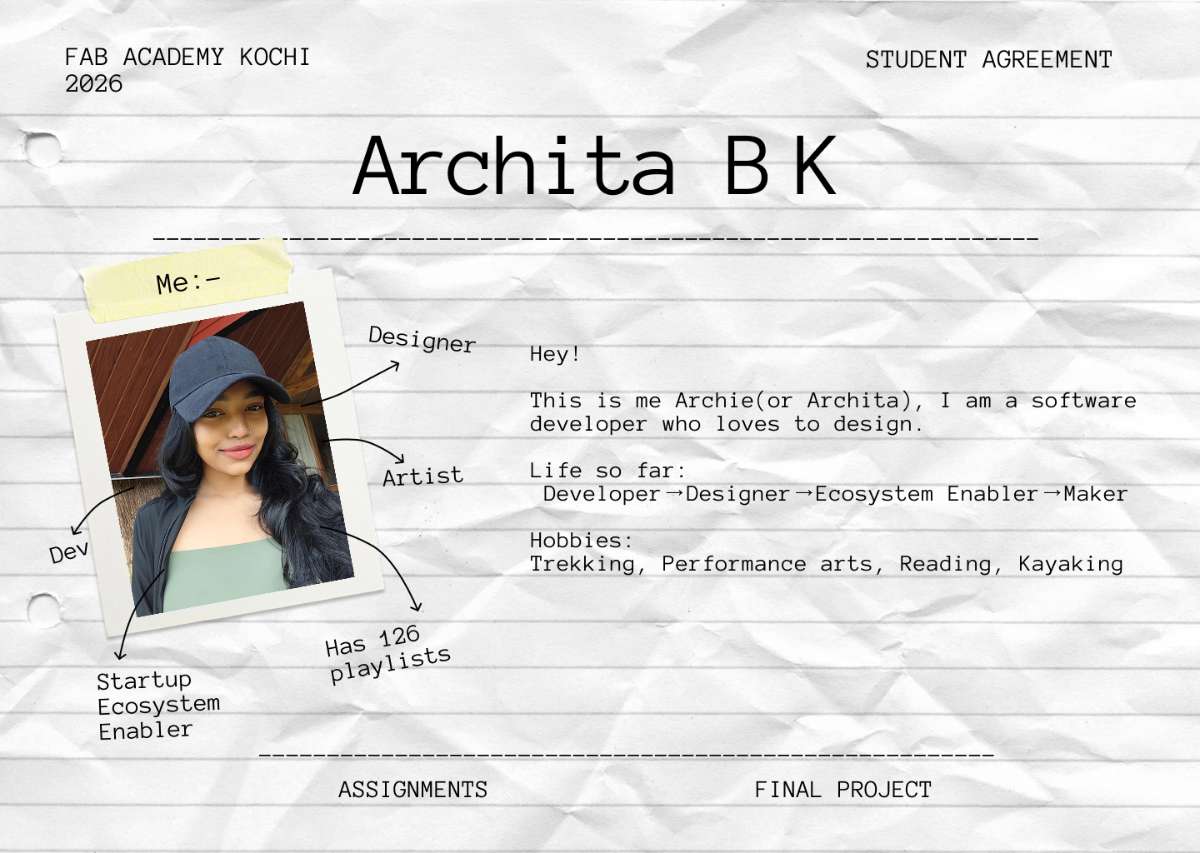
.jpg)
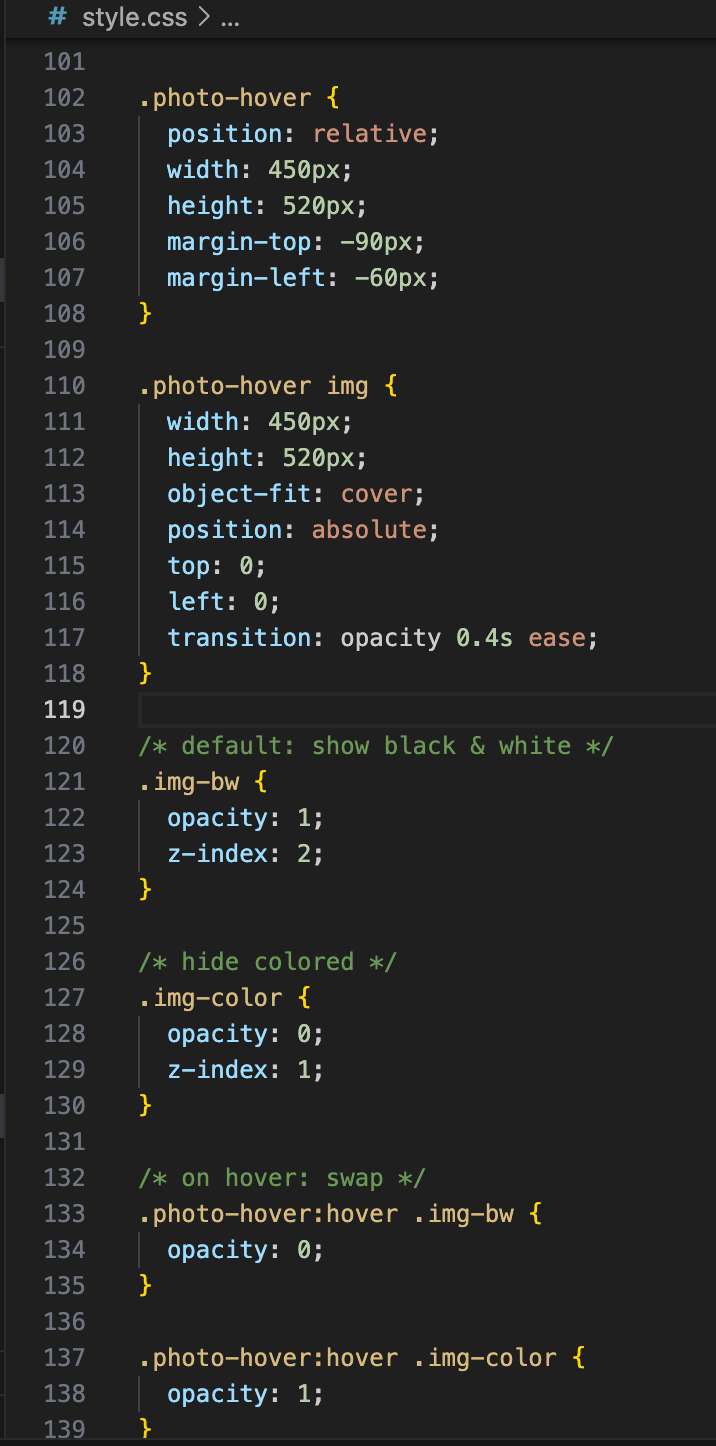
Adding the Hover Effect
I wanted the profile image on the homepage to swap to a colored version when hovered — a simple but effective interaction that adds personality to the page. Here's the CSS and HTML I used to achieve it:
HTML structure:
<div class="image-swap">
  <img class="img-default" src="./images/Archie.jpeg" alt="Archita sketch" />
  <img class="img-hover" src="./images/Archie-clr.jpeg" alt="Archita color" />
</div>
CSS:
.image-swap {
  position: relative;
  display: inline-block;
}

.image-swap img {
  display: block;
  transition: opacity 0.4s ease;
}

.image-swap .img-hover {
  position: absolute;
  top: 0;
  left: 0;
  opacity: 0;
}

.image-swap:hover .img-hover {
  opacity: 1;
}

.image-swap:hover .img-default {
  opacity: 0;
}
The idea is simple: both images are stacked on top of each other using position: absolute.
By default, the colored version has opacity: 0 (invisible). On hover, the CSS swaps
their opacities — the sketch fades out and the color version fades in. The transition
property makes it smooth instead of a hard snap.
I generated the initial version of this code using ChatGPT (see AI Prompts section below), then adjusted the transition timing and positioning to fit my layout.
.jpg)

Now the page is up, go to Student Agreement to view the page.
 copy 2.jpg) Final Output - i would say looks pretty neat.
Similarly made a webpage for Assignments
Final Output - i would say looks pretty neat.
Similarly made a webpage for AssignmentsSetting up git
Since i’m a very recent mac owner, Hate whatever the OS is doing, even though people keep telling me i’ll eventully get the hang of it . i dont think so.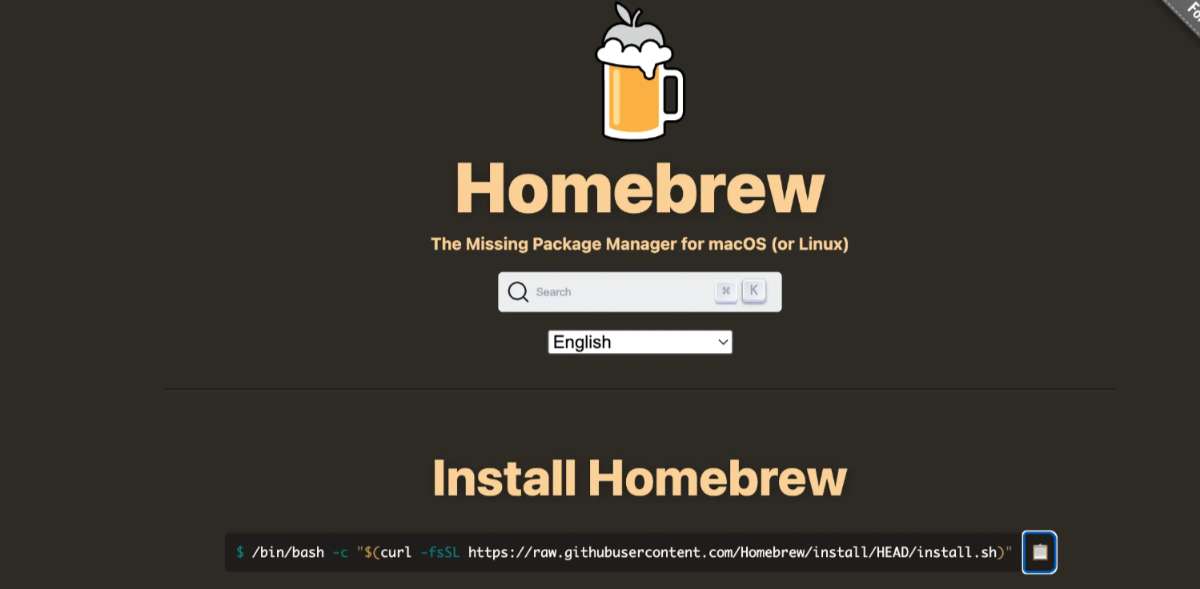 Install Home brew. This is the only way (i think) through which you can install/update git or
any command-line tool in iOS .
Install Home brew. This is the only way (i think) through which you can install/update git or
any command-line tool in iOS .
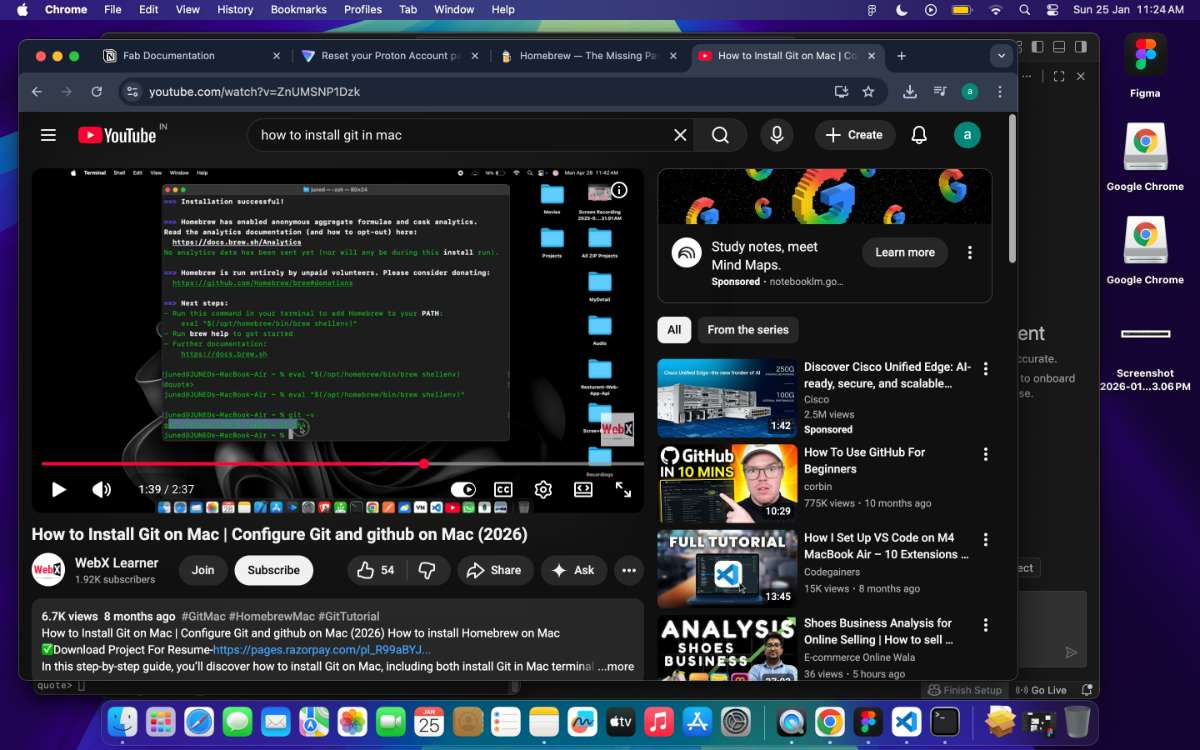 I referred to WebX Learners Install Git on Mac | Configure Git and GitHub on Mac (2026) video for the installation process.
After the installation of HomeBrew, you install git.
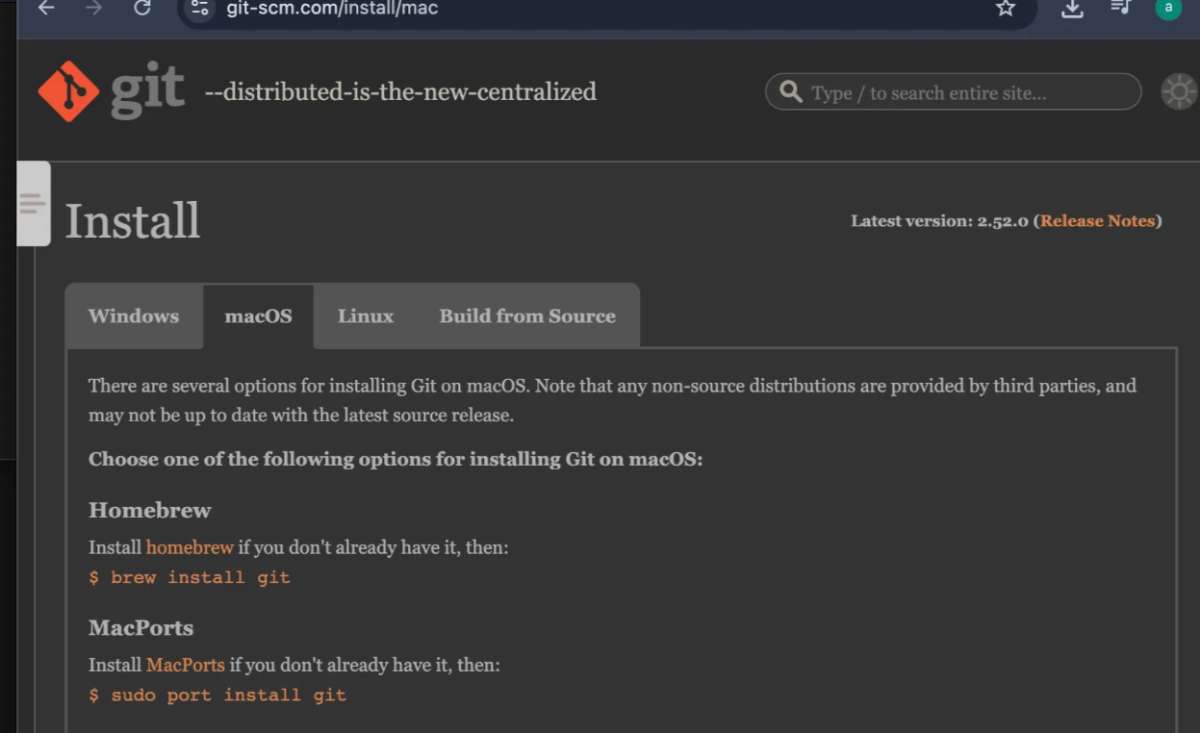 Go to link then copy the link and paste it in the terminal.
Enter the following as seen in the screenshot, you’ll get the latest version of git :
Go to link then copy the link and paste it in the terminal.
Enter the following as seen in the screenshot, you’ll get the latest version of git :
Tadaa….. Your Git is now installed. Got the access to my repo for FABLAB today, a day before the submission day so sprinting to update everything that i did + documentation of how i’m doing it. yay.
Opened Gitlab using the link -> need to set up a password -> now i need to clone the project.
I referred this guy’s Video for the entire process on “How to clone and set up an ssh key - Mac users”
This is the text used for setting up the ssh key
 — source GitHub Docs
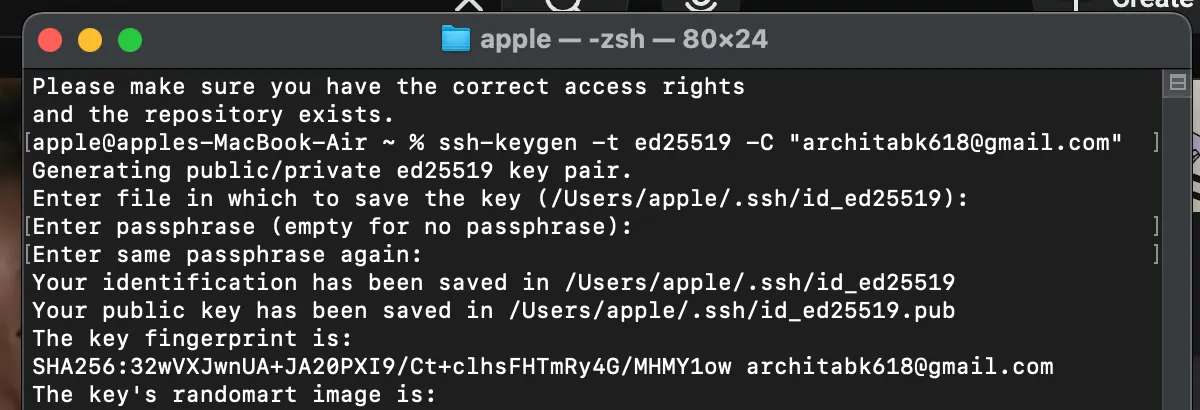 Next, need to add the ssh key to my gitlab.
gitlab profile → ssh keys → new ssh → paste the key from the terminal → add
now the ssh is configured. For more information check this Docs
Next, need to add the ssh key to my gitlab.
gitlab profile → ssh keys → new ssh → paste the key from the terminal → add
now the ssh is configured. For more information check this Docs
 Mission - adding SSH Key succesful.
Now, we have to clone an existing repository to your device.
You copy the “Clone with SSH” and paste in in the example url
Mission - adding SSH Key succesful.
Now, we have to clone an existing repository to your device.
You copy the “Clone with SSH” and paste in in the example url
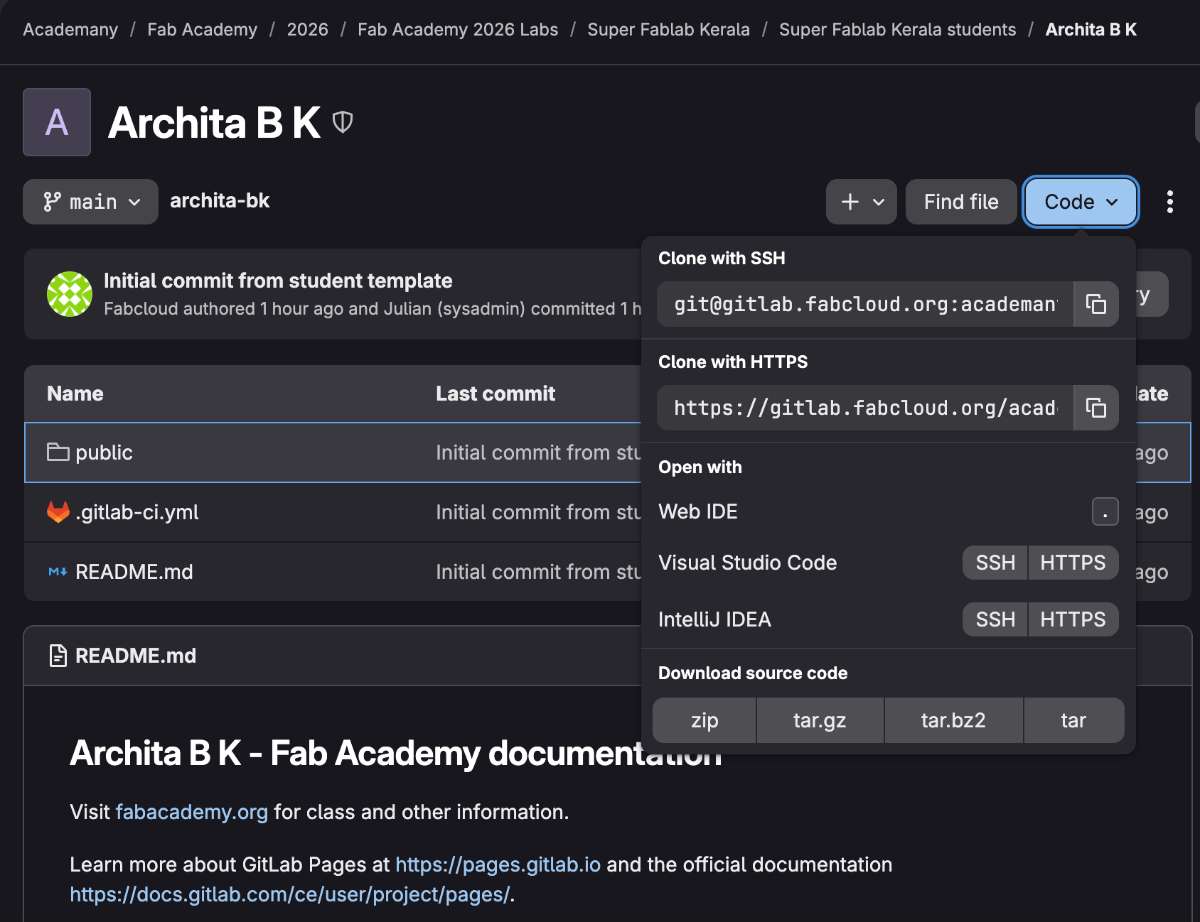 The repository is cloned to the user folder.
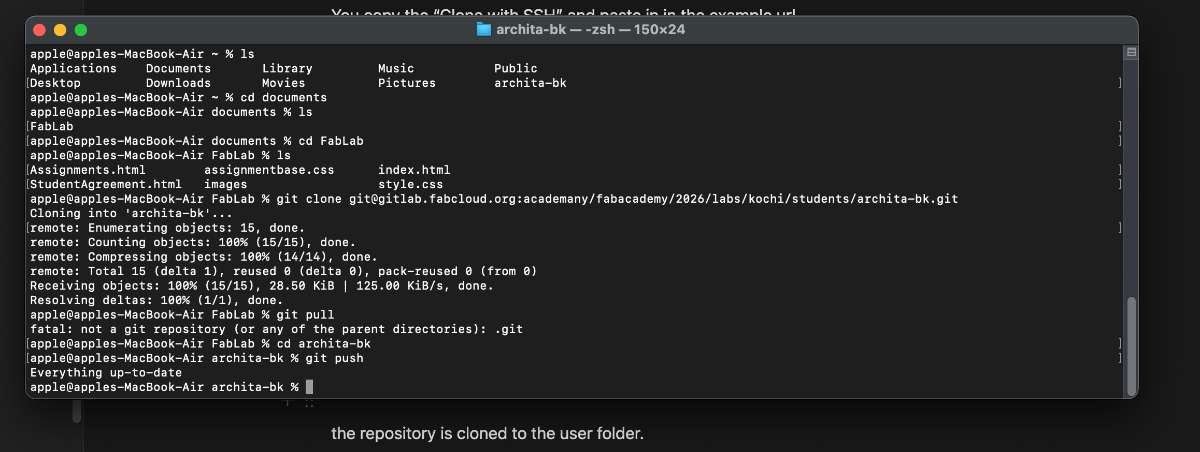 Next, we can replace the code in folder with our already created webpage code and push it to gitlab.
GIT COMMANDS
Git Configuration
Before pushing any code to GitLab, Git needs to know who you are — this is how your commits get tagged with your name and email. I'll be honest: I wasn't sure if I had done this step, and it's possible I skipped it during my first push. Here's what the correct process looks like, and what you should run before your first commit:
git config --global user.name "Your Name"git config --global user.email "your@email.com"To verify the configuration was saved correctly, run:
git config --listThis will display your saved username and email. If Git allows a push without this step, it may use a default or system-level identity — but it's always best practice to configure this explicitly before your first commit. If you're running into issues with authorship on commits, this is usually the fix.
git add and git push Adding changes done in local repository and pushing to GitLab.[remote repository]git pull command is used when making changes on other systems. It will update all work across all systems. All the files from the remote repository can be pulled back.
To push the changes from local repository to remote repository , the following commands should be given :
git add -A
git commit -m “Any message”
git push
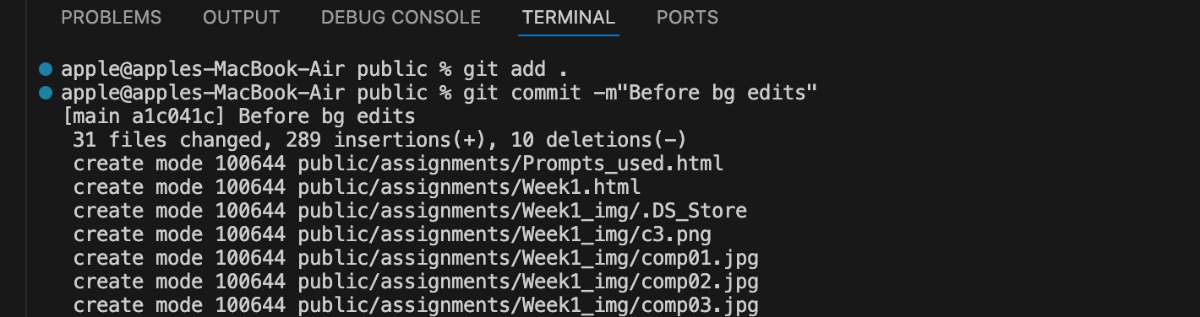
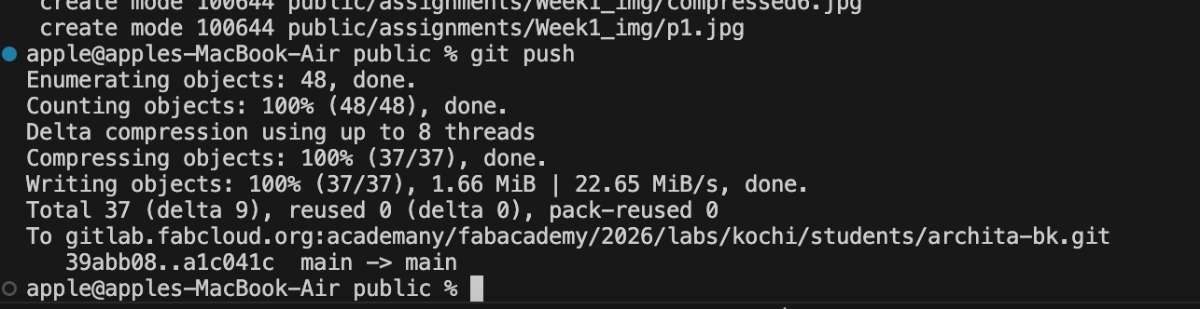
We've pushed the Code to Gitlab and our Webpage is up and running. Wohoo!
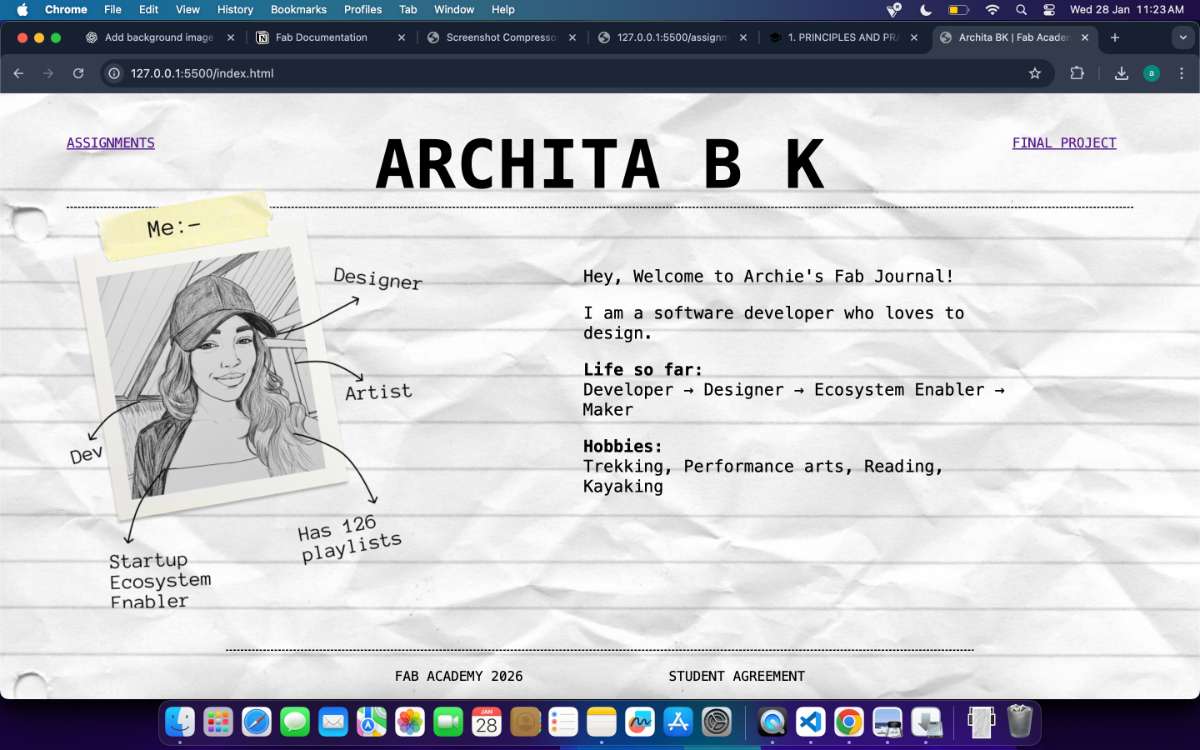
PS : If you liked the new look of my journal go to Reactbits webpage, they have many cool effects along with their code. And if you're keen on learning about UI, check out Motion Zajno's site they have a clean detailed explanation on various effects. Have Fun.