Week 11 - Networking and Communications
This week's individual assignment was to set up communication between our own project PCB boards. For the group assignment, the task was to establish communication between two people's boards.
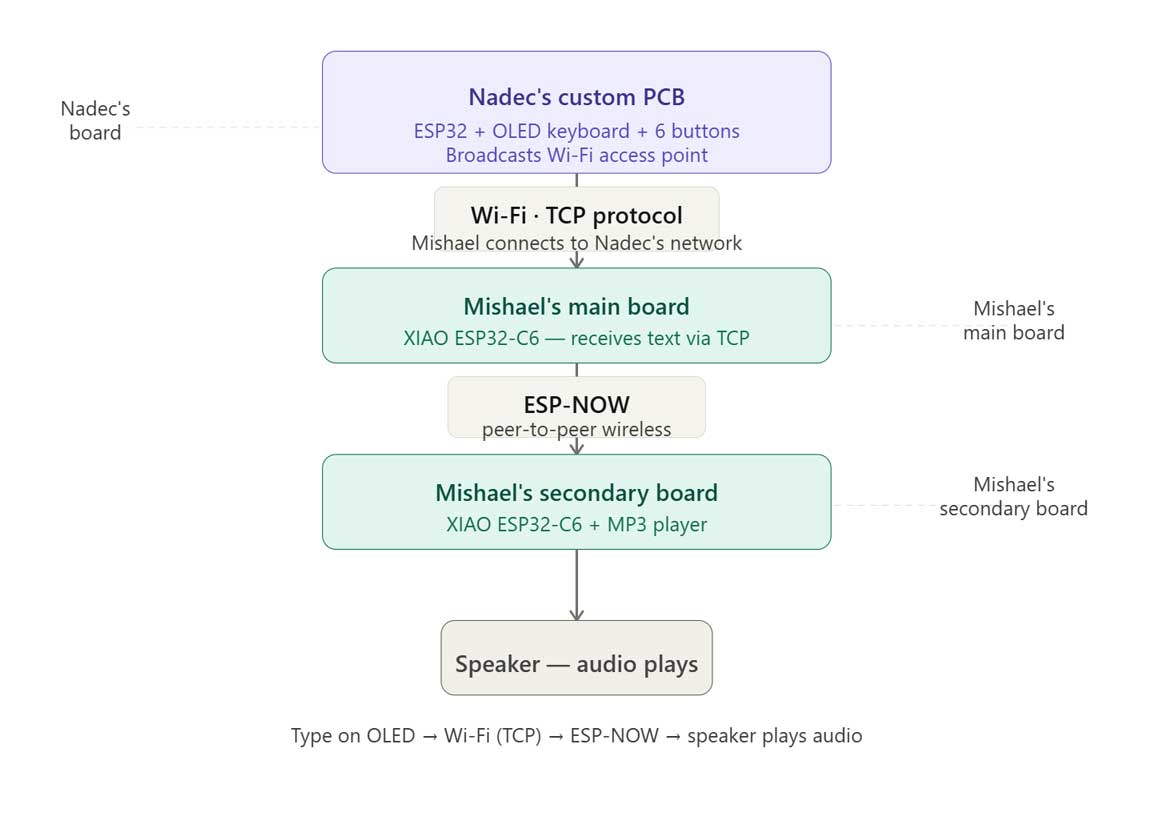
We connected Nadec Biju's board and Mishael's board using a combination of Wi-Fi (TCP) and ESP-NOW.
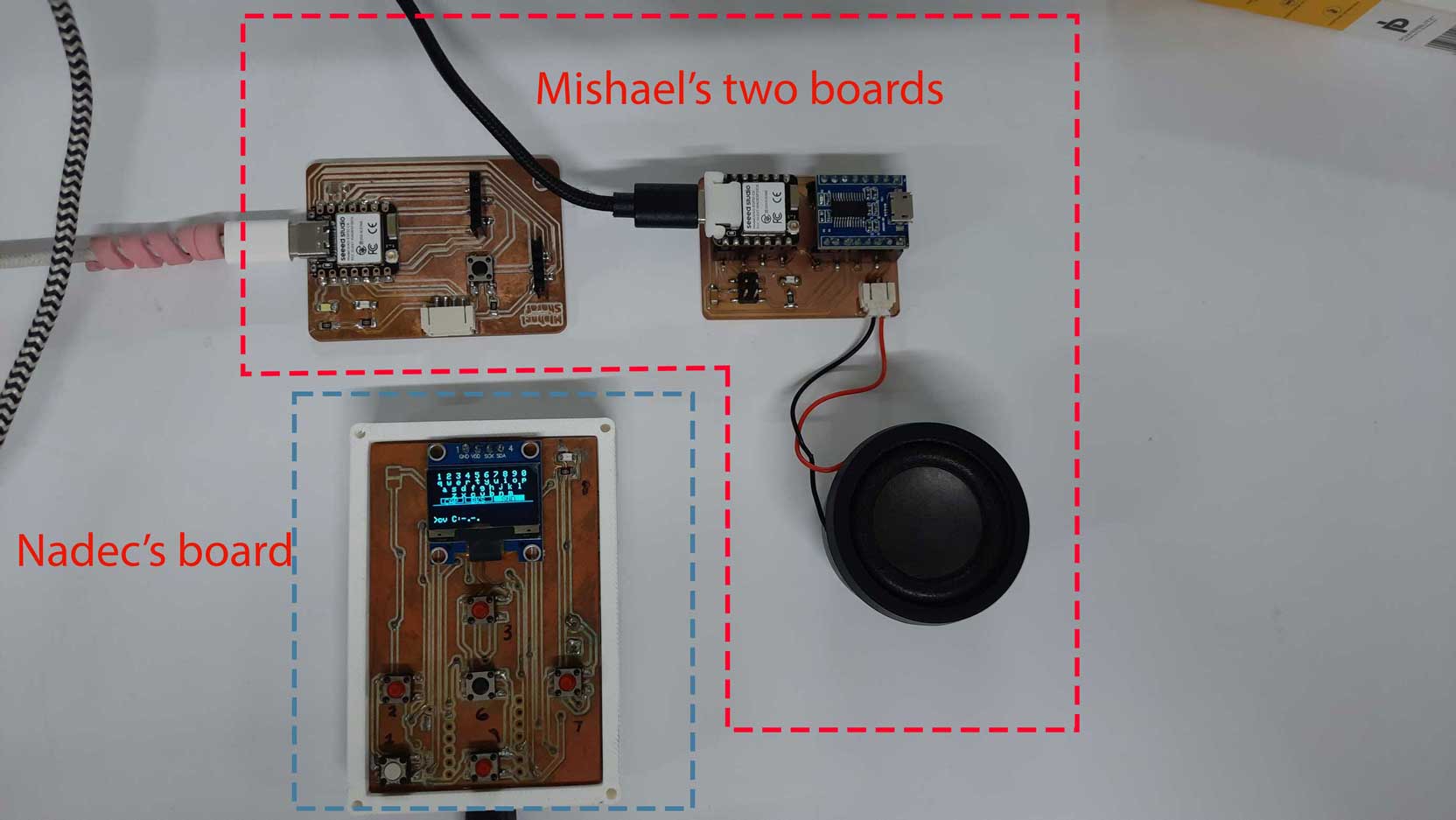
Nadec's Setup
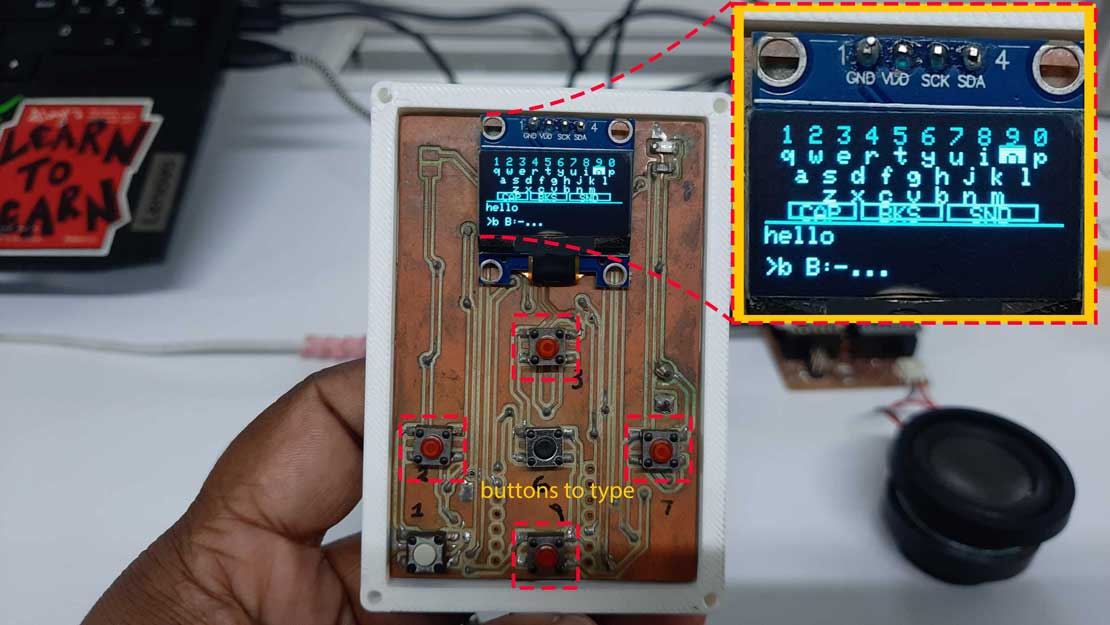
Nadec's custom PCB (ESP32 + 6 push buttons + OLED display) acts as a Wi-Fi access point. It broadcasts its own Wi-Fi network and hosts a TCP server. The OLED renders a QWERTY keyboard, letting you type text directly on the board.
Mishael's Setup
Mishael's system has two boards:
- Main board — a XIAO ESP32-C6 that connects to Nadec's Wi-Fi over TCP. It receives the text typed on Nadec's OLED.
- Secondary board — another XIAO ESP32-C6 connected to an MP3 player and speaker. It communicates with the main board via ESP-NOW.
Full Flow
Text typed on Nadec's OLED → sent over Wi-Fi (TCP) to Mishael's main board → relayed via ESP-NOW to Mishael's secondary board → audio plays through the speaker.