 gabriel stacey-chartrand
gabriel stacey-chartrand
gabriel stacey-chartrand
For our first Global Class, Neil Gershenfeld gave us an overview of the principles and practices that will be useful in order for us to succeed in the fast-paced and demanding program. He especially stressed the importance of documentation. We will have to document everything as we go in order to keep up. As a perfectionist with ADHD, time management and task organization can be difficult for me, so this will be a significant challenge throughout the program.
A few helpful (or terrifying) heuristics and strategies were discussed:
$ brew install git
I followed a Git tutorial video to understand the core concepts.
My previous experience with Git was limited, as I had mostly worked with CMS platforms where version control was handled in the background. Git felt similar to version history and publishing systems I had used before.
Put simply, Git tracks changes to files over time.
It allows you to:
Some core Git commands:
git status
git pull
git add
git commit -m "COMMIT MESSAGE"
git push
SSH was best explained to me as: answering the phone and recognizing someone’s voice, even if they’ve told you who they are (or claim to be). Instead of logging in with a password every time, GitLab recognizes my computer as a trusted device and accepts the files that I’m pushing to my Gitlab repo using my terminal.
ssh-keygen  # generate private/public key pair
ls -la .ssh # list .ssh contents to check that they were generated
cat .ssh/id_ed25519.pub # show public key contents; copied to clipboard manually
# Paste into GitLab
git clone git@gitlab.fabcloud.org:academany/fabacademy/2026/labs/barcelona/students/gabriel-staceychartrand.git # It works!
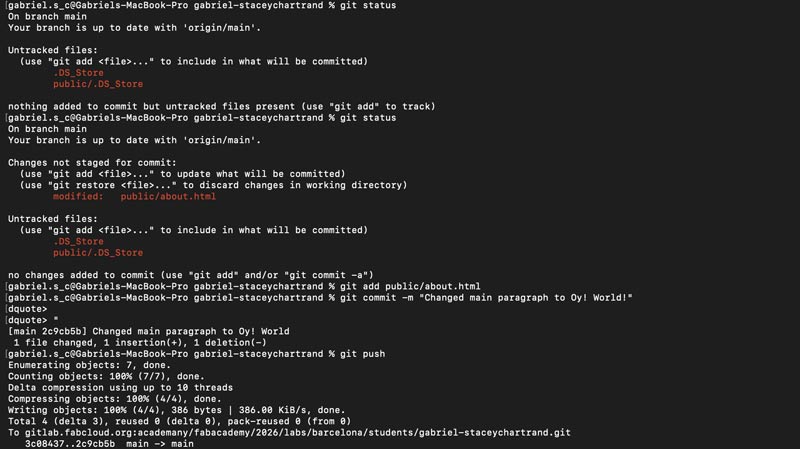
To confirm everything was working correctly, I tested the full Git workflow
Checked the status using:
git status
Made a small change to a file
Checked git status again to see the change
Staged the change using:
git add
Created a commit with:
git commit -m "COMMIT MESSAGE"
Uploaded the changes to the remote repo with:
git push
This confirmed that my local setup, SSH authentication and GitLab connection were working.
This was my first Exposure to Markdown. I had never used Markdown before. However, I was able to learn the basic syntax for headings, lists, links, and images etc quite quickly. It’s extremely simple in this repsect.
First, I created a quick visual mockup of my intended site layout using Illustrator
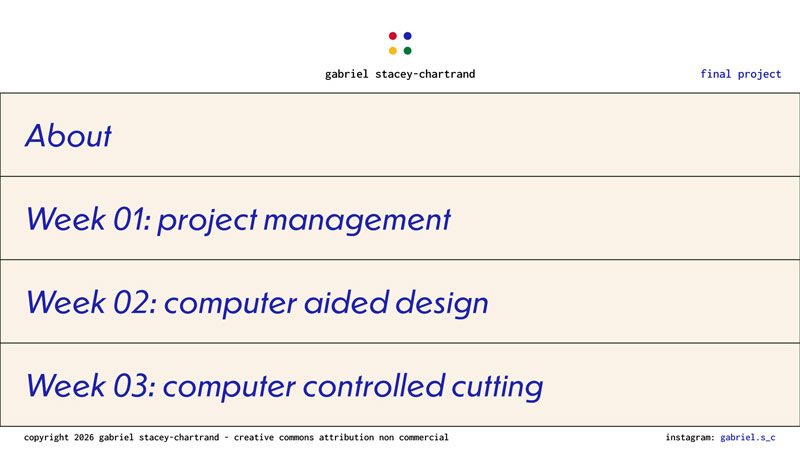
I began trying to modify the MkDocs Material theme to match the design. This quickly became quite challenging. I Found myself fighting the constraints of the Material theme for MkDocs. Also, the limitations of Markdown for layout, flexibility, and overall design. As a graphic designer with professional experience in web design, this felt much too restrictive.
I decided to revert my changes and start over. I chose to build the site using plain HTML and CSS directly within my repository instead of Markdown.
At first I encountered quite a few issues trying to revert to the correct version. This was the solution that ended up working and returning all my repo files back to the default HTML and CSS files:
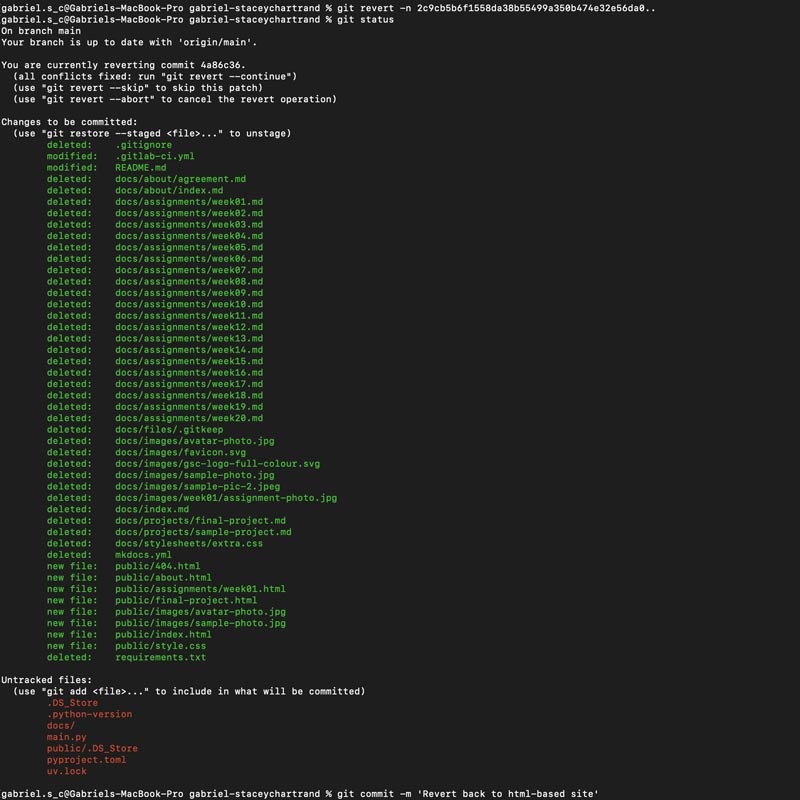
git revert -n 2c9cb5b6f1558da38b55499a350b474e32e56da0..
git status
git commit -m 'Revert back to html-based site'
git push
Suddenly I felt free again.
(Oh, but I did need to redo the student agreement steps, because they had been undone by reverting back to square one.)
Wow, you made it this far. You skipped ahead didn't you?
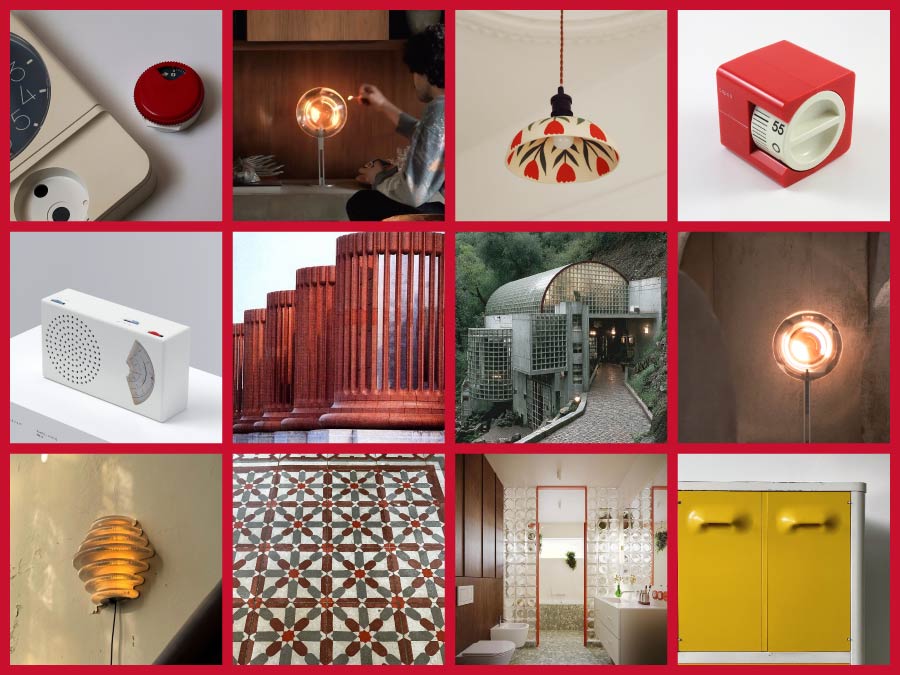
This documents my exploration as I start defining my final project concept. At this stage, I’m not trying to lock in a final idea. The goal is to clarify what I want to explore, what questions I’m interested in, and the type of experience I want to design.
For me, good design sits between aesthetics, usability, and inclusivity.
Aesthetic quality matters. Beautiful objects can improve everyday wellbeing and quality of life.
User experience is equally important. An object should be intuitive and enjoyable to use (low cognitive load).
Accessibility is essential. The experience should be just as meaningful for someone with visual impairments as it is for a sighted user. This could mean using touch, sound, and physical feedback.
I want this project to be:
Much of this project is informed by my experience with ADHD. Firstly, relating to time blindness and difficulty sensing the passage of time. Secondly, the difficulty of staying focused, moving between tasks, and not being sucked in by distractions (a phone, for example).
Smoking is a useful reference here, not for the act itself, but for the ritual it creates. A cigarette segments time. It has a clear start, duration, and end. I often found my best creative ideas during smoke breaks. It allows you to take a break, forces a change of scenery, and gives you one specific thing to focus on. There’s also a ritualistic element in the tactile aspects of smoking a cigarette.
I started questioning traditional clocks and alarm clocks. They are precise, but often stressful. I’m interested in a relative-time object that communicates a finite experience without numbers. The kitchen timer is a source of inspiration for the mechanism and form of the object, but the goal would be more to emulate the ritualistic experience of having a cigarette.
Tech as ritual: "the goal would be more to emulate the ritualistic experience of having a cigarette"
Time could be communicated physically, through the position of a dial or mechanism. Sound and haptics could accompany this, making the experience accessible to blind or visually impaired users.
A proximity sensor could detect someone approaching and draw attention to itself, encouraging interaction. I’d like to explore using PIR or mmWave.
The ritual should be finite. There is no snooze. Once it ends, you move on. Closure is part of the design.
The experience could also be analogous to striking a match.
I’m interested in a final, satisfying settling moment that combines movement, sound, haptic feedback, and light.
A stepper motor could be used for the rotation and mechanical functioning of the dial during the experience.
Ideally, the ritual begins automatically as you approach or touch the object.
Think:
“I step away from my desk and go to the object.”