Embedded Networking and Communications
Home ← →

Objective of this Week
- To establish communication between two projects and exchange data messages.
Blynk
Blynk is an Internet of Things (IoT) platform that enables users to remotely control and monitor hardware devices such as ESP32, Arduino, or Raspberry Pi through a smartphone app or web dashboard. It provides a user-friendly interface where custom dashboards with buttons, sliders, and gauges can be created to interact with devices in real time. The platform operates through three main components — the Blynk app, Blynk Cloud, and the Blynk library — which together manage communication between the hardware and the user interface. By using a unique authentication token, devices can securely connect to the Blynk Cloud over Wi-Fi or other networks. Blynk supports automation, data logging, and real-time monitoring, making it ideal for smart home, industrial, and educational IoT applications.

What we will do…
We developed a Blynk IoT-based relay control system, where the Blynk cloud platform acts as the communication medium between the user dashboard (sender) and the ESP32-C3 device (receiver). The project fulfills the goal of sending a message between two networked systems.
Blynk IoT Dashboard Setup
1.Go to https://blynk.cloud.
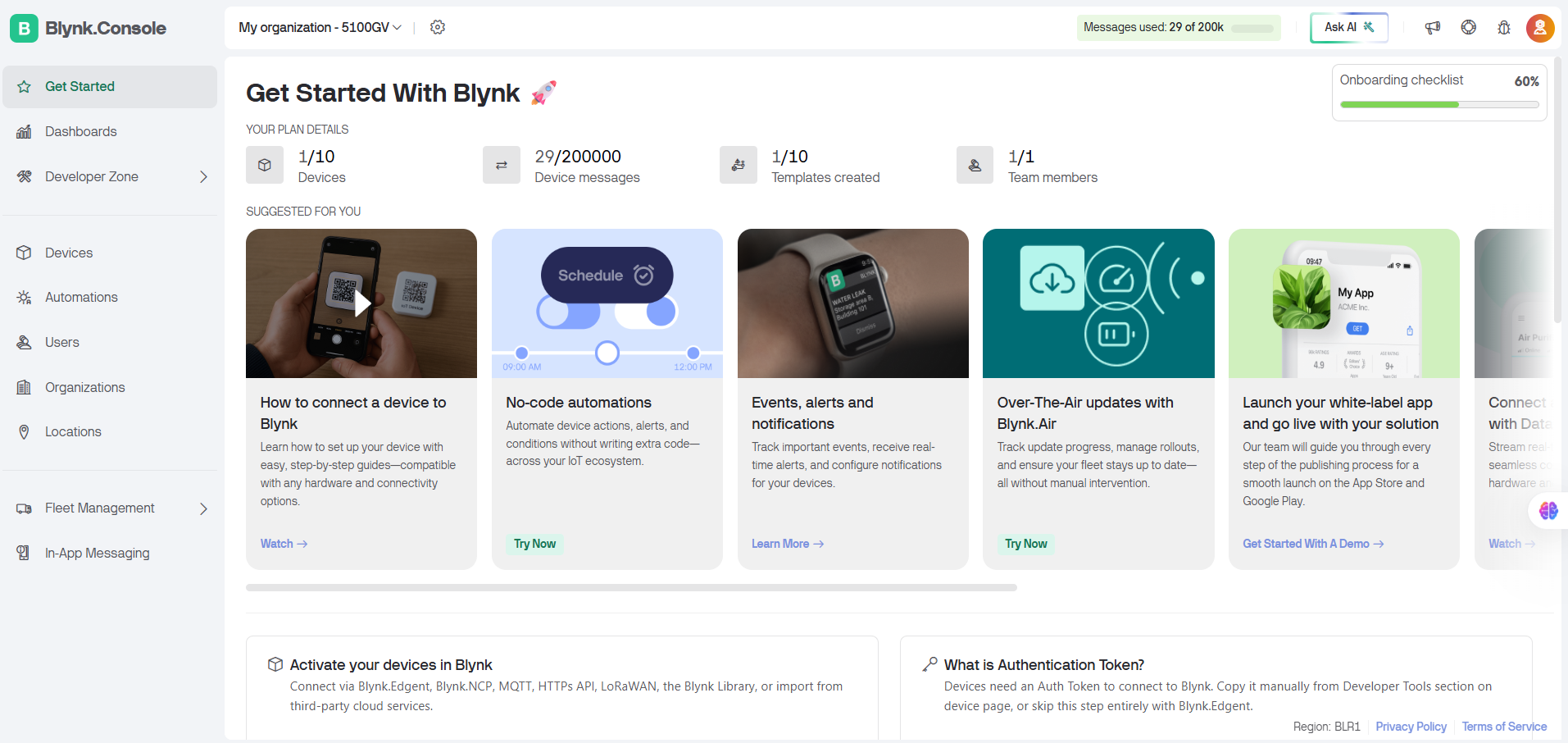
2.Create a new Template named Mani.
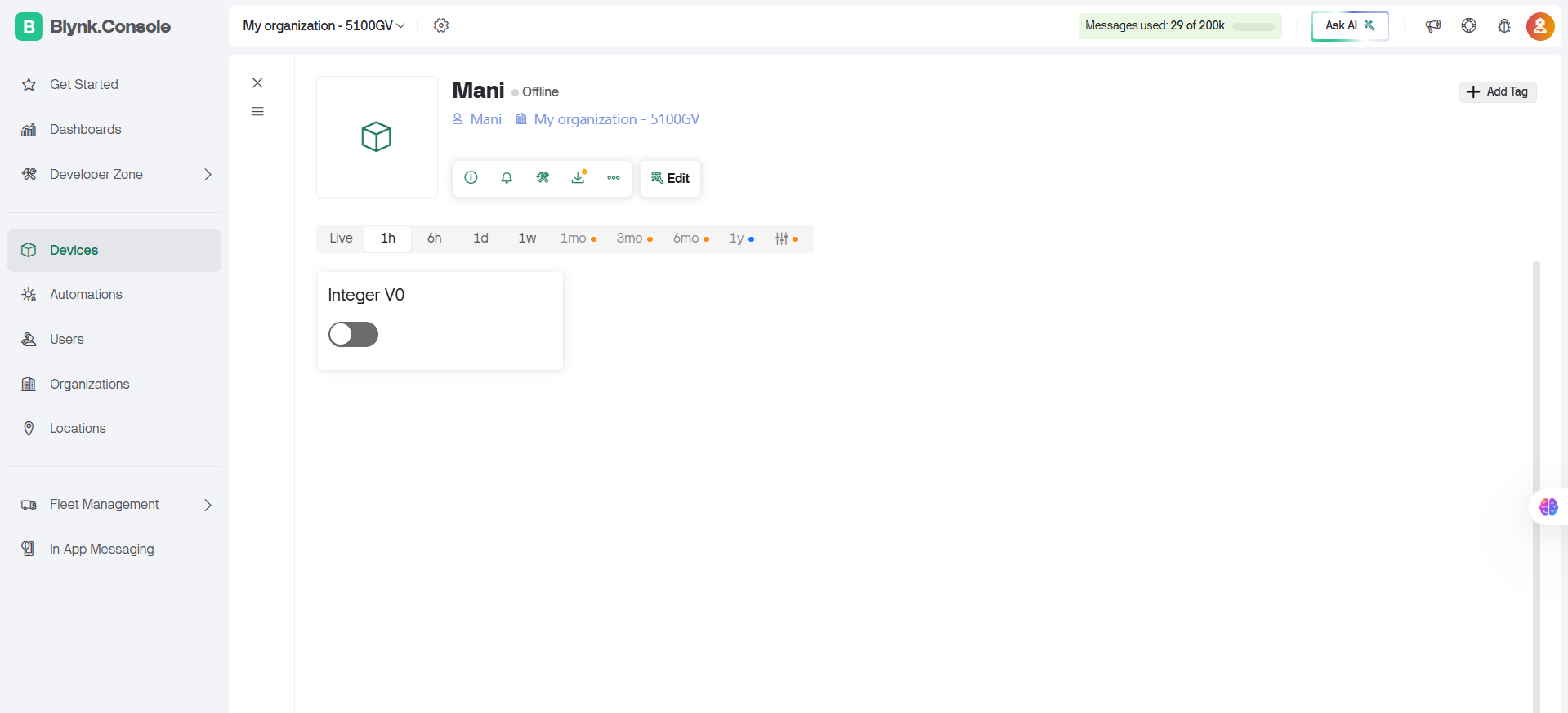
3.Under Datastreams → Add New, choose Virtual Pin → V0, type: Integer (0–1).
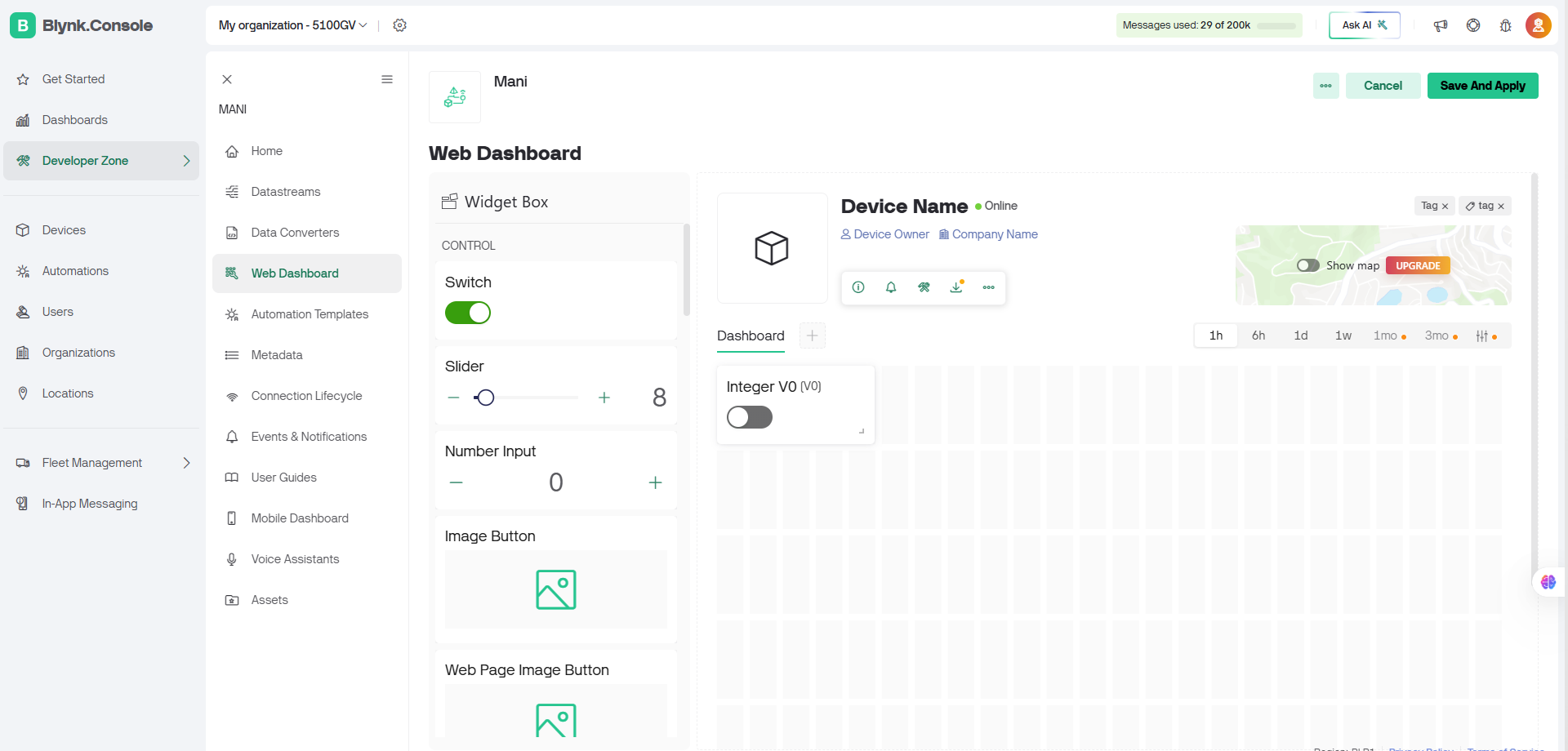
4.Go to Web Dashboard → Add Widget → Switch.
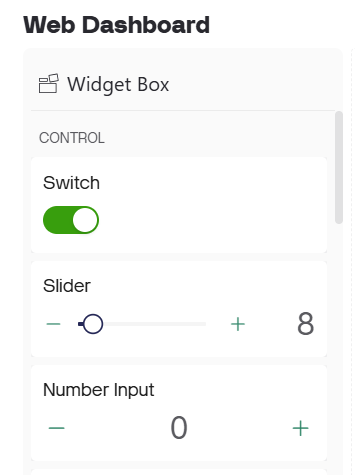
- Link it to V0
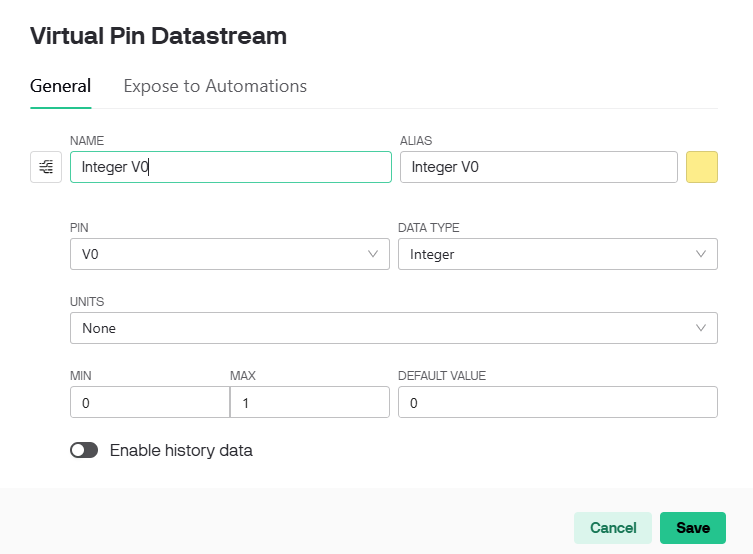
- Set mode to Switch
5.Save the dashboard and connect your device using its Auth Token.
Components Used
- XIAO ESP32-C3
- Relay Module
- Bulb
Arduino Coding
#define BLYNK_TEMPLATE_ID "TMPL337DCKdeb"

#define BLYNK_TEMPLATE_NAME "Mani"

#define BLYNK_AUTH_TOKEN "iCzrcMPmcVBfhYtzlhXt-9cqAoCpfl2q"

#include <WiFi.h>

#include <BlynkSimpleEsp32.h>

// Wi-Fi credentials

char ssid[] = "Forge_office";

char pass[] = "Forged@Forge";

// Relay connected to D0 (GPIO2 on XIAO ESP32-C3)

#define RELAY_PIN 2

#define VPIN V0

BLYNK_WRITE(VPIN)

{

int value = param.asInt();  // Get 0 or 1 from Blynk

if (value == 1) {

digitalWrite(RELAY_PIN, HIGH);

Serial.println("Relay ON (GPIO2 HIGH)");

} else {

digitalWrite(RELAY_PIN, LOW);

Serial.println("Relay OFF (GPIO2 LOW)");

}

}

void setup() {

Serial.begin(115200);

pinMode(RELAY_PIN, OUTPUT);

digitalWrite(RELAY_PIN, LOW);

Serial.println("Connecting to Blynk...");

Blynk.begin(BLYNK_AUTH_TOKEN, ssid, pass);

}

void loop() {

Blynk.run();

}
Working
- The ESP32-C3 connects to Wi-Fi and authenticates with the Blynk Cloud.
- When the Switch in the Blynk dashboard is toggled, it sends a value (1 or 0) to V0.
- The ESP32-C3 receives this value and controls the relay output (GPIO2) accordingly.
- The bulb turns ON/OFF based on the relay state.
- The serial monitor logs the received messages for verification.
Testing
Send a message between two projects
For this assignment, we established wireless communication between two microcontrollers using the ESP-NOW protocol.
Components Used
ESP-NOW
ESP-NOW is a wireless communication protocol developed by Espressif that allows ESP32 devices to exchange data directly without requiring a Wi-Fi router or internet connection.Communication Setup
Each board stores the MAC address of the other board and registers:Testing
We uploaded the ESP-NOW program to both boards.Xiao ESP32-C3 Code
#include <WiFi.h>
#include <esp_now.h>

typedef struct {
  char text[250];
} MessageData;

MessageData msg;

// ESP32-S3 MAC
uint8_t peerAddress[] = {0xD8, 0x3B, 0xDA, 0xA3, 0xF2, 0xF0};

void OnDataSent(const wifi_tx_info_t *tx_info,
                esp_now_send_status_t status)
{
  Serial.print("Send Status: ");
  Serial.println(status == ESP_NOW_SEND_SUCCESS ?
                 "SUCCESS" : "FAILED");
}

void OnDataRecv(const esp_now_recv_info_t *recv_info,
                const uint8_t *incomingData,
                int len)
{
  MessageData incomingMsg;

  memcpy(&incomingMsg, incomingData,
         sizeof(incomingMsg));

  Serial.print("Received: ");
  Serial.println(incomingMsg.text);
}

void setup()
{
  Serial.begin(115200);

  WiFi.mode(WIFI_STA);
  WiFi.disconnect();

  Serial.print("My MAC: ");
  Serial.println(WiFi.macAddress());

  if (esp_now_init() != ESP_OK)
  {
    Serial.println("ESP-NOW Init Failed");
    return;
  }

  esp_now_register_send_cb(OnDataSent);
  esp_now_register_recv_cb(OnDataRecv);

  esp_now_peer_info_t peerInfo = {};

  memcpy(peerInfo.peer_addr,
         peerAddress,
         6);

  peerInfo.channel = 0;
  peerInfo.encrypt = false;

  if (esp_now_add_peer(&peerInfo) != ESP_OK)
  {
    Serial.println("Failed to add peer");
    return;
  }

  Serial.println("ESP-NOW Ready");
}

void loop()
{
  if (Serial.available())
  {
    String text =
      Serial.readStringUntil('\n');

    text.trim();

    if (text.length())
    {
      memset(msg.text, 0,
             sizeof(msg.text));

      text.toCharArray(msg.text,
                       sizeof(msg.text));

      esp_err_t result =
        esp_now_send(peerAddress,
                     (uint8_t *)&msg,
                     sizeof(msg));

      if (result == ESP_OK)
      {
        Serial.print("Sent: ");
        Serial.println(text);
      }
      else
      {
        Serial.println("Send Error");
      }
    }
  }
}
Xiao ESP32-S3 Code
#include <WiFi.h>
#include <esp_now.h>

typedef struct {
  char text[250];
} MessageData;

MessageData msg;

// ESP32-S3 MAC
uint8_t peerAddress[] =
{
  0xE4, 0xB3, 0x23,
  0xC4, 0x6B, 0x60
};
void OnDataSent(const wifi_tx_info_t *tx_info,
                esp_now_send_status_t status)
{
  Serial.print("Send Status: ");
  Serial.println(status == ESP_NOW_SEND_SUCCESS ?
                 "SUCCESS" : "FAILED");
}

void OnDataRecv(const esp_now_recv_info_t *recv_info,
                const uint8_t *incomingData,
                int len)
{
  MessageData incomingMsg;

  memcpy(&incomingMsg, incomingData,
         sizeof(incomingMsg));

  Serial.print("Received: ");
  Serial.println(incomingMsg.text);
}

void setup()
{
  Serial.begin(115200);

  WiFi.mode(WIFI_STA);
  WiFi.disconnect();

  Serial.print("My MAC: ");
  Serial.println(WiFi.macAddress());

  if (esp_now_init() != ESP_OK)
  {
    Serial.println("ESP-NOW Init Failed");
    return;
  }

  esp_now_register_send_cb(OnDataSent);
  esp_now_register_recv_cb(OnDataRecv);

  esp_now_peer_info_t peerInfo = {};

  memcpy(peerInfo.peer_addr,
         peerAddress,
         6);

  peerInfo.channel = 0;
  peerInfo.encrypt = false;

  if (esp_now_add_peer(&peerInfo) != ESP_OK)
  {
    Serial.println("Failed to add peer");
    return;
  }

  Serial.println("ESP-NOW Ready");
}

void loop()
{
  if (Serial.available())
  {
    String text =
      Serial.readStringUntil('\n');

    text.trim();

    if (text.length())
    {
      memset(msg.text, 0,
             sizeof(msg.text));

      text.toCharArray(msg.text,
                       sizeof(msg.text));

      esp_err_t result =
        esp_now_send(peerAddress,
                     (uint8_t *)&msg,
                     sizeof(msg));

      if (result == ESP_OK)
      {
        Serial.print("Sent: ");
        Serial.println(text);
      }
      else
      {
        Serial.println("Send Error");
      }
    }
  }
}Similarly, when we typed Trichy in the Serial Monitor of the XIAO ESP32C3, the message was successfully transmitted back to the XIAO ESP32S3.
Conclusion
Learning outcomes
- Learned to establish direct serial communication between multiple boards.
- Implemented Wi-Fi-based data exchange using Blynk Cloud.
- Understood synchronization between physical devices and online dashboards.
- Developed skills in configuring Blynk IoT for real-time control and monitoring.