KiCAT
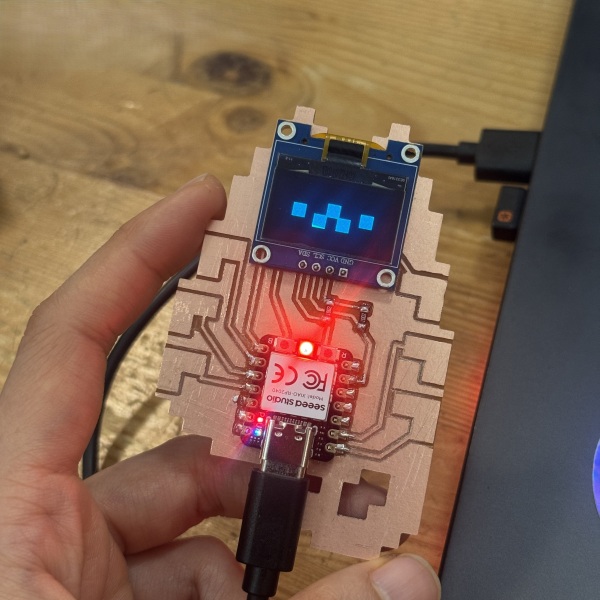
KiCAT — PCB project and Tamagotchi game for embedded boards.
Fabrication Files
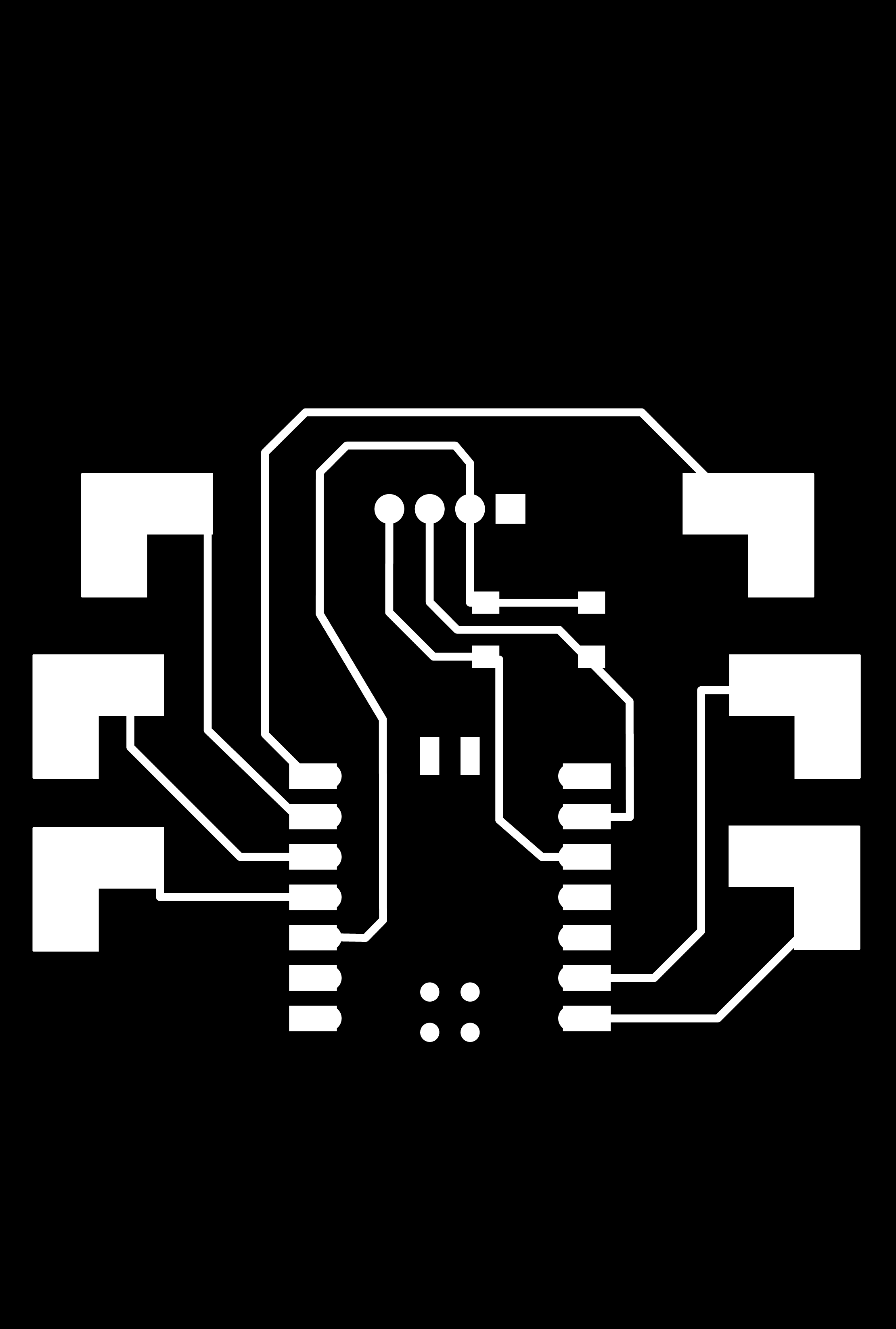
KiCATtrace.png
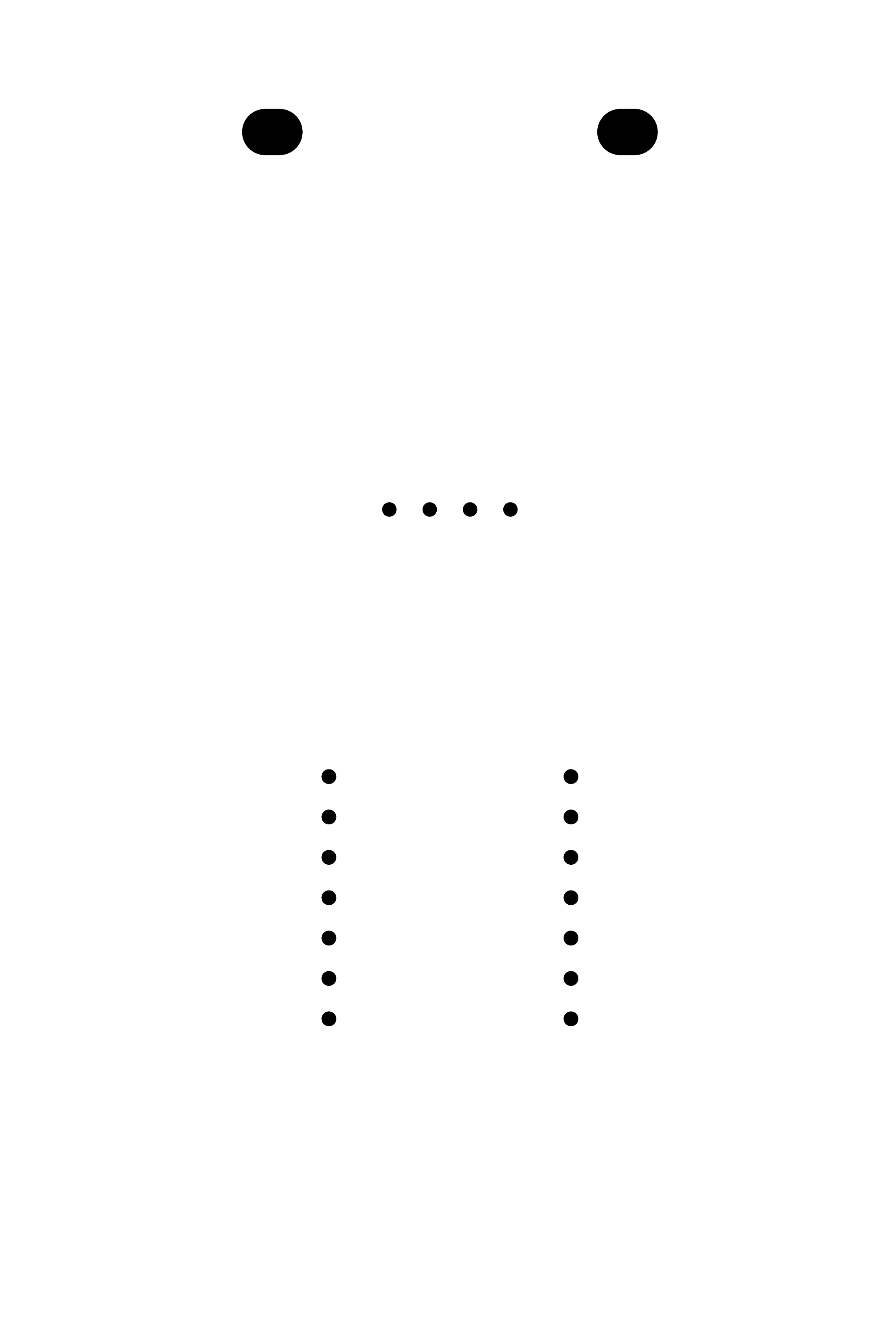
KiCATholes.png
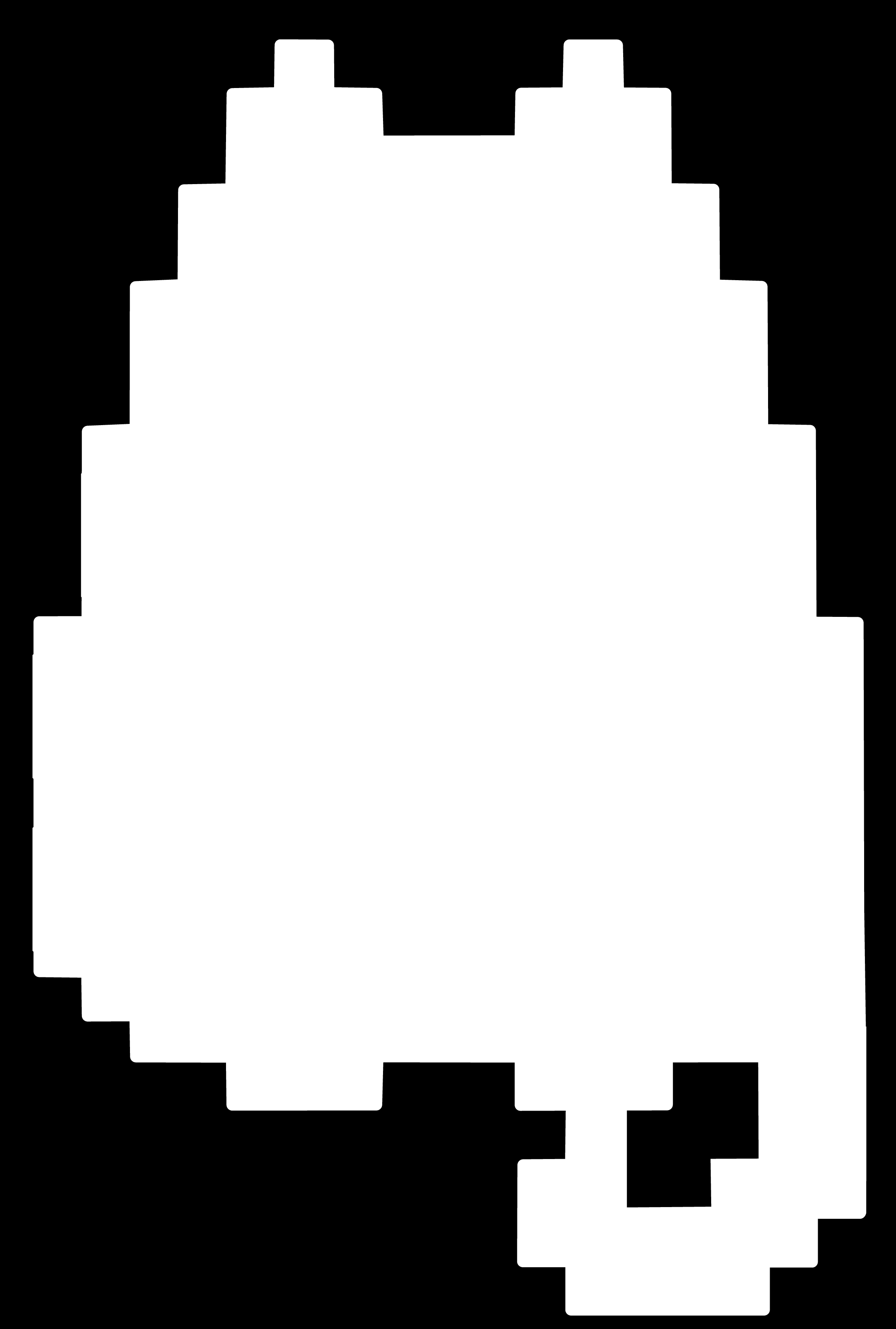
KiCAT_cut.png
Bill of Materials (BOM)
Complete list of components and materials used in this project:
| Item # | Ref. | Comp # | Description | Package | Link |
|---|---|---|---|---|---|
| 1 | M1 | Xiao-RP2040 | Microcontroller - RP2040 based Xiao board | Seeed Xiao | Product |
| 2 | R1,R2 | 10KΩ | Resistor - 10k ohm, 1/4W | 1206 | Supplier |
| 3 | J1 | SSD1305 OLED | 0.96" OLED display (I2C) | Module | Datasheet |
Notes: I plan on perhaps adding external 1M ohm resistors to the pads for factory manufactured pcb and have the pads not be exposed for the final product.
Assembly
The assembly is quite straight forward. If you have cnced the board yourself, check the traces for continuity and make sure there are no shorts and clean the board up with isopropyl alcohol before starting to solder. Solder the resistors first, and then the pins for OLED and the XIAO board. Make sure to align the pins correctly and check for any solder bridges.
WARNING!!If you are milling, you need to know, the OLED is upside down on the board, and the ground pin is not connected by trace. use a wire to connect the ground pin on OLED to the ground pin of the XIAO on the back .
I have a wire in the back connecting the ground from the Xiao to OLED in the milled design. the gerber is for factory make so it is double sided
Programming Process
I usually use circuitpython and the adafruit circuitpython bundle for easy work with rp2040 boards. but this time I tested out micropython just to see which I would like better. I still like circuitpython for its ease of use and extensive library support.
To program the Xiao, I used the Thonny IDE which has built in support for micropython and circuitpython. I just had to select the correct board and port, and then I could write and upload code directly to the device. For Xiao-Rp2040, you have to select the "Raspberry Pi Pico" option in Thonny. you also have to save the libraries for OLED, ws2812, and steptime (python codes) to the device before running the code. Lastly, save the main code as "main.py" to the device and it should run on boot.
I had to make some changes to the code that will be different from the original version (Quentin's Qpad). My OLED display is upside down because I wanted the milling to be shorter, so my code will have a function to rotate the display buffer before writing to the screen. I also had to change the pin numbers and some of the game physics constants to make it work better with my hardware.
with OLED display, I had to convert the cat bitmap images to a format that can be used with the framebuf library in micropython. I used an online tool Dave's simple OLED bitmapper to make my pixel cat for the game and then a little extra tweak to make the cat look like it is walking.
Game Design
The game is a simple tamagotchi style pet simulator where you have to take care of your virtual cat by feeding it and playing with it. The cat (the pcb) has two main stats: hunger and boredom. You can feed the cat to increase its hunger level with pad 1, and you can play a simple jump game to increase its boredom/happiness level with pad 6. If either stat reaches 0, the cat becomes unhappy and eventually "dies". The goal is to keep the cat happy by managing its stats and playing the game.
For those that don't own a Qpad or KiCAT, try the game on wokwi simulation with raspberry pi pico (RP2040) Open Wokwi simulation
KiCAT Tamagotchi code (micropython)
    ### Controls for your KiCAT:
    #- **Peek on Status- Pad 4:** Displays the current percentage levels in a small box at the top.
    #- **Feed - Pad 1:** Boosts hunger level.
    #- **Play - Pad 6:** Boosts boredom/happiness level by playing jump game.
    #- **Game Controls (during play):** Press Pad 6 to make the cat jump and avoid obstacles.
    #- Please feel free to usee the 3 leftover pads to create your own interactions with the cat! maybe a clean pad or other games?

    import utime
    import urandom
    from machine import Pin, I2C, freq
    from ssd1306 import SSD1306_I2C
    from ws2812 import WS2812
    from steptime import STEPTIME
    import framebuf

    # ----- Hardware Setup -----
    freq(250000000)
    i2c = I2C(1, scl=Pin(7), sda=Pin(6), freq=400000)
    oled = SSD1306_I2C(128, 64, i2c)
    power = Pin(11, Pin.OUT)
    power.value(1)
    led = WS2812(12, 1, 0.5, 6)

    # Pad Mapping
    PAD_PINS = [2, 4, 3, 1, 27, 26]
    for p in PAD_PINS:
      Pin(p, Pin.IN, Pin.PULL_UP)
    channels = [[STEPTIME(i, pin), [1e6], [0]] for i, pin in enumerate(PAD_PINS)]

    # --- Game Bitmaps ---
    CAT_A = bytearray([
      0,16,64,0,56,224,0,105,160,0,201,32,1,159,160,227,
    255,224,243,255,224,54,255,232,119,127,240,110,111,120,111,239,
    112,126,127,248,63,255,224,15,255,192,1,129,128,1,129,128
    ])

    CAT_B = bytearray([
       0,16,64,0,56,224,0,105,160,0,201,32,1,159,160,227,
    255,224,243,255,224,54,255,232,119,127,240,110,111,120,111,239,
    112,126,127,248,63,255,224,15,255,192,3,0,192,6,0,96

    ])

    fb_a = framebuf.FrameBuffer(CAT_A, 24, 16, framebuf.MONO_HLSB)
    fb_b = framebuf.FrameBuffer(CAT_B, 24, 16, framebuf.MONO_HLSB)

    # --- Stats & State --- #
    STATE_PET, STATE_GAME = 0, 1
    mode = STATE_PET
    hunger_lvl, boredom_lvl = 100, 100
    last_tick = utime.ticks_ms()

    # --- Physics Constants --- #
    GRAVITY = 4        # Cat's falling speed
    JUMP_VEL = -18     # Cat's jump velocity
    GROUND_Y = 40      # Y position of the ground
    cat_y, cat_v, obs_x, game_score = GROUND_Y, 0, 128, 0

    # --- Screen Functions --- #
    def show_rotated(display):
      rotated_buffer = bytearray(1024)
      rotated_fb = framebuf.FrameBuffer(rotated_buffer, 128, 64, framebuf.MONO_VLSB)
      for y in range(64):
        for x in range(128):
          if display.pixel(x, y):
            rotated_fb.pixel(127 - x, 63 - y, 1)
      display.i2c.writeto_mem(display.addr, 0x40, rotated_buffer)

    def draw_full_face(expression="neutral", blink=False):
      oled.fill(0)
      size = 14
      if expression == "critical":
        for i in range(2):
        #  X Eyes (X  X)
          oled.line(20+i, 25, 20+size+i, 25+size, 1)
          oled.line(20+i, 25+size, 20+size+i, 25, 1)
          oled.line(94+i, 25, 94+size+i, 25+size, 1)
          oled.line(94+i, 25+size, 94+size+i, 25, 1)
      elif expression == "sad":
        # Worried Eyes (/  \)
        for i in range(3):
          oled.line(20, 38+i, 20+size, 32+i, 1)
          oled.line(94, 32+i, 94+size, 38+i, 1)
      elif blink:
        # Blinking (-  -)
        oled.fill_rect(20, 32, size, 2, 1)
        oled.fill_rect(94, 32, size, 2, 1)
      else:
        # Normal Eyes (O  O)
        oled.fill_rect(20, 25, size, size, 1)
        oled.fill_rect(94, 25, size, size, 1)

      m_y = 33 if expression == "happy" else 44 if expression in ["sad", "critical"] else 38
      oled.fill_rect(57, m_y-13, size, size, 1)
      oled.fill_rect(44, m_y, size, size, 1)
      oled.fill_rect(70, m_y, size, size, 1)

    while True:
      now = utime.ticks_ms()
      deltas = []
      for ch in channels:
        sm, min_val, _ = ch
        sm.put(200); sm.put(20000)
        res = 4294967296 - sm.get()
        if res < min_val[0]: min_val[0] = res
        deltas.append(res - min_val[0])

      if mode == STATE_PET:
        if utime.ticks_diff(now, last_tick) > 10000:
          hunger_lvl, boredom_lvl = max(0, hunger_lvl - 2), max(0, boredom_lvl - 3)
          last_tick = now

        if deltas[0] > 15000: hunger_lvl = min(100, hunger_lvl + 15); utime.sleep_ms(200)

        if deltas[5] > 15000:
          mode = STATE_GAME
          cat_y, cat_v, obs_x, game_score = GROUND_Y, 0, 128, 0
          utime.sleep_ms(300)

        mood = "critical" if (hunger_lvl <= 0 or boredom_lvl <= 0) else "sad" if (hunger_lvl < 30 or boredom_lvl < 30) else "happy"
        draw_full_face(mood, blink=(now // 2000 % 3 == 0))

        if deltas[3] > 15000:
          oled.fill_rect(10, 0, 108, 20, 0); oled.rect(10, 0, 108, 20, 1)
          oled.text("H:{}% B:{}%".format(hunger_lvl, boredom_lvl), 18, 6)

      elif mode == STATE_GAME:
        oled.fill(0); oled.line(0, 56, 128, 56, 1)

        if deltas[5] > 10000 and cat_y >= GROUND_Y: cat_v = JUMP_VEL
        cat_v += GRAVITY
        cat_y += cat_v
        if cat_y > GROUND_Y: cat_y = GROUND_Y; cat_v = 0

        obs_x -= 8 #
        if obs_x < -16: obs_x = 128; game_score += 1

        # Animation:
        active_fb = fb_a if (cat_y < GROUND_Y or (now // 100 % 2 == 0)) else fb_b
        oled.blit(active_fb, 20, int(cat_y))

        oled.fill_rect(obs_x, 48, 8, 8, 1)
        oled.text("Win: {}/5".format(game_score), 35, 0)

        if obs_x < 52 and obs_x > 10 and cat_y > 32:
          led.pixels_fill((255, 0, 0)); led.pixels_show(); utime.sleep_ms(500); mode = STATE_PET
        if game_score >= 5:
          boredom_lvl = min(100, boredom_lvl + 30); mode = STATE_PET

      show_rotated(oled)
      utime.sleep_ms(5)