Comparing graphical interface platforms: MIT App Inventor, Python + Tkinter, and WebSocket communication
A collaborative analysis of tools for hardware-interfaced applications
GUI Analysis
Micaela's focus: Comprehensive comparison of two major graphical user interface development platforms for embedded systems. She evaluated MIT App Inventor (visual block-based programming for mobile) and Python + Tkinter (text-based programming for desktop GUI development). Her research included hands-on experimentation building sample applications, documenting workflow differences, analyzing learning curves, and comparing serial communication capabilities for hardware integration.
Wireless Communication
André's focus: Exploration of wireless communication technologies for embedded systems and real-time data visualization. He investigated WebSocket communication with JavaScript browser-based interfaces, Python serial monitoring for debugging, and wireless Wi-Fi connectivity using the ESP32-C3 platform. His research covered advantages and disadvantages of each communication method, implementation complexity, and appropriate use cases for different project requirements.
MIT App Inventor vs Python + Tkinter
Micaela compared two fundamental approaches to GUI development: visual block-based programming (MIT App Inventor) and text-based scripting (Python + Tkinter). Each platform serves different purposes and skill levels.
MIT App Inventor is a visual, block-based programming environment specifically designed for creating Android mobile applications. Its logic mirrors Scratch, making it intuitive for those familiar with puzzle-piece programming.
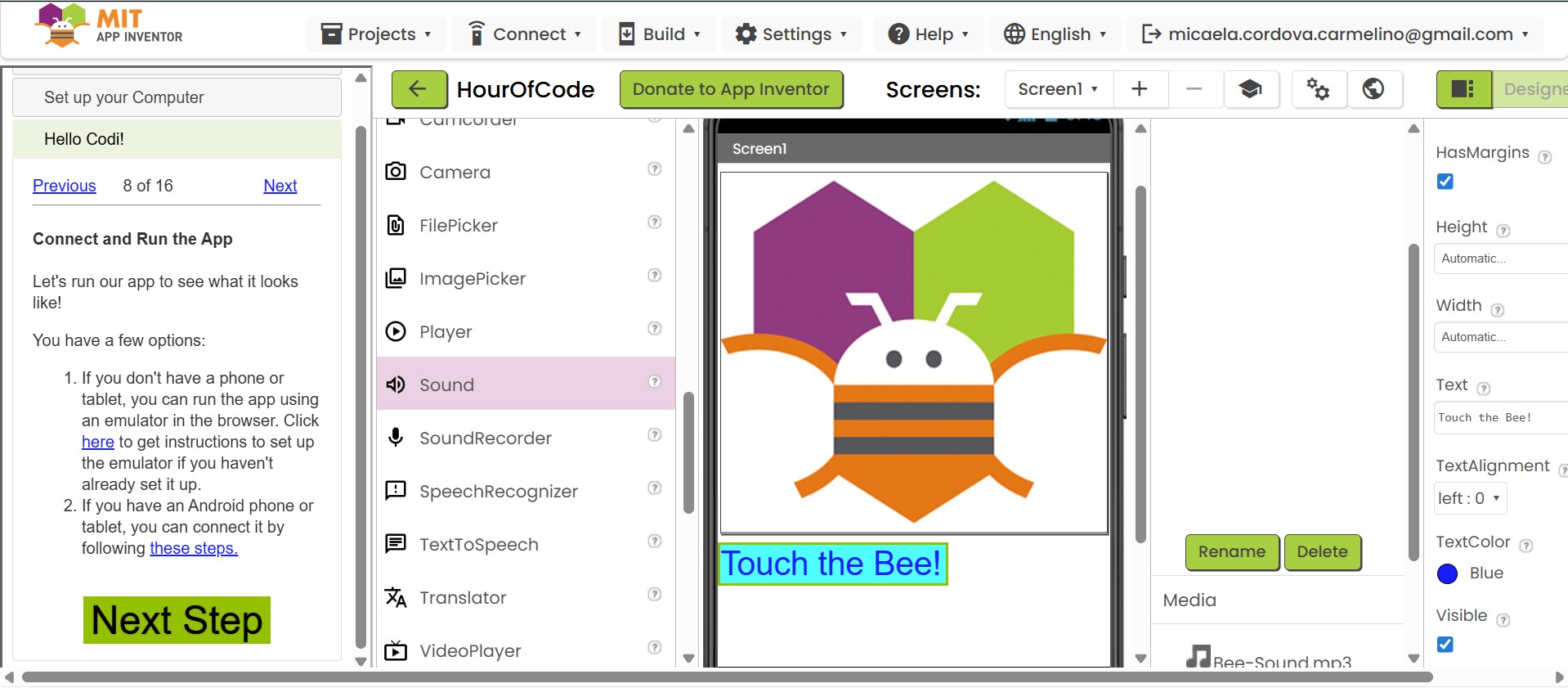
Following a tutorial, Micaela created a simple app where touching a bee triggers a sound effect. This demonstrated App Inventor's object-oriented approach and event-driven programming model.

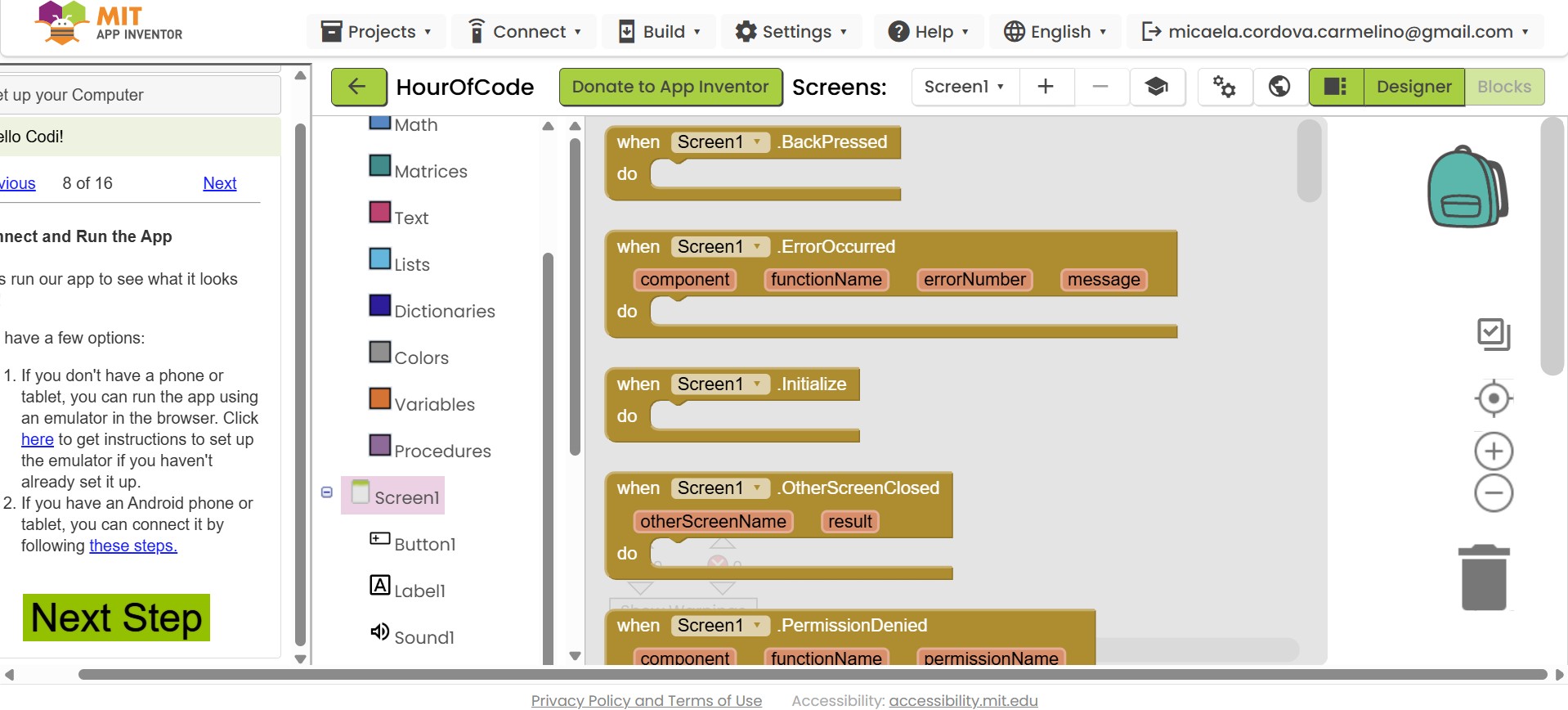
Every element (Button, Sound, Label) is an independent object with customizable properties — similar to modern UI frameworks.
Logic managed through action blocks like when Button1.Click — without writing manual code.
Python is a high-level language and Tkinter is its standard library for creating desktop graphical user interfaces. This combination provides total control over logic, appearance, and advanced library integration.
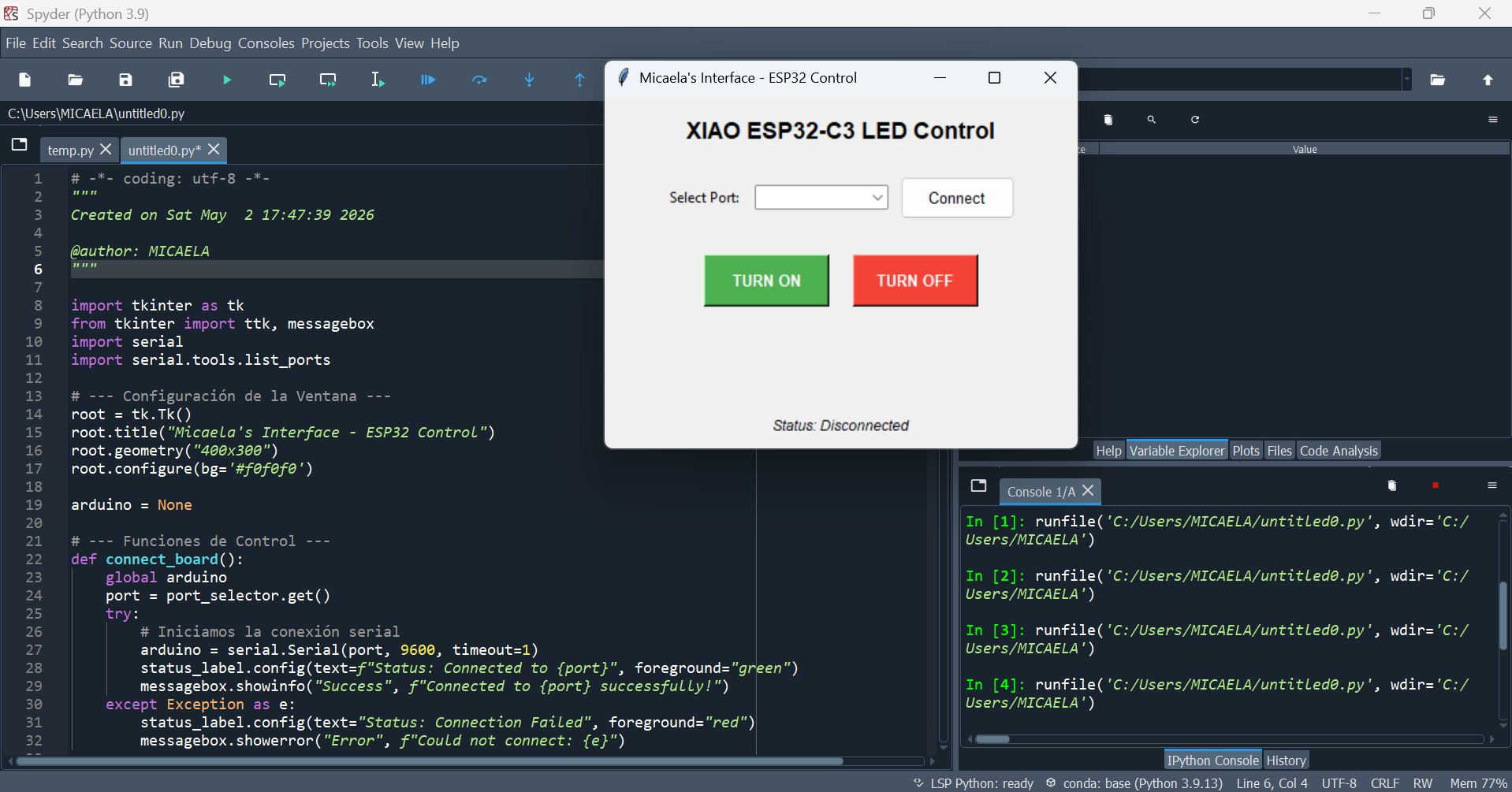
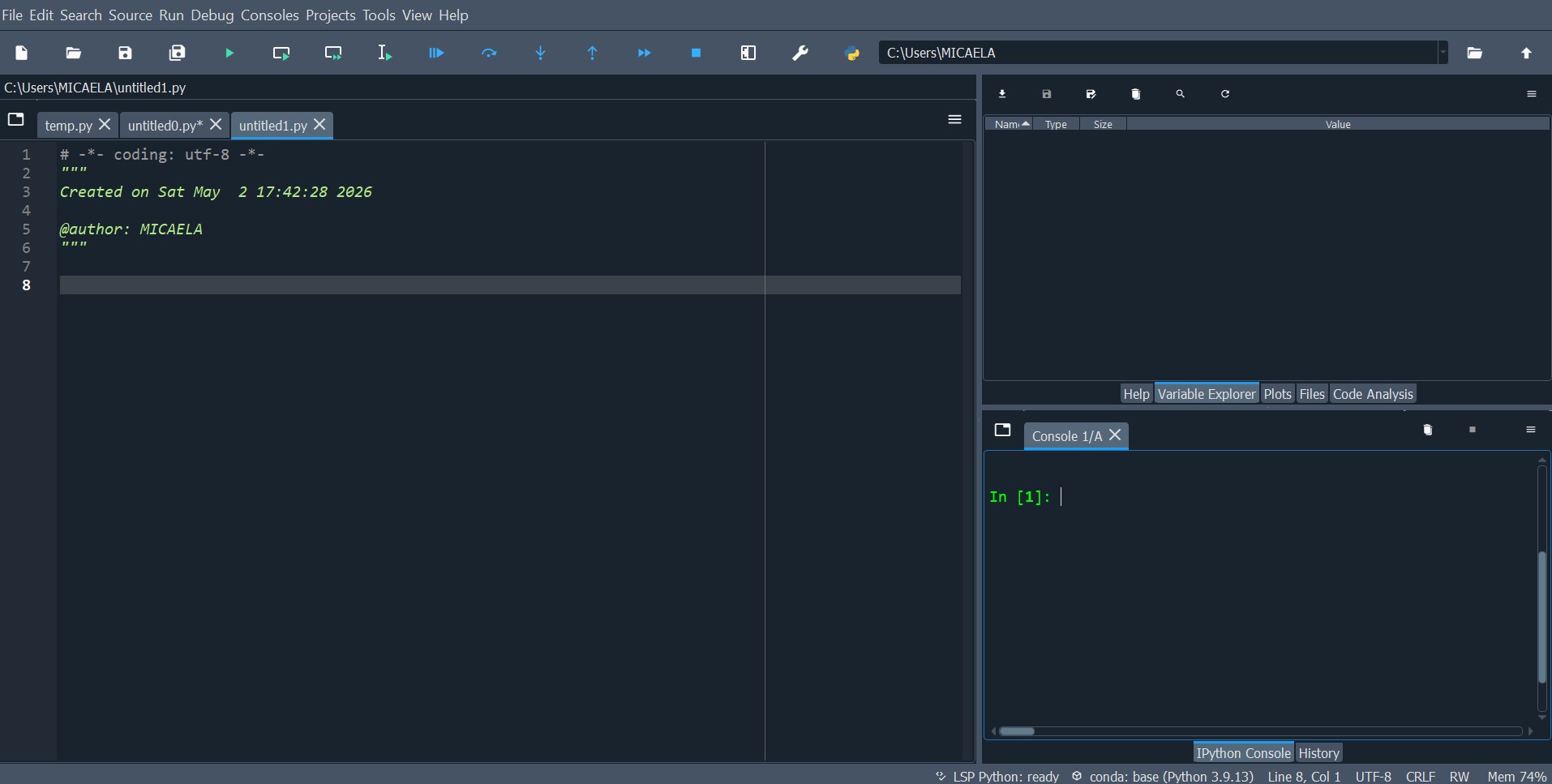
Spyder IDE showing the complete development environment: Python code editor, Tkinter GUI interface, and console output for debugging
Start with import statements for tkinter, pySerial, and other required modules.
Use grid() or pack() geometry managers to define window structure and component placement.
Write callback functions for serial communication, data processing, UI updates.
Run the Python script — window opens instantly with full functionality.
| Feature | MIT App Inventor | Python (Tkinter) |
|---|---|---|
| Logic Style | Block-based (like Scratch) | Text-based scripting |
| Primary Target | Mobile users (Android) | Desktop users (Win/Mac/Linux) |
| Hardware Link | Bluetooth / Wi-Fi | USB Serial (COM ports) |
| AI Integration | Limited (manual block mapping) | High (copy/paste code logic) |
| Learning Curve | Very low — drag and drop | Medium — syntax knowledge required |
| Customization | Limited to built-in components | Unlimited control |
| Best For | Quick mobile prototyping | Robust desktop + serial projects |
WebSocket, Python Serial, and Wireless Monitoring
André investigated four distinct communication approaches for the Seeeduino ESP32-C3 platform, evaluating their strengths for real-time data transmission and visualization.
Mobile GUI with Bluetooth/Wi-Fi wireless communication for sensor visualization on Android.
Desktop GUI with USB Serial communication for hardware control and real-time monitoring.
Terminal-based real-time data monitoring and debugging for rapid hardware testing.
Browser-based real-time visualization with wireless Wi-Fi and animated graphics.
Comprehensive Comparison Matrix
| Aspect | MIT App Inventor | Python + Tkinter | Python Serial | WebSocket + JS |
|---|---|---|---|---|
| Interface Type | Mobile app | Desktop GUI | Terminal | Browser-based |
| Communication | Bluetooth / Wi-Fi | USB Serial | USB Serial | WebSocket over Wi-Fi |
| Real-Time Performance | Moderate | Fast local | Fast | High-speed bidirectional |
| Learning Curve | Very easy | Intermediate | Easy | Medium / High |
| Wireless Capable | Yes | No | No | Yes |
| Best For | Mobile prototyping | Desktop hardware control | Debugging | Advanced visualization |
Use MIT App Inventor for rapid prototyping with integrated wireless support. Perfect for student projects and quick Android proof-of-concepts.
Choose Python + Tkinter for robust serial communication and complete control over logic. Ideal for USB-connected embedded systems.
Employ Python serial monitoring as a debugging tool during hardware development before implementing complex visualization.
Implement WebSocket + JavaScript for advanced real-time monitoring over Wi-Fi with modern, interactive web interfaces.
What We Learned This Week
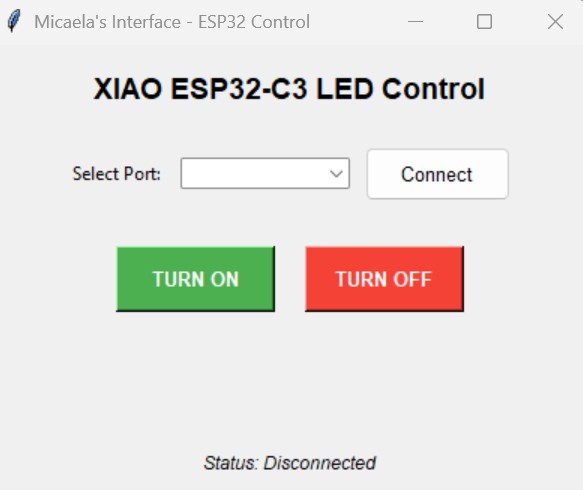
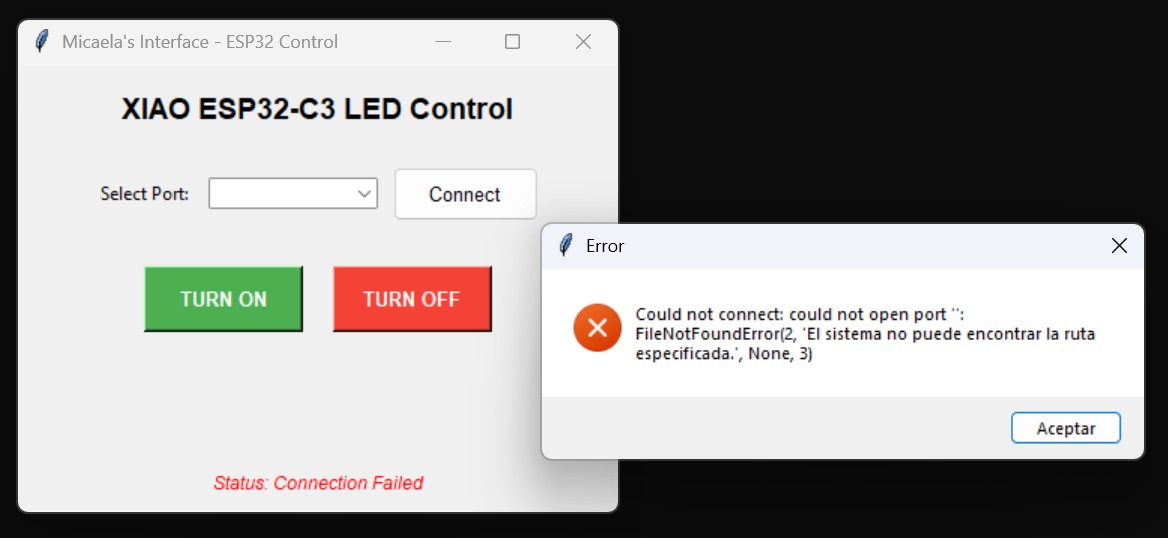
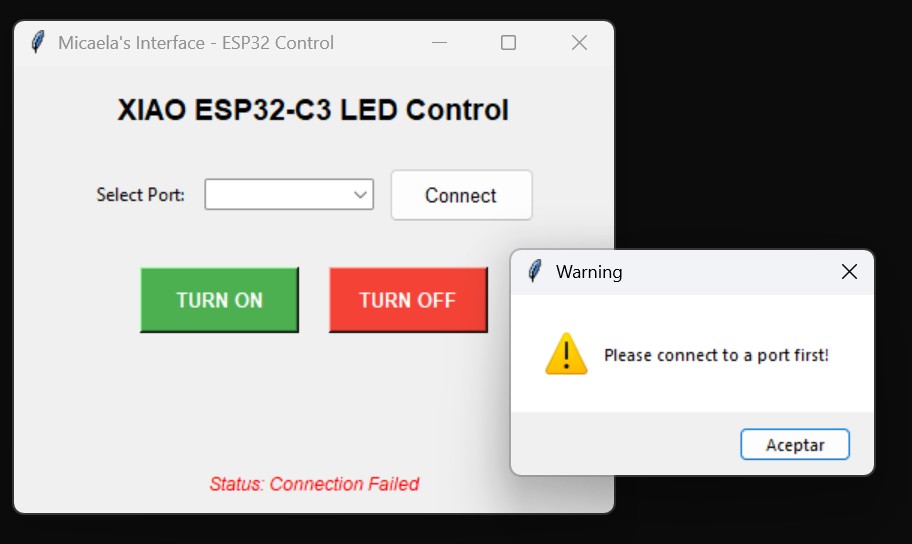
I created a complete Python + Tkinter GUI application that communicates with my XIAO ESP32-C3 microcontroller over USB serial connection. The interface allows a user to control an LED: pressing a button sends an 'H' command (LED ON) or 'L' command (LED OFF) to the board, with real-time status feedback.
MIT App Inventor says "no coding needed." Python+Tkinter says "you need control." WebSocket says "let's go wireless." Each philosophy enables different outcomes.
Both Arduino and Python must agree on: baud rate (9600), message format ('H'/'L'), and interpretation. One mismatch breaks everything silently.
I used Arduino's Serial Monitor first. Only when hardware was confirmed working did I build the Python interface. This separation saved debugging time.
Desktop control + wired connection + existing Python knowledge = best fit. But this choice came after analyzing alternatives, not by default.
| Tool | Would It Work? | Why I Didn't Choose It |
|---|---|---|
| MIT App Inventor | Yes, via Bluetooth | Mobile only, not ideal for lab setting. Board needs to be tethered. |
| WebSocket + JavaScript | Yes, wireless | Overkill for simple LED control. Too many failure points (Wi-Fi, browser). |
| Arduino Serial Plotter | For output only | Can't send commands, only visualize data. Not interactive enough. |
| Python + Tkinter ✓ | Perfect fit | All-in-one: serial communication + GUI + buttons + status feedback. |
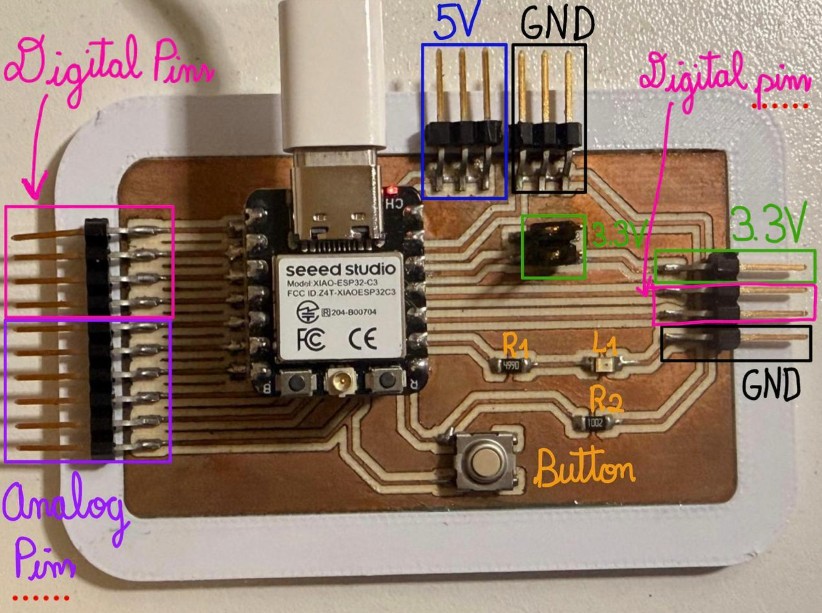
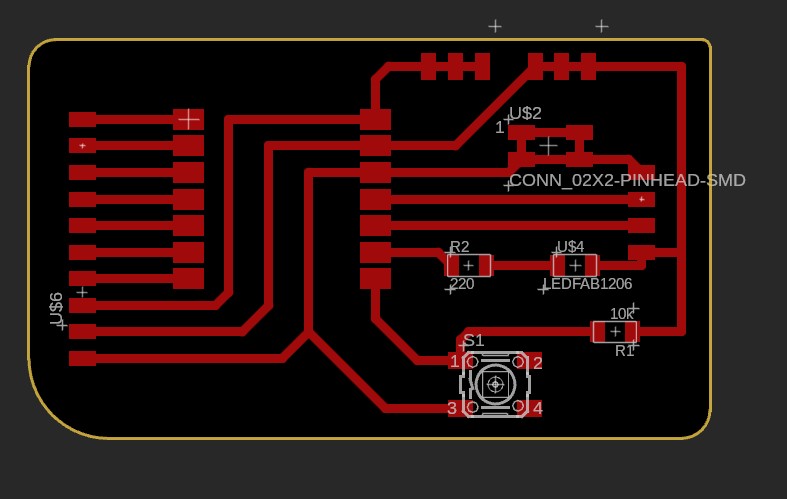
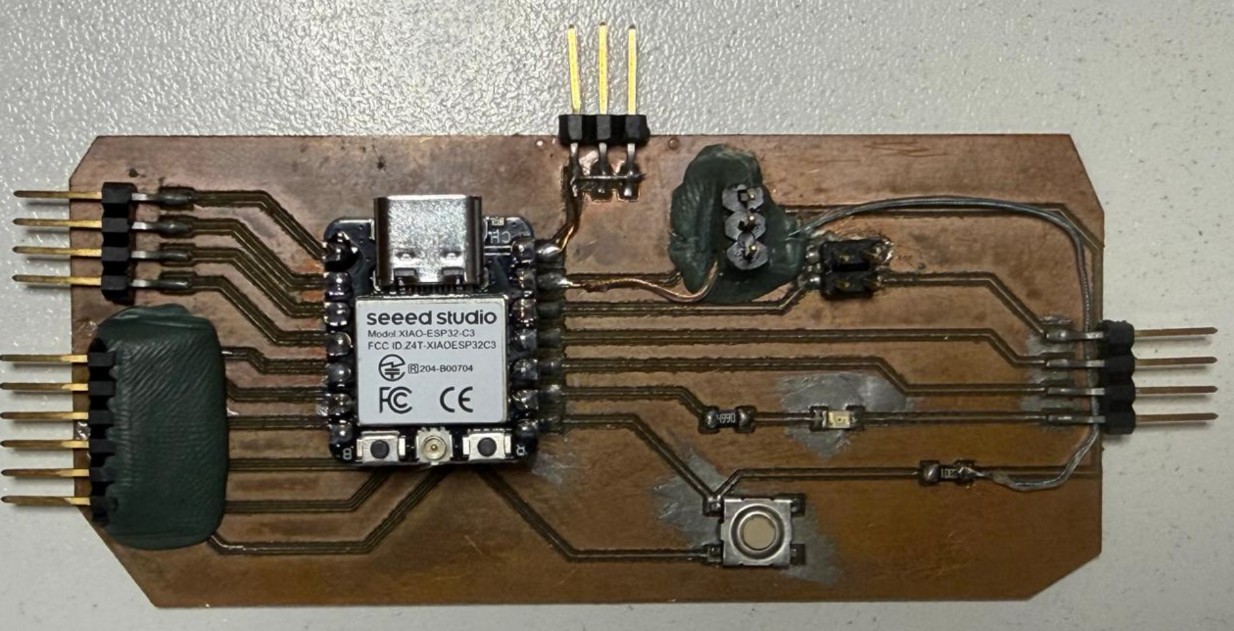
XIAO ESP32-C3 microcontroller boards with annotated pins, digital/analog connectors, and button integration
Don't even think about the GUI. Use Serial Monitor to confirm the board works independently.
Write down exactly what messages flow in each direction. This becomes your debugging checklist.
Test hardware → communication → GUI independently. Each layer should work before the next is attempted.
Wireless Real-Time Radar System
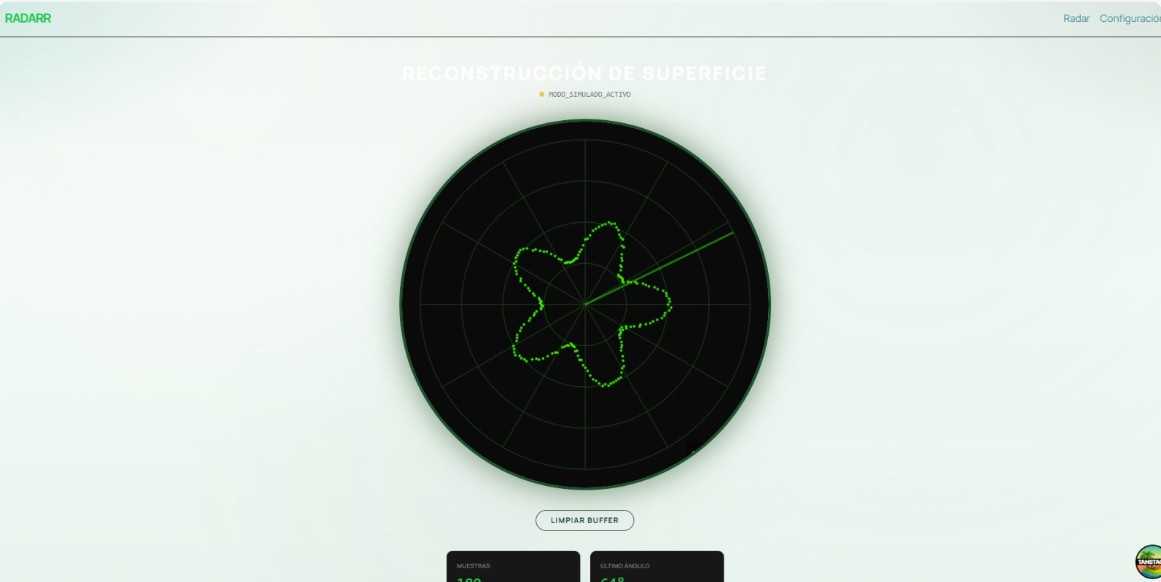
I designed a complete wireless radar system: ESP32-C3 with HC-SR04 ultrasonic sensor + servo motor hardware that scans 0°-180° and broadcasts distance readings in real-time over WebSocket to a React web application. The browser displays a live animated radar showing detected objects at their angle and distance.
Real-time radar display showing object detection and surface reconstruction with green trace pattern
Real-time data over Wi-Fi is magical. But one wrong IP address, one dropped connection, one malformed JSON packet and the whole system breaks silently.
Every advantage (real-time, wireless, browser-based) came with hidden complexity. I underestimated the debugging burden.
When WebSocket failed, I had no visibility. I should have kept Arduino's serial monitor as a fallback for hardware verification.
This wasn't "just WebSocket." It was hardware (sensors) + firmware (scanning) + communication (protocol) + visualization (Canvas). Each must work together.
| Tool | Would It Work? | Why I Chose WebSocket Instead |
|---|---|---|
| Python Serial | Yes, with USB cable | Wired only. A radar should move around — wireless is essential. |
| MIT App Inventor | Yes, via Bluetooth | Building animated graphics in blocks would be painful. JavaScript + Canvas is more natural. |
| Python + Tkinter | Yes, but tethered | Desktop only, wired connection. I wanted wireless monitoring from anywhere. |
| WebSocket ✓ | Perfect fit | Wireless, browser-based, real-time, no installation needed. Browser = instant access. |
Problem: IP address changes break the connection URL. Solution: Use mDNS hostname instead of IP address (e.g., `radar.local` vs `192.168.1.100`).
Problem: One malformed packet crashes JavaScript parser. Solution: Add try-catch error handling + validate all incoming data before use.
Problem: Redrawing 60 times/second = high CPU usage. Solution: Only redraw affected regions, reuse objects instead of creating new ones each frame.
Problem: Can't see what's happening when connection fails. Solution: Kept Arduino Serial Monitor working in parallel for fallback data verification.
Write down exact JSON format, message frequency, error cases. This document becomes your contract between hardware and software.
Don't wait for hardware to test visualization. Write JavaScript code that generates fake sensor data so you can test UI in isolation.
Don't assume packets arrive perfectly. Log errors, continue operation, reconnect gracefully. Recovery isn't optional.
Lab Wi-Fi is perfect. Real networks have interference, dead zones, latency. Test under degraded conditions early.
© Fablab Ulima 2026 | Design: Tooplate