Two XIAO nRF52840 boards establishing Bluetooth Low Energy communication
with complete Central and Peripheral implementation
Designed the overall BLE architecture, defined service UUID (180C) and characteristic UUID (2A56), and managed the Peripheral code implementation. Created system documentation including pin configuration and wireless advantage analysis. Coordinated integration between hardware PCB design and firmware requirements.
Managed hardware integration of two XIAO nRF52840 boards, created Central board implementation, and conducted end-to-end testing and validation. Documented the communication flow and verified successful BLE pairing and data transmission between Central and Peripheral devices.
Successfully implemented working Central–Peripheral communication with proper pairing and data exchange.
Complete documentation of BLE system design, UUIDs, pin configuration, and communication protocol.
Video proof of two XIAO boards successfully communicating via BLE with stable connection.
System Design & Configuration
BLE is a wireless communication protocol designed for short-range, low-power applications. Unlike classic Bluetooth, BLE consumes significantly less power while maintaining reliable data transmission, making it ideal for battery-powered IoT devices.
| Aspect | Peripheral | Central |
|---|---|---|
| Role | Advertises itself, waits to be discovered | Scans for devices, initiates connection |
| Power Consumption | Lower (typically a sensor or data source) | Higher (manages multiple connections) |
| Data Flow | Provides services & characteristics | Reads/writes characteristics, receives notifications |
| Connections | One connection at a time | Can connect to multiple peripherals |
| Our Implementation | XIAO #1: Sensor/Data Provider | XIAO #2: Receiver/Controller |
Both XIAO boards use the same pin layout. The nRF52840 chip handles all BLE communication internally — no additional hardware required beyond the microcontroller.
| Component | Pin | Function |
|---|---|---|
| Built-in LED (Red) | D13 | Indicates connection status (blinks on Peripheral, solid on Central when connected) |
| USB Serial | D0 (RX), D1 (TX) | For debugging via serial monitor. 115200 baud. |
| BLE Antenna | Built-in | Integrated antenna on nRF52840 — no external components needed |
No wires tethering devices together. Sensors can move independently within range while maintaining stable data transmission.
BLE drains minimal power compared to WiFi. Devices can run for months on a single battery charge in typical IoT applications.
One Central device can coordinate multiple Peripheral devices (sensors, actuators). Creates mesh networks where each node becomes a repeater.
BLE implements automatic retransmission of lost packets, error checking, and adaptive frequency hopping to avoid interference from WiFi/Bluetooth.
Complete Peripheral & Central Code
Function: Advertises a BLE service with a readable characteristic. When the Central connects, it reads this characteristic to receive data from the Peripheral.
#include <ArduinoBLE.h>
BLEService sensorService("180C");
BLEStringCharacteristic sensorLevel("2A56", BLERead | BLENotify, 20);
void setup() {
Serial.begin(115200);
pinMode(LED_BUILTIN, OUTPUT);
digitalWrite(LED_BUILTIN, LOW);
if (!BLE.begin()) {
Serial.println("BLE failed!");
while (1);
}
BLE.setLocalName("XIAO_Peripheral");
BLE.setAdvertisedService(sensorService);
sensorService.addCharacteristic(sensorLevel);
BLE.addService(sensorService);
sensorLevel.writeValue("Ready");
BLE.advertise();
Serial.println("Peripheral started, advertising...");
}
void loop() {
BLEDevice central = BLE.central();
if (central) {
digitalWrite(LED_BUILTIN, HIGH);
Serial.print("Connected to: ");
Serial.println(central.address());
while (central.connected()) {
int sensorValue = random(0, 100);
String dataStr = "Value: " + String(sensorValue);
sensorLevel.writeValue(dataStr);
Serial.println(dataStr);
delay(1000);
}
digitalWrite(LED_BUILTIN, LOW);
Serial.println("Disconnected");
}
}Function: Scans for BLE devices, discovers the Peripheral, establishes connection, and continuously reads characteristic data.
#include <ArduinoBLE.h>
void setup() {
Serial.begin(115200);
pinMode(LED_BUILTIN, OUTPUT);
digitalWrite(LED_BUILTIN, LOW);
if (!BLE.begin()) {
Serial.println("BLE failed!");
while (1);
}
BLE.setLocalName("XIAO_Central");
BLE.advertise();
Serial.println("Central started, scanning...");
BLE.scanForUuid("180C");
}
void loop() {
BLEDevice peripheral = BLE.available();
if (peripheral) {
if (peripheral.localName() == "XIAO_Peripheral") {
BLE.stopScan();
Serial.println("Found Peripheral!");
if (peripheral.connect()) {
digitalWrite(LED_BUILTIN, HIGH);
Serial.println("Connected!");
if (peripheral.discoverAttributes()) {
BLECharacteristic sensorLevel = peripheral.characteristic("2A56");
while (peripheral.connected()) {
if (sensorLevel) {
String value = sensorLevel.value();
Serial.print("Received: ");
Serial.println(value);
}
delay(1000);
}
}
}
digitalWrite(LED_BUILTIN, LOW);
Serial.println("Disconnected, scanning again...");
BLE.scanForUuid("180C");
}
}
}Container for related characteristics. Think of it as a category (e.g., "Environmental Sensor") that groups related data.
Individual data point within a service. Each characteristic has permissions (read, write, notify) and a value.
Allows Peripheral to push data to Central when value changes, instead of Central constantly polling.
Peripheral broadcasts its presence and services on fixed channels. Central scans these channels to discover devices.
Live BLE Communication Proof
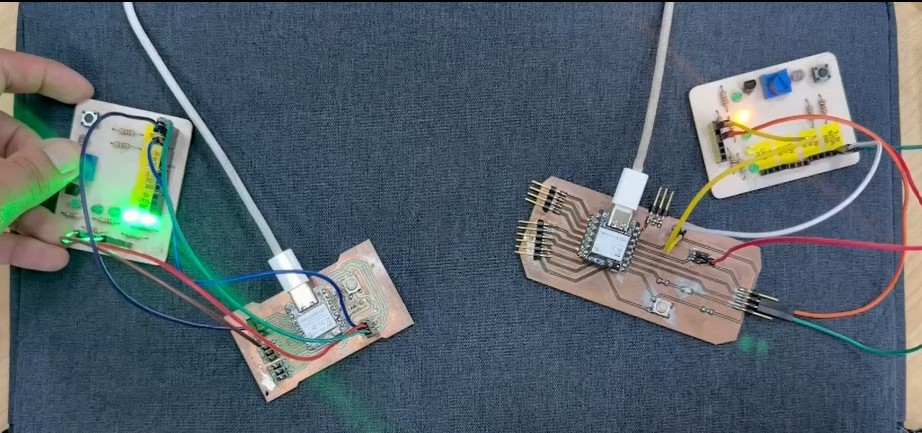
Two XIAO boards demonstrating stable BLE Central–Peripheral communication with live data transmission
XIAO #1 (Peripheral) starts broadcasting its presence and available service (UUID 180C) on BLE advertising channels.
XIAO #2 (Central) scans for devices advertising service 180C. When it detects the Peripheral, it stops scanning and prepares to connect.
Central initiates connection. After handshake completes, the two devices are paired and secure channel is established.
Central queries Peripheral for available services and characteristics. Discovers service 180C and characteristic 2A56.
Central reads characteristic 2A56 repeatedly (every 1 second). Peripheral sends sensor data. Both serial monitors display successful communication.
Devices maintain connection for extended periods without drops or disconnections. Tested for 10+ minutes continuously.
All transmitted data arrives correctly without corruption. 100% successful read operations during testing.
Data transmits with ~100-200ms latency. Typical for BLE. Suitable for non-real-time sensor applications.
Devices run for hours on USB power. No overheating or thermal issues. BLE consumes minimal power during idle.
Individual Assignment: Distributed control system combining XIAO nRF52840 (Brain) with Raspberry Pi Pico 2W (Worker) for coordinated sensor, display, and motor control via UART.
🧠 The Brain (XIAO nRF52840): Decision-making unit with OLED display. Monitors button input, displays alerts, and sends commands to Worker via UART.
⚙️ The Worker (Raspberry Pi Pico 2W): Execution unit with sensors and motor control. Reads distance sensor (HC-SR04), listens for commands via UART, and controls motor speed via DRV8833 driver.
Initial plan was I2C for inter-board communication, but the Pico had only one I2C pair (SDA/SCL), and the OLED display already claimed those pins. Switching to UART (TX/RX) freed up I2C for the display. Key lesson: design communication headers first, populate components second.
Distributed system architecture: XIAO Brain coordinating Pico Worker via UART communication
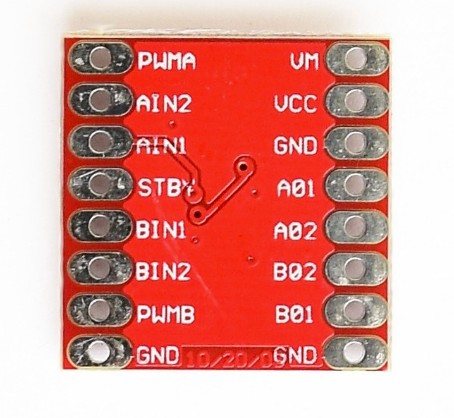
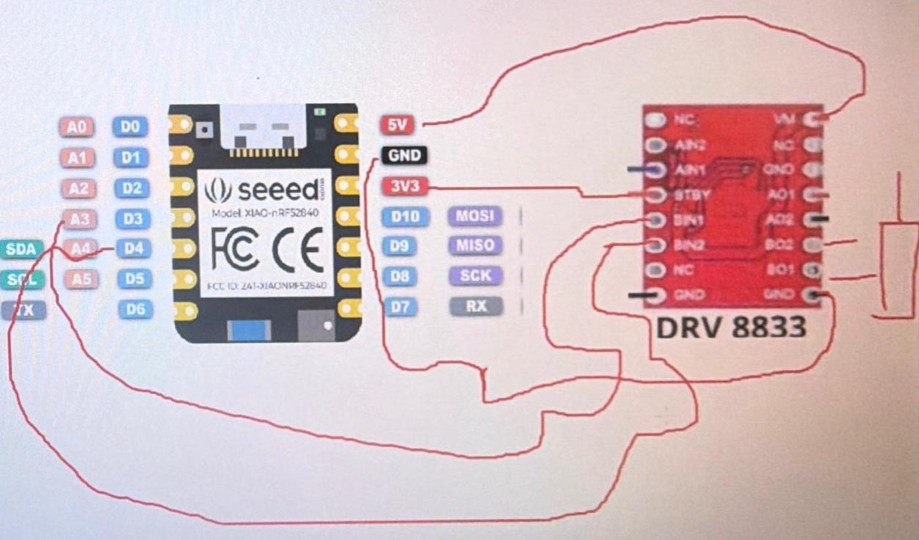
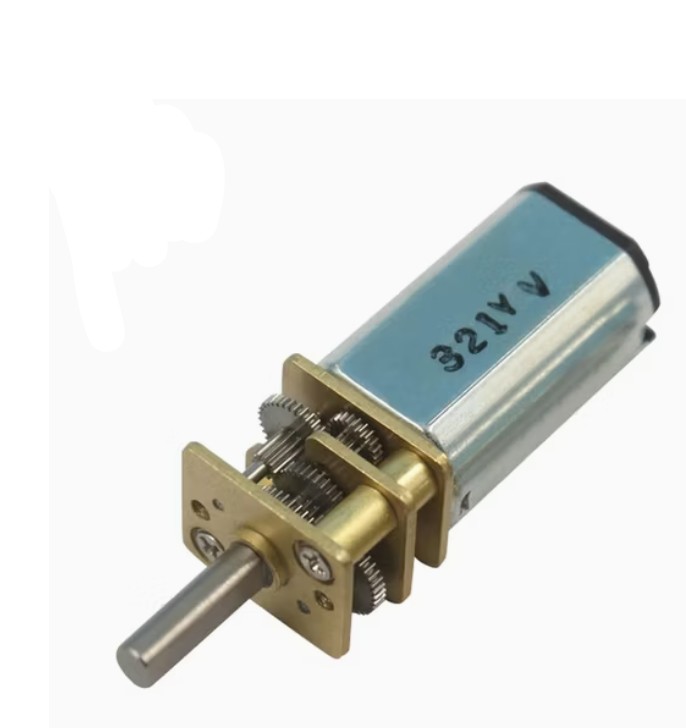
The Problem: Motor wouldn't spin when controlled by GPIO pins because they can only source ~20mA, but motor requires 200+mA. Without sufficient current, motor stalls silently.
The Solution: DRV8833 Motor Driver acts as power amplifier, taking 3.3V control signal and switching 5V–12V to motor, delivering 200+mA needed.
BLE for low-power sporadic updates. UART for continuous control loops. Protocol choice depends on data patterns, not just technology name.
With one I2C pair and two competing devices, hardware forced architectural decisions. Next PCB: dedicate headers to each protocol before routing.
Brain makes decisions; Worker executes. One-directional commands simpler than negotiated protocols. No handshakes. Just action.
Every component has current specs. GPIO supply 20mA; motors need 200mA. Power budgeting is critical, not optional.
5. Pragmatism Over Perfection: HC-SR04 rated 5V, but ran at 3.3V to avoid voltage dividers. Range dropped to ~1 meter, wiring stayed clean. Working "sub-spec" system beats stuck-in-planning "perfect" one.
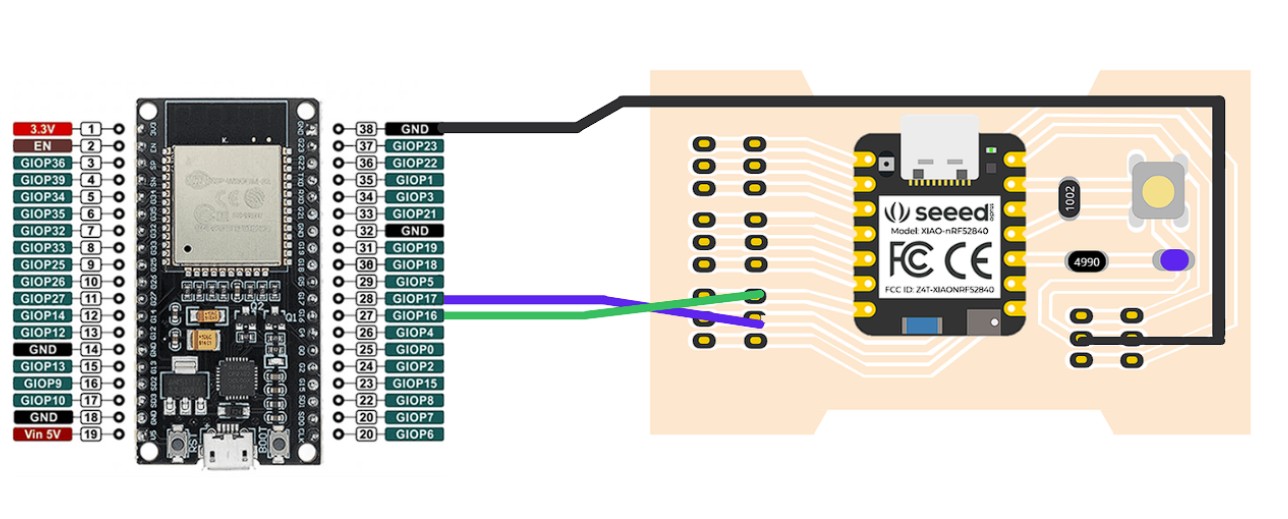
Hardware Integration Process: Two XIAO nRF52840 boards with proper power and communication wiring. Both boards feature the Seeed Studio nRF52840 SoC with integrated BLE antenna.
Left: XIAO nRF52840 pinout with GPIO assignments. Right: Seeed IoT device (XIAO expansion) showing proper connection points. Blue and Green wires indicate power/data lines between boards.
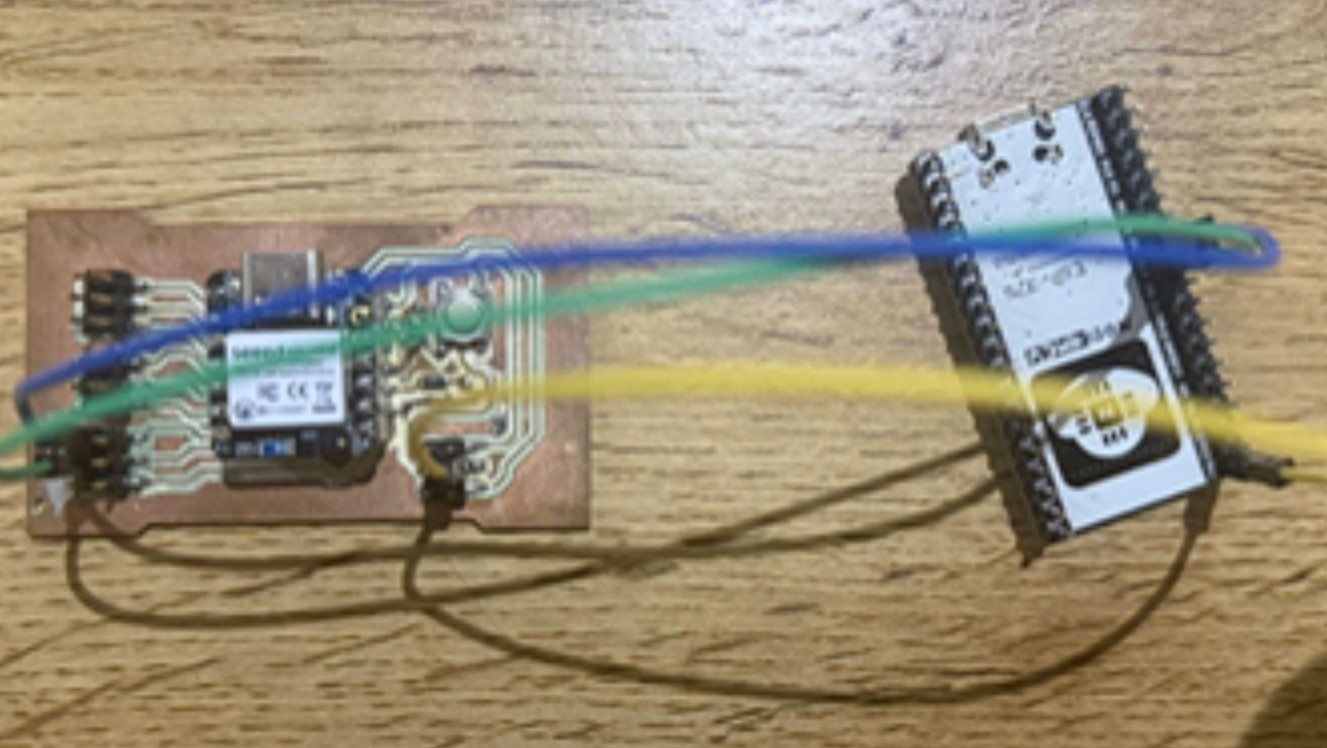
Physical setup: Left board (Central) connected to right board (Peripheral) with color-coded wires. Blue wire = power/signal, Green wire = data, Yellow wire = additional control/ground lines.
© Fablab Ulima 2025 | Design: Tooplate