Introduction
Input Devices week is about making a microcontroller board listen to the world, reading real physical signals and turning them into usable data. On my custom ESP32-S3 board, I had already mounted two input devices during Electronics Production week: a variable resistor for analog input and a DHT sensor for digital input.
This week I wrote firmware to read both sensors, observed their signals on the Serial Monitor, and understood the fundamental difference between how analog and digital inputs work at the hardware and software level.
| Attribute | Variable resistor (analog) | DHT sensor (digital) |
|---|---|---|
| Signal type | Continuous voltage | One wire digital |
| ESP32 pin | ADC GPIO | Digital GPIO |
| What it reads | 0 to 4095 (12 bit), 0 to 3.3 V | Temperature and humidity |
| Protocol | Analog read (ADC) | Single wire serial |
| Already mounted on my board | Yes | Yes |
Assignments
Group Assignment
Probe an input device's analog levels and digital signals. View the group assignment page.
As a group, we used an oscilloscope and a multimeter to observe real signal behavior. We measured the continuous voltage output from a potentiometer as it was turned, and we captured the single wire data bursts from a DHT sensor to understand the digital timing protocol. What I learned probing these inputs is documented in the section below.
Individual Assignment
Measure something: add a sensor to a microcontroller board that you have designed and read it.
For my individual work, I wrote firmware for the custom ESP32-S3 board to read both the variable resistor (analog ADC) and the DHT sensor (digital 1-wire) and print live readings to the Serial Monitor.
Analog vs Digital Input
Understanding the difference between how these two sensors communicate with the microcontroller is fundamental to embedded systems design.
analogRead().Probing the Signals
For the group assignment we probed an input device's analog levels and its digital signals so we could actually see what the microcontroller reads. We used two instruments. The full write up is on our group assignment page.
My Milled ESP32-S3 Board
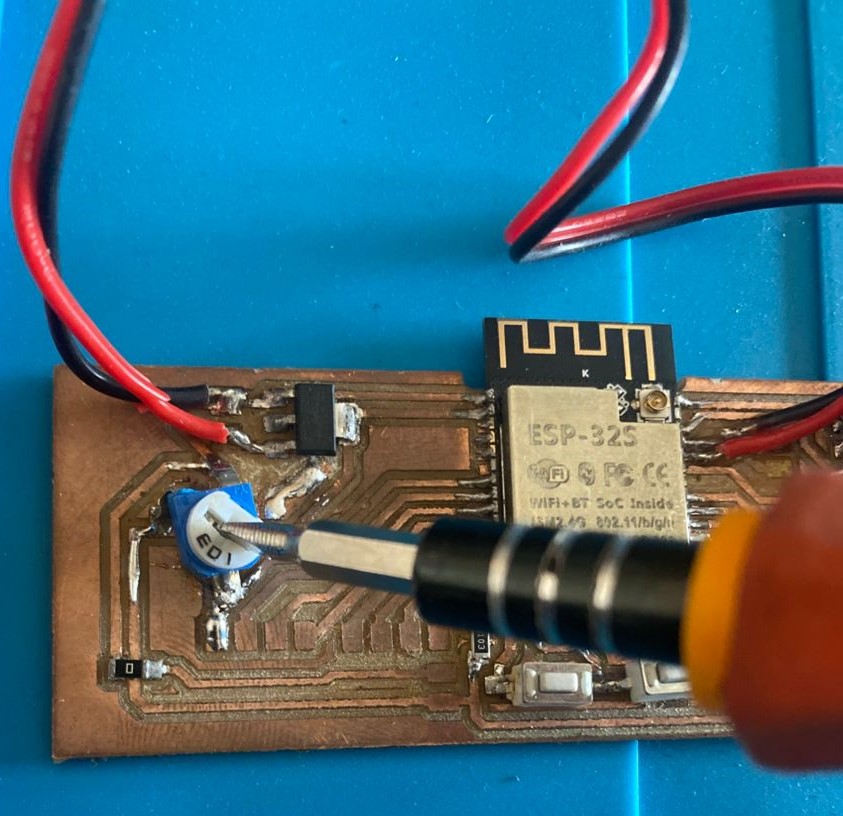
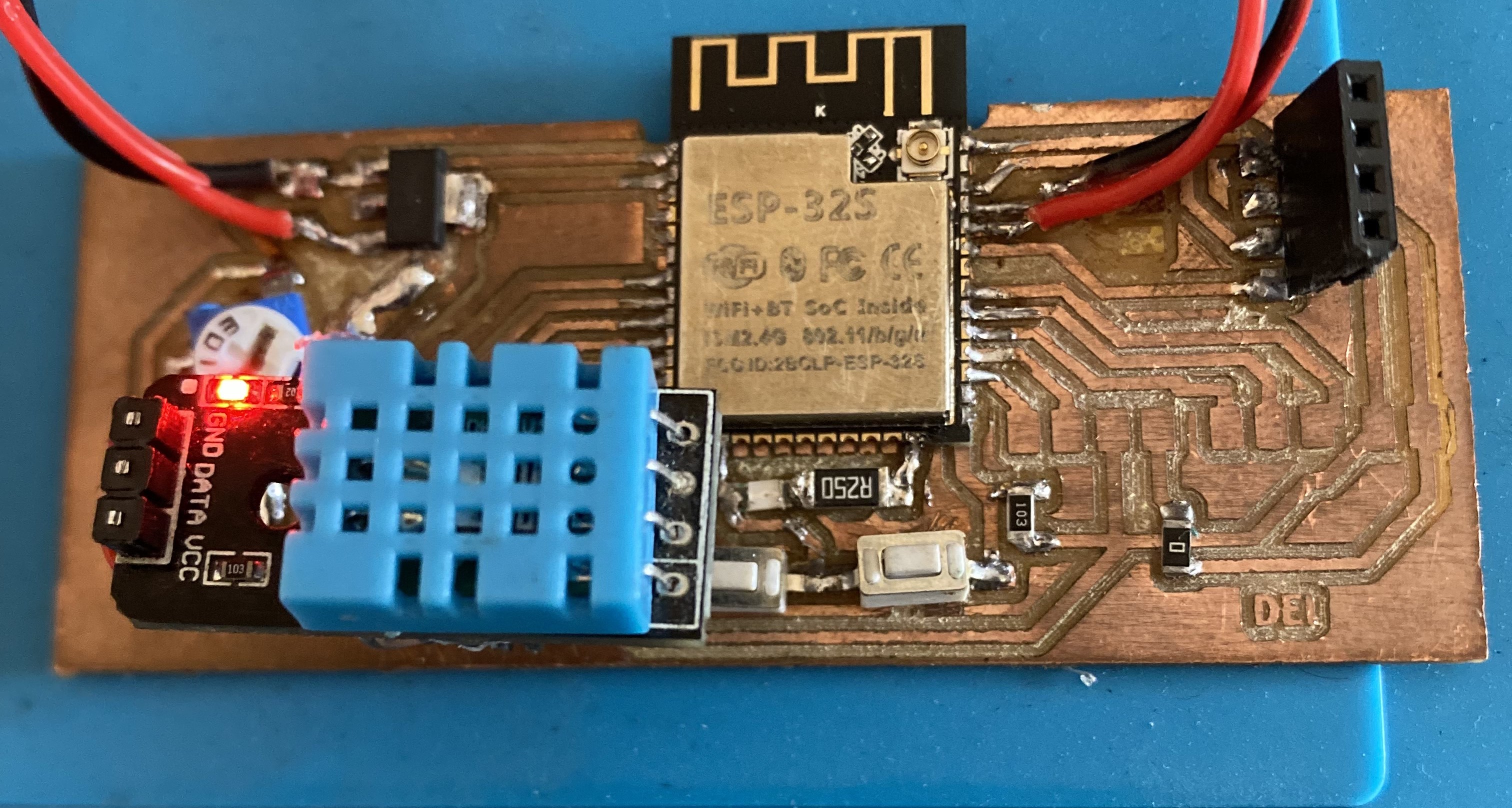
I did not make a new board this week. I added the sensors to the board I designed in Electronics Design week and milled in Electronics Production week, so every reading on this page comes off my own milled board, not a breadboard. The variable resistor and the DHT sensor are soldered directly to the copper pads, with the DHT pull up resistor included in the layout. You can open the schematic, the board layout and the production files on those two pages.
Design files
Electronics Design week holds the schematic and the board layout for this ESP32-S3.
Fabrication files
Electronics Production week holds the traces, the cut outline and the milling process.
Step-by-Step
Both sensors were already physically mounted on the board from Electronics Production week, so this week was purely about firmware, writing, uploading, and verifying the code for each input type.
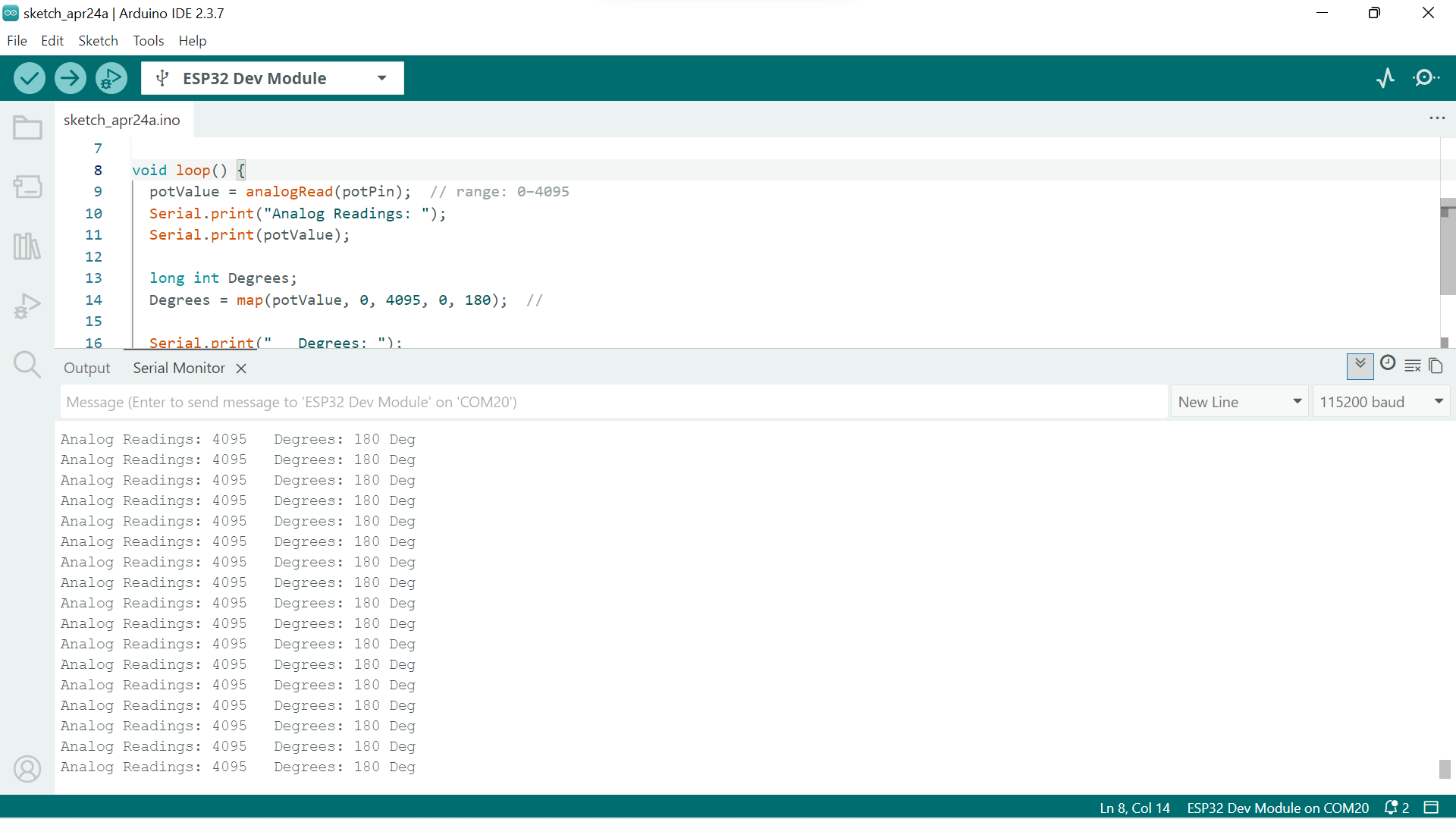
int potPin = 35;   // GPIO 35
int potValue = 0;

void setup() {
  Serial.begin(115200);
}

void loop() {
  potValue = analogRead(potPin);  // range: 0–4095
  Serial.print("Analog Readings: ");
  Serial.print(potValue);

  long int Degrees;
  Degrees = map(potValue, 0, 4095, 0, 180);

  Serial.print("   Degrees: ");
  Serial.print(Degrees);
  Serial.println(" Deg");

  delay(200);
}
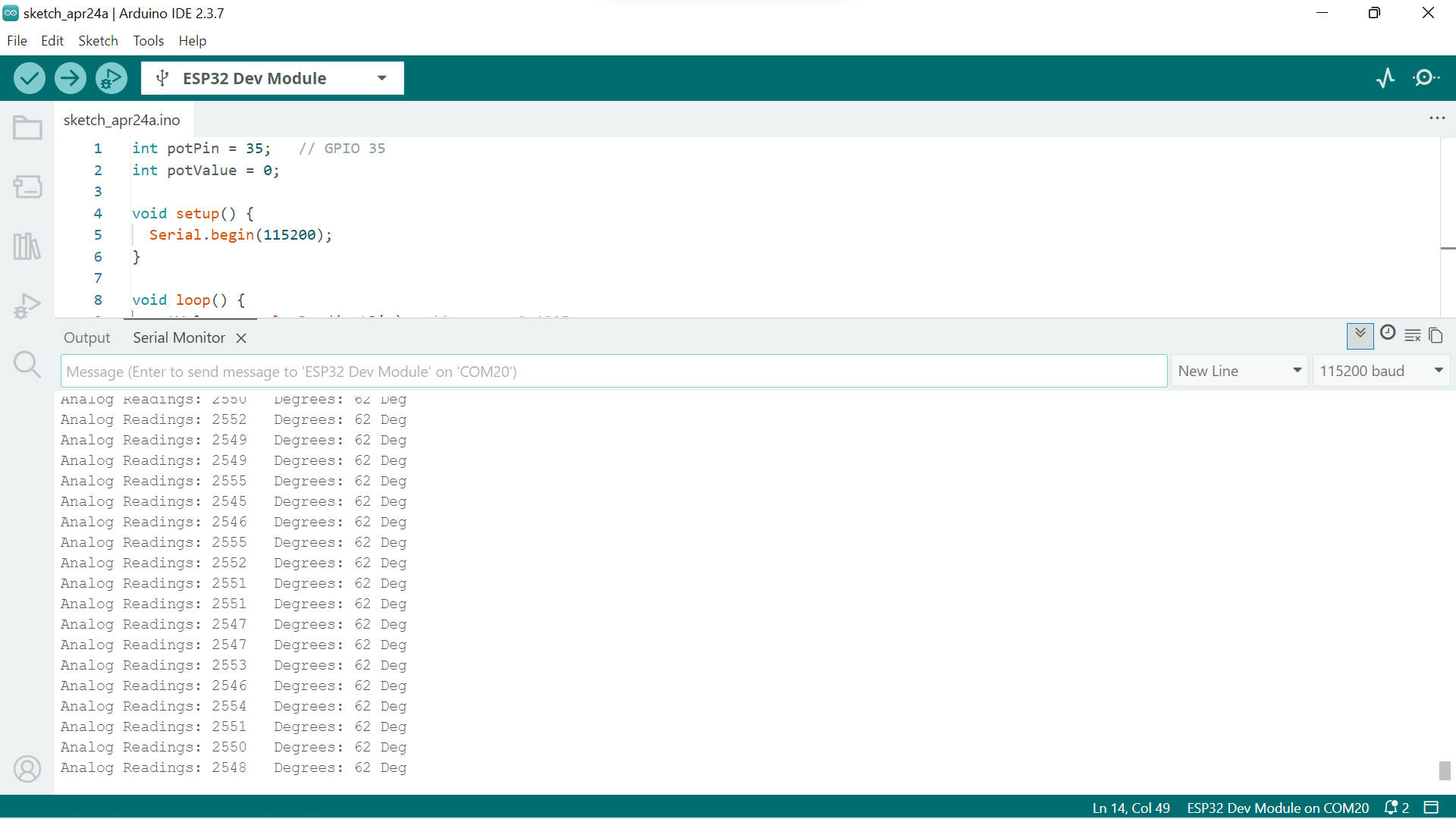
Expected behavior: Rotating the resistor to one end should give ~0 (0 Deg), the opposite end ~4095 (180 Deg), and the midpoint ~2047 (90 Deg). Any deviation indicates a wiring or grounding issue.
// DHT Sensor — Digital Read
// Temperature and Humidity

#include <DHT.h>

#define DHT_PIN  14      // GPIO 14 on my board
#define DHT_TYPE DHT11   // DHT11 or DHT22

DHT dht(DHT_PIN, DHT_TYPE);

void setup() {
  Serial.begin(115200);
  dht.begin();
  Serial.println("DHT Sensor Read — Starting");
}

void loop() {
  delay(2000); // DHT needs min 2s between reads

  float humidity    = dht.readHumidity();
  float temperature = dht.readTemperature(); // Celsius

  if (isnan(humidity) || isnan(temperature)) {
    Serial.println("Failed to read from DHT sensor!");
    return;
  }

  Serial.print("Temperature: ");
  Serial.print(temperature);
  Serial.print(" °C  |  Humidity: ");
  Serial.print(humidity);
  Serial.println(" %");
}
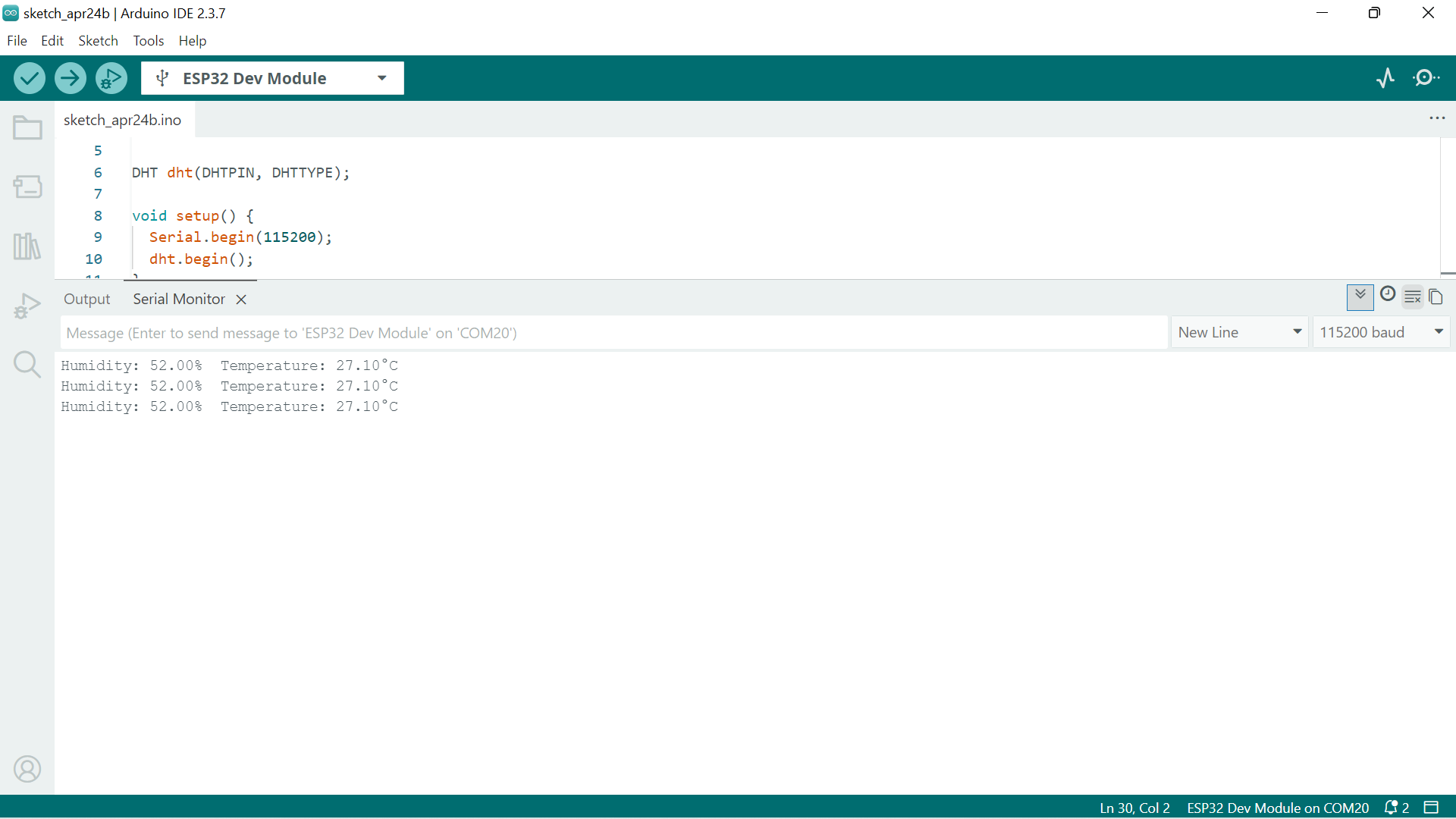
Result: Temperature and humidity readings updated every 2 seconds and responded correctly to changes in the environment, confirming the DHT sensor, data pin, pull-up resistor, and library are all working correctly.
Problems and Solutions
Nothing worked perfectly on the first try. Here is what went wrong and how I fixed each one.
Measurements
Reading Both Sensors Together
After each sensor worked on its own I joined them into one sketch so the board reads the analog input and the digital input in the same loop and prints both to Serial. Here is how the code works. In setup() I start Serial at 115200 baud and call dht.begin() once. In loop() I call analogRead(POT_PIN) to get the 0 to 4095 ADC value from the variable resistor, then map() it to a 0 to 180 range so it is easier to read. Then I call dht.readHumidity() and dht.readTemperature(), which trigger the library to clock the 1 wire protocol and hand back floats. I guard those with isnan() because a missed read returns not a number, and I print every value on one labelled line. The DHT needs at least two seconds between reads, so the delay(2000) at the end of the loop sets the pace for both sensors.
// Input Devices - ESP32-S3 milled board
// Reads variable resistor (analog) and DHT (digital)
// Prints both to Serial

#include <DHT.h>

#define POT_PIN  35      // analog wiper, ADC GPIO 35
#define DHT_PIN  14      // DHT data line, GPIO 14
#define DHT_TYPE DHT11   // DHT11 or DHT22

DHT dht(DHT_PIN, DHT_TYPE);

void setup() {
  Serial.begin(115200);
  dht.begin();
  Serial.println("Input Devices - reading both sensors");
}

void loop() {
  int potValue = analogRead(POT_PIN);        // 0 to 4095
  int degrees  = map(potValue, 0, 4095, 0, 180);

  float humidity    = dht.readHumidity();
  float temperature = dht.readTemperature(); // Celsius

  Serial.print("Pot: ");
  Serial.print(potValue);
  Serial.print("  (");
  Serial.print(degrees);
  Serial.print(" deg)   |   ");

  if (isnan(humidity) || isnan(temperature)) {
    Serial.println("DHT read failed");
  } else {
    Serial.print("Temp: ");
    Serial.print(temperature);
    Serial.print(" C   Humidity: ");
    Serial.print(humidity);
    Serial.println(" %");
  }

  delay(2000); // DHT needs min 2s between reads
}
Design Files and Source Code
Everything needed to reproduce this week is here. The source code is the three firmware blocks above, which you can copy with the Copy button. The board design files live on the two weeks where I made the board.
Source code
Combined firmware reading both sensors, plus the single analog and single DHT sketches in the steps above. All copyable.
Board design and fabrication files
Electronics Design for the schematic and layout, and Electronics Production for the milling files.
The Board Reading Live
Conclusion
This week made the distinction between analog and digital inputs very concrete. The variable resistor gives a smooth, continuous voltage that the ESP32-S3's ADC converts into a 12-bit number, simple to read but sensitive to noise and supply voltage variation. The DHT sensor communicates through a precise timing protocol that the library handles, delivering clean, calibrated temperature and humidity values over a single wire.
Having both sensors already mounted from Electronics Production week meant all the focus could go into firmware, understanding what analogRead() actually returns and what the DHT library is doing under the hood when it decodes those 1-wire pulses.