Group Assignment 5: 3D Scanning and Printing
3D Printing Technology
3D printing, also known as additive manufacturing, is a process of creating three-dimensional objects from a digital model by adding material layer by layer. Unlike traditional subtractive manufacturing (cutting or machining), additive manufacturing builds parts only where material is needed, reducing waste and enabling complex geometries that would be impossible with conventional methods.
Today, 3D printing is widely used for prototyping, tooling, functional mechanical parts, medical devices, aerospace components, architecture models, and even food applications. Modern systems allow multi-material printing, high-resolution microfabrication, and industrial-scale metal production.
Main 3D Printing Technologies (ISO/ASTM Classification)
-
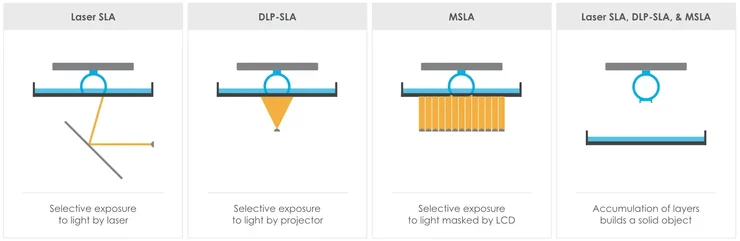
VAT Photopolymerization (SLA / DLP / MSLA)
Uses liquid photopolymer resin cured by UV light.- SLA: Uses a laser to cure resin point-by-point.
- DLP: Uses a digital projector to cure entire layers at once.
- MSLA: Uses an LCD screen to mask UV light (most common in desktop resin printers).
Common uses: Miniatures, jewelry, dental models, figurines. -
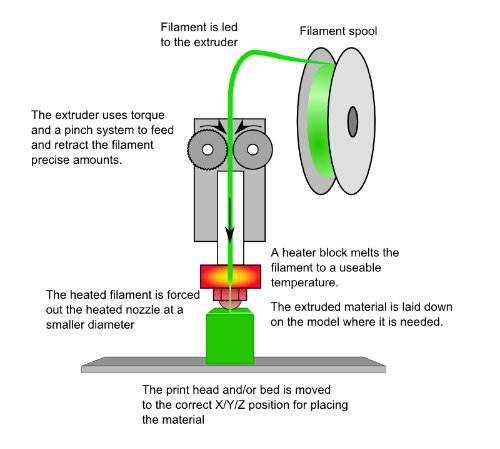
Material Extrusion (FDM / FFF)
Melts and extrudes thermoplastic filament layer by layer. Strengths: Low cost, strong functional parts, large build volumes.
Common materials: PLA, PETG, ABS, ASA, Nylon, PC, TPU.
Common uses: Prototypes, mechanical parts, enclosures. -
Powder Bed Fusion (SLS / DMLS / SLM / EBM)
Uses laser or electron beam energy to fuse powder material.- SLS: Nylon and polymer powders.
- DMLS / SLM: Metal powders (steel, aluminum, titanium).
- EBM: Metal fusion using an electron beam in vacuum.
Industries: Aerospace, automotive, medical implants. -
Material Jetting (PolyJet)
Jets droplets of photopolymer cured instantly by UV light. Strengths: Multi-material and multi-color printing with very fine detail.
Uses: Product design, realistic prototypes. -
Binder Jetting
Deposits a liquid binder onto powder (metal, sand, ceramic). Strengths: Fast production and scalable manufacturing.
Uses: Metal parts (after sintering), casting molds. -
Directed Energy Deposition (DED)
Uses focused thermal energy to fuse material as it is deposited. Uses: Industrial repair, large metal components. -
Sheet Lamination
Bonds sheets of material together and cuts them to shape. Uses: Architectural models, composite structures.
Recent Developments (2024–2026)
- Higher resolution consumer resin printers (12K–16K LCD screens).
- High-speed FDM systems using input shaping and vibration compensation.
- More durable engineering resins (tough, flexible, high-temp, biocompatible).
- Growing use of recycled and bio-based filaments.
- AI-assisted slicing and automatic support generation.
FabLab Puebla Context
In FabLab Puebla, the primary accessible technologies are:
- FDM (Material Extrusion)
- MSLA Resin Printing
These two technologies cover most prototyping needs: FDM for structural and functional parts, and MSLA for high-detail and aesthetic models.
3D Printer Models
FDM (filament) printers
| Printer | Kinematics / Architecture | Build Volume (X×Y×Z, mm) | Build Plate Area (X×Y, mm) | Z Height (mm) | Volume (L) | Machine Dimensions (mm) | Net Weight (kg) | Layer Height (mm) | Filament Diameter (mm) | Included Nozzle |
|---|---|---|---|---|---|---|---|---|---|---|
| Creality Ender-3 S1 Pro | Cartesian (bed-slinger) | 220 × 220 × 270 | 220 × 220 | 270 | 13.07 | 490 × 455 × 625 | 8.6 | 0.05 – 0.40 | 1.75 | 0.4 mm |
| Original Prusa MK4S | Cartesian (bed-slinger, open-frame) | 250 × 210 × 220 | 250 × 210 | 220 | 11.55 | 500 × 550 × 400 | 7.0 | 0.05 – 0.30 | 1.75 | 0.4 mm (High-flow Prusa Nozzle brass CHT) |
| Original Prusa XL | CoreXY | 360 × 360 × 360 | 360 × 360 | 360 | 46.66 | 700 × 900 × 720 | 27.9 (1 tool) / 29.3 (2 tools) / 33.7 (5 tools) | 0.05 – 0.30 | 1.75 | 0.4 mm (Prusa Nozzle brass) |
| SeeMeCNC Rostock MAX v3 | Delta (vertical tower architecture) | Ø265 × 400 | Ø265 | 400 | 22.06 | 279 × 279 × 349 | 15 | 0.10 – 0.40 (recommended) | 1.75 | 0.5 mm |
Resin printers (MSLA)
| Model | Build Volume (mm) | Volume (L) | XY Resolution | Screen | Layer Height (mm) | Speed | Technology | Quick Notes |
|---|---|---|---|---|---|---|---|---|
| ELEGOO Mars 3 | 143 × 89.6 × 175 | 2.24 | 35 µm (0.035 mm) | 6.6" mono 4K (4098 × 2560) | 0.01 – 0.20 | 30 – 50 mm/h | MSLA (resin, 405 nm) | Compact; good cost/detail ratio |
| ELEGOO Saturn 2 | 218.88 × 123.12 × 250 | 6.74 | 28.5 µm (0.0285 mm) | 10" mono 8K (7680 × 4320) | 0.01 – 0.20 | 30 – 70 mm/h | MSLA (resin, 405 nm) | Medium-large volume; includes air purifier |
| Anycubic Photon Mono M5s | 218 × 123 × 200 | 5.36 | 19 µm (X accuracy) | 10.1" mono 12K (11520 × 5120) | 0.01 – 0.15 | 70 – 105 mm/h (105 with high-speed resin) | MSLA (resin, 405 nm) | Leveling-free + resin/print sensors |
Creality Ender-3 S1 Pro (FDM)
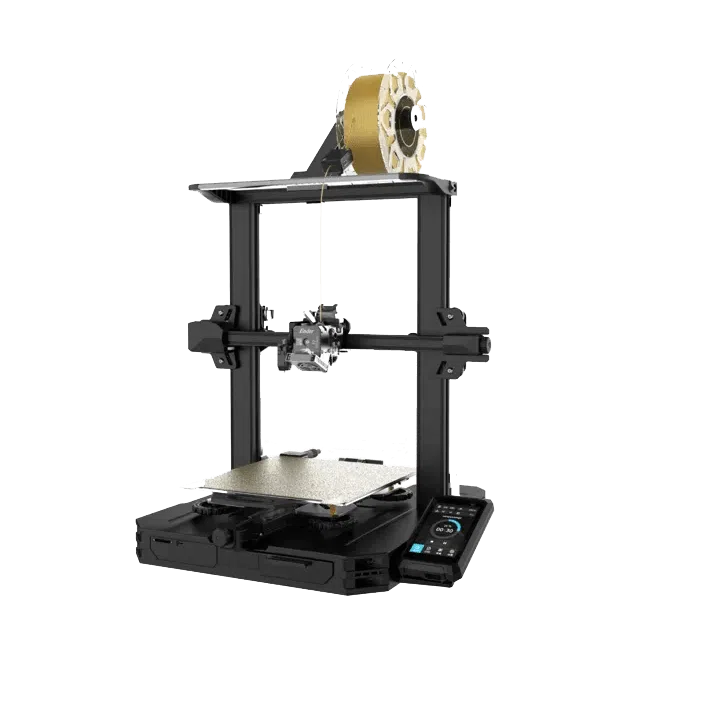
~ Technology: FDM (Fused Deposition Modeling).
~ Build Volume: 220 × 220 × 270 mm (~13.07 L).
~ Speed: Up to 200 mm/s (max).
~ Resolution: Layer height 0.05–0.40 mm; precision ±0.1 mm.
~ Temperatures: Nozzle up to 300°C; Bed up to 110°C.
~ Materials: PLA, ABS, TPU, PETG, PA, Wood.
~ Best for: Prototypes and functional parts at a good cost.
~ To consider: Requires calibration/tuning for industrial-grade repeatability.
Original Prusa MK4S (FDM)
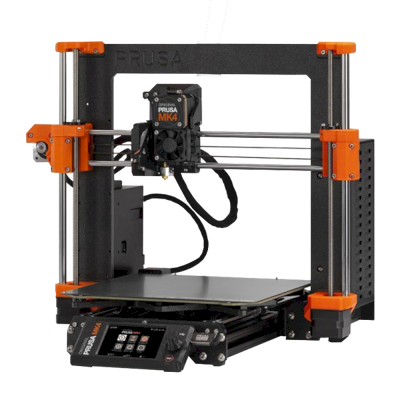
~ Technology: FDM (Filament).
~ Build Volume: 250 × 210 × 220 mm (~11.55 L).
~ Speed: High (Input Shaper; profile dependent).
~ Resolution: Layer height 0.05–0.30 mm.
~ Temperatures: Nozzle max 290°C; Bed max 120°C.
~ Materials: PLA, PETG, Flex, PVA, PC, PP, CPE, PVB (ABS/ASA/HIPS/PA with enclosure).
~ Best for: Functional parts with high reliability and consistent quality.
~ To consider: Higher investment; enclosure recommended for ABS/ASA/PA.
Original Prusa XL (FDM, toolchanger)
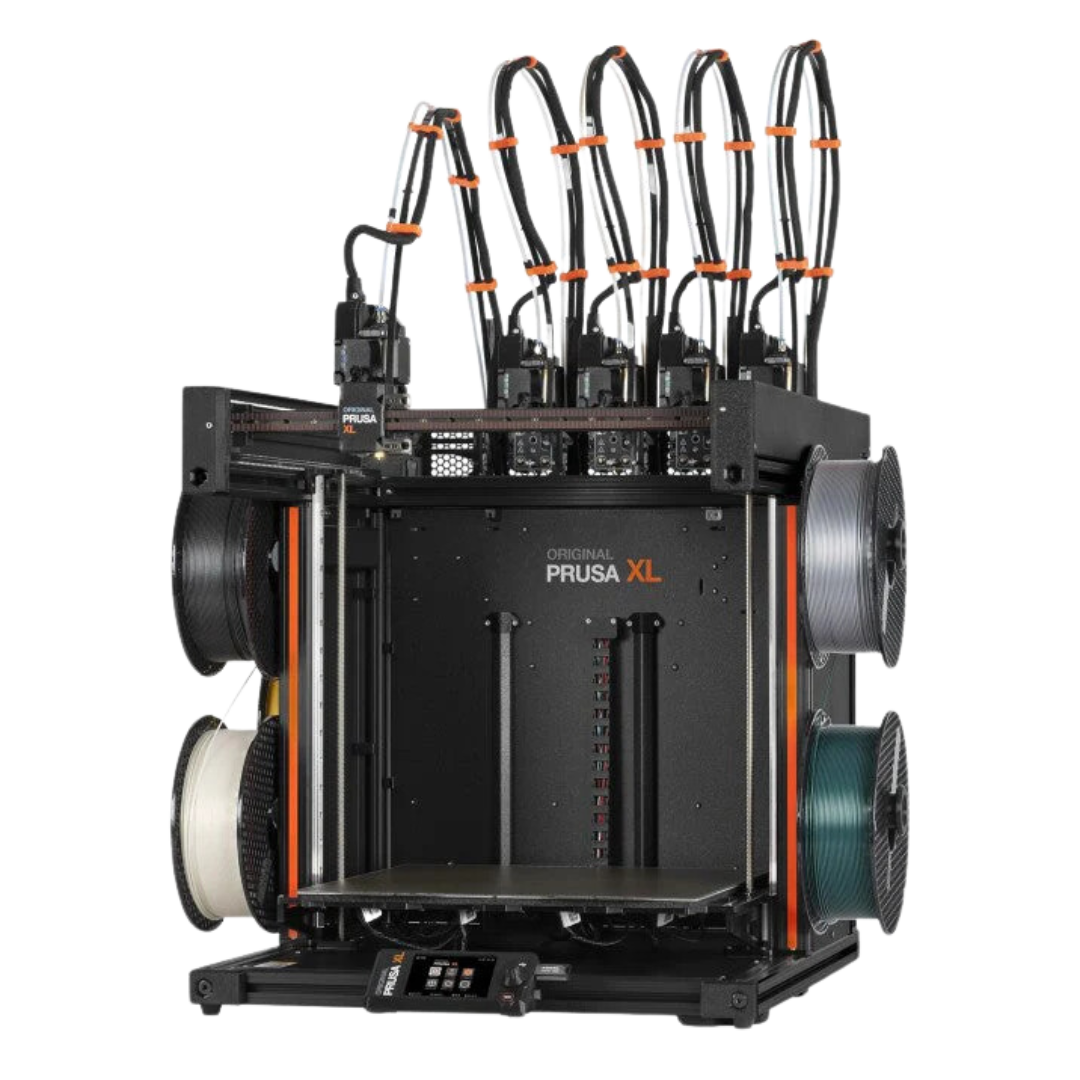
~ Technology: FDM (Filament) with toolchanger (up to 5 heads).
~ Build Volume: 360 × 360 × 360 mm (~46.66 L).
~ Speed: High (Input Shaper; profile dependent).
~ Resolution: Layer height 0.05–0.30 mm.
~ Temperatures: Nozzle max 290°C; Bed max 120°C.
~ Materials: PLA, PETG, Flex, PVA, PC, PP, CPE, PVB (ABS/ASA/HIPS/PA with enclosure).
~ Best for: Large parts and/or true multi-material printing (soluble supports, combinations).
~ To consider: Large physical footprint and cost; multi-tool setup requires planning.
SeeMeCNC Rostock MAX v3 (FDM, delta)
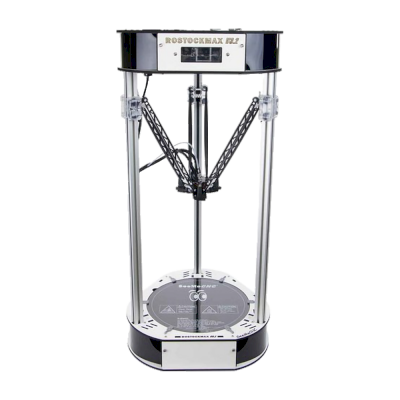
~ Technology: FDM (Delta).
~ Build Volume: Ø265 × 400 mm (~22.06 L).
~ Speed: Rec. 100 mm/s @0.2 mm; max travel 300 mm/s.
~ Resolution: Rec. layer height 0.10–0.40 mm (0.5 mm nozzle).
~ Temperatures: Hotend max 280°C; Bed max 100°C.
~ Typical Materials: PLA, PETG, ABS, TPU (depending on config).
~ Best for: Tall parts (Z-axis) and geometries benefiting from fast movements.
~ To consider: Delta calibration can be demanding; 0.5 mm nozzle favors larger parts.
ELEGOO Mars 3 (MSLA Resin)
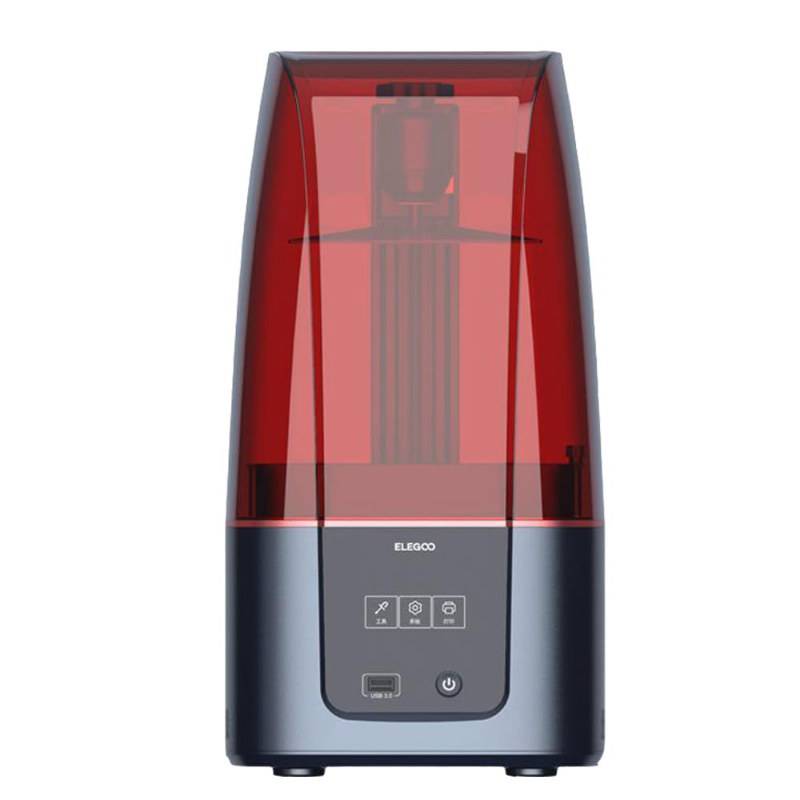
~ Technology: MSLA (Resin, UV 405 nm).
~ Build Volume: 143 × 89.6 × 175 mm (~2.24 L).
~ Speed: 30–50 mm/h.
~ Resolution: XY 35 µm; Layer height 0.01–0.20 mm.
~ Screen: 6.6" mono 4K (4098×2560).
~ Resins: Most types (Standard, ABS-like, water-washable, etc.).
~ Best for: Miniatures/figures and small parts with high detail at low cost.
~ To consider: Post-processing (wash + cure) and chemical handling.
ELEGOO Saturn 2 (MSLA Resin)

~ Technology: MSLA (Resin, UV 405 nm).
~ Build Volume: 218.88 × 123.12 × 250 mm (~6.74 L).
~ Speed: 30–70 mm/h.
~ Resolution: XY 28.5 µm; Layer height 0.01–0.20 mm.
~ Screen: 10" mono 8K (7680×4320).
~ Resins: Standard and 8K; great detail/size balance.
~ Best for: Medium-sized parts and batches of miniatures with fine detail.
~ To consider: Higher resin consumption and workspace/cleaning requirements.
Anycubic Photon Mono M5s (MSLA Resin)
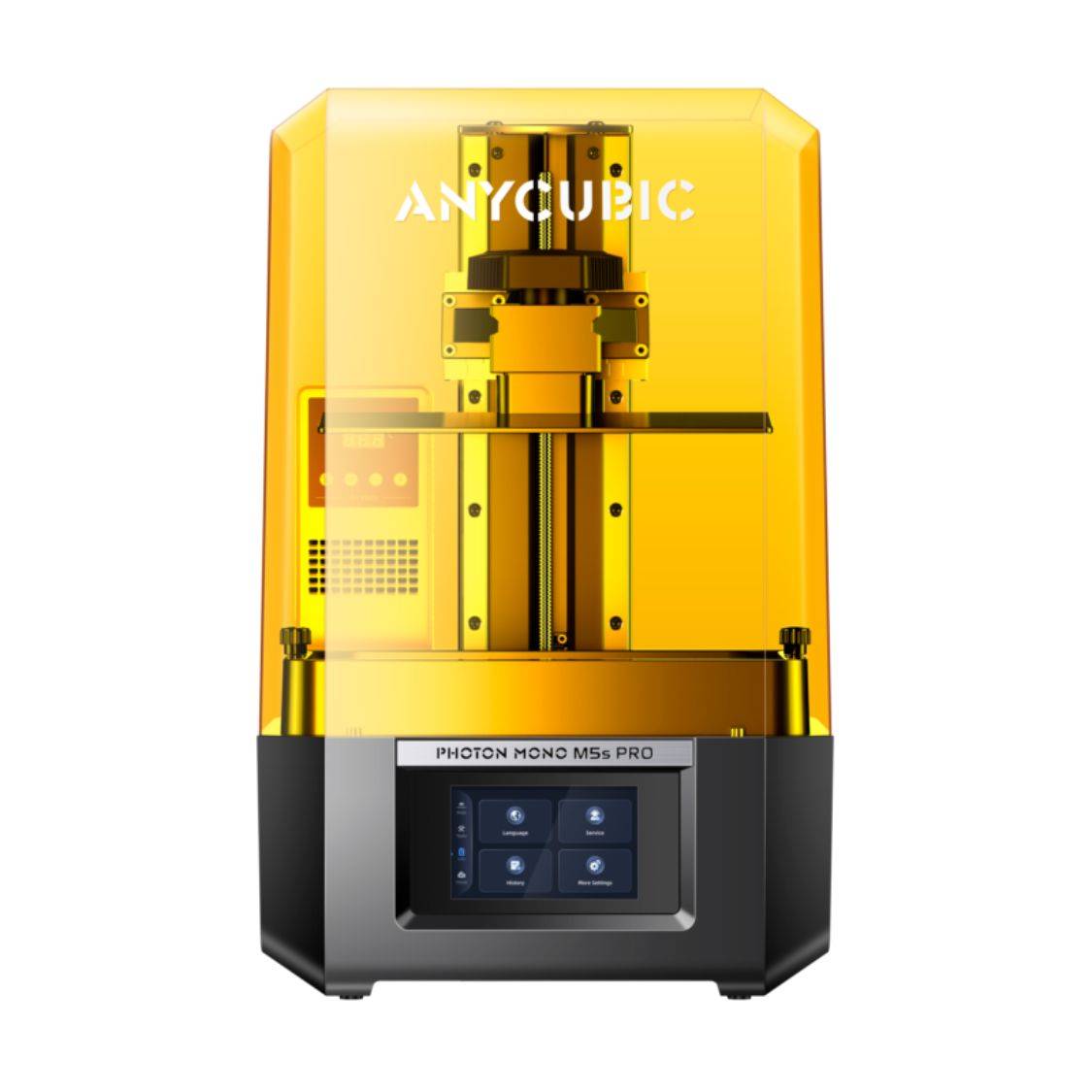
~ Technology: MSLA (Resin, UV 405 nm).
~ Build Volume: 218 × 123 × 200 mm (~5.36 L).
~ Speed: 70–105 mm/h (105 with high-speed resin).
~ Resolution: XY 19 µm; Layer height 0.01–0.15 mm.
~ Screen: 10.1" mono 12K (11520×5120).
~ Features: Leveling-free + sensors (failure detection/resume).
~ Best for: Maximum detail with a large screen and shorter print times.
~ To consider: Max speed requires specific resin and precise exposure control.
Resin Printer Comparison (Mars 3 vs Saturn 2 vs Photon Mono M5s)
| Criteria | Mars 3 | Saturn 2 | Photon Mono M5s |
|---|---|---|---|
| Maximum Detail (XY) | Good (35 µm) | Very good (28.5 µm) | Excellent (19 µm) |
| Build Volume | Small (~2.24 L) | Large (~6.74 L) | Medium-large (~5.36 L) |
| Speed | Low–medium (30–50 mm/h) | Medium (30–70 mm/h) | High (70–105 mm/h) |
| Ease of Setup | Standard | Standard | High (leveling-free + sensors) |
| Best Typical Use | Miniatures | Medium parts / batch production | High detail + speed |
FDM vs Resin: When to Choose Each One?
If your goal is to decide quickly, first think about the type of part and the expected surface finish:
| Criteria | FDM (Filament) | Resin (MSLA) |
|---|---|---|
| Detail / Surface Finish | Good, but visible layer lines; improves with smaller nozzle and post-processing. | Excellent: very fine details and smooth surfaces (ideal for miniatures). |
| Strength / Functionality | Very good for large functional parts (PETG, ABS/ASA, PA, PC...). | Variable: many resins are brittle; ABS-like/tough resins exist but remain more fragile. |
| Part Size | Scales well for large parts (bigger volumes and low-cost filament). | Limited by resin tank volume; larger printers require more resin. |
| Real Printing Speed | Depends on geometry and infill; large parts can take many hours. | Depends mainly on Z height; full layers cure at once, very efficient for batches of small parts. |
| Cost & Operation | Relatively affordable equipment and consumables; simple cleaning. | Requires IPA cleaning, UV curing, gloves, and ventilation; higher consumable handling. |
| Odor / Safety | Low (except ABS/ASA without filtration). | More demanding: odor, chemical handling, and waste management; PPE and ventilation required. |
Practical Rule:
- FDM: Prototypes, mechanical parts, large components, low cost per volume.
- Resin: Miniatures, highly detailed figures, jewelry, small text features, smooth finishes.
FDM Materials
| Material | Description | Printing Temperature | Advantages | Disadvantages | Hardware Requirements |
|---|---|---|---|---|---|
| PLA | A biodegradable thermoplastic derived from renewable resources like corn starch. It's the standard for desktop printing due to its minimal thermal expansion. | Extruder: 190-220 °C Bed: 50-60 °C |
Easy to print, low cost, rigid, and great surface detail. | Brittle, low heat resistance (deforms above 60°C). | Standard FDM printer. |
| ABS | A petroleum-based thermoplastic known for its impact resistance and toughness. It allows for post-processing with acetone for a smooth finish. | Nozzle: 230-250 °C Bed: 80-110 °C |
Impact & wear resistant, durable, and affordable. | Prone to warping (shrinkage), emits unpleasant fumes. | Heated bed and enclosed chamber recommended. |
| PETG | The "middle ground" material. It combines the ease of use of PLA with the functional strength and chemical resistance of ABS. | Nozzle: 230-250 °C Bed: 70-80 °C |
Excellent mechanical properties, water-resistant, and recyclable. | High "stringing" (hairs), can stick too well to the bed. | Standard FDM printer. |
| Nylon | A high-performance semi-flexible polymer. Offers the best combination of strength, compliance, and fatigue resistance for mechanical parts. | Nozzle: 240-260 °C Bed: 70-100 °C |
Extremely tough, low friction, and high chemical resistance. | Highly hygroscopic (absorbs moisture), difficult bed adhesion. | All-metal hotend and dry storage required. |
| TPU / Flexible | A Thermoplastic Elastomer (TPE) that behaves like rubber. It can be stretched and compressed without losing its original shape. | Nozzle: 210-230 °C Bed: 20-60 °C |
High shock absorption, flexible, and very durable. | Hard to print with Bowden tubes, needs slow speeds. | Direct drive extruder preferred. |
| ASA | Alternative to ABS with improved weather resistance. Specifically designed to withstand UV radiation without degrading. | Nozzle: 240-260 °C Bed: 90-110 °C |
UV resistant, high impact and wear resistance. | Expensive, emits styrene fumes during printing. | Heated enclosure and ventilated area. |
| Composite (CF, Wood, Metal) | Base polymers (PLA/PETG) infused with fibers or powders to change their aesthetic or physical properties. | Variable (follows base material) | Unique finishes (wood/metal) or increased stiffness (Carbon Fiber). | Highly abrasive, can clog standard nozzles easily. | Hardened steel nozzle required. |
G-CODE
3D printing or additive manufacturing is a process of making three-dimensional objects from a digital file.The creation of a 3D printed object is achieved using additive processes. In an additive process an object is created by laying down successive layers of material until the object is created. Each of these layers can be seen as a thinly sliced cross-section of the object and they're are made through G-CODE.
G-CODEN## G## X## Y## Z## F## S## T## M## N##: Line Number.G##: Motion.X##: Horizontal Position (X axis).Y##: Vertical Position (Y axis).Z##: Depth (Z axis).F##: Feed Rate.S##: Spindle Speed.T##: Tool selection.M##: Miscellaneous functions.Miscellaneous functionsM00:Program stop. M01:Optional program stop. M02:End or program. M03:Spindle on clockwise. M04:Spindle on counterclockwise. M05:Spindle stop. M06:Tool change. M07:Flood coolant on. M08:Flood coolant off. M30:End of program / Return to start. M41:Spindle low gear range. M42:Spindle high gear range.
Design rules for FDM printers.
Design rules for FDM (Fused Deposition Modeling) are technical guidelines that help optimize parts for filament-based 3D printing. Since FDM builds objects layer by layer by extruding molten thermoplastic, there are physical and mechanical limitations that must be considered during the design stage.
These limitations are related to gravity, layer adhesion, nozzle diameter, thermal shrinkage, and machine resolution. Ignoring these constraints may result in warping, poor surface quality, excessive supports, dimensional inaccuracies, or structural weakness.
In short: Design rules help ensure that a part prints successfully, efficiently, and with good mechanical performance.
Why These Rules Matter
- Material is deposited in a semi-molten state.
- Layer bonding is not isotropic (weaker between layers).
- Gravity affects unsupported geometry.
- Thermal contraction can deform large flat parts.
Applying these design rules:
- Reduces the need for supports
- Improves structural strength
- Enhances dimensional accuracy
- Reduces print time and material waste
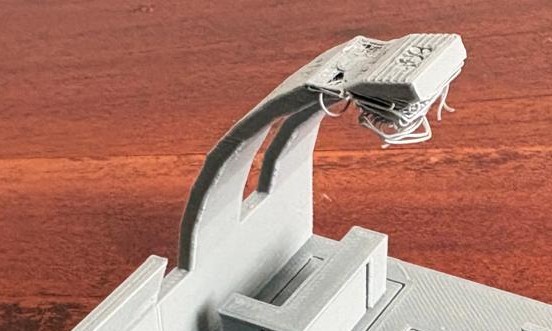
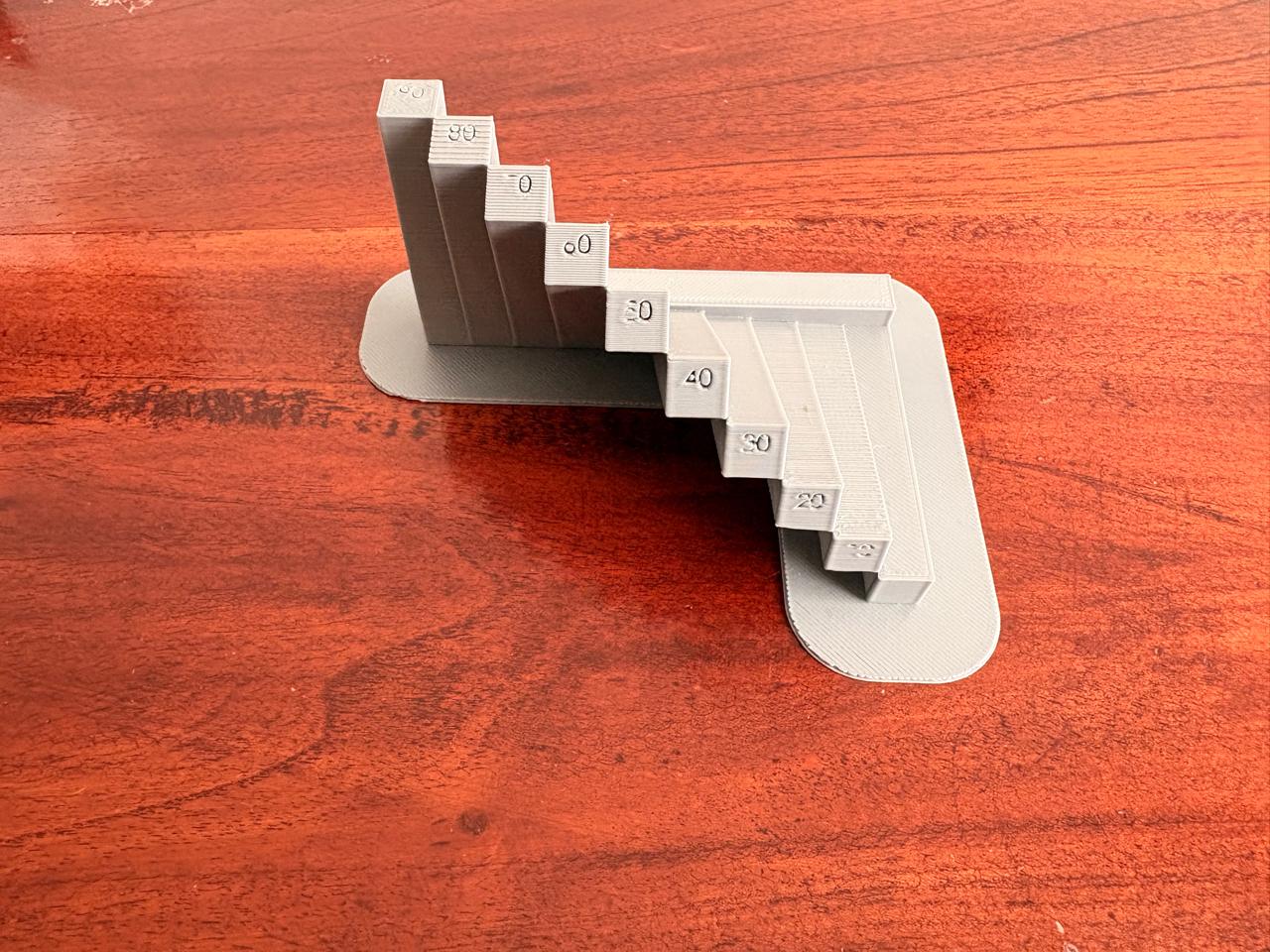
• Recommended maximum overhang without support: 45°.
• Angles greater than 45° typically require supports.
• Performance depends on material and cooling efficiency.
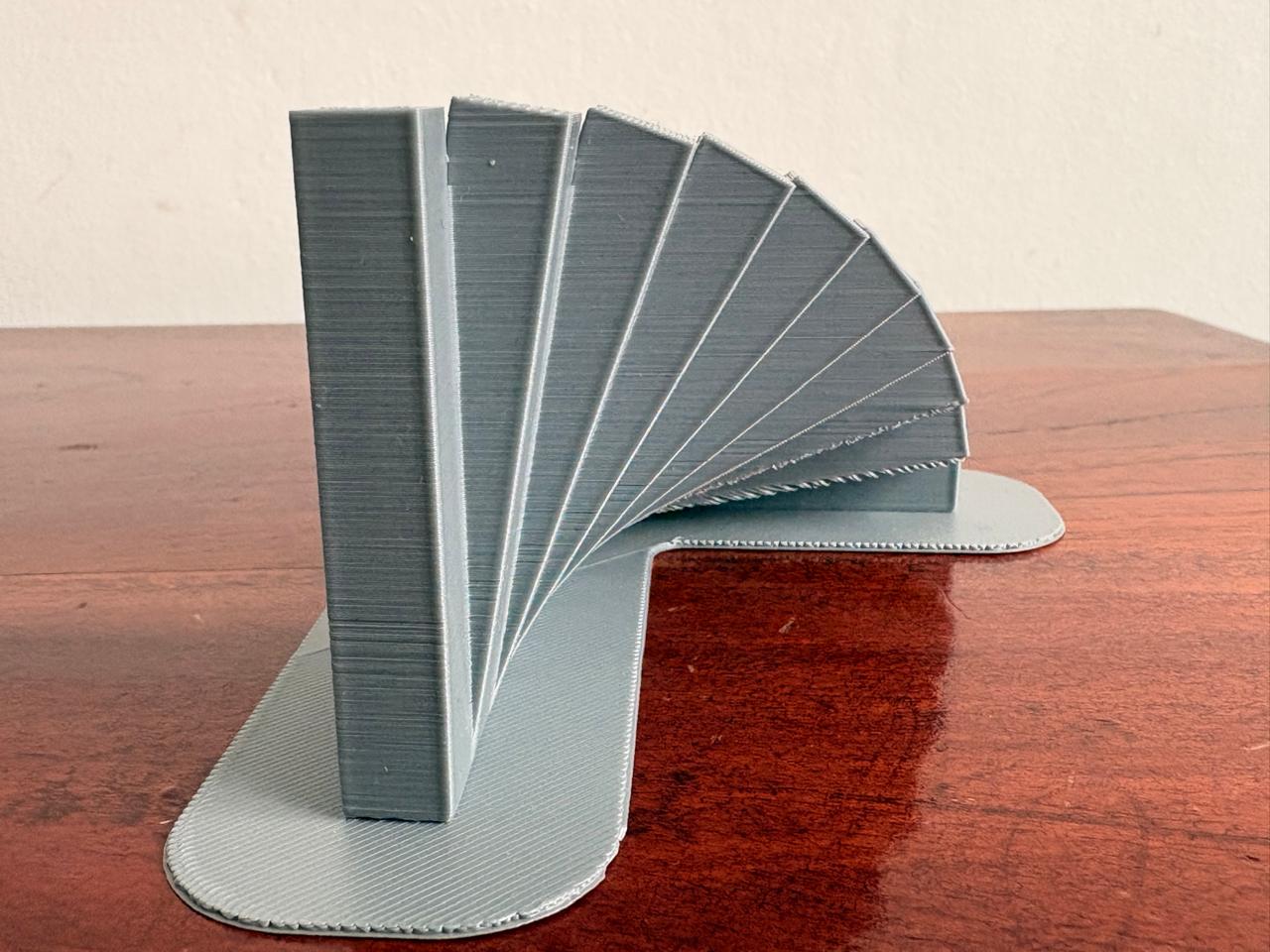
• The orientation of a part on the build plate significantly affects strength, surface quality, support usage, and printing time.
• FDM parts are mechanically weaker along the Z-axis, so critical load directions should be aligned parallel to the layers (X–Y plane).
• Proper orientation can reduce the need for supports and improve surface finish on visible areas.
• Angled positioning (e.g., 30°–45°) can sometimes balance strength and surface quality while minimizing support scars.
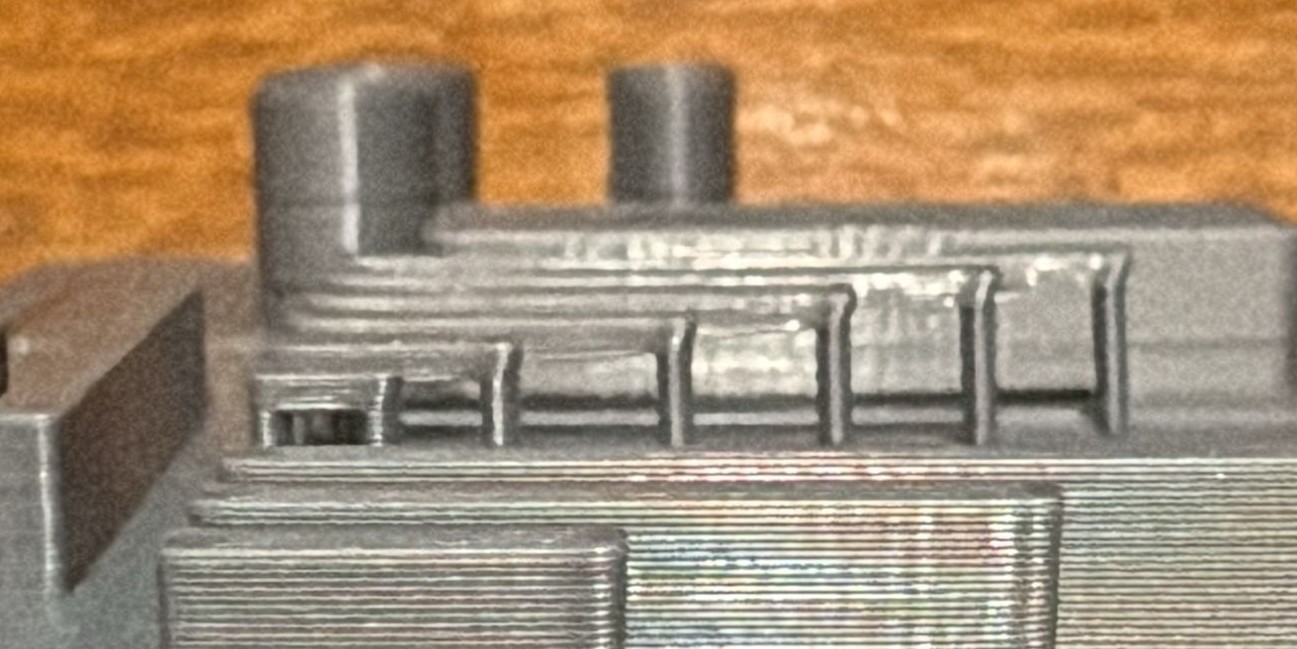
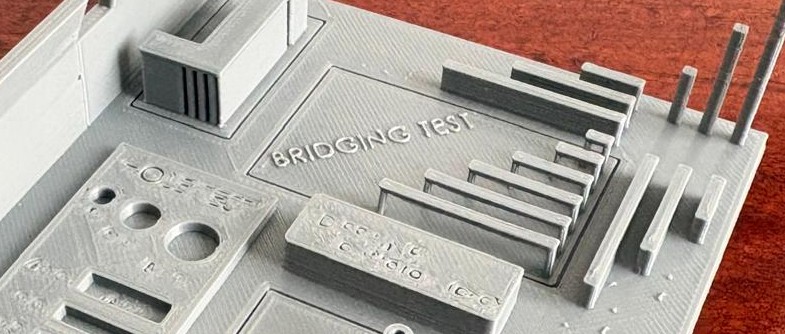
• FDM can print short horizontal spans without supports.
• Safe bridging distance: 5–20 mm depending on material.
• Good cooling improves bridging quality.
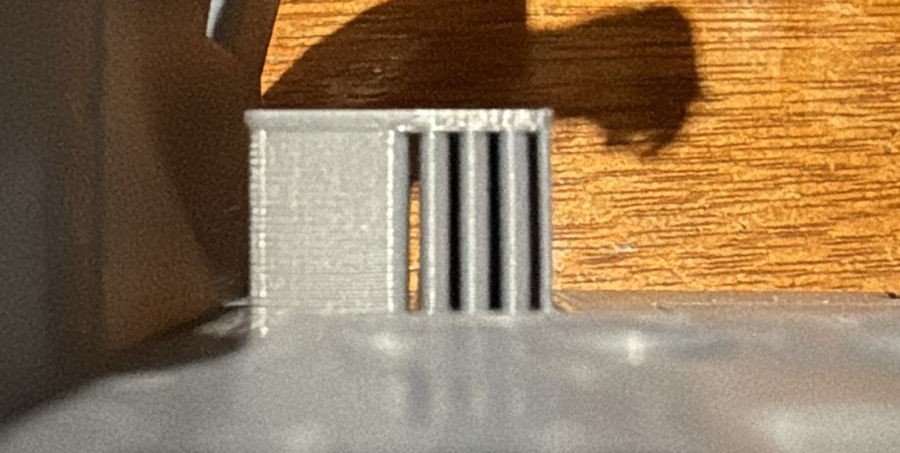
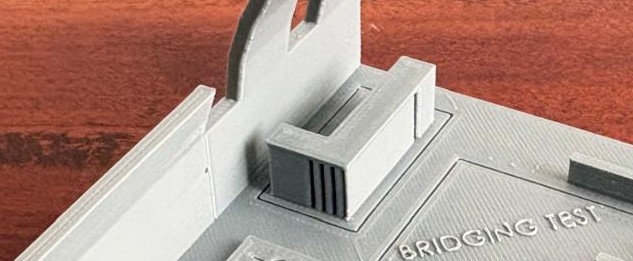
• Minimum wall thickness: 2–3× nozzle diameter.
• For a 0.4 mm nozzle → recommended minimum: 0.8–1.2 mm.
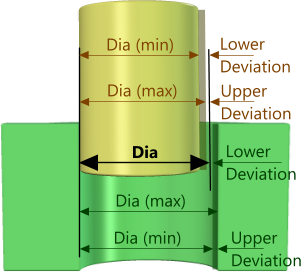
• For interlocking or assembled parts, leave 0.2–0.5 mm clearance.
• Depends on printer calibration and material.
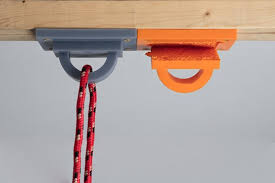
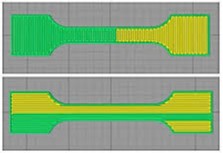
• FDM parts are weaker along the Z-axis (between layers).
• Print orientation significantly affects mechanical strength.
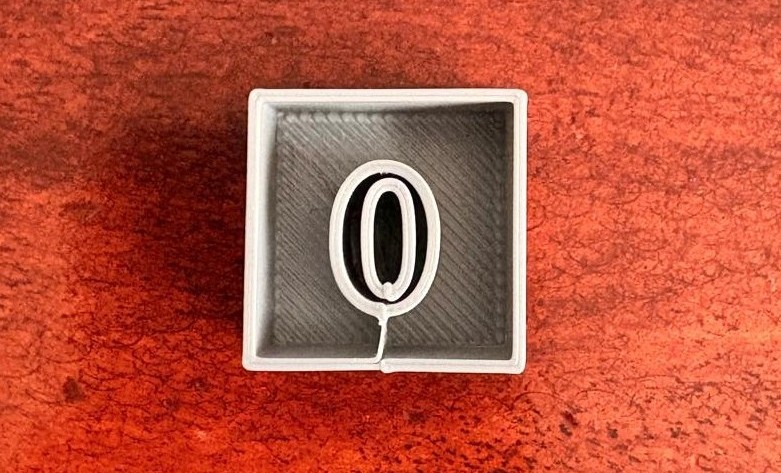
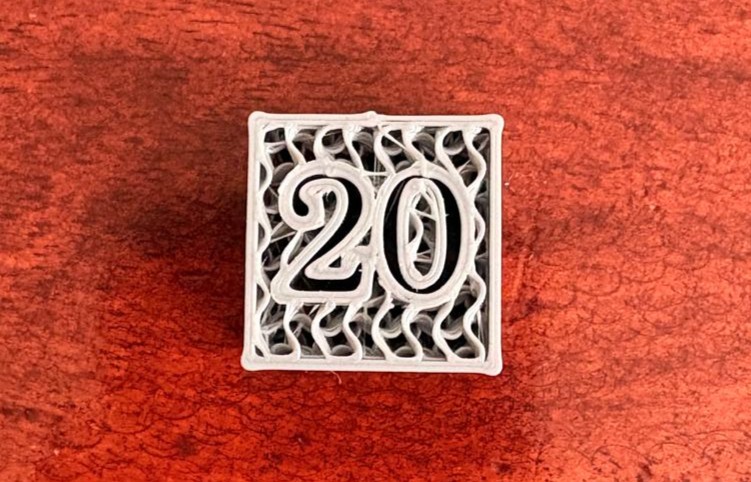
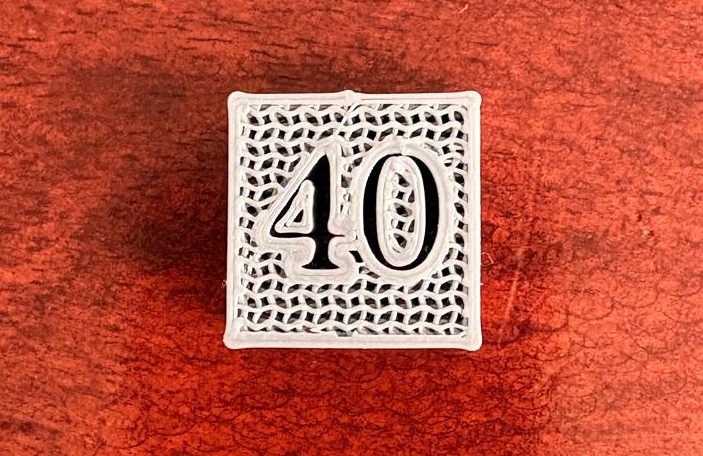
• 15–25% for visual prototypes.
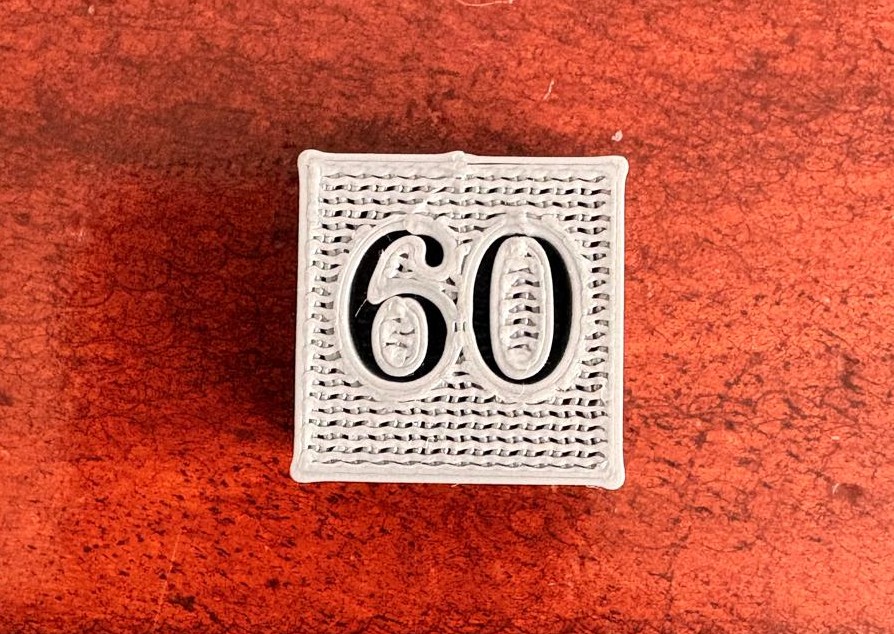
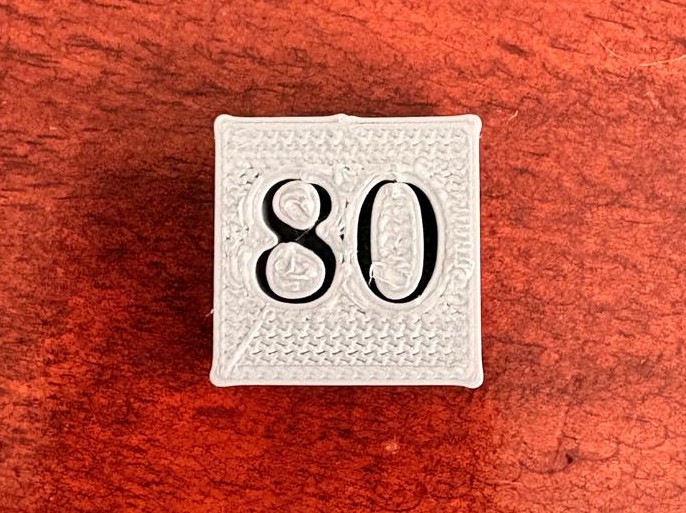
• 40–60% for functional or load-bearing parts.
• Higher infill increases strength but also print time and material use.
Grid
/Grid-min.png)
~ Description: The main advantage of a grid is print speed, as it’s the least complex of the patterns.
~ Typical Density: 15-50%
~ Typical Application: 3D prints subjected to low stress, such as guides or similar parts.
~ Printing Speed: Medium
Triangles
/Triangle-min.png)
~ Description: A 2D mesh made of triangles. This pattern has an inherent advantage in strength when a load is applied perpendicular to the object’s face. It is ideal for parts with thin, rectangular components.
~ Typical Density: 15-50%
~ Typical Application: 3D prints subjected to low stress, such as guides or similar.
~ Printing Speed: Medium
Tri-Hexagon
/Thrihexagon-min.png)
~ Description: This 2D pattern produces hexagons interspersed with triangles. Hexagons are an efficient and strong shape relative to material usage. It has shorter lines, leading to fewer issues with bowing from poor cooling.
~ Typical Density: 15-50%
~ Typical Application: 3D prints subjected to low stress, such as guides or similar.
~ Printing Speed: Medium
Cubic
/Cubic-min.png)
~ Description: This is a 3D pattern consisting of stacked and tilted cubes.
~ Typical Density: >50%
~ Typical Application: Functional 3D prints, for example shelf brackets which require high strength in multiple directions.
~ Printing Speed: Slow
Cubic Subdivision
/Cubic subdivision-min.png)
~ Description: This variation of the cubic pattern is designed to use less material while maintaining structural integrity.
~ Typical Density: >50%
~ Typical Application: Functional 3D prints, for example shelf brackets requiring high strength in multiple directions.
~ Printing Speed: Slow
Cross
/Cross-min.png)
~ Description: A 2D pattern that produces grids of what appear to be very fancy crosses. The spaces between the crosses allow for bending and twisting.
~ Typical Density: 0-100% (depending on desired "squishiness").
~ Typical Application: Flexible infill patterns to preserve the bendy nature of the print.
~ Printing Speed: Medium
Cross 3D
/Cross 3D-min.png)
~ Description: This 3D pattern is similar to Cross, but as the print grows, the lines move at inclines. The result is an object with slightly more rigidity.
~ Typical Density: 0-100% (depending on desired "squishiness").
~ Typical Application: Flexible infill patterns to preserve the bendy nature of the print.
~ Printing Speed: Medium
Octet
/Octet-min.png)
~ Description: Also known as tetrahedral infill, this pattern stacks pyramid shapes to create a dense structural mesh.
~ Typical Density: >50%
~ Typical Application: Functional 3D prints, for example shelf brackets which require high strength in multiple directions.
~ Printing Speed: Slow
Concentric
/Cocentric-min.png)
~ Description: This 2D pattern produces “waves” through the interior, mimicking the shapes of the outer walls, like ripples in water.
~ Typical Density: 0-100% (depending on desired "squishiness").
~ Typical Application: Flexible infill patterns to preserve the bendy nature of the print.
~ Printing Speed: Medium
Concentric 3D
/Cocentric 3D-min.png)
~ Description: This 3D pattern produces “waves” through the interior, mimicking the shapes of the outer walls across all axes.
~ Typical Density: 0-100% (depending on desired "squishiness").
~ Typical Application: Flexible infill patterns to preserve the bendy nature of the print.
~ Printing Speed: Medium
Zig-Zag
/Zig zag-min.png)
~ Description: One continuous line per layer oriented in one direction. Essentially the same as Lines infill with connected lines.
~ Typical Density: 0-15%
~ Typical Application: Models or figurines where 3D prints don’t typically require a great deal of strength.
~ Printing Speed: Fast