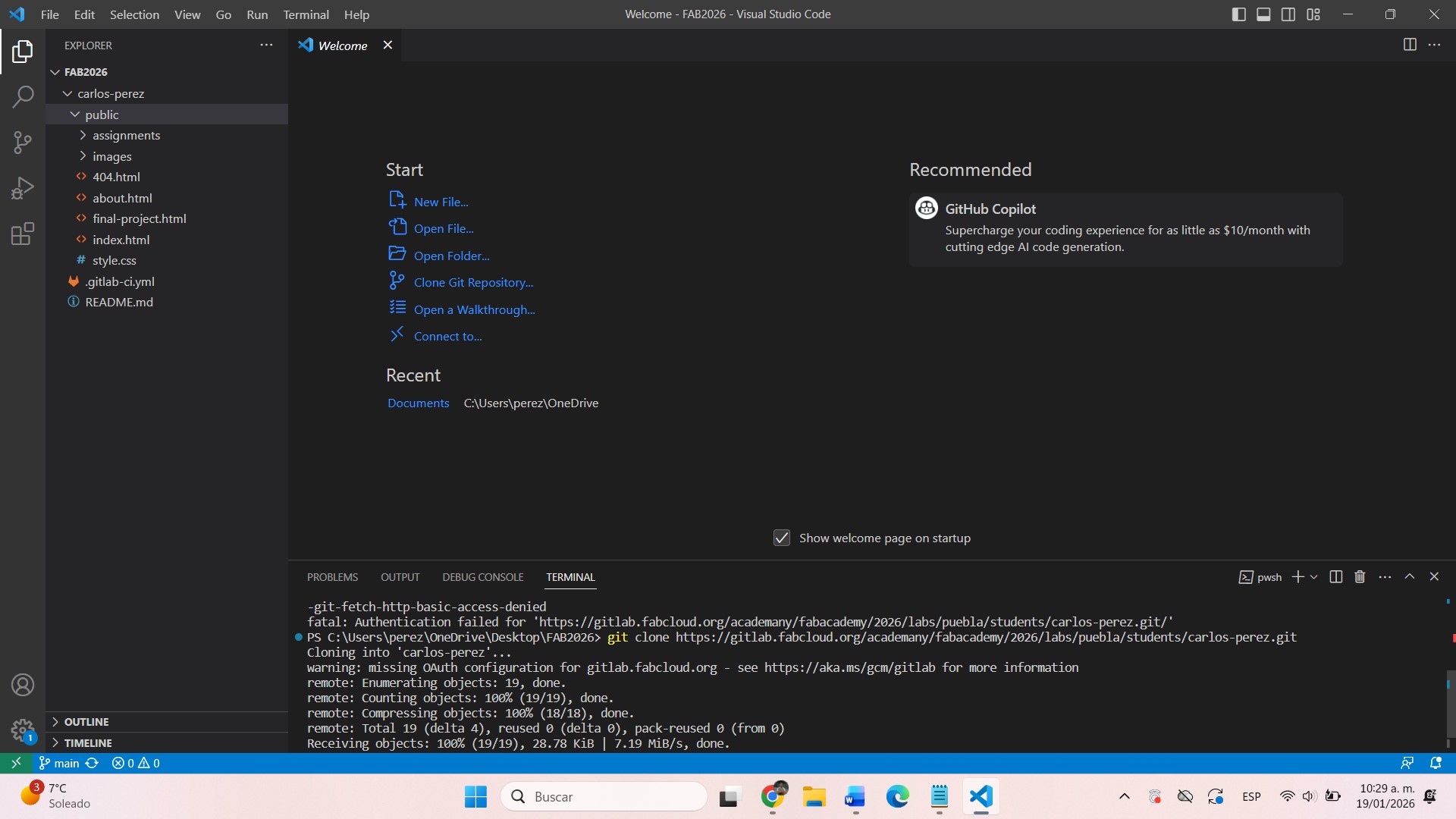
1. Software Installation
At this stage I installed Git and set up my SSH key to connect my computer to the Fab Academy repository.
2. Website Construction
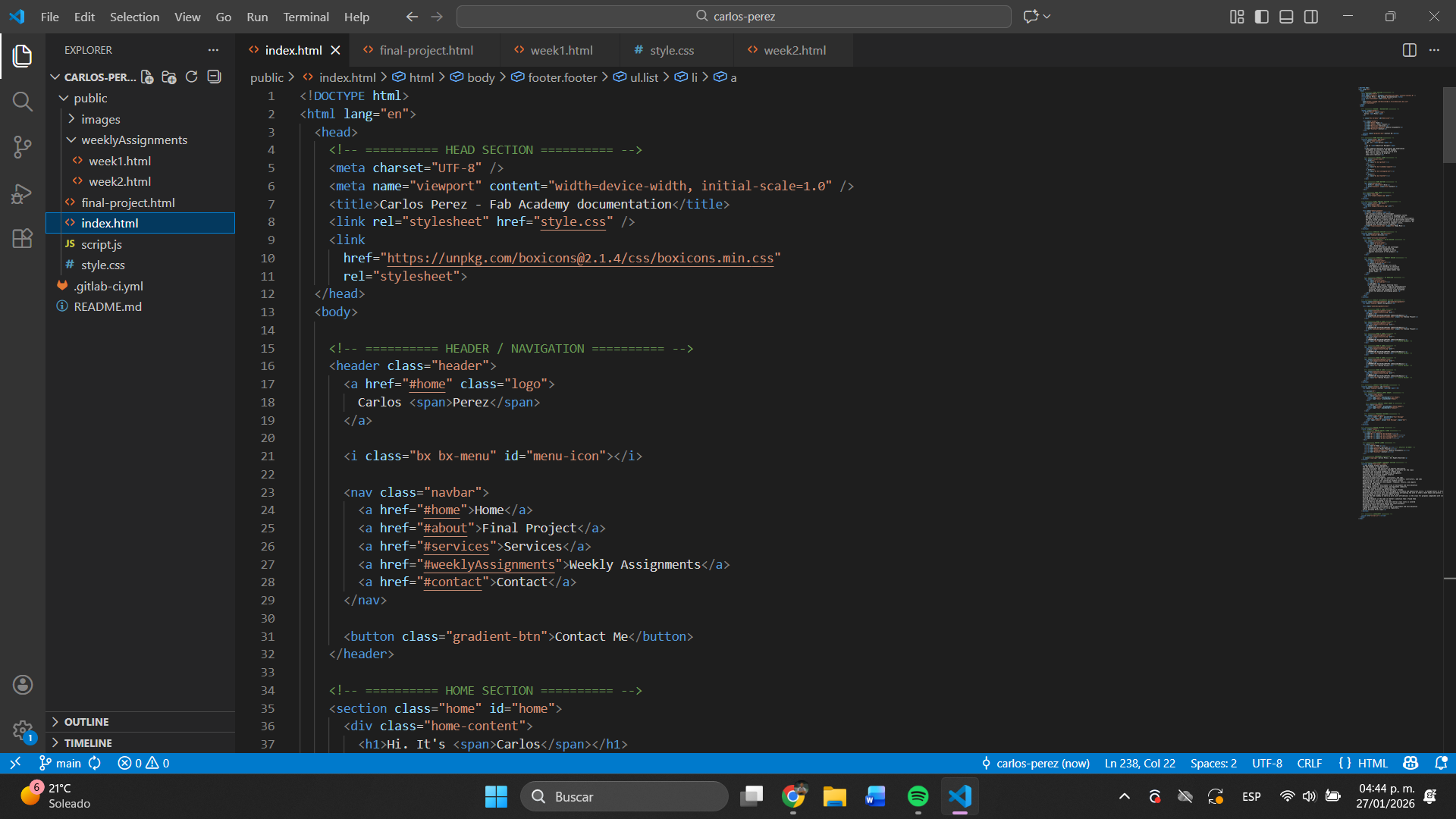
I used HTML and CSS to design my portfolio. I decided to use a dark style with orange accents to give it a modern look.
3. Push to Repository
Finally, I uploaded my files using the commands: git add, git commit y git push.

4. Resources and Tools Used
Font
Poppins - Modern sans-serif font from Google Fonts
Link: fonts.google.com/specimen/Poppins
Weights used: 300 (Light), 400 (Regular), 600 (Semi-bold)
Implementation code:
<link href="https://fonts.googleapis.com/css2?family=Poppins:wght@300;400;600&display=swap" rel="stylesheet">
Icons
Boxicons - Free library of icons
Link: boxicons.com
CDN used:
<link href="https://unpkg.com/boxicons@2.1.4/css/boxicons.min.css" rel="stylesheet">
Code Editors
Visual Studio Code - Main editor with the following recommended extensions:
Live Server
Prettier - Code formatter
Auto Rename Tag
HTML CSS Support
5. VS Code Essential Commands
Keyboard Shortcuts
Ctrl + S: Save File
Ctrl + Z: Undo
Ctrl + Y: Redo
Ctrl + C: Copy
Ctrl + V: Paste
Ctrl + X: Cut
Ctrl + F: Search in archive
Ctrl + H: Find and replace
Ctrl + /: Comment/uncomment line
Alt + ↑/↓: Move line up/down
Emmet for HTML
! → Skeleton HTML5
div.classname → <div class="classname">
ul>li*5 → List with 5 items
a{Click me} → Link with text
section#idname → Section with ID
p>lorem → Paragraph with text Lorem
link:css → Link to CSS
Emmet for CSS
m10 → margin: 10px;
p20 → padding: 20px;
w100 → width: 100px;
h50p → height: 50%;
bgc#fff → background-color: #fff;
c#000 → color: #000;
d:n → display: none;
fz16 → font-size: 16px;
ffa → font-family: Arial;
6. Essential Git Commands
git init - Initialize a local Git repository
git clone [url] - Clone a remote repository
git status - Shows the status of files
git add . - Add all files to the staging area
git commit -m "mensaje" - Save changes with a message
git push origin main - Upload changes to remote repository
git pull origin main - Download changes from remote repository
git branch - Lists all branches
git checkout -b [nombre-rama] - Create and switch to a new branch
7. Basic Structure HTML5
Code base to start any HTML5 page:
<!DOCTYPE html>
<html lang="es">
<head>
    <meta charset="UTF-8">
    <meta name="viewport" content="width=device-width, initial-scale=1.0">
    <title>page title</title>
    <link rel="stylesheet" href="style.css">
</head>
<body>
    <!-- page content -->
    <h1>Hellow World</h1>
    <p>This is my first website.</p>
</body>
</html>
8. Common CSS selectors
Selector by element: p { color: blue; }
Selector by class: .clase { font-size: 16px; }
Selector by ID: #id { background: #fff; }
Top down selector: div p { margin: 10px; }
Pseudo-class selector: a:hover { color: red; }
Universal selector: * { box-sizing: border-box; }