Student Agreement
Final Project
Objectives
The first week of Fab Academy was mainly focused on understanding the overall structure of the program, preparing the documentation workflow, and establishing a long-term system for maintaining weekly assignments and project development. Unlike traditional courses, Fab Academy heavily emphasizes continuous documentation, version control, and project-based learning. Therefore, setting up a stable and organized workflow from the beginning was extremely important.
One of the primary tasks during this week was selecting and preparing a suitable website template for future assignment documentation. Initially, I explored several open-source templates available online and experimented with different layouts, navigation systems, and documentation styles. After comparing multiple options, I selected the Proman Bootstrap Template because of its clean design, responsive layout, and flexibility for long-term customization.
The template was downloaded from:
https://themewagon.com/themes/free-bootstrap-5-html5-css3-portfolio-website-template-proman/
The template was available as a ZIP package, which simplified the initial setup process since cloning or additional dependency management was not required. After downloading the template, I started analyzing the internal structure, including the HTML hierarchy, CSS styling system, JavaScript components, and Bootstrap framework integration.
At the beginning, the objective was not to redesign the complete front page, but rather to preserve the original landing page structure and gradually integrate Fab Academy assignments into the lower sections of the website. This approach allowed me to focus first on understanding the workflow before moving toward deeper customization.
- Understand Fab Academy structure and weekly workflow
- Set up Git and GitLab version control system
- Create and organize the personal documentation website
- Understand website deployment and documentation workflow
- Learn basic Git commands and repository synchronization
- Start brainstorming the final project concept
Initial Final Project Concept
During the first week, I also started brainstorming possible directions for the final project. The initial concept was focused on developing an automated grain assessment system capable of performing grain classification, counting, and quality inspection.
The idea was inspired by practical agricultural challenges where grain inspection and sorting are often performed manually. The long-term vision is to combine embedded systems, computer vision, AI-based analysis, and digital fabrication into a compact and low-cost assessment platform.
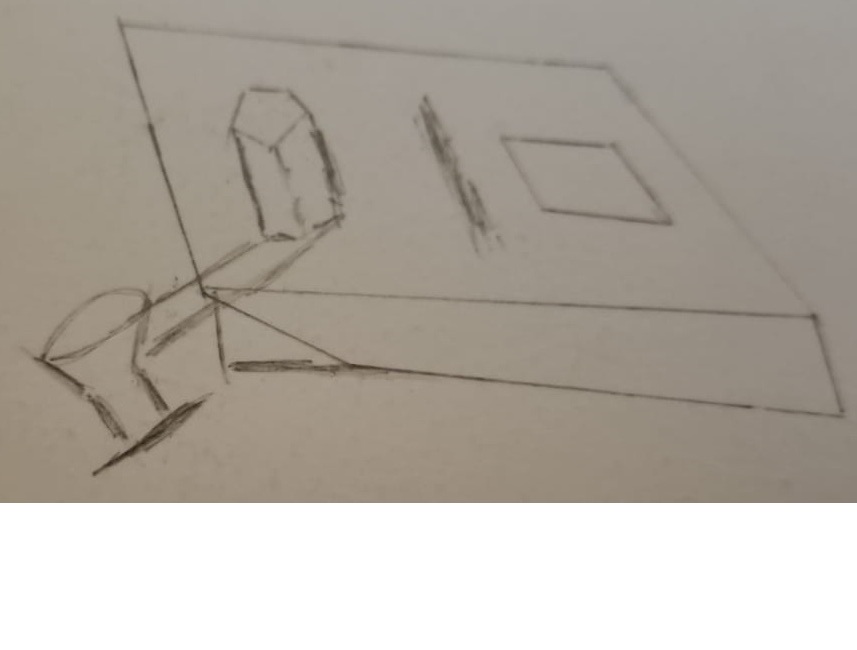
At this early stage, the system concept mainly focused on:
- Grain quality classification using computer vision
- Automated grain counting for batch analysis
- Potential integration of embedded electronics and sensors
- Mechanical transportation and imaging of grains
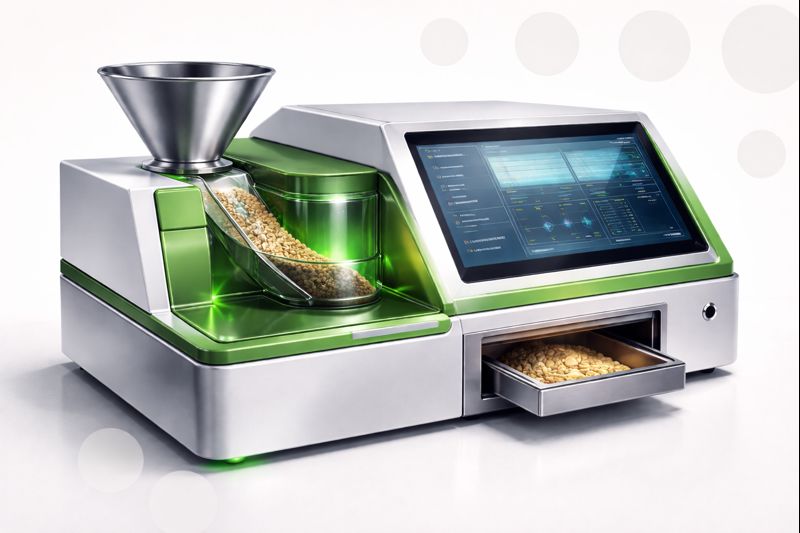
To better visualize future possibilities, I also experimented with AI-generated conceptual visualizations. These early visual explorations helped in understanding the possible appearance and modular structure of the final system.
Tools and Platforms Used
Several software tools and development platforms were configured during this week in order to establish the overall documentation and development workflow.
- Git - Version control system
- GitLab - Remote repository hosting and synchronization
- Visual Studio Code - Website editing and project management
- HTML/CSS/Bootstrap - Website structure and styling
- Windows Command Prompt / PowerShell - Git command execution
One important realization during this week was that documentation itself is a major component of Fab Academy. Therefore, organizing folders, maintaining clean file structures, and understanding version tracking became an essential part of the workflow.
Git and Documentation Workflow
A significant portion of the week was dedicated to understanding Git, repository synchronization, and the complete workflow required for updating the Fab Academy website.
Initially, I learned how to configure Git locally, connect the local repository with the remote GitLab repository, modify website files, commit changes, and finally push updates to the online server.
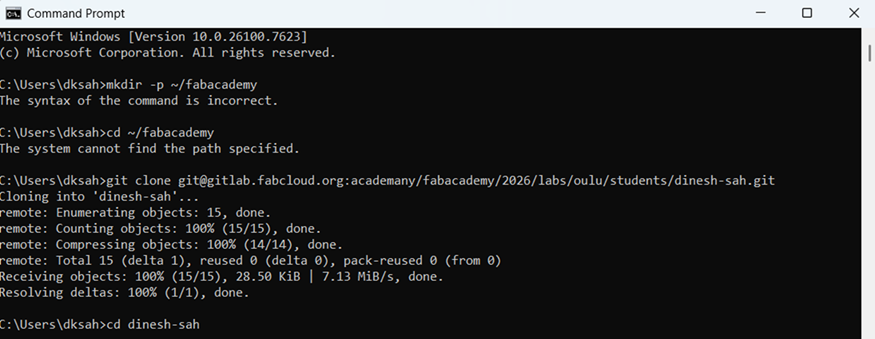
The overall workflow followed during documentation was:
- Modify HTML/CSS files locally
- Check modified files using Git status
- Add files into staging area
- Create a commit with description
- Push updates to GitLab repository
- Verify deployment on Fab Academy website
Some commonly used Git commands during the workflow are shown below:
git status
git add .
git commit -m "Updated Week 01 documentation"
git push
git pull
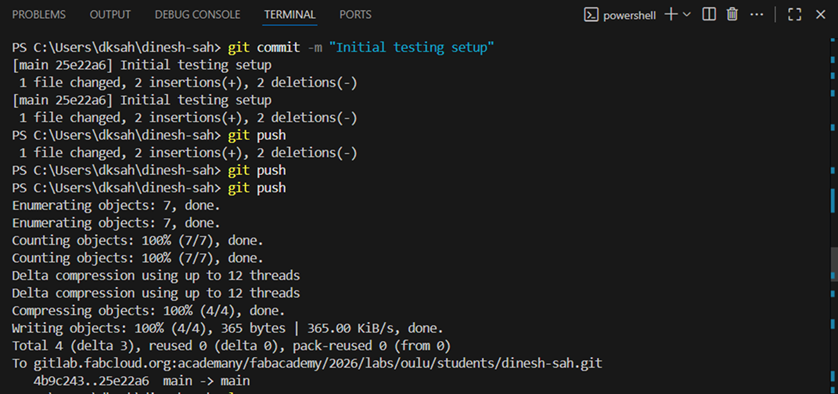
Understanding this workflow was extremely important because every future assignment in Fab Academy depends on continuous documentation and proper version tracking.
SSH Authentication Setup
Initially, I started using HTTPS authentication for Git operations. Although HTTPS works correctly, repeated authentication requests during Git push and pull operations became inconvenient during continuous documentation updates.
After discussions during the local Fab Academy session, I switched to SSH-based authentication because it provides a more stable and password-less workflow for Git operations. SSH authentication is based on public and private cryptographic key pairs, where the public key is uploaded to GitLab while the private key remains securely stored on the local machine.
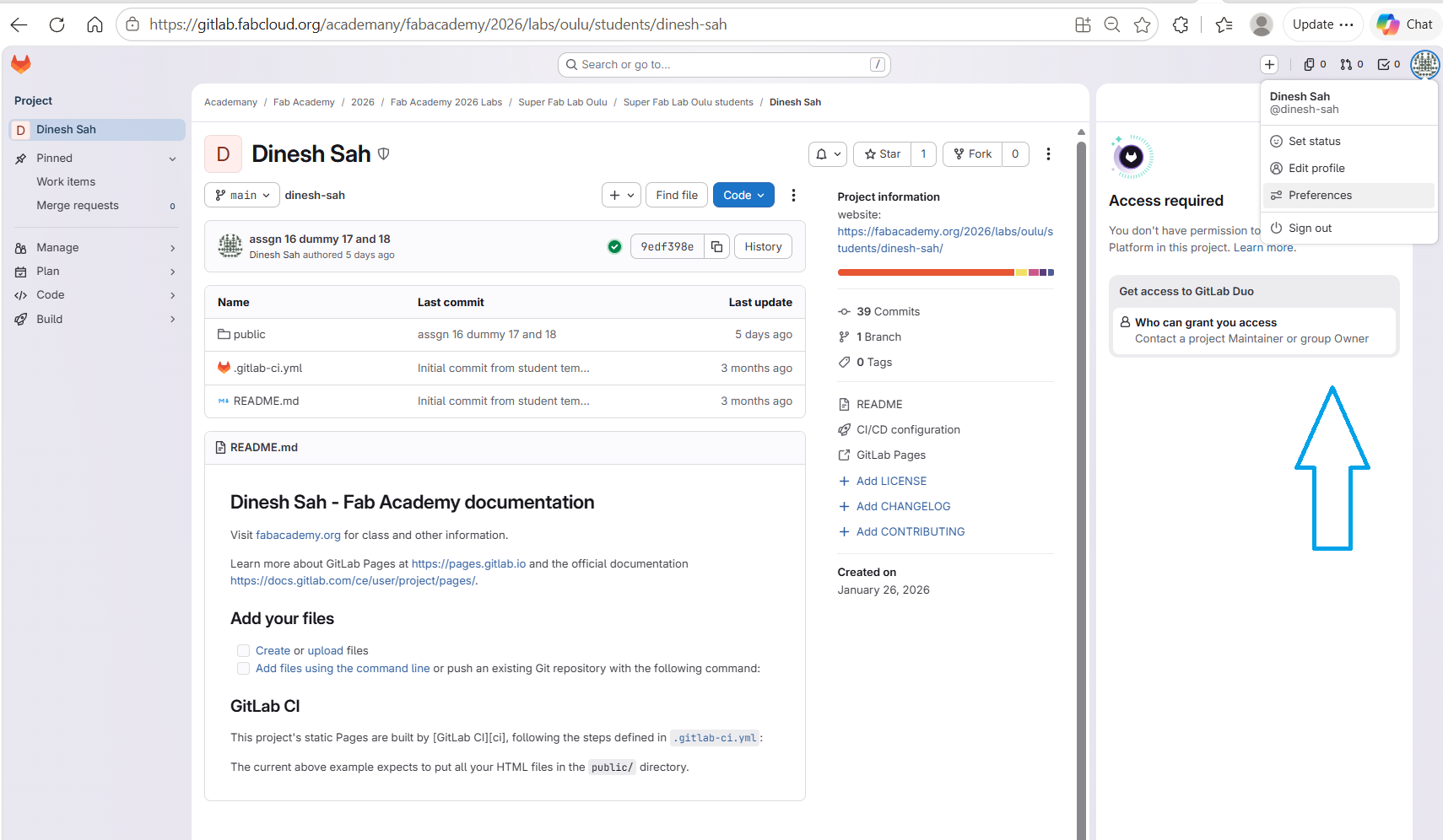
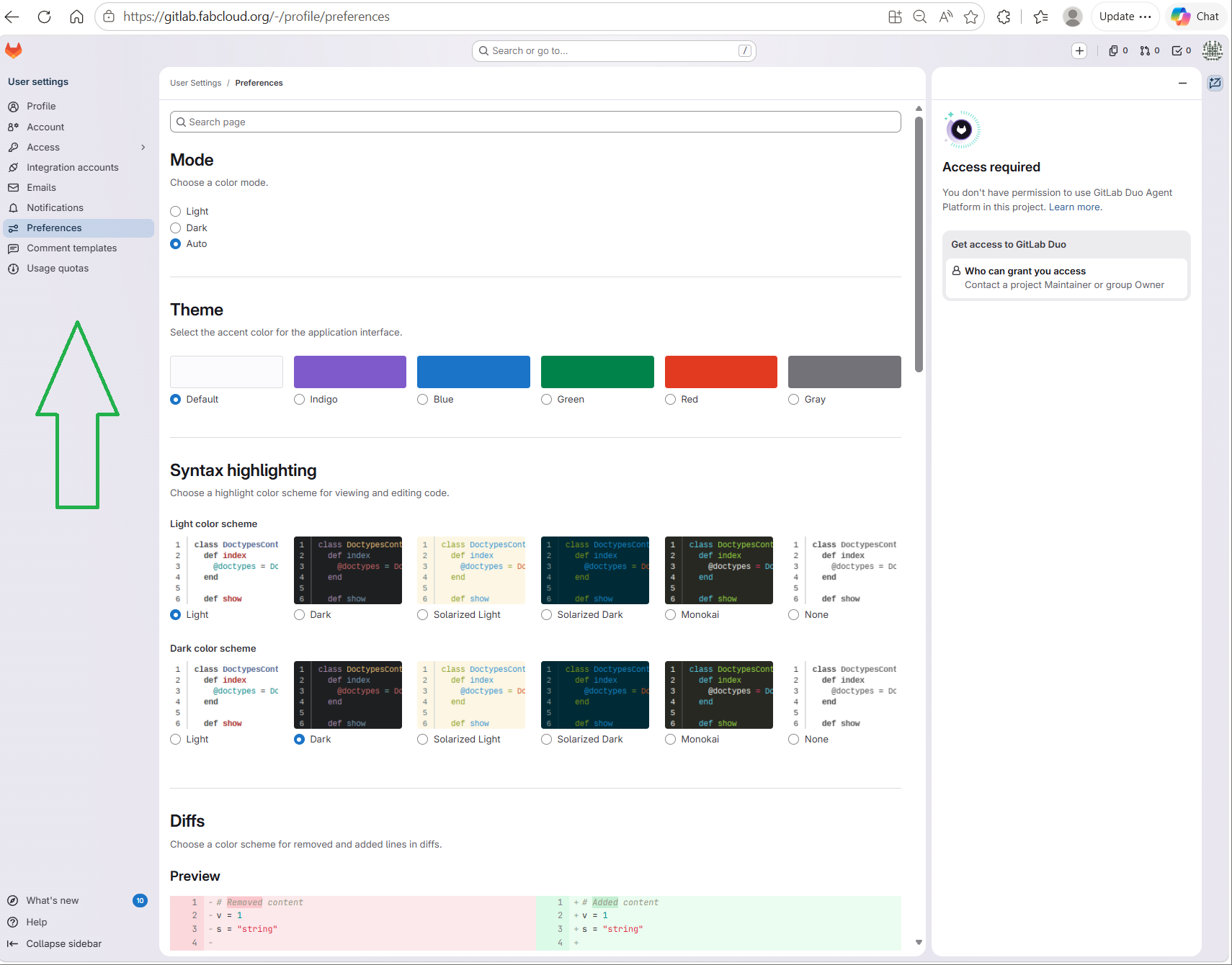
The first step was navigating to the GitLab user settings panel to access SSH key management options.
The following command was used to generate the SSH key locally using Git Bash:
ssh-keygen -t rsa -b 4096 -C "dinesh.sah@oulu.fi"
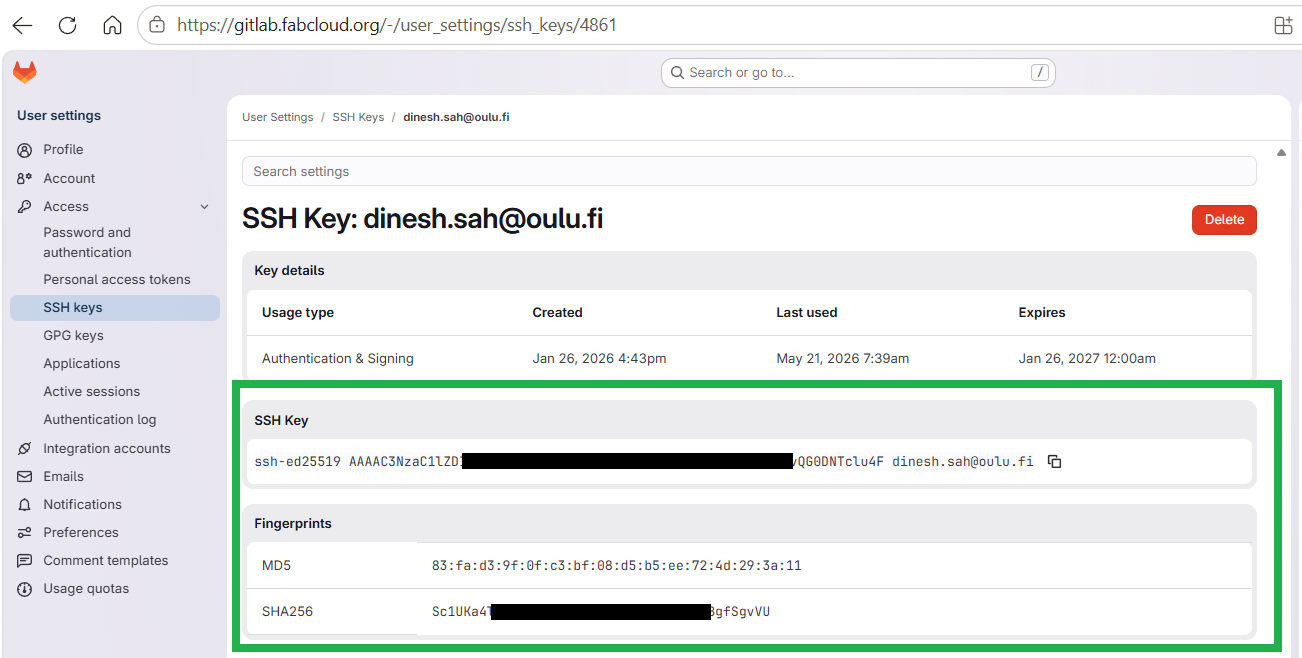
After generating the SSH key pair, the public key
(id_rsa.pub) was copied and added to GitLab.
This step allows GitLab to securely identify and authenticate
the local machine during repository operations.
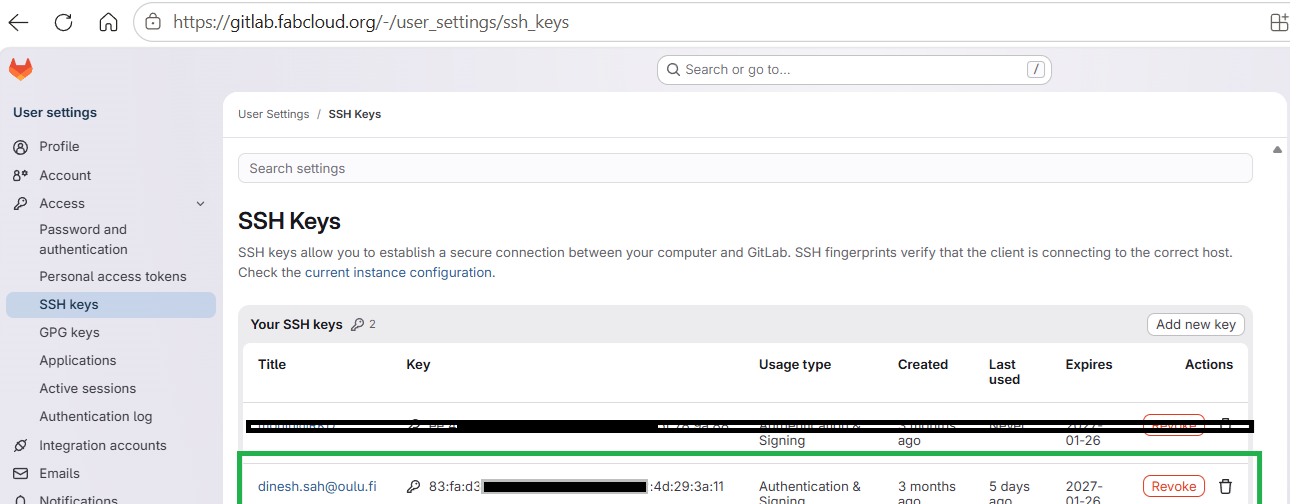
Once the SSH key was configured successfully, the repository could be accessed securely without repeatedly entering credentials. The GitLab repository was then connected using the SSH workflow.
After configuring the SSH key inside GitLab, the connection was verified using the following command:
ssh -T git@gitlab.fabcloud.org
Once configured correctly, Git operations such as push, pull, and synchronization became significantly smoother and more reliable. This setup simplified the complete documentation workflow throughout Fab Academy.
Once configured correctly, Git operations such as push, pull, and synchronization became significantly smoother and more reliable.
Repository Structure
During the first week, I also spent time understanding the structure of the template I was using. Since the documentation website contains multiple HTML pages, images, CSS files, JavaScript components, and assets, maintaining a clean directory organization became very important.
The repository was organized such that assignment pages, stylesheets, images, and JavaScript files remain separated for easier maintenance throughout the course.
Additionally, I realized that the repository would eventually require additional stylesheets, custom CSS components, and JavaScript files specifically for the weekly assignment pages. The original template I selected was mainly designed for a portfolio-style landing page and front-page presentation. While the template worked well for the main index page, it did not provide a proper documentation-oriented structure suitable for the detailed technical assignment pages required in Fab Academy.
Because of this limitation, I initially decided to keep the assignment pages relatively simple and focus first on understanding the overall HTML structure, navigation system, image handling, and Git-based deployment workflow. At the beginning, most assignment pages followed a lightweight HTML-based layout with basic sections, images, and formatted text blocks.
However, during the process, I started gradually planning a more advanced documentation structure for future assignments. The long-term objective was to create a consistent technical documentation system that includes:
- Dedicated sidebar navigation for section-based reading
- Consistent typography and visual hierarchy across all assignments
- Custom CSS styling separate from the front-page template
- Reusable image-card and code-block components
- Responsive layouts for both desktop and mobile viewing
- Structured section numbering and workflow presentation
- Integrated reflection, debugging, and experimentation sections
This week therefore became not only a setup phase for Git and documentation, but also the starting point for designing a long-term documentation architecture that could support all future Fab Academy assignments and final project development.
public/
|
├── assignments/
|   ├── agreement.html
|   ├── final_project.html
|   ├── week01.html
|   ├── week02.html
|   └── ...
|
├── css/
|   ├── bootstrap.min.css
|   ├── style.css
|   └── style_front.css
|
├── js/
|   ├── main.js
|   └── theme.js
|
├── img/
|   ├── week01_materials/
|   ├── week02_materials/
|   └── ...
|
├── lib/
|
└── index.html
Understanding the repository structure early helped in maintaining consistent file paths, organizing media files properly, and simplifying future website updates.
Another important file inside the repository was the
.gitlab-ci.yml configuration file.
This file controls the automated deployment workflow
used by GitLab Pages.
Whenever updates are pushed to the repository, GitLab automatically executes the CI/CD pipeline defined inside this file and publishes the updated website.
GitLab CI/CD Workflow
Another important component of the Fab Academy workflow was understanding how the website is automatically deployed using GitLab CI/CD pipelines.
The repository contains a special configuration file named
.gitlab-ci.yml. This file defines the automated
workflow executed by GitLab whenever new changes are pushed
to the repository.
In my case, the workflow automatically takes the updated website files and publishes them using GitLab Pages. This means that every successful Git push automatically updates the online Fab Academy website.
.gitlab-ci.yml
The CI/CD workflow simplified the documentation process because manual uploading of website files was not required. Instead, the deployment process became fully automated through Git.
This week also helped me understand the practical relationship between version control systems, automation pipelines, and website deployment workflows.
Before performing Git pushes, I frequently tested the website locally to verify image paths, page layouts, navigation links, and styling consistency. This helped reduce deployment errors and simplified debugging.
Challenges Faced
Although the technical complexity of Week 01 was relatively low, several practical challenges were encountered during the setup process.
- Understanding the structure of the downloaded Bootstrap template
- Learning Git commands and repository synchronization workflow
- Managing relative image paths and folder organization correctly
- Understanding Git push, pull, and synchronization operations
- Fixing broken navigation links and incorrect file references
- Understanding how GitLab Pages automatically deploys updates
- Maintaining consistency between local and remote repositories
- Understanding the relationship between HTML, CSS, and JavaScript files
Initially, Git operations such as staging, committing, and pushing updates felt confusing because even small mistakes could affect synchronization between the local and remote repositories.
Another challenge was understanding relative file paths while organizing images and assignment pages. Incorrect paths frequently caused missing images or broken links during local testing.
However, after several iterations and debugging attempts, the overall workflow gradually became clearer and more manageable.
Reflection
Week 01 primarily focused on establishing the foundation for the complete Fab Academy workflow. Although the technical complexity was limited compared to later assignments, this week was extremely important because it introduced the discipline of continuous documentation, version control, and structured project development.
Another important outcome of this week was the early conceptualization of the final project direction. The brainstorming process helped in defining a long-term vision that combines computer vision, embedded systems, AI-assisted analysis, and digital fabrication.
Overall, this week established the base infrastructure that will support all future assignments and project development throughout Fab Academy.
Successfully established the Git-based documentation workflow, prepared the website structure, and defined the initial direction for the final Fab Academy project.
Note: Use of AI Assistance
Throughout the documentation process, ChatGPT was used as a supporting tool for grammar correction, improving technical writing clarity, HTML formatting assistance, debugging guidance, and obtaining general inspiration for documentation structure and presentation.
AI assistance was primarily used to improve readability, organization, and presentation quality of the documentation. However, all practical setups, configurations, experiments, debugging processes, and final implementations were performed, tested, and verified manually.