Final project
Idea
The idea for my final project is on Week 1
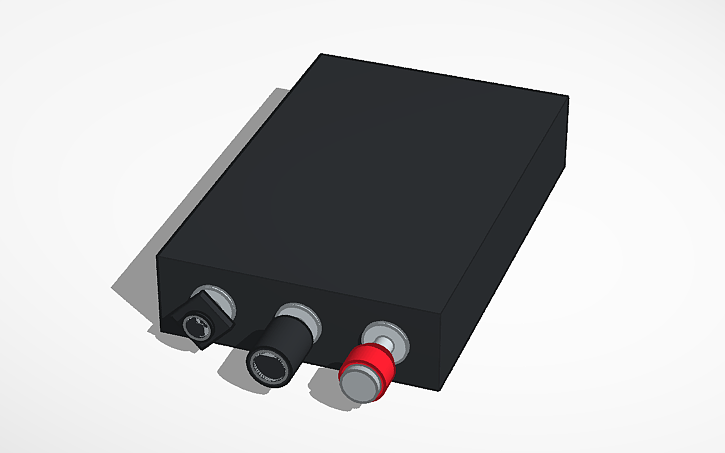
As on Week 1 assignment page, I’m going to make throttle control unit for flight simulator because there are no mass-produced real throttle control unit for PC flight simulator. I’m using X-Plane 12, so I thought about to buy actual spare parts of Cessna 172 and modify it to be able to use as input device for flight simulator.
Research
Key components
Actually, this was a project I want to make before attending Fab Academy. So, I purchased spare parts for Cessna airplane from McFarlane, last year.
| Qty | Description | Price | Link |
|---|---|---|---|
| 1 | CONTROL (Throttle) | $246.06 | https://www.mcfarlaneaviation.com/products/MCS1222-11S/ |
| 1 | MIXTURE CONTROL, VERNIER | $244.78 | https://www.mcfarlaneaviation.com/products/MC600-72/ |
| 1 | CONTROL (Carb Heat) | $97.64 | https://www.mcfarlaneaviation.com/products/MCS1230-17/ |
Since the engine of Cessna 172 is air-cooled carbureted flat-four engine, not an electric fuel injection. So, those controls are direct mechanically connected to the engine and controlling it. To use those for the input for PC, I need to convert those mechanical move to digital signal. So, I’m thinking about to use linear potentiometer.
Electronics
Since travel of the controls are around 100mm, I purchased linear potentiometer above. I’m guessing 10k ohm b curve is good for this purpose.
| Qty | Description | Price | Link |
|---|---|---|---|
| 3 | Bourns PTB0143-2010BPB103 | $5.58 | https://www.digikey.jp/en/products/detail/bourns-inc/PTB0143-2010BPB103/3534166 |
Middleware
Actually, homebrew flight simulator cockpit is not so minor hobby. So there are several software to bridge homebrew cockpit hardware and PC software.
- DIY implementation such as X-Plane Direct, XPL/Pro, X-Plane BAe 146 Arduino Interface
- SimVimX System - freeware
- Mobiflight - opensource
- Air Manager - proprietary €65,00
At this time, I choose XPL/Pro because it basically designed to use it by writing sketch of Arduino boards. We can designate parameters want to change from Arduino sketch.
Layout
At first I thought about to measure the actual airplane but it may consume a time at the lamp area and waste flight instractor’s time that escort at security area. So I googled and found a seller that provides drawing of Cessna 172 panel.
| Qty | Description | Price | Link |
|---|---|---|---|
| 1 | BCessna 172M (1976) “Skyhawk II” panel drawing DXF | $65.00 | https://www.splaser.ca/product/cessna-172m-1976-panel-drawing-dxf |
Cutting wires

The original controls are coming with long wire. It is too long for this simulator input project.

I cut it with pipe cutter and wire cutter.
3D printed parts
Next one I needed to make was 3D printed parts to fix the things. One is to fix PCB and outer sleeve of Cessna 172 lever, the other one is to fix lever of potentiometer and inner wire of Cessna 172 lever. I did this before Week 9 assignment.
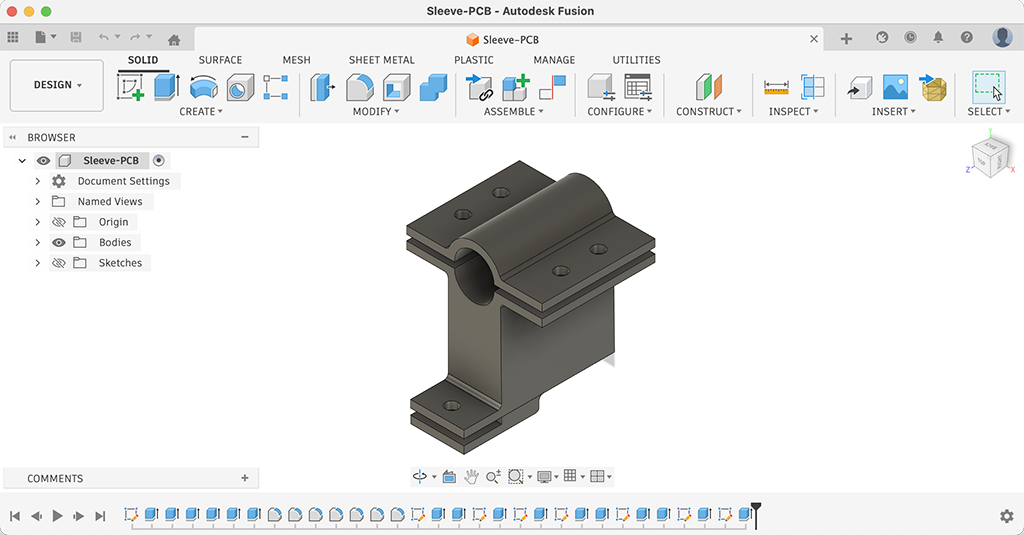
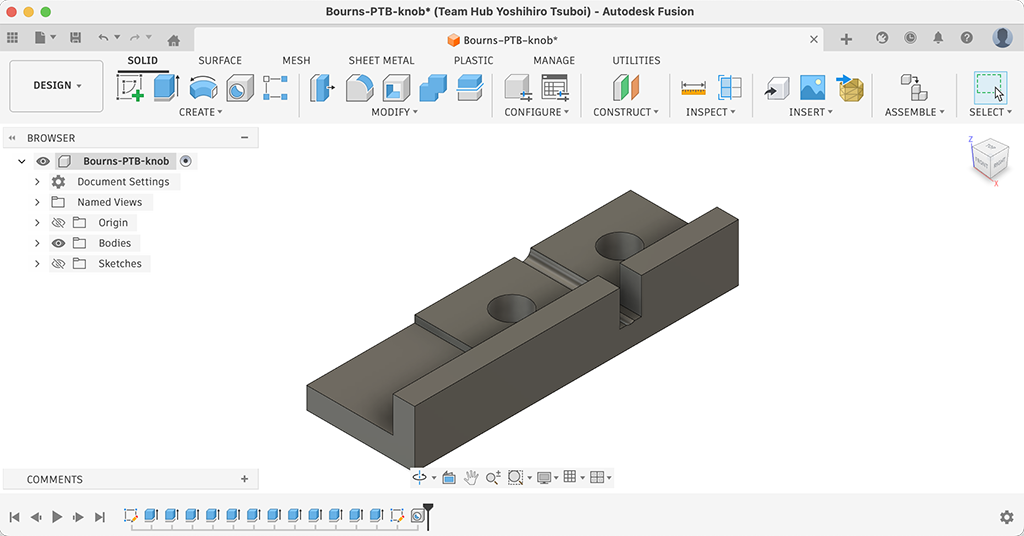
Diameters of levers are vary as below, so I designed these parts as parametric to be able to export STL files for these three kind of levers.
| Lever | Sleeve dia. | Dia. sat | Inner wire dia. | Dia. sat |
|---|---|---|---|---|
| Mixture | 10.9mm | 10.5mm | 2mm | 1.5mm |
| Throttle | 9.7mm | 9.3mm | 2mm | 1.5mm |
| Carb heat | 6.4mm | 6mm | 1.6mm | 1.0mm |
You can find original design file on my week 9 page.
PCB
I designed PCB for this potentiometer, the hole on left side is to fix to 3D printed part.
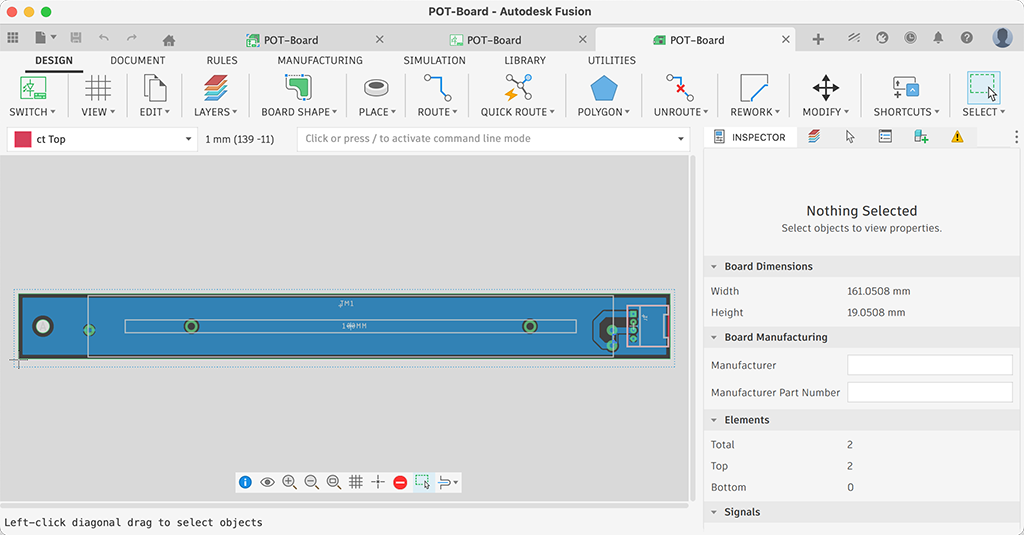
You can find original design file on my week 9 page.
Assemble

I assembled those levers with M3 screws. To make a pull limit for carb. heat lever, I added 1.5mm dia wire clip to the wire.
The microcontrolled board I’m using is the one I designed and made for week 8 assignment. This microcontrolled board is using XIAO RP2040.
And then, I wrote very simple sketch to getting know the read value of each levers.
int Mixture = 0;
int Throttle = 0;
int Carb = 0;
char buf[44];

void setup() {
  Serial.begin(9600);
}

void loop() {
  Mixture = analogRead(A3);
  Throttle = analogRead(A0);
  Carb = analogRead(A1);
  sprintf(buf, "%d, %d, %d", Mixture, Throttle, Carb);
  Serial.println(buf);
  delay(1000);
}
| Pull | Push | |
|---|---|---|
| Mixture | 1024 | 4 |
| Throttle | 1024 | 5 |
| Carb heat | 924 | 306 |
XPL/Pro
Setting up XPL/Pro is quite simple. Just download latest archives from its page. For XPLProPlugin.zip, just unzip it and place the folder into X-Plane12\Resources\plugins folder.

For Arduino library, choose [Sketch]-[Inc;ide Library]-[Add .ZIP Library…] and select XPLProArduino.zip, you just downloaded.
// Throttle, Mixture and Carb Heat for X-Plane
// Need XPL/Pro https://www.patreon.com/posts/introducing-xpl-82145446
// Using with XIAO RP2040 but should be ok with other boards

#include <XPLPro.h>

#define XPLPOTS_MAXPOTS  3
#include <XPLPotentiometers.h>

#define PIN_THROTTLE  26  //A0
#define PIN_MIXTURE   29  //A3
#define PIN_CARB_HEAT 27  //A1

XPLPro XP(&Serial);

void potHandler(int pin, float potValue);
XPLPotentiometers pots(&potHandler);

void setup()
{
  Serial.begin(XPL_BAUDRATE);
  XP.begin("XPLPro Throttle, Mixture, Carb Heat", &xplRegister, &xplShutdown, &xplInboundHandler);
  pots.begin(&XP);
}

void loop()
{
  XP.xloop();
  pots.check();
}

void xplInboundHandler(inStruct *inData)
{
}

void xplShutdown()
{
}

void xplRegister()
{
  pots.clear();
  pots.addPin(PIN_THROTTLE, XPLPOTS_DATAREFWRITE, XP.registerDataRef("sim/cockpit2/engine/actuators/throttle_ratio_all"), 10 ,0, 1024, 0, 1);
  pots.addPin(PIN_MIXTURE, XPLPOTS_DATAREFWRITE, XP.registerDataRef("sim/cockpit2/engine/actuators/mixture_ratio_all"), 10, 0, 1024, 0, 1);
  pots.addPin(PIN_CARB_HEAT, XPLPOTS_DATAREFWRITE, XP.registerDataRef("sim/cockpit2/engine/actuators/carb_heat_ratio"), 10, 924, 306, 0, 1);
}

void potHandler(int inPin, float inValue)
{
}
There were a lot of example sketch in the library, so it was easy to understand how to write sketch for XPL/Pro projects. Since it was developed for Arduino Mega, I needed to modify example sketch to be able to run on XIAO RP2040.
For example,
pots.addPin(PIN_THROTTLE, XPLPOTS_DATAREFWRITE, XP.registerDataRef(F("sim/cockpit2/engine/actuators/throttle_ratio_all")), 10 ,0, 1024, 0, 1);
pots.addPin(PIN_THROTTLE, XPLPOTS_DATAREFWRITE, XP.registerDataRef("sim/cockpit2/engine/actuators/throttle_ratio_all"), 10 ,0, 1024, 0, 1);
The strings like sim/cockpit2/engine/actuators/mixture_ratio_all are Dataref of X-Plane. By reading/writing Datarefs, we can communicate with X-Plane. Datarefs can be found on X-Plane - Dataref Search and DataRefTool for X-Plane.

DataRefTool runs on X-Plane so we can search DataRefs and read/write DataRef on it. I usually find Datarefs I want to read/write with this plugin.