Week 19 - Invention, Intellectual Property, And Income#
This week was all about figuring out how to protect the stuff I make and how to let other people use it (or not use it). It sounds boring but it’s actually pretty important — like, if I build a cool toolbox, who owns the design? Can someone else copy it and sell it? That’s what this week answers.
Invention vs Innovation#
Quick thing before I get into IP, because honestly I used to mix these two up all the time.
An invention is basically just making something brand new, like a device or a method nobody’s made before. It’s that “okay this didn’t exist five minutes ago” moment.
Innovation is a different beast. It’s taking an idea, maybe yours, maybe someone else’s, and actually making it useful or better or something people would want to use. Lowkey it’s less about creating and more about improving and applying.
So basically: invention is the new thing. Innovation is making that thing actually matter.
What is Intellectual Property?#
Okay so basically Intellectual Property (IP) is a fancy way of saying “ideas that belong to someone.” You can’t touch an idea like you can touch a chair, but the law still says it belongs to the person who made it.
Think of it like this: if you draw a really cool picture, that picture is yours. Nobody can take it and put their name on it. That’s IP.
There are 4 main types of IP:
1. Copyright#
This protects stuff people make like books, songs, drawings, code, videos, photos. The moment you make something, copyright is automatic. You don’t even have to ask for it. It’s just there.
2. Patents#
This protects inventions like a new kind of machine or a new way of doing something. If you invent something, you can get a patent so nobody else can make or sell it for a certain amount of time (usually around 20 years).
3. Trademarks#
This protects brand stuff like logos, brand names, slogans. Like the Nike swoosh or the McDonald’s M. Nobody else can use those because they’re trademarked.
4. Trade Secrets#
This protects secret info like the Coca-Cola recipe. As long as you keep it secret, nobody can legally steal it. The second it leaks though, it’s not protected anymore.
Patenting in India (just in case I ever go that route)#
I’m not filing a patent right now, but I looked into how it would work in India in case I ever want to protect something I build later.
The Patenting Process#
- Search — first check if your invention already exists (prior art search) so you don’t waste money on something already patented.
- Draft the application — write up the patent specification, basically a detailed technical description of how your invention works.
- File — submit it to the Indian Patent Office with the application form and fee.
- Publication — your application gets published after 18 months.
- Examination request — you have to separately request examination, it doesn’t happen automatically.
- Respond to objections — the examiner usually raises objections, you reply and clear them up.
- Grant — if everything checks out, the patent gets granted. The whole process usually takes a couple of years.
Design Patents#
In India this isn’t actually called a “patent,” it’s called a Design Registration. It protects how something looks (shape, pattern, ornamentation) rather than how it works. So if my toolbox had a unique shape or look, I’d register the design separately from any patent on its function. It’s filed under the Designs Act, 2000.
Where to Apply#
You can file patents (and designs) online through the official Indian Patent Office portal here: https://ipindiaonline.gov.in/
Filing Patents Outside India#
If I want protection in other countries too, filing separately in each country gets expensive and slow. The easier route is the PCT (Patent Cooperation Treaty) — you file one international application and it reserves your right to file in over 150 member countries later. India is part of the PCT, so I could start there.
What is Creative Commons?#
So copyright says “all rights reserved” meaning nobody can use your stuff without asking. But sometimes you WANT people to use your stuff. Maybe you want them to share it, or remix it, or learn from it.
That’s where Creative Commons (CC) comes in. It’s a non-profit group that made a bunch of free licenses you can slap on your work. These licenses change “all rights reserved” into “some rights reserved.” You still own the work, but you’re telling people upfront what they can and can’t do with it.
There are 7 different CC licenses (6 main ones + the public domain one). Each one is different in how much freedom it gives people.
You can pick your license here: https://creativecommons.org/chooser/
The 7 Creative Commons Licenses#
Before I list them, here’s what the little letters mean:
- BY = Attribution. People have to give YOU credit when they use your work.
- SA = ShareAlike. If people remix your work, they have to share their new version with the same license.
- NC = NonCommercial. People can’t make money off your work.
- ND = NoDerivatives. People can share your work but they can’t change it.
Now here are the 7 licenses:
1. CC BY (Attribution)#

The most chill one. People can do almost anything with your work — share it, remix it, even make money off it. The only rule is they have to credit you.
Good for: When you want max sharing and don’t care if people make money off it.
2. CC BY-SA (Attribution-ShareAlike)#

Same as CC BY, but if someone remixes your work, their new version has to use the same license. This is the “pay it forward” license. Wikipedia uses this one.
Good for: When you want your work to stay free forever.
3. CC BY-ND (Attribution-NoDerivatives)#

People can share your work and even make money off it, but they CAN’T change it. They have to keep it exactly how you made it.
Good for: Stuff like research papers or finished art you don’t want messed with.
4. CC BY-NC (Attribution-NonCommercial)#

People can share and remix your work, but they CAN’T make money off it. They still have to credit you.
Good for: When you’re okay with people learning from your stuff but you don’t want big companies cashing in.
5. CC BY-NC-SA (Attribution-NonCommercial-ShareAlike)#

Mix of NC and SA. People can remix it, but no money-making AND their version has to use the same license.
Good for: Open-source projects that should stay open and free forever. This is the one I picked for my project.
6. CC BY-NC-ND (Attribution-NoDerivatives-NonCommercial)#

The strictest CC license. People can only share your work as-is (no changes), they can’t make money off it, and they have to credit you.
Good for: When you want people to see your work but not touch it or sell it.
7. CC0 (Public Domain)#

This one’s the opposite of strict — it’s basically you saying “I give up all my rights, do whatever you want.” No credit needed, no rules, nothing. It’s like throwing your work into a big free pool for everyone.
Good for: When you don’t care about credit and just want your work to be useful to as many people as possible.
Software Licenses — GPL and MIT#
Creative Commons is great for stuff like pictures, writing, and designs. But when it comes to code, people usually use different licenses made just for software. The two big ones are GPL and MIT.
The GPL (GNU General Public License) is the strict one. If you use GPL code in your own project, you have to share your code too, with the same license. So the code stays open and free forever, and nobody can lock it up and keep it for themselves. It’s kind of like the “pay it forward” rule but for code.
The MIT License is the chill one. It basically says “do whatever you want with my code, just keep my name on it.” People can use it, change it, and even put it in something they sell. There are barely any rules, which is why a ton of projects use it.
Which License Did I Choose?#
For my Smart Tool Tracking Toolbox, I went with CC BY-NC-SA 4.0. Here’s why:
- BY — I want credit if someone uses my design. I worked hard on it lol
- NC — I don’t want some company taking my project and selling it for profit. This is a learning project, it should stay that way.
- SA — If someone makes their own version, they should share it the same way I shared mine. Pay it forward.
Basically, I want other makers and students to be able to learn from it, build their own version, and share what they make — but not turn it into a money-making product.
My License#
I headed over to the CC License Chooser , answered a few questions about what I’d let people do with my project, and filled in my details (project name, my name, project link). The site then spit out ready-to-use license blurbs in a bunch of formats.
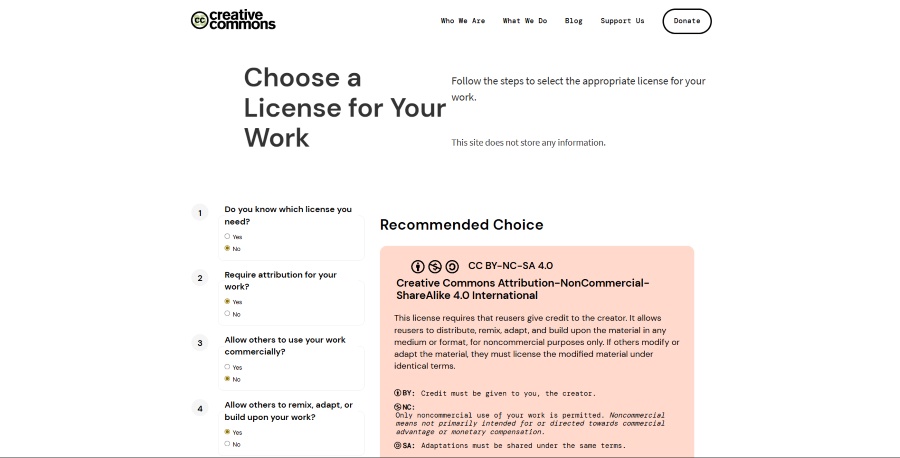
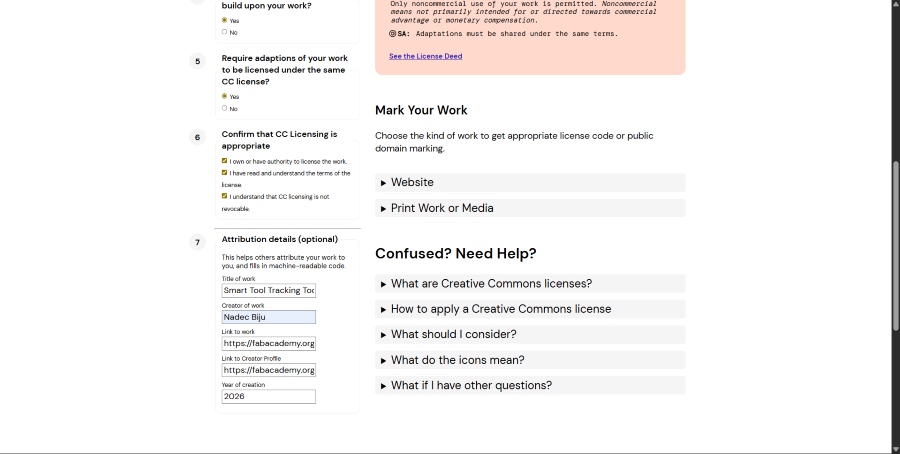
Here are the actual license blurbs it generated for me, ready to drop onto my site and any printed media.
Website — Rich Text#
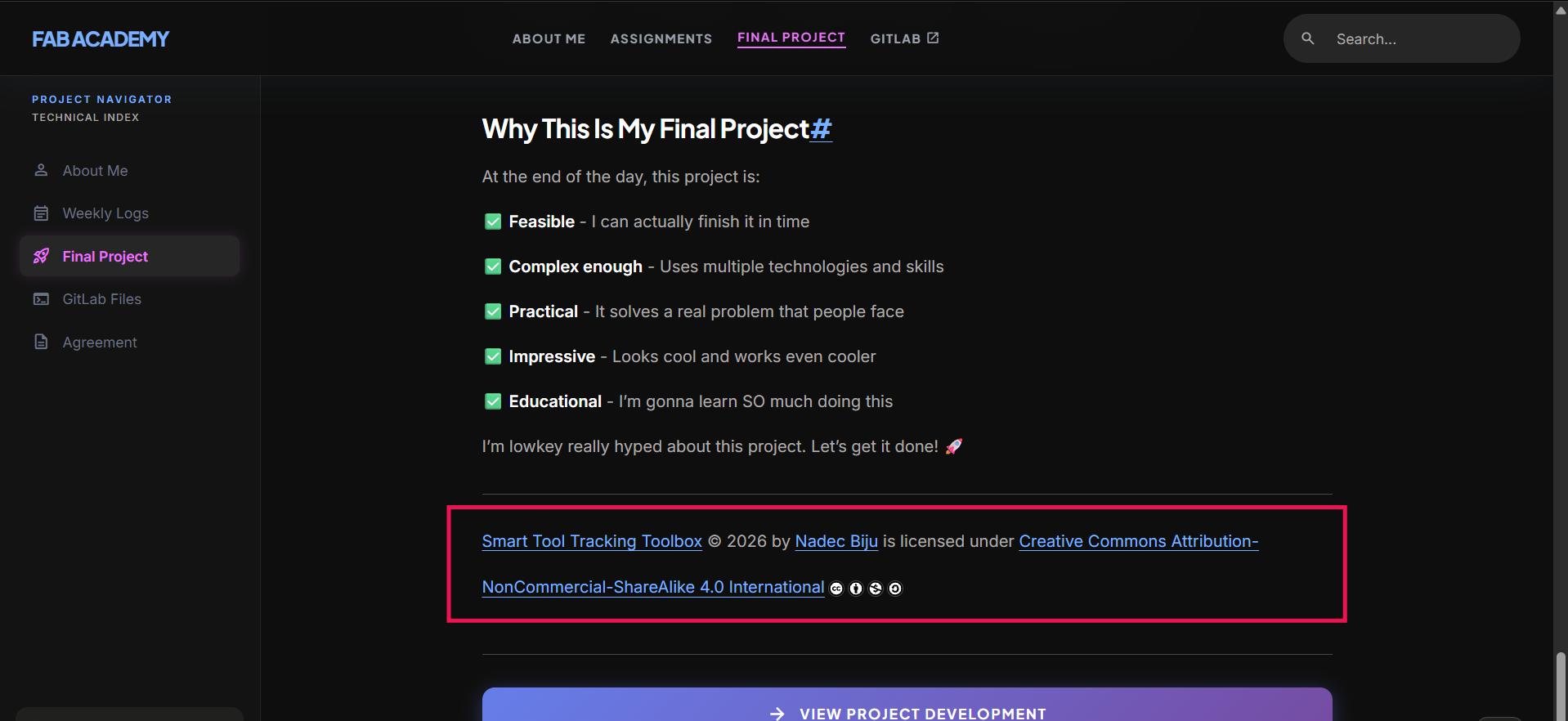
Smart Tool Tracking Toolbox © 2026 by Nadec Biju is licensed under Creative Commons Attribution-NonCommercial-ShareAlike 4.0 International
Website — HTML#
Smart Tool Tracking Toolbox © 2026 by Nadec Biju is licensed under Creative Commons Attribution-NonCommercial-ShareAlike 4.0 International


<a href="https://fabacademy.org/2026/labs/kochi/students/nadec-biju/docs/final-project/">Smart Tool Tracking Toolbox</a> © 2026 by <a href="https://fabacademy.org/2026/labs/kochi/students/nadec-biju/">Nadec Biju</a> is licensed under <a href="https://creativecommons.org/licenses/by-nc-sa/4.0/">Creative Commons Attribution-NonCommercial-ShareAlike 4.0 International</a><img src="https://mirrors.creativecommons.org/presskit/icons/cc.svg" alt="" style="display: inline-block; vertical-align: middle; max-width: 1em; max-height: 1em; margin-left: .2em;"><img src="https://mirrors.creativecommons.org/presskit/icons/by.svg" alt="" style="display: inline-block; vertical-align: middle; max-width: 1em; max-height: 1em; margin-left: .2em;"><img src="https://mirrors.creativecommons.org/presskit/icons/nc.svg" alt="" style="display: inline-block; vertical-align: middle; max-width: 1em; max-height: 1em; margin-left: .2em;"><img src="https://mirrors.creativecommons.org/presskit/icons/sa.svg" alt="" style="display: inline-block; vertical-align: middle; max-width: 1em; max-height: 1em; margin-left: .2em;">Print Work or Media — Plain Text#
Smart Tool Tracking Toolbox © 2026 by Nadec Biju is licensed under Creative Commons Attribution-NonCommercial-ShareAlike 4.0 International. To view a copy of this license, visit https://creativecommons.org/licenses/by-nc-sa/4.0/
Dissemination Plan#
A dissemination plan is just my plan for how I’m going to share my project and keep it going after Fab Academy is over. I don’t want it to just sit on my laptop and get forgotten.
So here’s my plan: I’m going to leave my project at the Super Fab Lab Kochi. That way the new Fab students who come after me can see it, learn from it, and maybe even build their own version or make it better. All my design files, code, and notes are already on my site under my Creative Commons license, so anyone can use them too.
On top of that, I’m really interested in taking this further and building something like it at Tinkerspace . It’s a cool maker space where I could keep working on the idea, meet other makers, and grow my toolbox into something even bigger.
I could also take the product route and turn it into a real thing I could sell. I could even register it as a startup and use the grants the Kerala government gives to new startups to build it out more. Most of these come from the Kerala Startup Mission (KSUM) , which is the government group that helps young makers and founders.
But that’s just an option I have right now, I’m not actually planning to do that for now.
Company Structure in India (Startups Included)#
If I ever turn this into a real product, here’s roughly how companies can be structured in India:
- Sole Proprietorship — just me, simplest option, but no separation between my personal and business liability.
- Partnership / LLP — for when you’re building with co-founders, LLP gives limited liability so personal assets are safer.
- Private Limited Company (Pvt Ltd) — the most common structure for startups, gives limited liability and makes it easier to raise funding later.
For startups specifically, India has a Startup India scheme that gives tax benefits, easier compliance, and funding support if you register under it.
Why Go the Startup Route#
Registering my Pvt Ltd as an official startup under the Startup India scheme isn’t just a fancy label, it actually gets me real perks:
- Tax holiday. Eligible startups get a 3 year income tax exemption, which is honestly huge when you’re not making consistent profit yet.
- Easier compliance. Startups get to self certify for labour and environment laws, so way less paperwork to chase down early on.
- Faster patent filing. There’s an 80% rebate on patent filing fees plus fast tracked examination. This ties right back into the patenting stuff above, if I ever do patent my toolbox, doing it as a registered startup would be a lot cheaper.
- Funding access. Easier to tap into government funds like the Fund of Funds for Startups (FFFS), and it just makes me look more credible to investors and angel funders.
- No prior experience needed. You don’t need 3 years of business history to get recognized, which is great since I’m basically starting straight out of college.
Kerala’s also got its own version through KSUM (mentioned earlier in my dissemination plan), and that’s honestly what I’d look into first since I’m based here. It stacks right on top of the central Startup India perks with its own grants and seed funding for Kerala based founders.
arrow_forward View Project DevelopmentThe Above documentation was proofread and grammatical errors were corrected by Claude by Anthropic.
AI PROMPT USED: “Proofread the following text and correct any grammatical errors and spelling mistakes.”