Mechanical Design, Machine Design
Task:-
Group assignment:
- Design a machine that includes mechanism + actuation + automation + application.
- Build the mechanical parts and operate it manually.
- Actuate and automate your machine.
- Document the group project.
For the Mechanical Design & Machine Design part, my role was to integrate voice control into the system.
Brainstorming and project planning:
During brainstorming, Mishael proposed idea of rotary tool table inspired by a Lazy Susan. The idea was to rotate different tool compartments when needed. We planned to control this using voice commands with Alexa.
Our instructor suggested using Alexa or Raspberry Pi. While exploring Alexa, I found the Alexa Developer Console, where we can create custom skills to connect voice commands to actions.
I also explored another option using Raspberry Pi with Python, which can work without Alexa.
One challenge was how the system would know where and who to rotate . So we decided to give each position a name like A1, B2, etc., so users can call specific positions.
Later, our instructor suggested using the ReSpeaker 4-Mic Array for Raspberry Pi. It can detect the direction of the user's voice, which helps in identifying where the command is coming from and improves interaction with the system.
For detailed information, refer to: Rotary table Group Assignment
Alexa developer console
It's a web-based portal where we can create, test, manage, and publish Alexa skills.
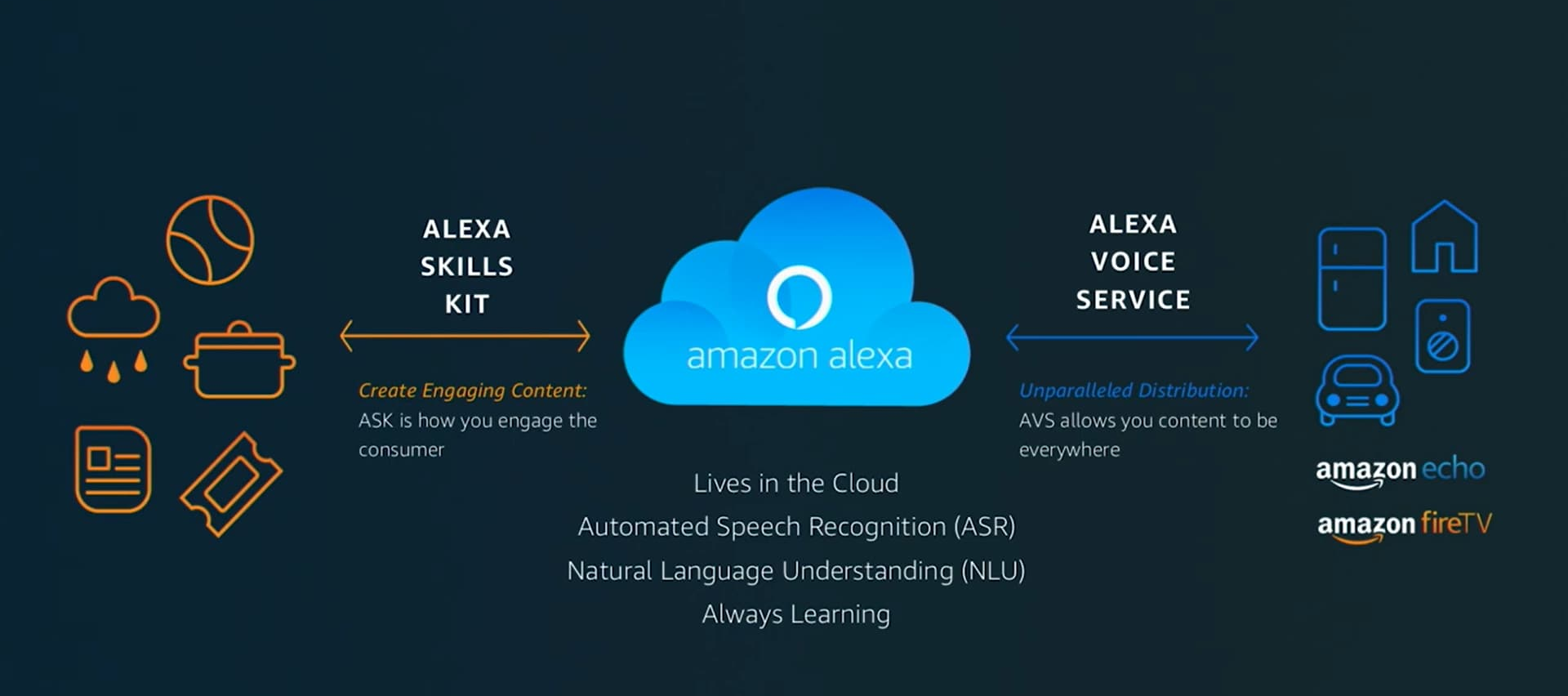
An Alexa skill is like a new ability you give to Alexa. Like i'm learning how to play sitar, it adds up to by skillset.
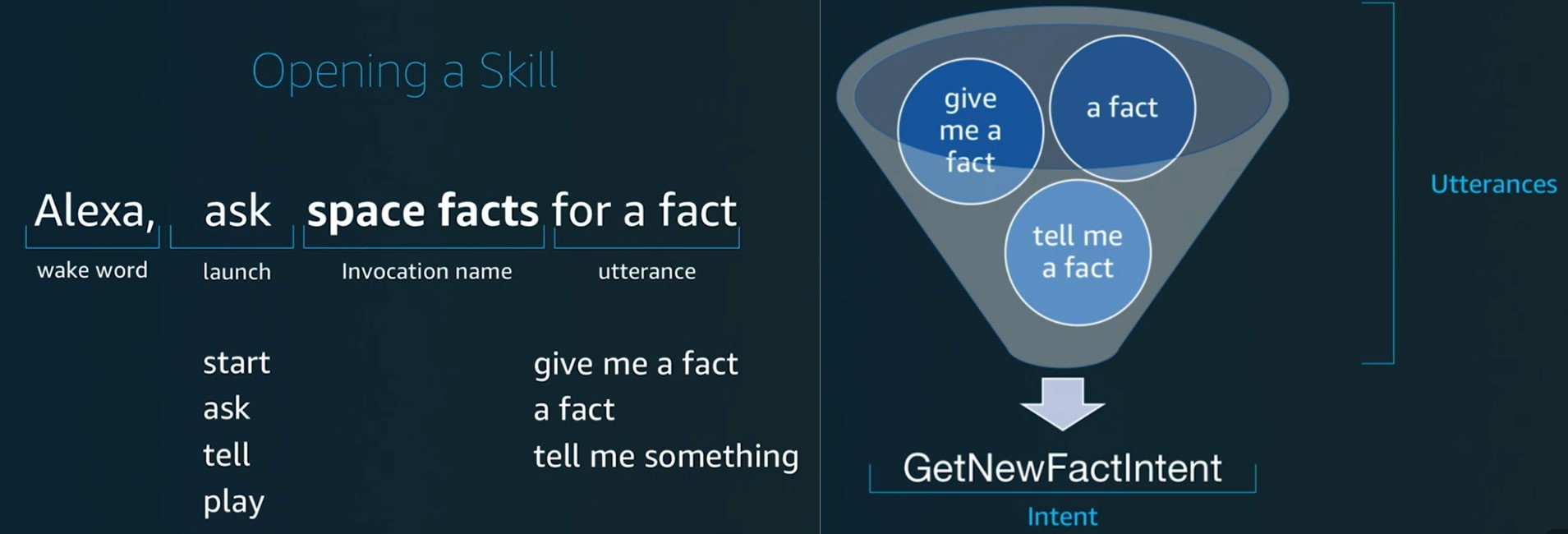
The name you use to open your skill.
How it works:
You must say it to Alexa to start your skill.
The name must follow specific rules — it usually needs at least two words, and you cannot use launch words like “open”, “start”, or “ask” as the name.
An action Alexa should perform based on what the user says.
Utterance
The different ways a user can say the same command(phrases). Alexa uses these to understand and match the user’s speech to the correct intent.
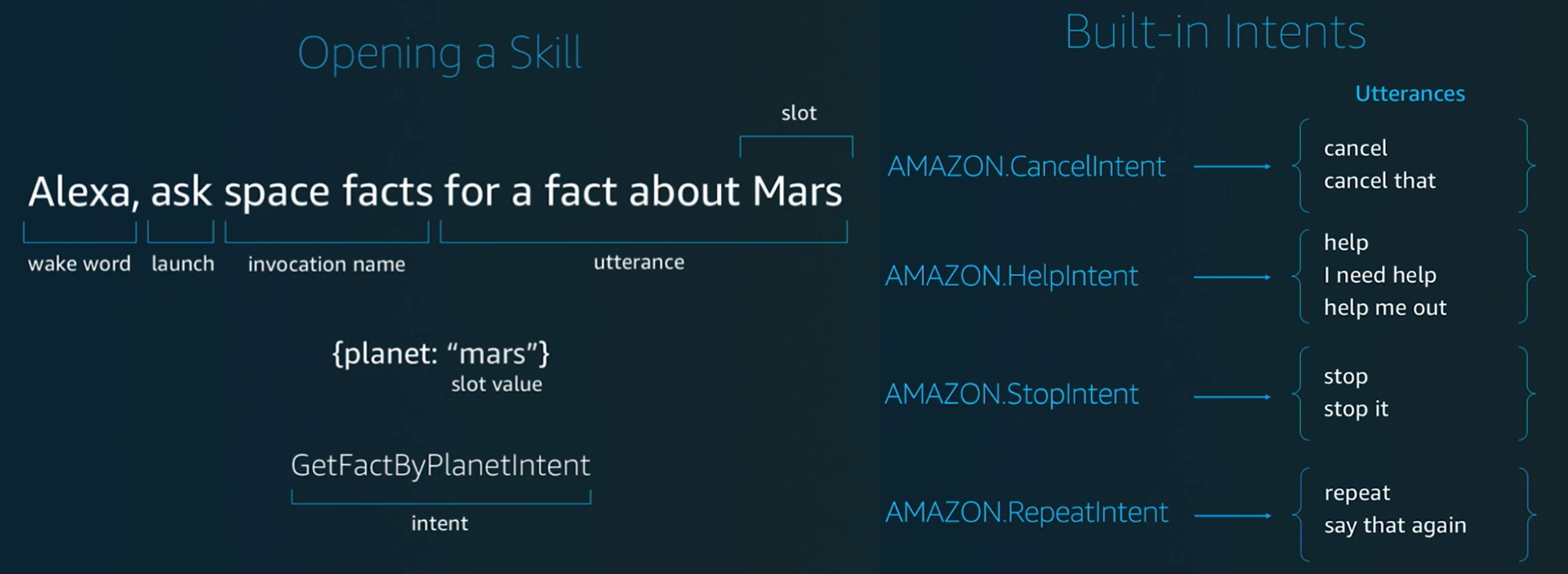
A variable value inside an intent (dynamic input from user).
for eg: fact about {planet}
Slot type
Defines what kind of values a slot can take.
slot type: planettype
values: Mercury, Venus, Earth....
There are in build slot types like AMAZON.SearchQuery -A built-in slot type used to capture any free-form text or phrase the user says.
- AMAZON.NUMBER : captures numbers
- AMAZON.DATE : captures dates
- AMAZON.TIME : captures time
- AMAZON.SearchQuery : captures any free text
- AMAZON.YesNo : yes / no
Predefined intents provided by Alexa for common actions. You don't need to create them.
- AMAZON.HelpIntent
- AMAZON.NavigateHomeIntent
- AMAZON.FallbackIntent
- AMAZON.StopIntent
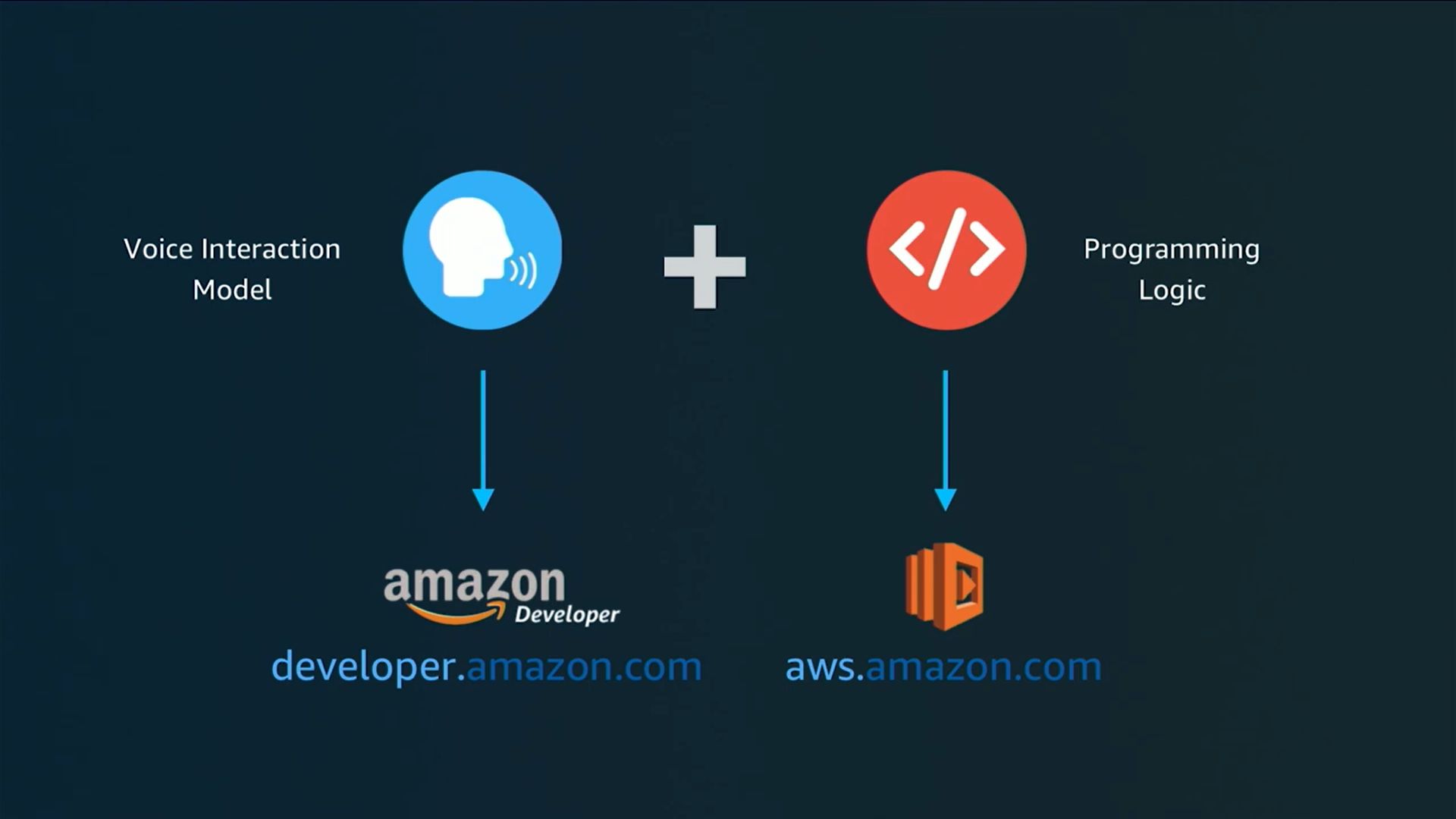
Building an Alexa skill requires two main parts: the Voice Interaction Model and the Programming Logic.
Voice Interaction Modelit is created in the Amazon Developer Console and defines how the user speaks to Alexa, including the invocation name, intents, utterances, and slots. It helps Alexa understand what the user is saying.
Programming Logic it is written in code (using Python or Node.js) and runs on AWS. This part decides what action should happen after Alexa understands the command.
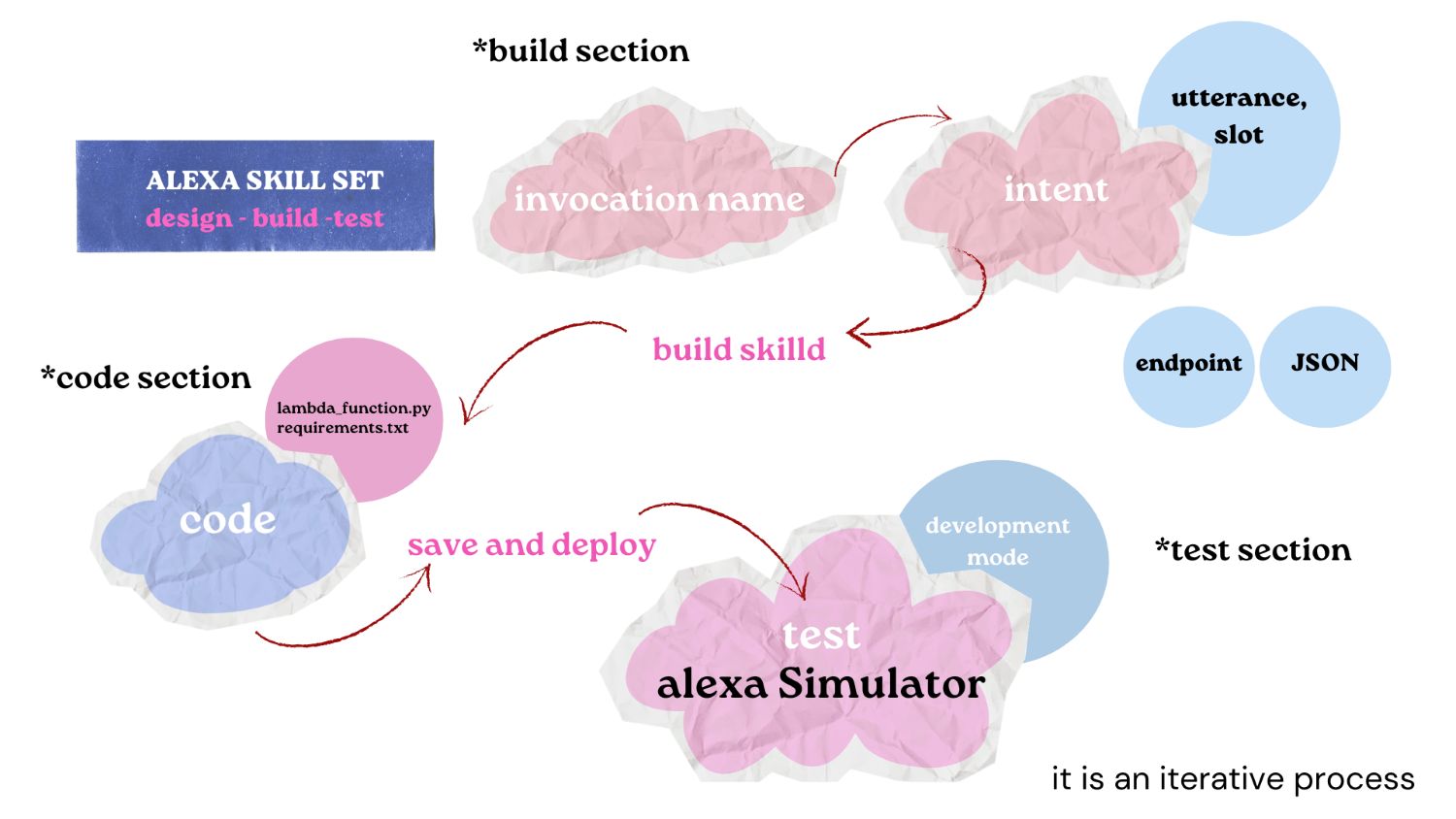
Creating an Alexa Skill
After logging into the Alexa Developer Console with Amazon account, i created a skill by following these steps:
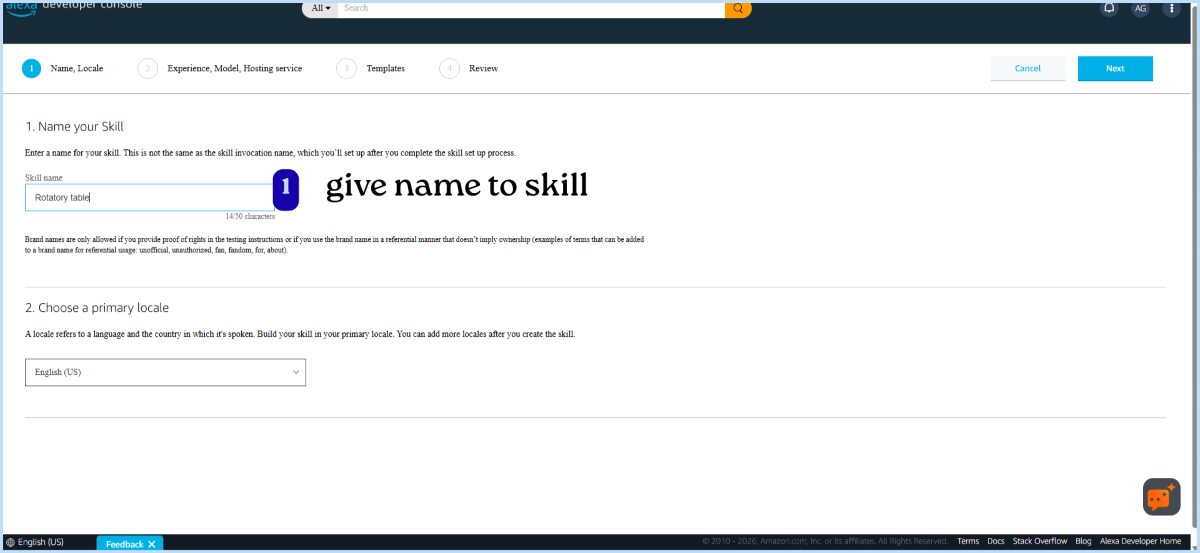
Skill Name
First, give a name to your skill.
- This name appears when searching or adding the skill in the Alexa app.
- It is NOT the same as the invocation name.
- The invocation name (what you say to open the skill) is set later during the interaction model setup.
Primary Locale
Next, select the primary language (locale) for your skill (e.g., English - IN, US).
- This name appears when searching or adding the skill in the Alexa app.
- It is NOT the same as the invocation name.
- The invocation name (what you say to open the skill) is set later during the interaction model setup.
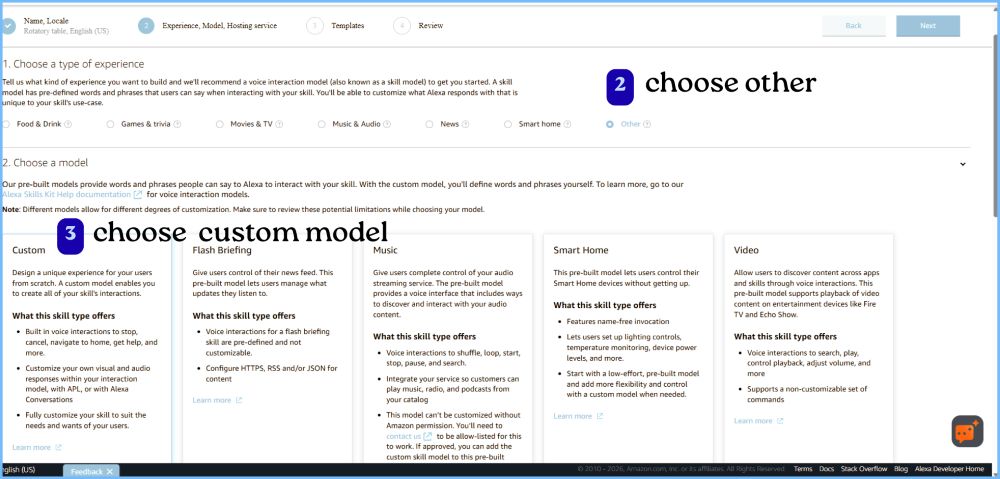
Choose Type of Experience
Since this project is a custom system (rotary table), select: "Other"
- This option is used when your skill doesn't fit into predefined categories like smart home, game, etc.
Choose a Model
Alexa provides Pre-built models: already defined phrases and actions and Custom model: can create your own phrases and actions.
Choose Custom
- Because i wanted to define commands like “move tool to H1; move nachos to abhishek” for rotary table.
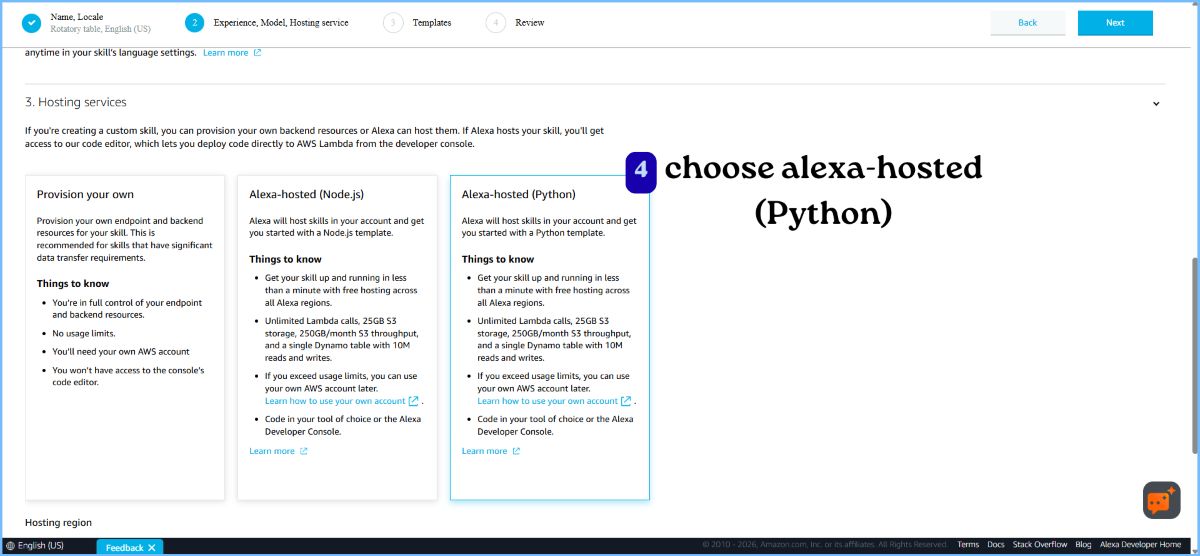
Hosting Service
Choose: Alexa-hosted (Python)
- Alexa provides a free cloud environment to run your code and don't need to set up your own server.
Other options:
- Alexa-hosted (Node.js): same but uses JavaScript
- Provision your own: you use your own server, manage the backend yourself instead of using Alexa-hosted services.
There is AWS Lambda, which is a cloud service that runs your code when Alexa is triggered, and AWS IoT Core, which connects and communicates with devices like ESP32. Both services have a free tier, but become paid based on usage after the limit.
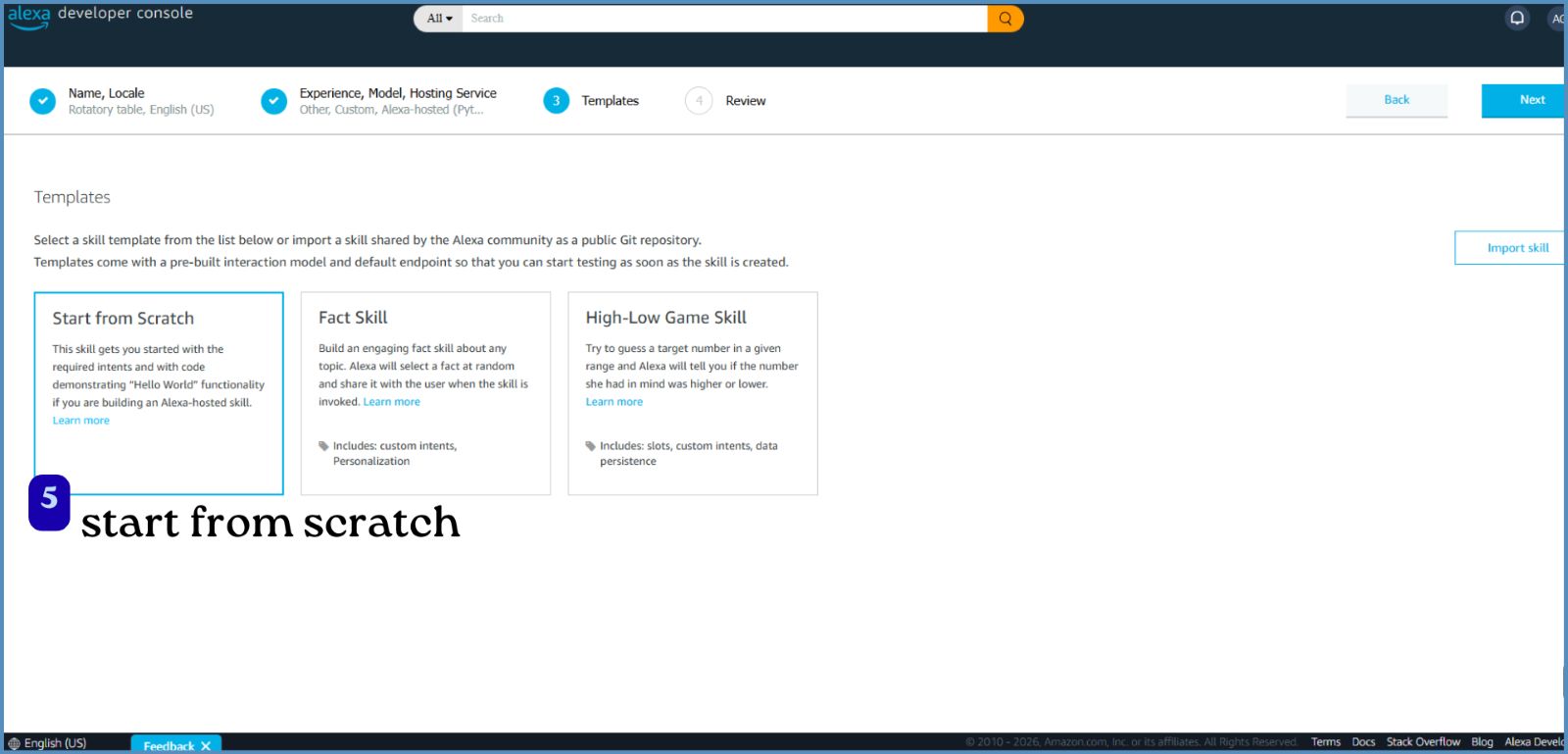
Template
Choose: Start from scratch
- No pre-written code or structure
- Build everything from the beginning (intents, logic, responses)
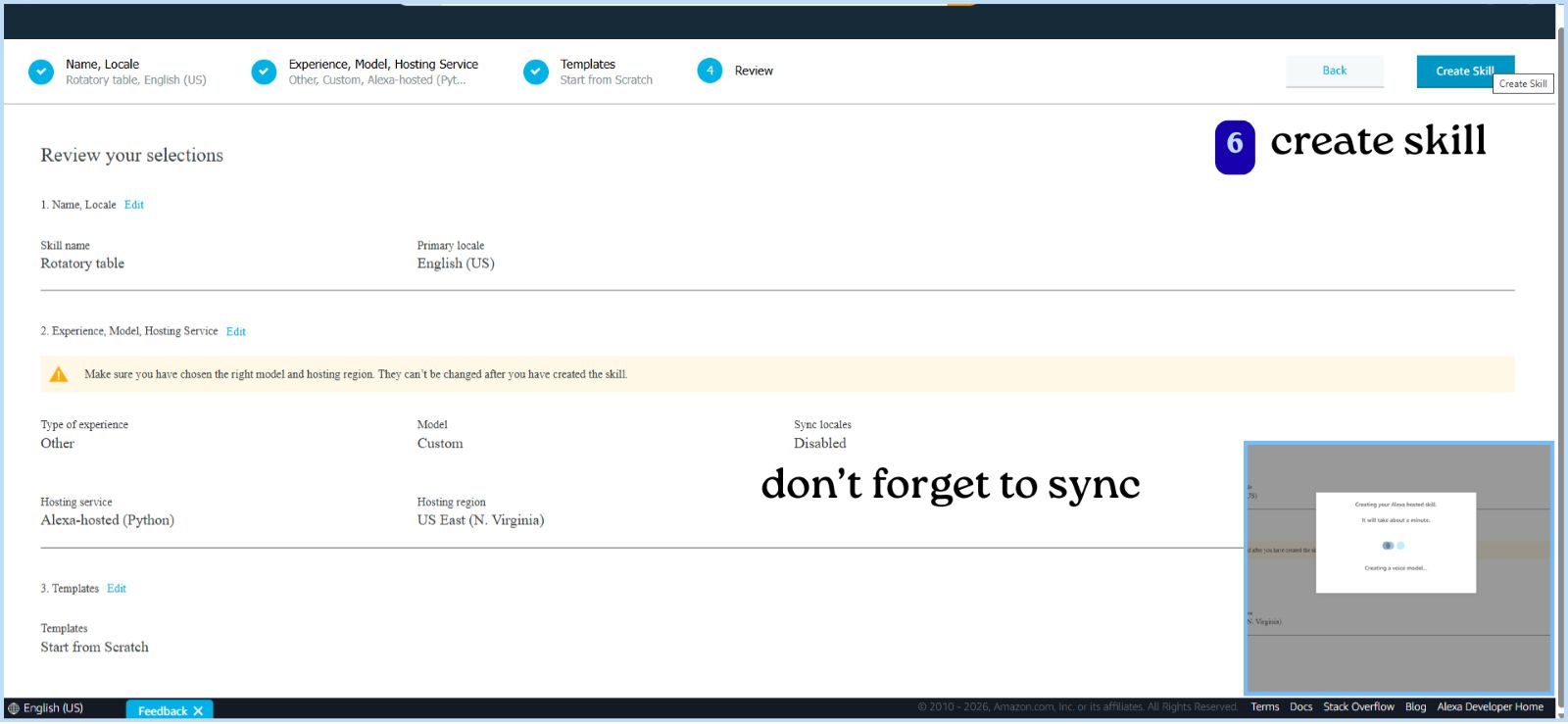
Review and Create
Finally: Review all selected options and click "Create Skill"
Lambda_function.py
            import json

        def lambda_handler(event, context):

            print(json.dumps(event))  # 🔍 Debug

            request_type = event['request']['type']

            # 🟢 When skill opens
            if request_type == "LaunchRequest":
                speech = "Tell me which tool you want"

            # 🟢 When intent is triggered
            elif request_type == "IntentRequest":
                try:
                    intent = event['request']['intent']
                    tool = intent['slots']['tool']['value']

                    if tool:
                        tool = tool.lower()
                        speech = f"You asked for {tool}"
                    else:
                        speech = "Please tell me a tool"

                except:
                    speech = "I didn't catch that properly"

            # 🟢 Session end
            else:
                speech = "Goodbye"

            return {
                'version': '1.0',
                'response': {
                    'outputSpeech': {
                        'type': 'PlainText',
                        'text': speech
                    },
                    'shouldEndSession': False
                }
            }