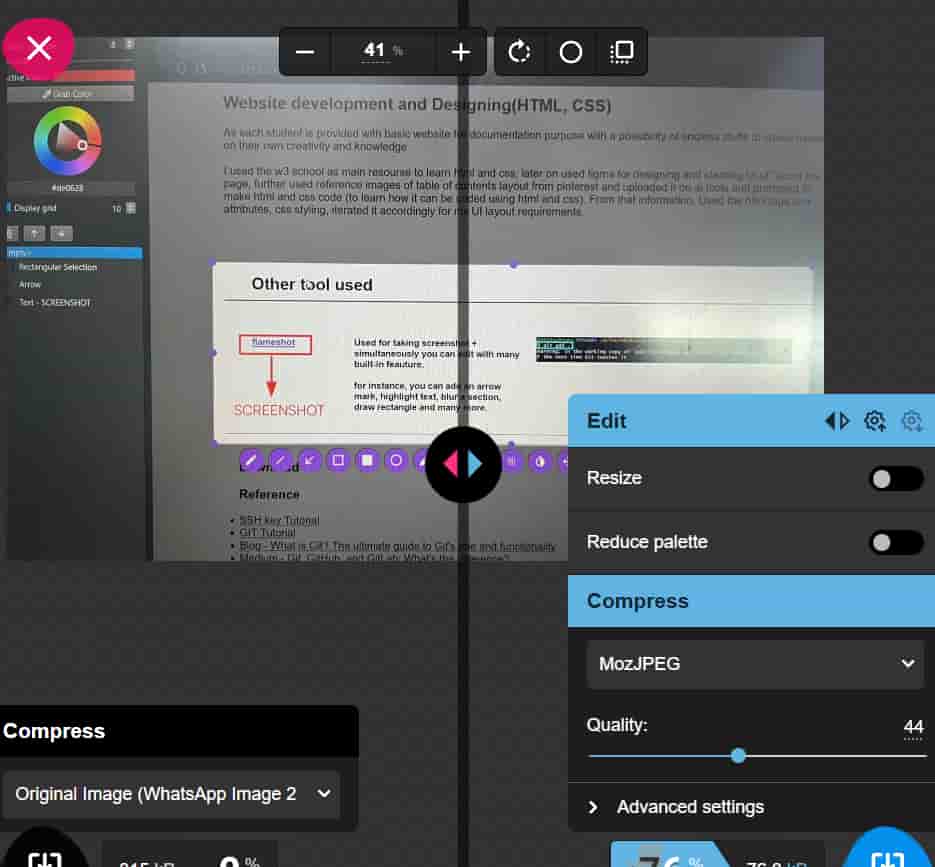
So it suggested to put svg file. I made a rectangle in figma and from the stroke setting i used a brush then exported it has svg file.
Week 1: Principles, Practices & Project Management
Task:
- Plan and sketch a concept for a potential final project.
- Read, sign, and commit the student agreement.
- Work through a Git tutorial.
- Build a personal website describing yourself and your final project.
What i have learnt?
This week, i learnt how to document assignments with Gitlab, VS code, practiced basic coding with html and css, started ideating for final project. I also realised need to work on structuring and my time management. As i started with blank canvas now it has few strokes of learning, doing, iterating.
Final Project Conceptualizing
Design for rest and relaxation
Are you someone who usually falls asleep on bus or car rides?
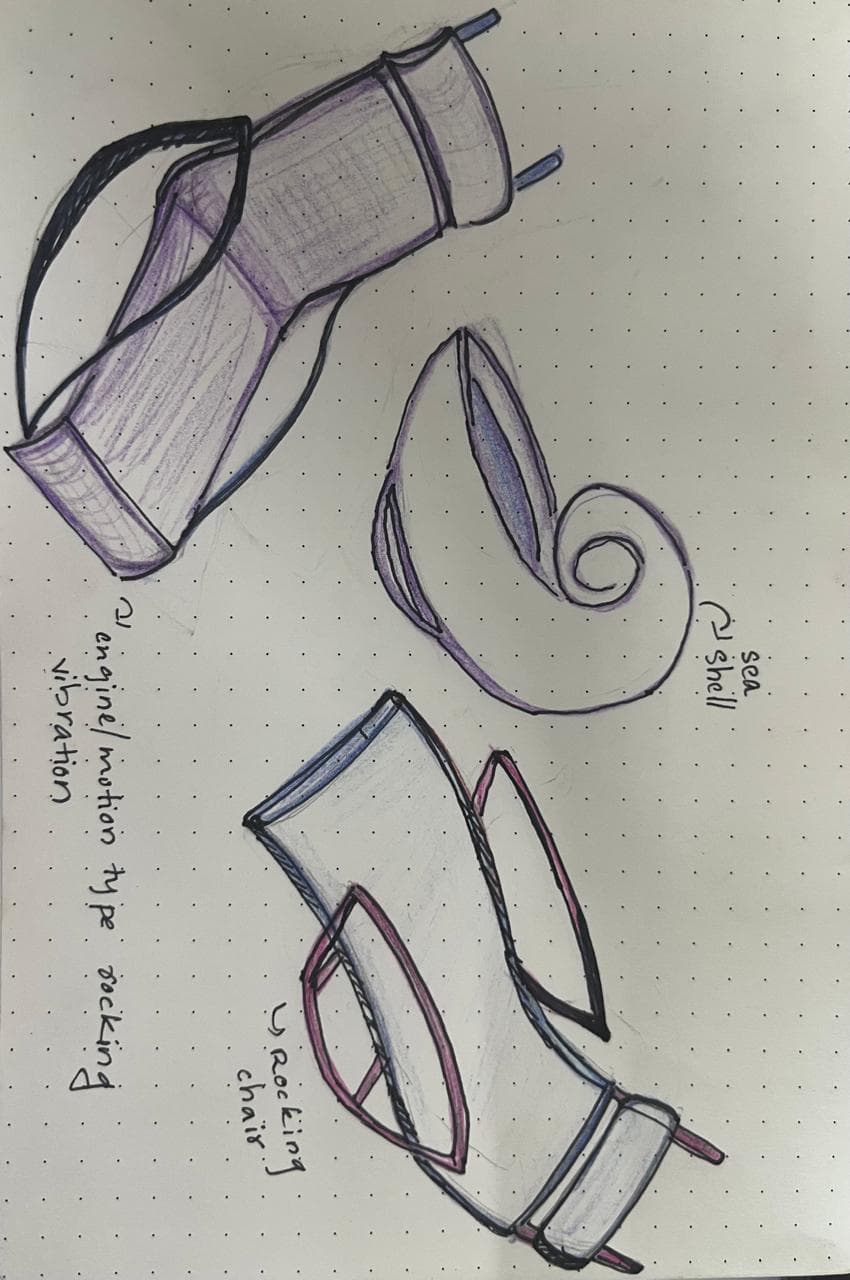
That gentle rocking, the low engine vibration, the continuous movement inducing sleep in you, these motion
stimulates parasympathetic nerves which is responsible for rest and digest.
A rocking-chair-inspired furniture system that integrates engine-like micro-vibrations and slow motion.
Designed either as a standalone sleep pod or as an attachable module for existing office chairs, for quality rest and sleep time.

FUN FACT: the Hong Kong Sleeping Bus Tour — a five-hour bus ride created with one simple purpose: to help people sleep. Passengers are given: eye masks, earplugs, comfortable reclining seats, a long, quiet, scenic route with minimal interruptions.
Puppet show
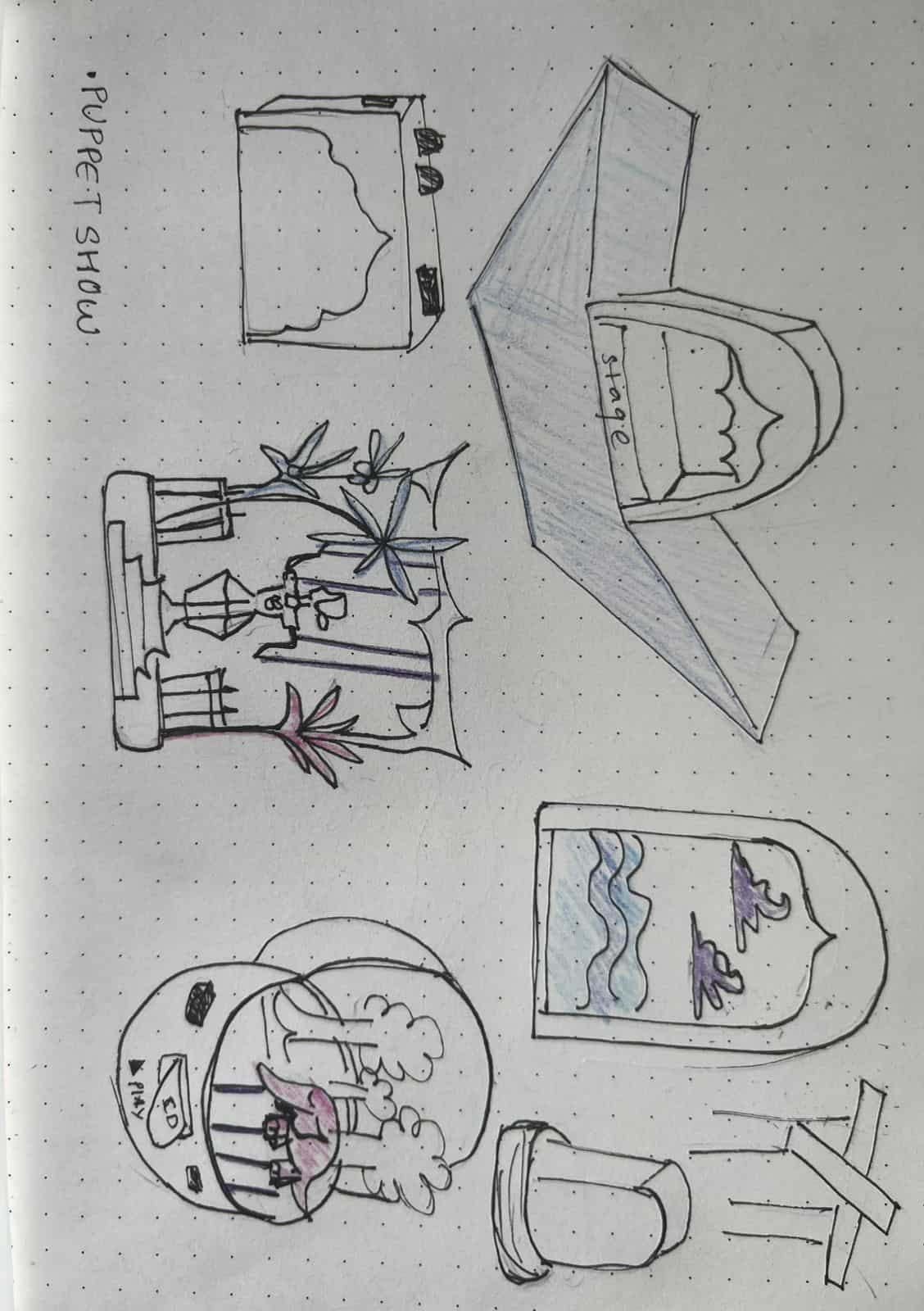
The project focuses on bringing back the essence of storytelling through a puppet show experience.
The device comes with ready-made stories that can be played using story cards.
At the same time, it allows users to create their own stories using the provided characters and elements.
The stage is built in layers, with the background arranged in multiple levels to create depth.
This layered setup makes the storytelling experience more immersive and lively.
Users can also record their own voice and save their stories, making the experience personal and creative.
The idea is not just to give people something to watch, but to provide a platform to become storytellers —
encouraging imagination, creativity, and bonding across generations.
Pocket Power
This idea is to create a small, portable emergency charger that can store power and generate a small amount of electricity using renewable sources like a hand crank, small solar panel, or energy from simple physical activities. It can be useful not only during floods or cyclones when electricity is unavailable, but also while camping or staying outdoors. The device would help people charge their phones anytime, ensuring they stay connected and safe in emergency or remote situations.
Arriving at My Final Project
In the first week, I explored multiple ideas and honestly, all of them felt challenging.
Out of these, I decided to go ahead with a puppet-based storytelling device as it felt more interesting to me.
I was interested in storytelling and exploring different mediums to deliver it.
I was also thinking about working with something traditional — like art, craft, or theatre-based forms that are slowly fading.
Traditionally, puppet shows have been used to perform mythological stories, bringing cultural narratives to life through visual storytelling.
In Kerala, we have forms like Tholpavakoothu and Noolpava, and in other parts of India and around the world, puppetry exists in different styles and names.
Even though I haven't seen a puppet show in real life,
I have always been fascinated by how stories are performed through narration and movement.
In places like Rajasthan, puppetry has even been used to communicate government messages and social awareness.
At its core, this is about storytelling. I was curious to see how this traditional form could be brought into an electronic setup, and whether I could recreate a similar experience while still keeping the essence of puppetry-human creativity.
Setting up Git repository
What is Git?
Open-source version control system - the system that manages versions of your code. The work simple concept : “snapshot”. everytime you push your changes in code, it takes a snapshot of all your files. These snapshots live in a repository — a folder where Git keeps track of everything. The repository can be on your computer or hosted on gitlab. This makes project tracking easier, and there's always the option to revert to earlier, functional versions if there's a problem.
what is Gitlab?
GitLab is an open-source platform (online server) built around Git.
Provides set of tools and features to manage Git repositories, project planning, continuous integration/continuous deployment (CI/CD), code review,
issue tracking, etc.
what is Git Bash?
Git Bash is a terminal for Windows that lets you use Git commands.
1
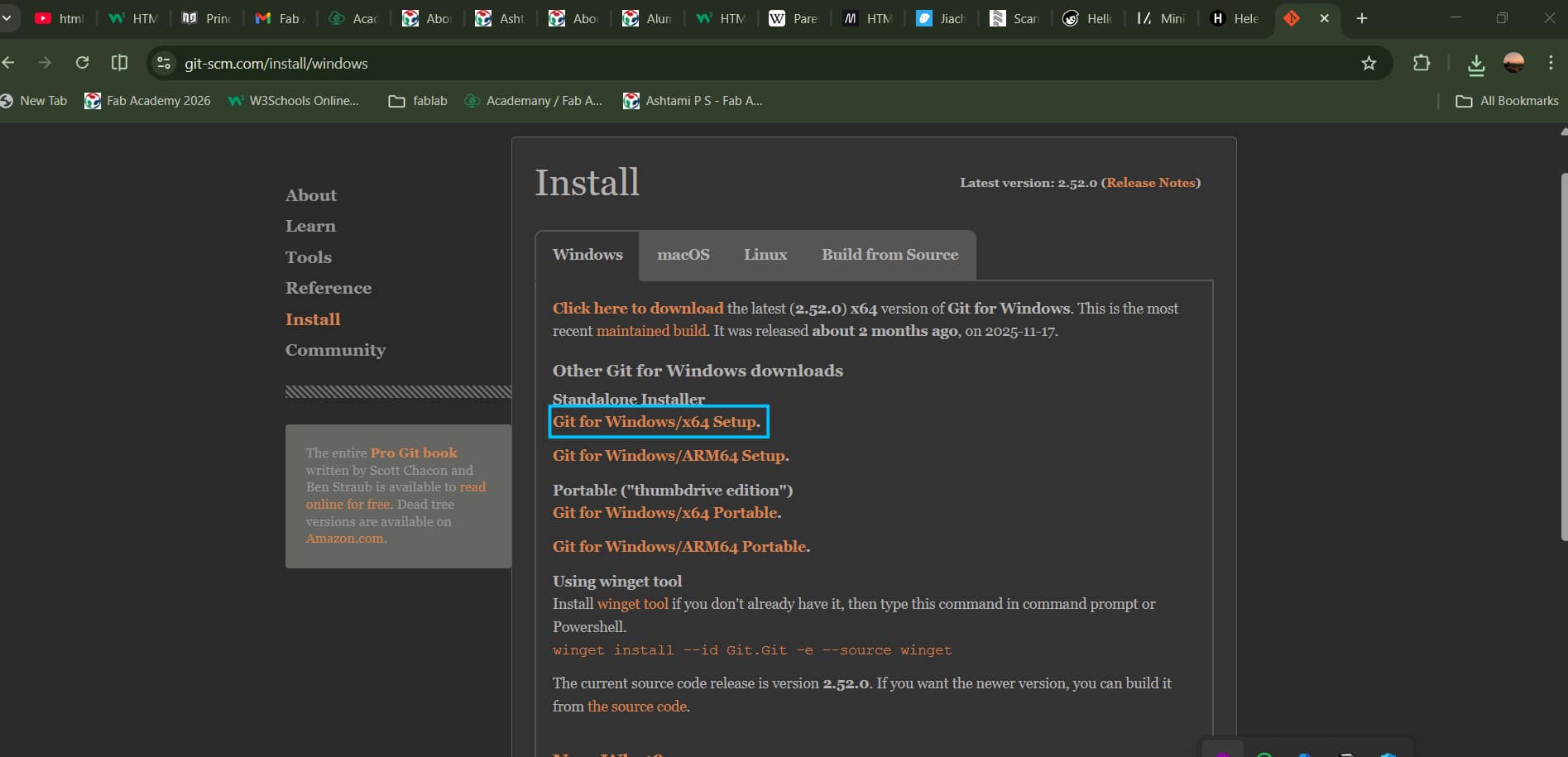
Installing GIT
I've windows, downloaded the windows version. Download and run the installer.Click "Next" to accept the recommended settings.This will install Git and Git Bash.
2
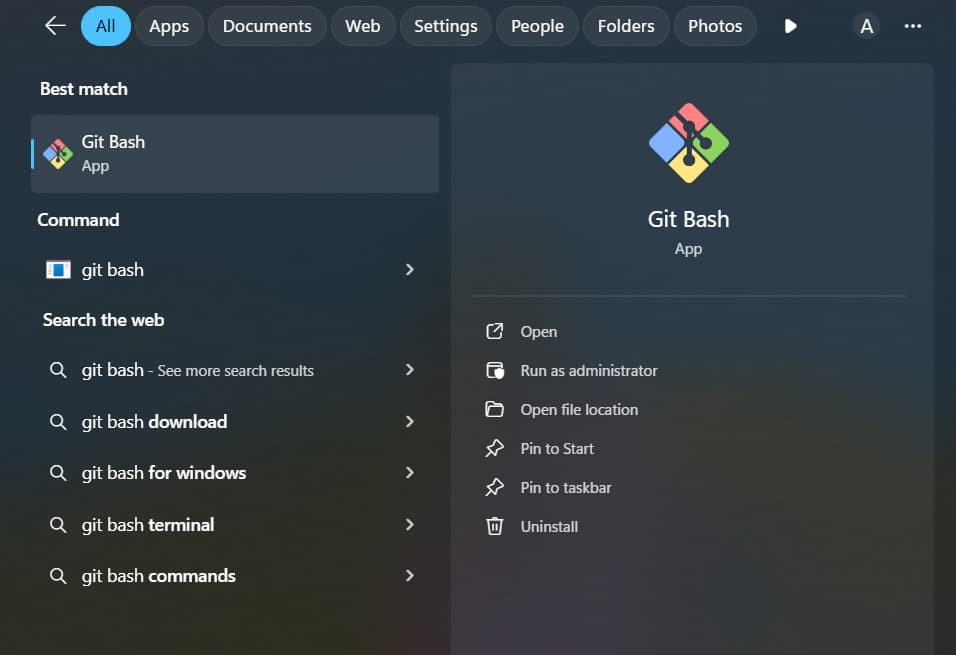
GIT Bash
After installing Git, you can find Git Bash in your Start menu.
You can use Git Bash just like the Command Prompt.
3
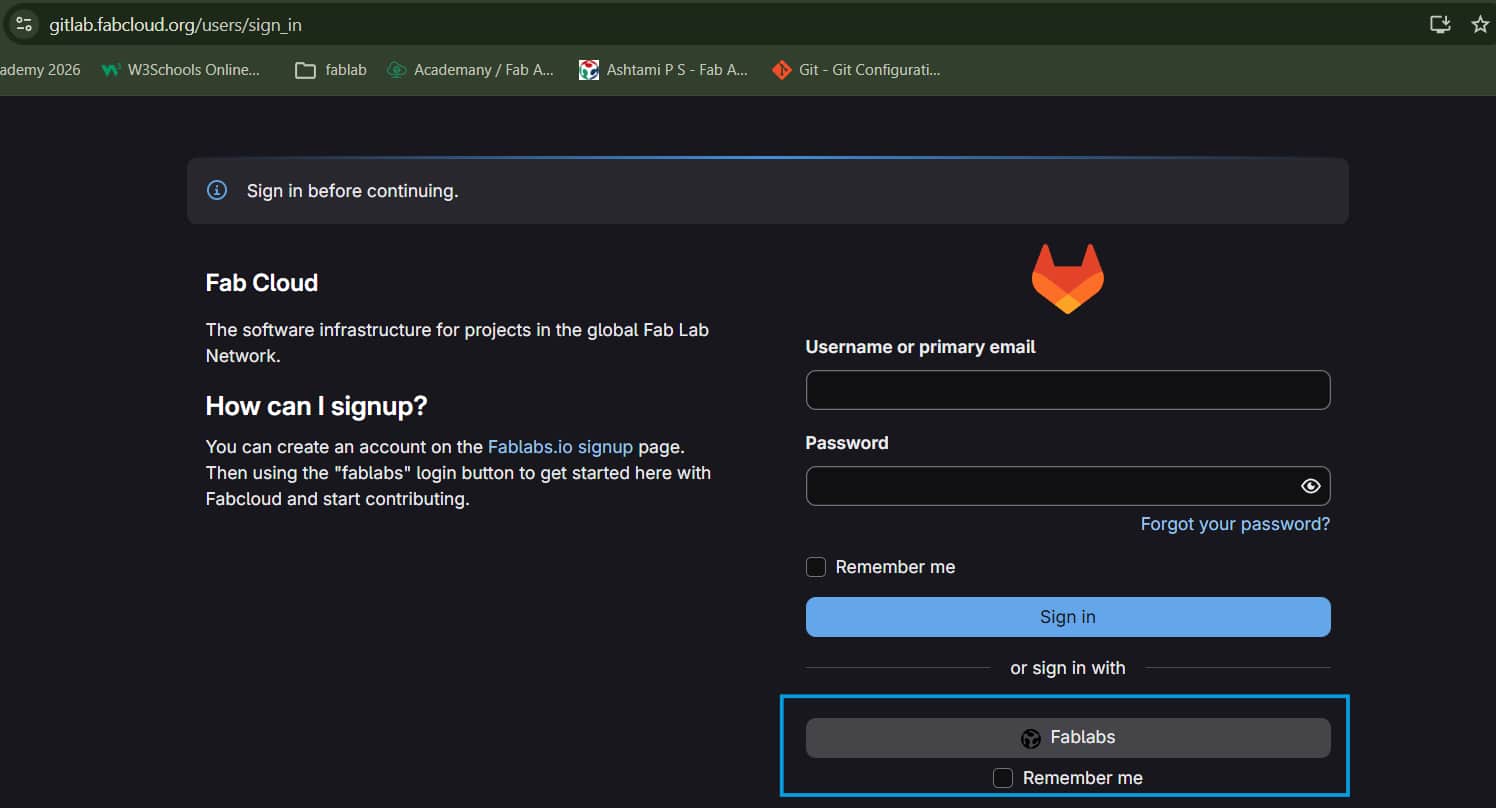
Gitlab login
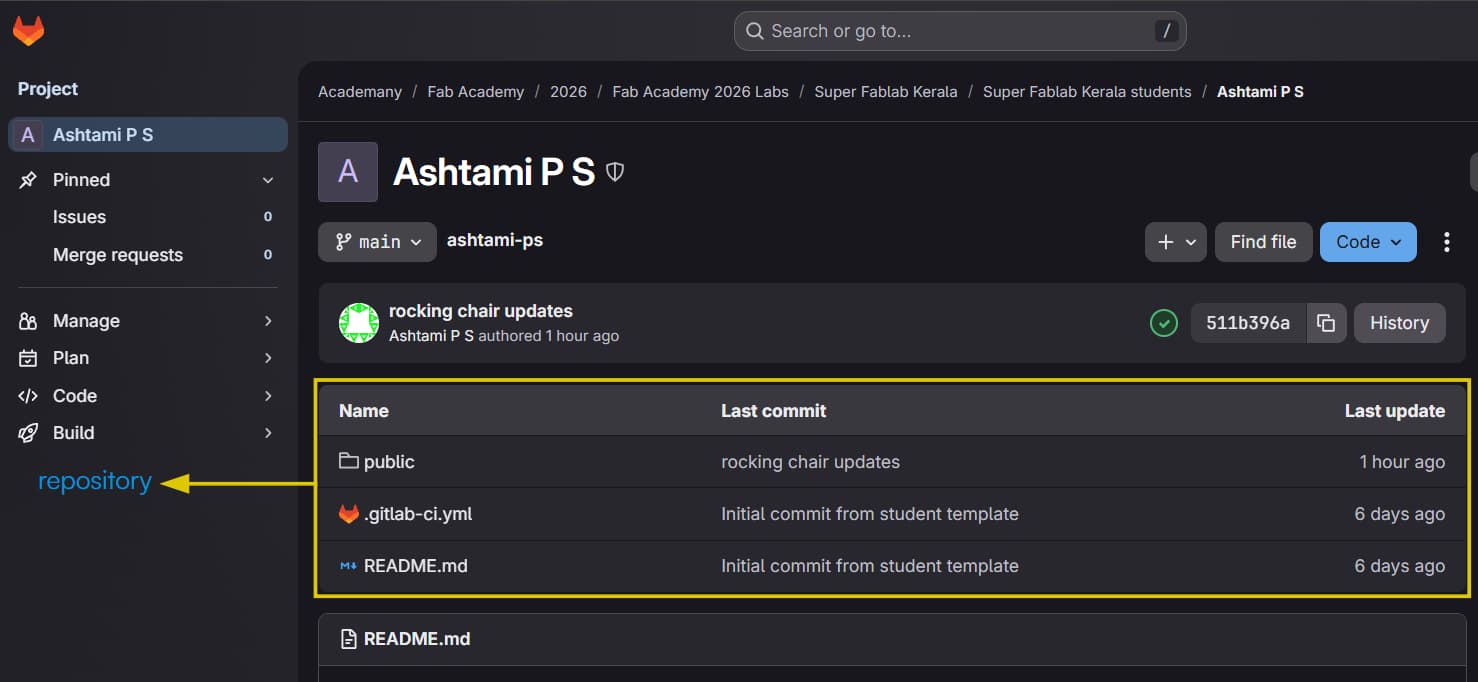
Gitlab login: use fablab account and login there, in "Projects" you can find your repository.
Remote repository is a version of your project hosted on the internet.
Next we need to securely connect your computer to GitLab using SSH.
SSH Key Generation
1
SSH key
Used for authentication, way to securely connect to local computers.
Public key(like a lock) and a Private key(like your own key). Only someone with the private key can access what is locked by public key.
Share the public key with the server, but keep the private key safe on your computer.
2
For creating ssh key:
$ ssh-keygen -t ed25519 -C "[email]"
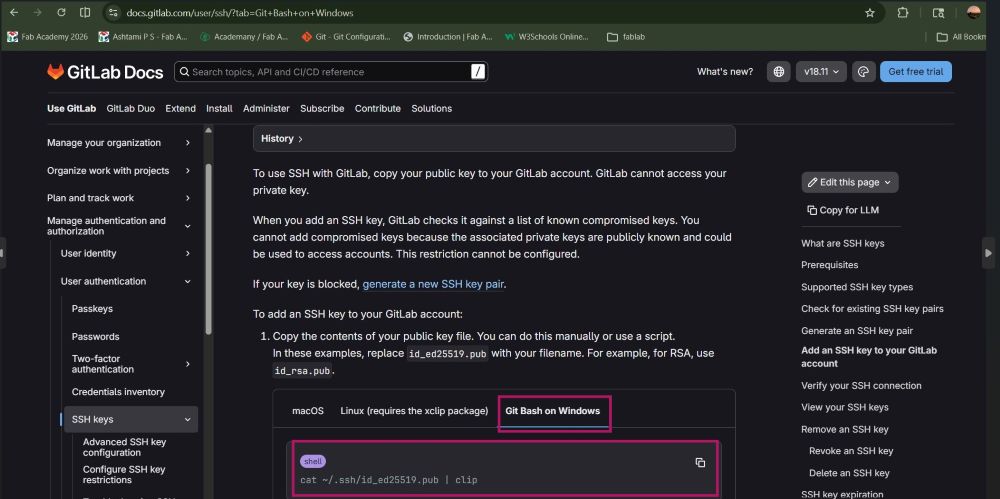
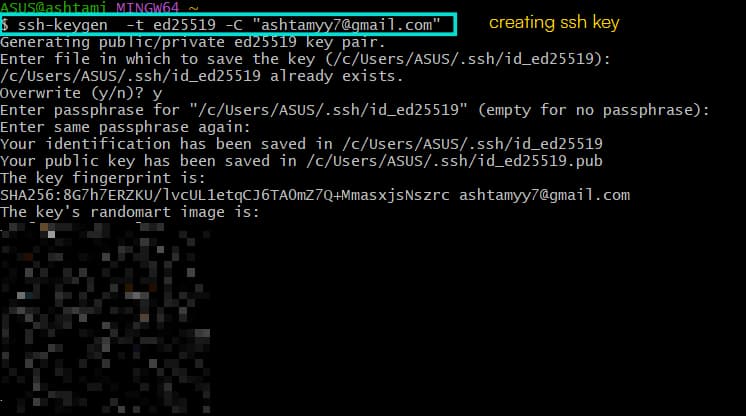
3
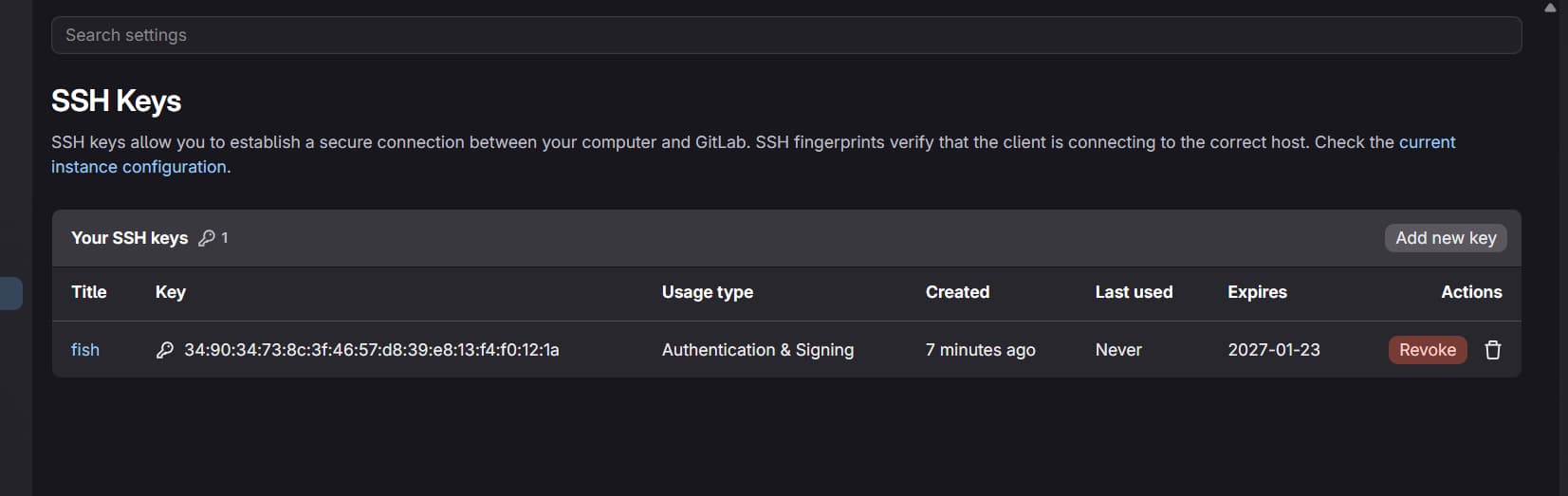
For adding the public key:
for adding the generated key go to gitlab profile >> preference>> ssh key then paste generated public key on clipboard and fill rest. Once done, it will be looking like this:
Cloning Repository
1
Git Cloning
Means downloading full copy of a global repository into your local computer.
Now you can use this repository and make changes in codes and later push this modified file to server.
2
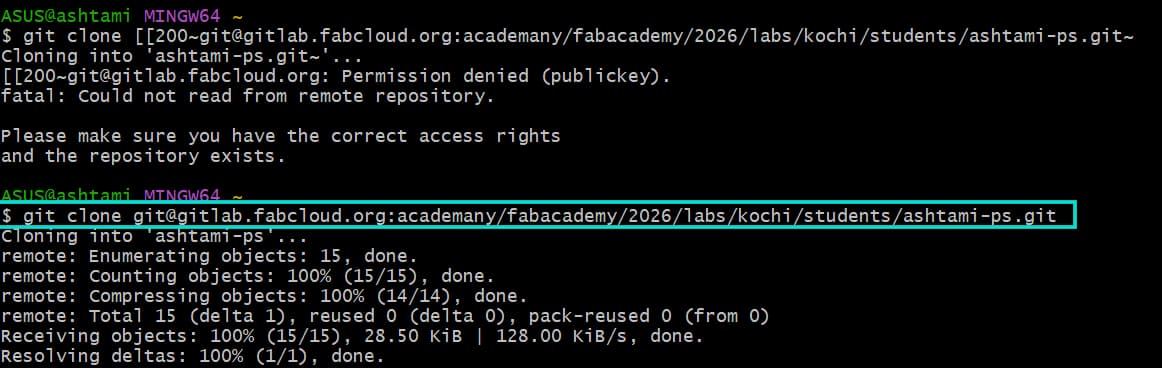
Clone with ssh
home>> project>> member - you can see your repo >> from their blue bottom named “code”
Click on the code and copy clone with ssh url
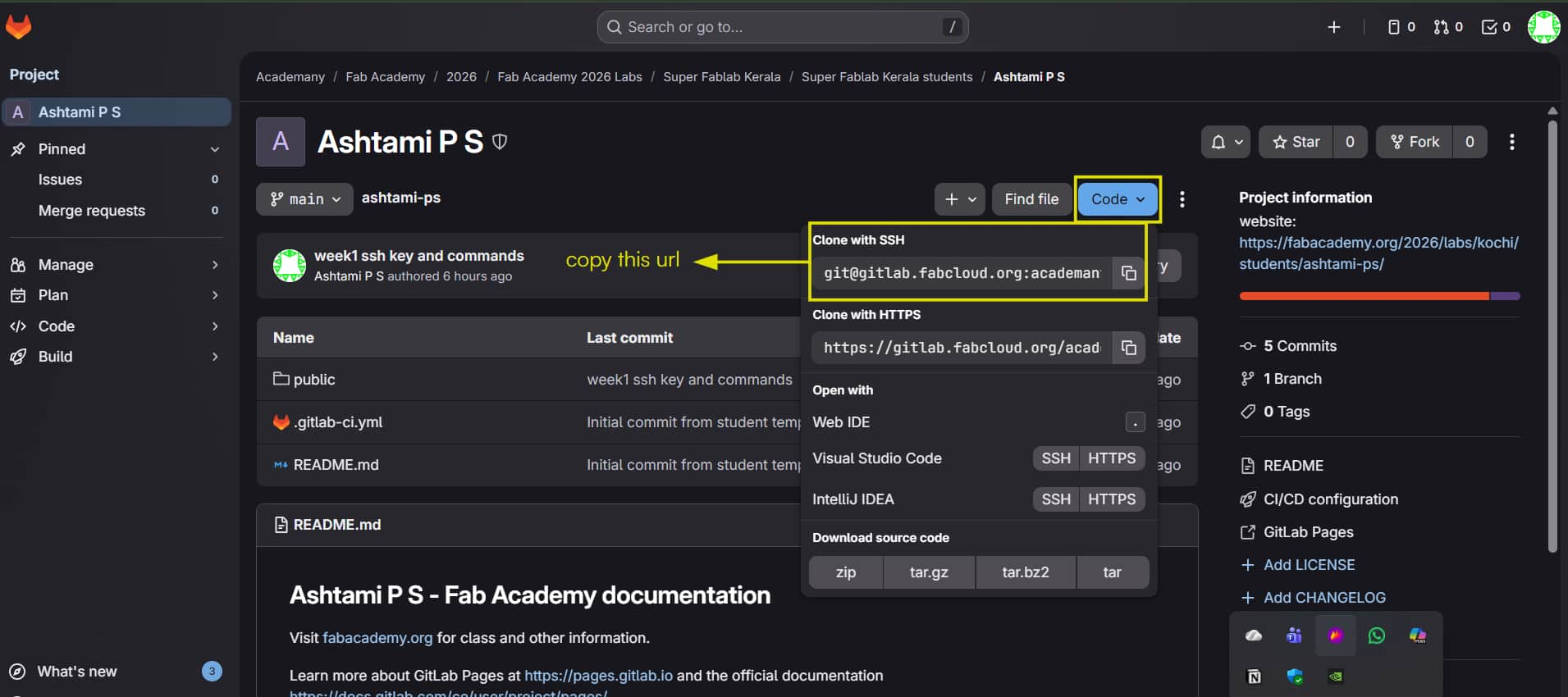
3
command
git clone [Paste the copied URL]
A zip file of global repository copy will be downloaded in your computer.
How to configure Git?
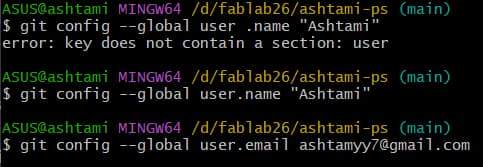
Git Configuration
Giving your identity, telling who is the author, who is making the commits.
$ git config --global user.name "[username]"
$ git config --global user.email "[email]"
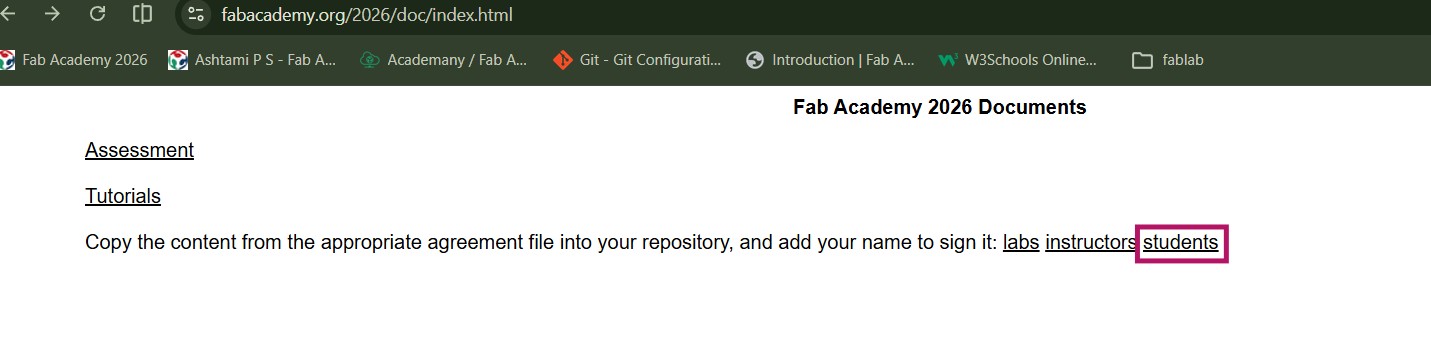
Linking Students Agreement with my fablab website
I got the students agreement from fabacademy 2026 site >> documents >> students
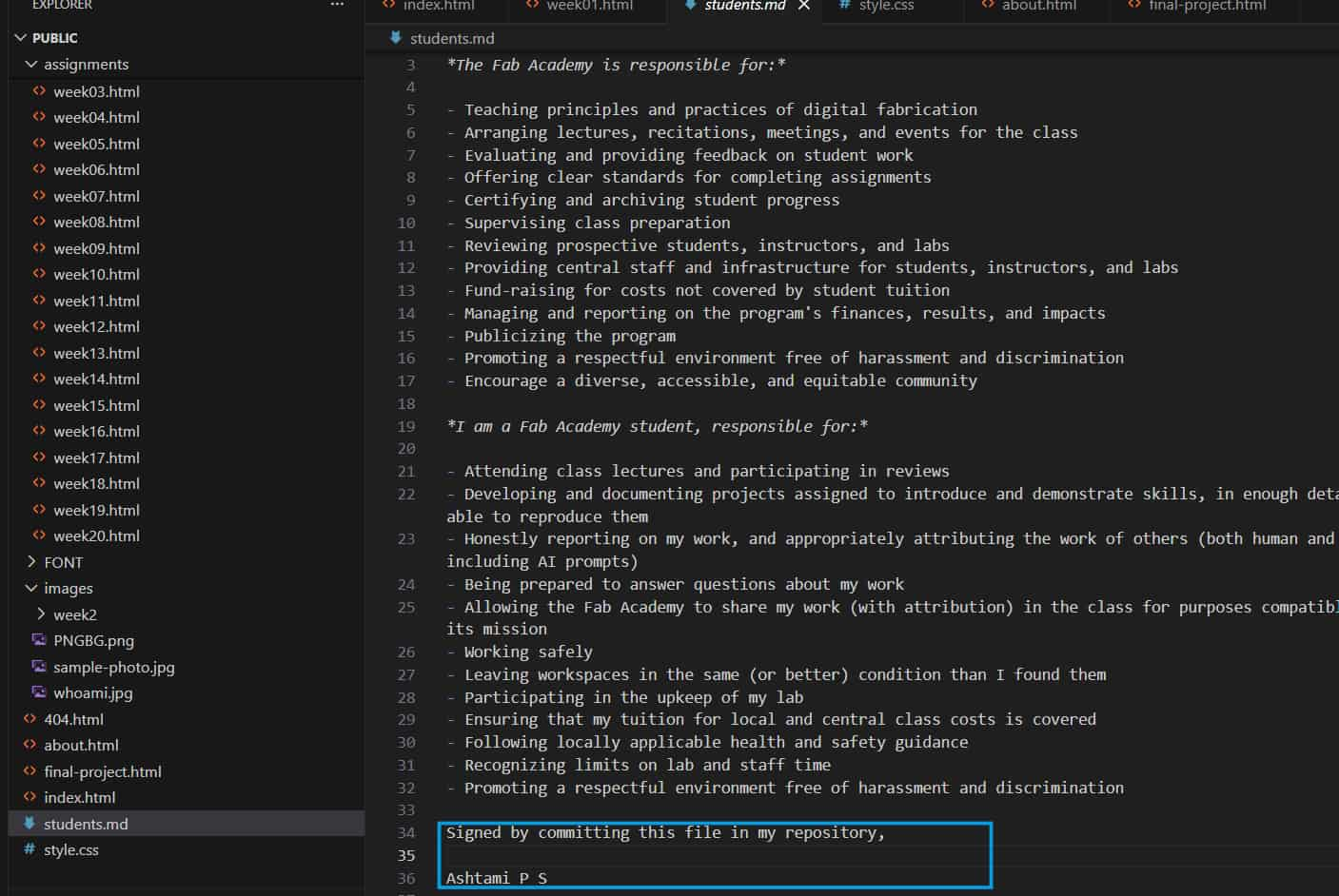
Open students agreement(/students.md) in VS code, read and sign them with your name.
Also make sure the file type is MD file (or .markdown file) format.
Afterwards link it with website and add it to footer section using anchor tag:
<a href="students.md">

Git Commands (Add, Commit, Push)
For updating the changes made in VS code into the gitlab:
Commands
Description
git add .
Add all new modified files to index (staging area). The staging area is like a waiting room for your changes.

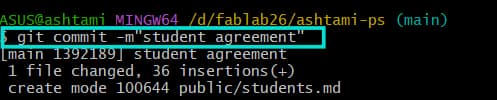
git commit -m
“message”
Records snapshot of the staged changes into the repository history with a message. Message should describe what you did.
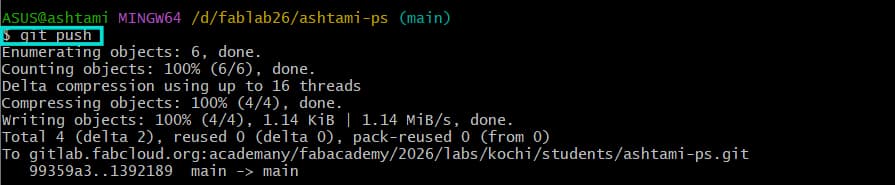
git push
uploads your local commits to a global repository.
Website development and Designing(HTML, CSS)
As each student is provided with basic website for documentation purpose with a possibility of endless stuffs to create based on their own creativity and knowledge.
I used the w3school as main resourse to learn html and css, later on used figma for designing and ideating UI of “about me “ page, further used reference images of
table of contents layout from pinterest and uploaded it on ai tools and prompted to make html and css code (to learn how it can be coded using html and css).
From that information, used the html tags and attributes, css styling, iterated it accordingly for my UI layout requirements.
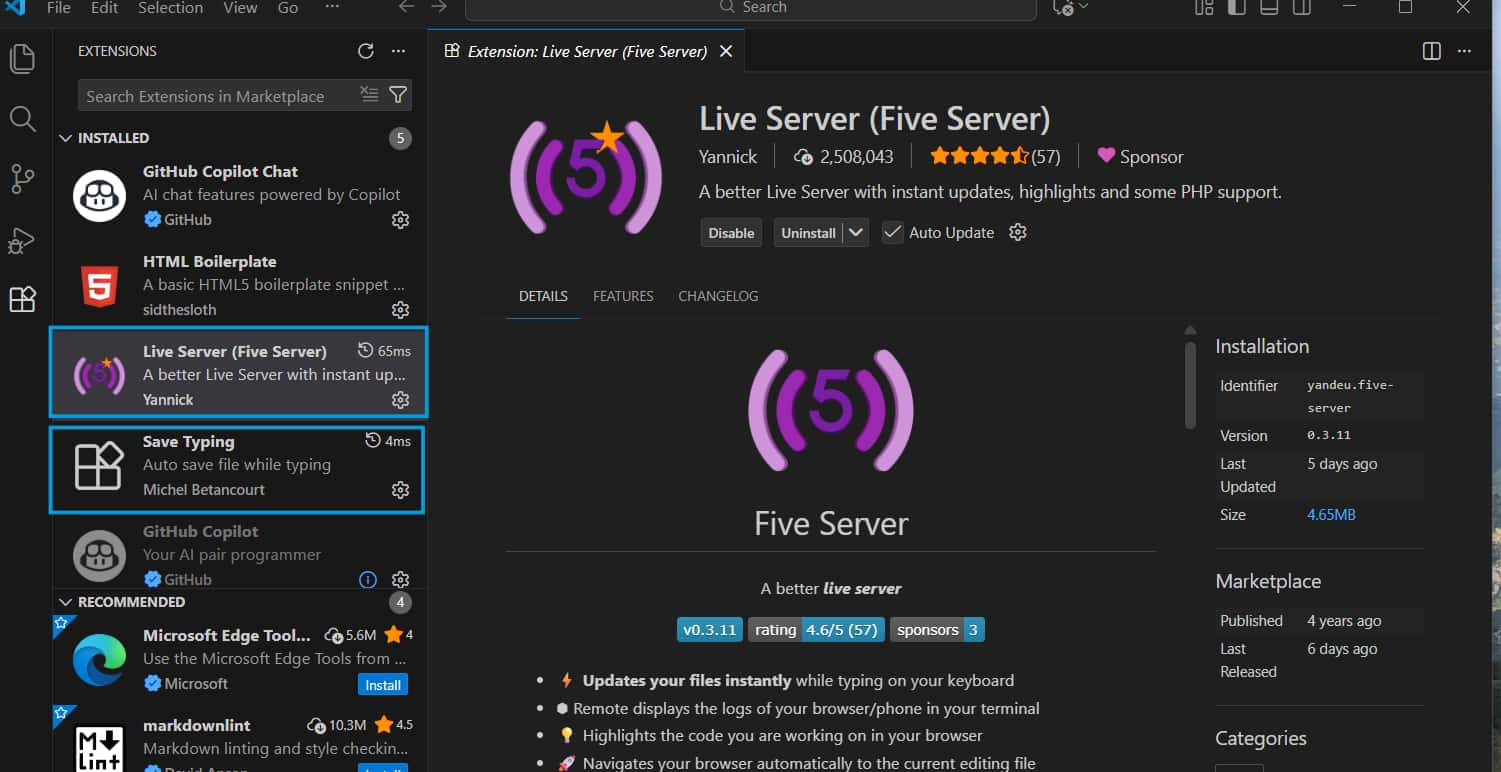
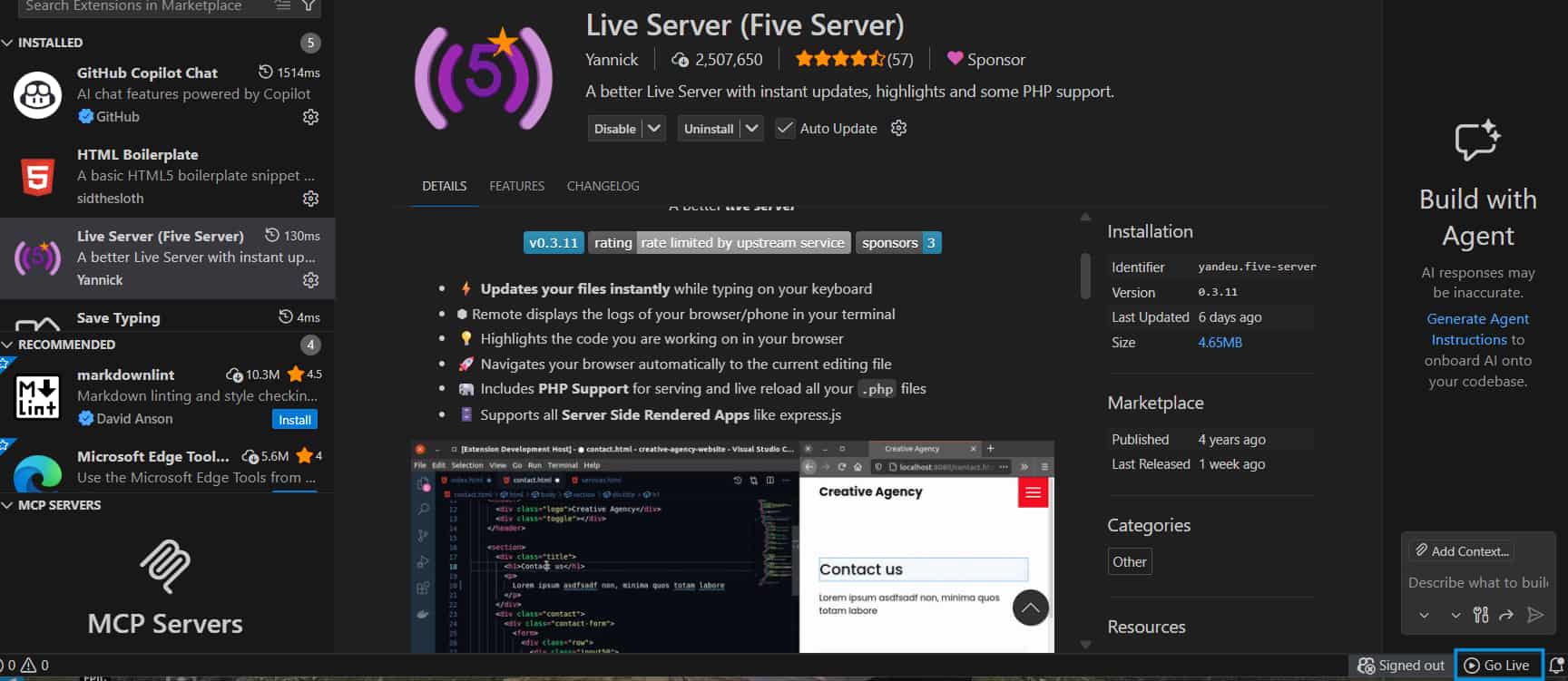
Before starting with the website development, we installed Live Server (five server)and save typing extensions in VS Code.
Five Server helps in running the website on a local server and shows the changes in real time whenever we modify the code.
To see the website live, we can click on the “Go Live” option at the bottom of the VS Code window. Once we click on it, the website opens automatically in the browser.
Save type automatically saves the file while typing, so there is no need to save it manually.
About Me:
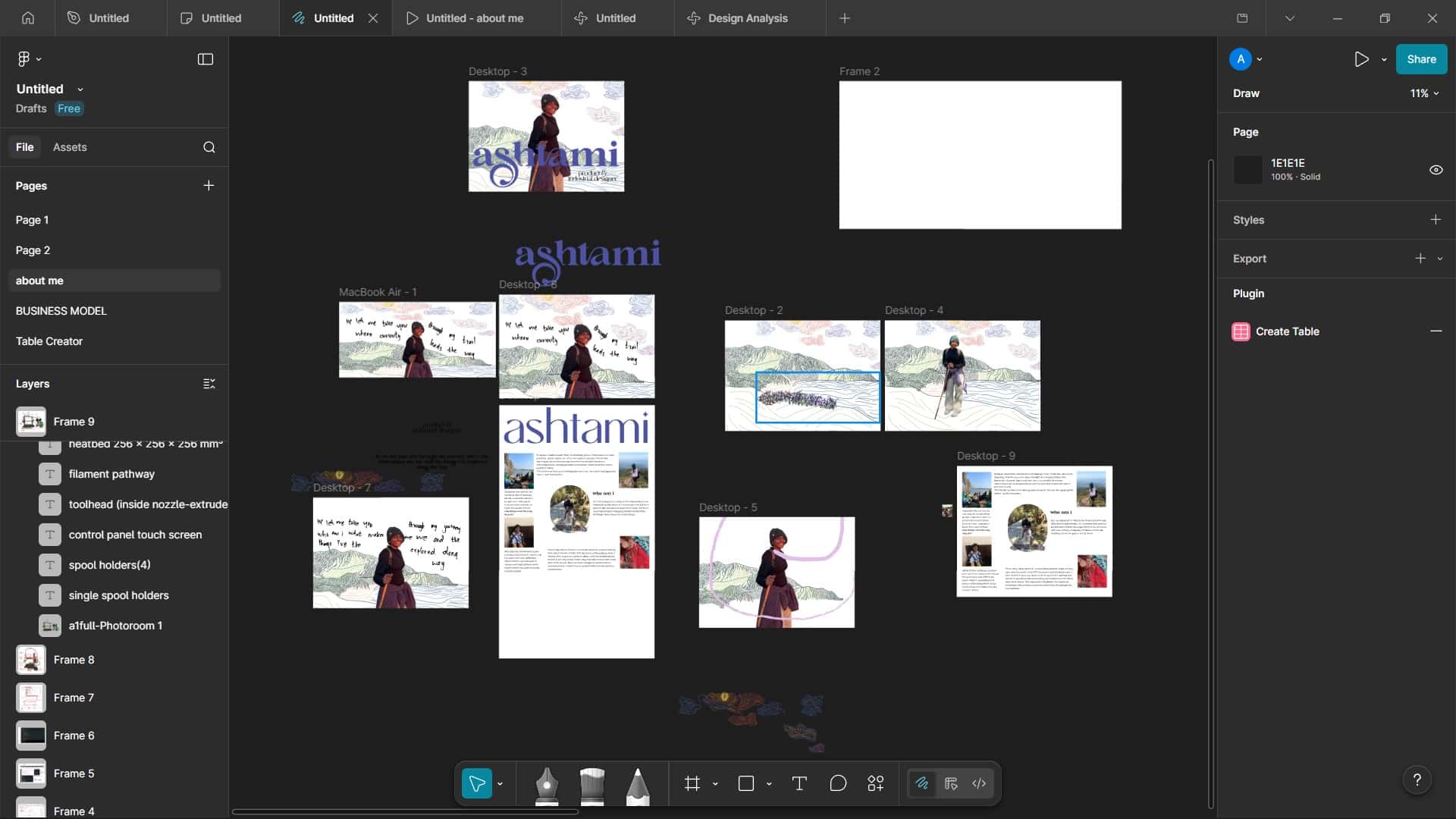
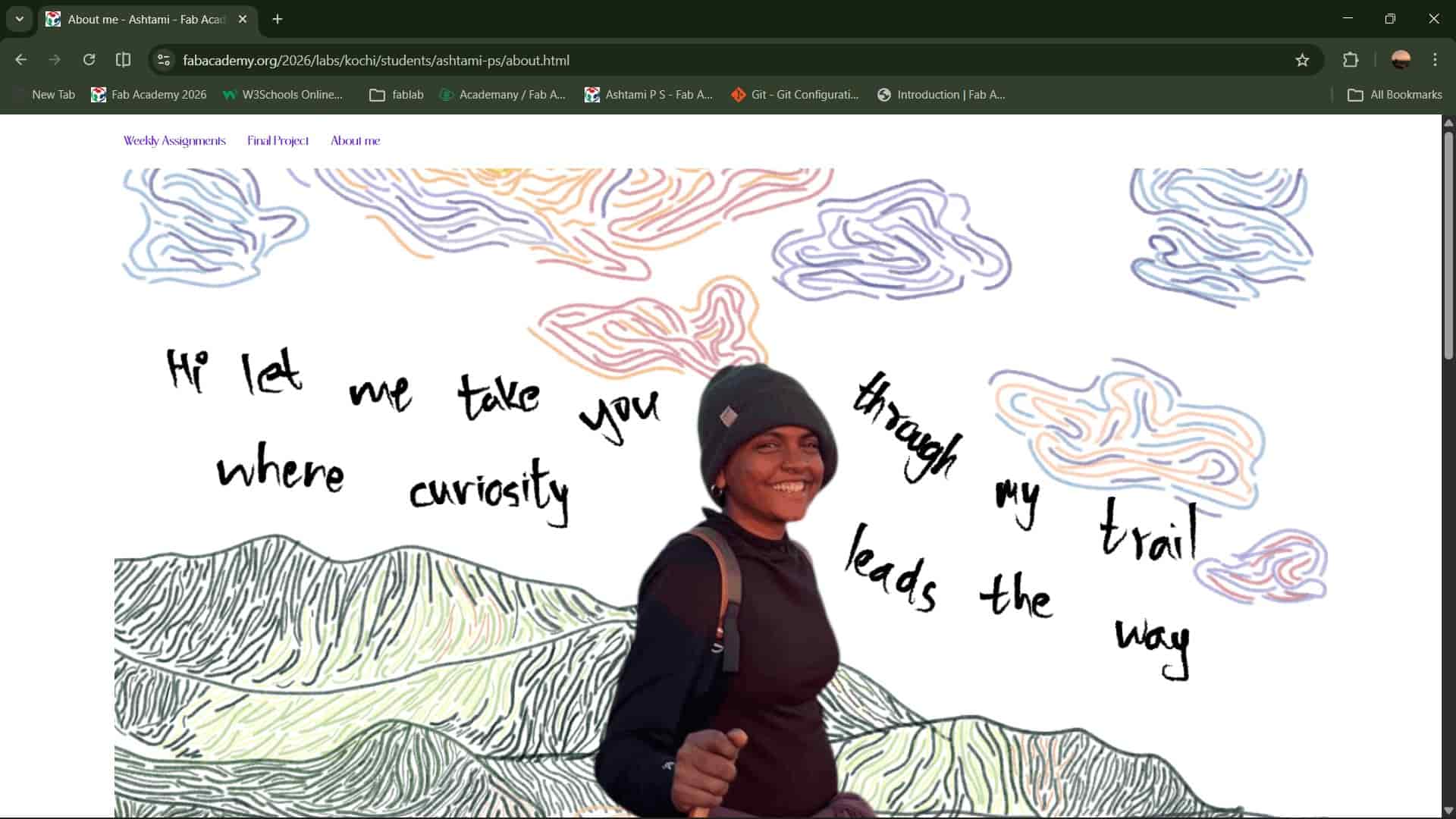
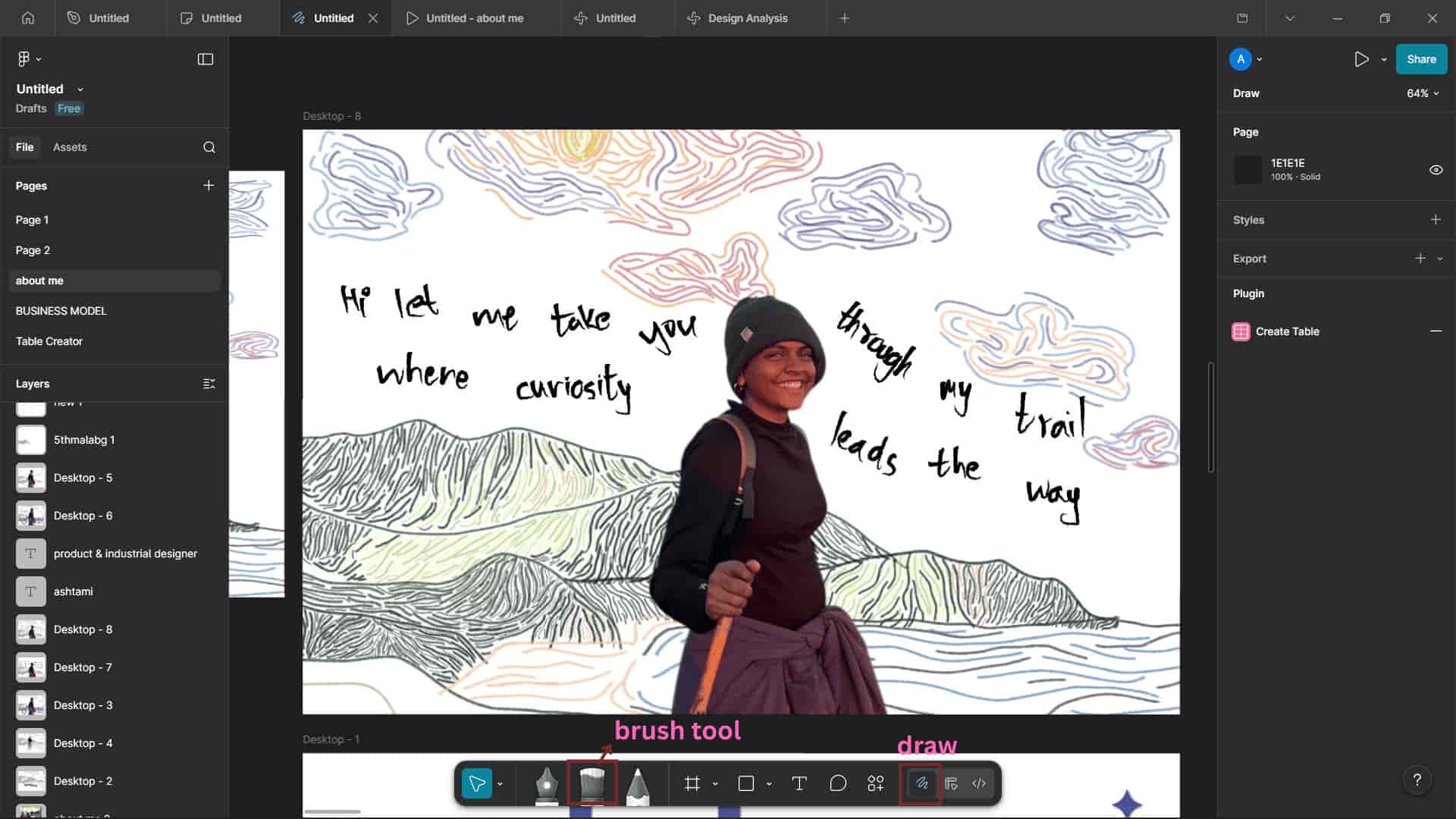
I used Figma to design the hero section of my “About Me” page.
The background illustration was originally created in Photoshop.
I no longer have the original file, but luckily I had already saved each layer of the sketch as separate PNG files.
The illustration was initially made for my academic portfolio's landing page back then,
but now I decided to reuse it here.
I imported the saved PNG layers into Figma, arranged them properly, and added my photo.
Using Figma's Draw (Brush) tool, I wrote the text in my own handwriting to give it a more personal and expressive feel.
After finalizing the design, I exported it as a PNG file and added it to my website using the <img> tag in my HTML code.
Index:
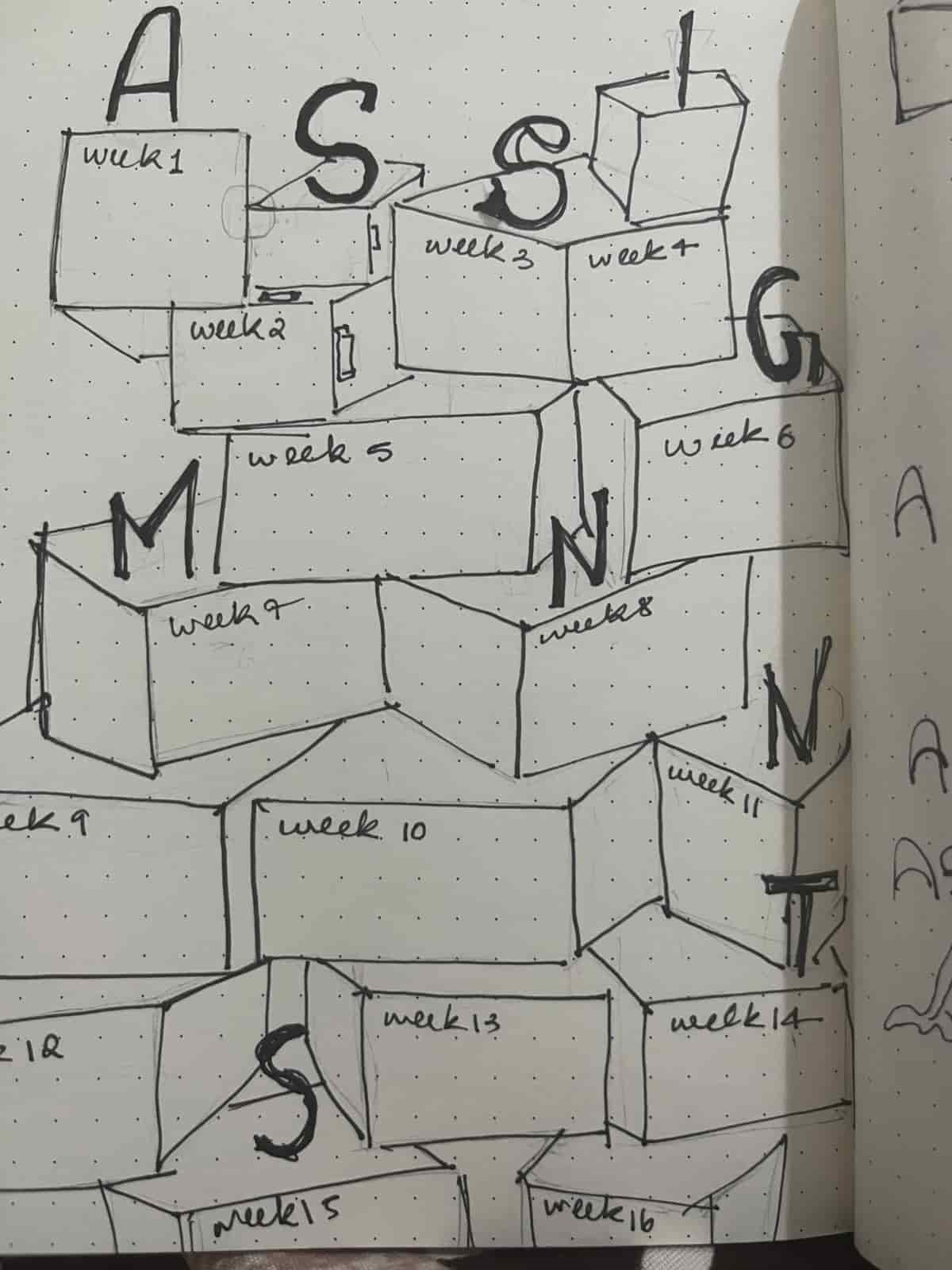
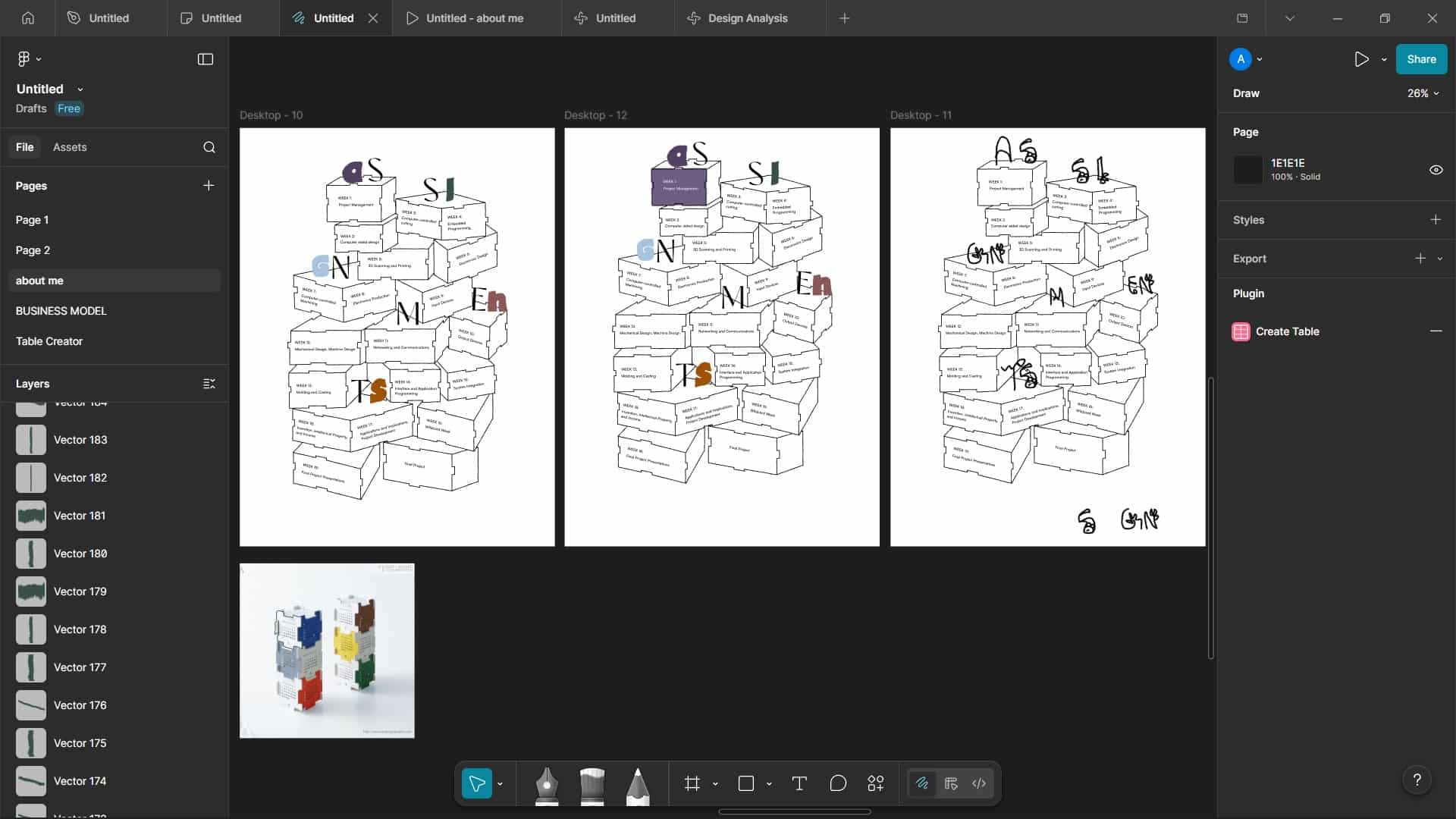
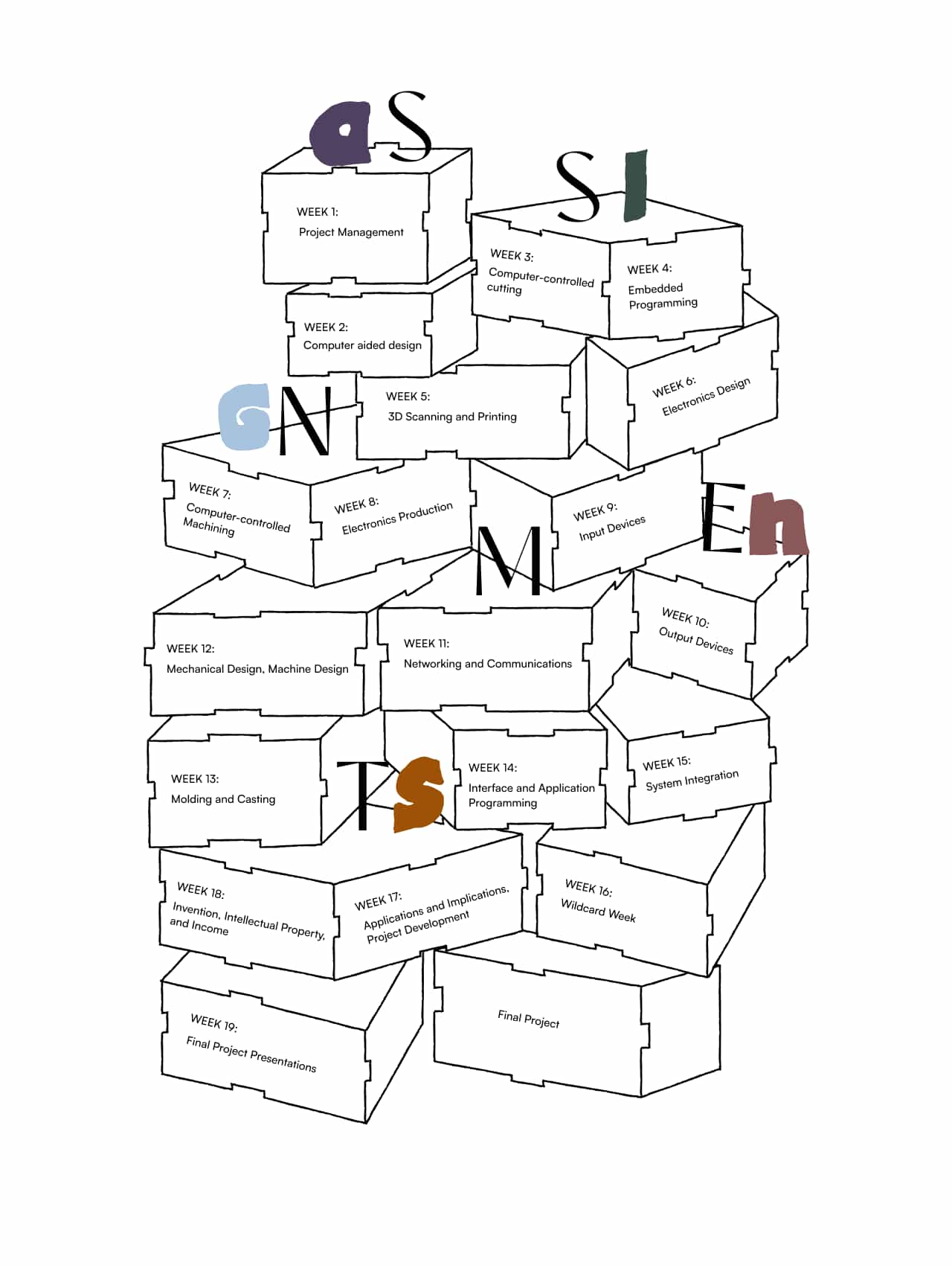
I didn't want my index page to be just a simple list of links to weekly assignments.
I wanted it to feel more creative and interactive, like puzzle pieces or press-fit boxes arranged randomly and layered over each other.
First, I sketched the idea in my sketchbook to explore and ideate the layout.
Then I designed the index page in Figma. I used the brush tool to give it a handmade look and added text using the fonts Rachelya, Satoshi, and Pistacho.
I have finished designing the index page and exported in svg fromat from figma, and I plan to implement it on my website using the <svg> </svg>tag, but I haven't done that yet.
Navbar:
I designed a fixed top navigation bar for easy access across pages.

Navbar Hover State:

              <div class="navbar">
                <div class="navbar-inner">
                  <a href="../index.html">Weekly Assignments</a>
                  <a href="../final-project.html">Final Project</a>
                  <a href="../about.html">About me</a>
                </div>
              </div>
            .navbar {
                font-family:Rachelya;
                width: 100%;
                border-radius: 2px;
                position: fixed;
                z-index: 10;
                top: 0;
                background-color: #ffffff;
              }

              .navbar-inner {
                max-width: 1280px;
                margin: 0 auto;
                padding: 10px 30px;
              }

              .navbar a {
                color: #6211e4;
                display: inline-block;
                font-size: 15px;
                padding: 10px;
                text-decoration: none;
              }

              .navbar a:hover {
                color: #f4ec13;
              }
VS Code-Style Code Blocks with Copy Button
<head>
<link rel="stylesheet" href="https://cdnjs.cloudflare.com/ajax/libs/highlight.js/11.9.0/styles/vs.min.css">
<script src="https://cdnjs.cloudflare.com/ajax/libs/highlight.js/11.9.0/highlight.min.js"></script>
<script>hljs.highlightAll();</script>
</head>
<body>
<div class="codecopy">
<button class="copy-btn">
<img src="week1/copy.png">
</button>
<pre>
<code class="language-html">
<!-- Paste your code here. If you write <img>, it will act as a real tag.
To show it on the website, write it as <img>. -->
</code>
</pre>
</div>
<!-- Paste this script near the footer -->
<script>
document.addEventListener("DOMContentLoaded", function() {
document.querySelectorAll(".copy-btn").forEach(btn => {
btn.addEventListener("click", () => {
const code = btn.parentElement.querySelector("code").innerText;
navigator.clipboard.writeText(code);
const icon = btn.querySelector("img");
icon.src="week1/check-mark.png";
setTimeout(() => {
icon.src="week1/copy.png";
}, 2000);
});
});
});
</script>
</body>
Chatgpt_AI Prompt Used
          Create a responsive VS Code-style (light theme) copyable code block for a website.
          It should highlight HTML, CSS, and Git code, include a copy button with a checkmark
          confirmation, and work on mobile. Provide complete HTML, CSS, and JavaScript code.
Chatgpt_AI Prompt Used
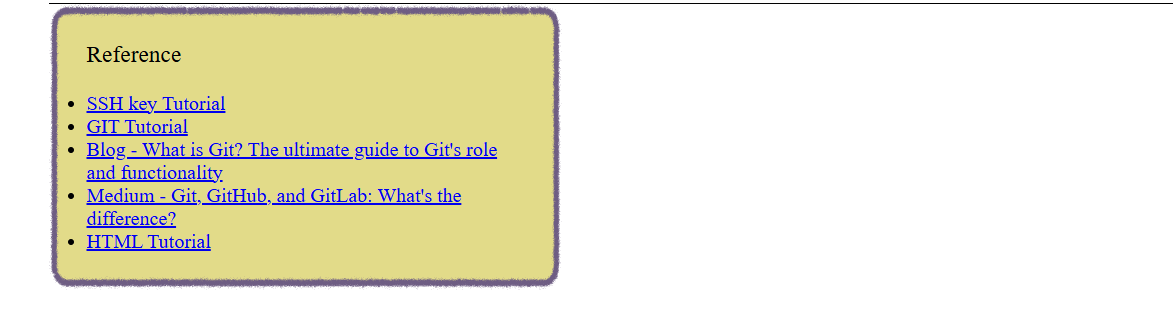
          As already made this card css before, i asked ai:

          .card{ background: #FFF4BB;
          padding:20px;
          width:350px;
          border-radius:12px;
          box-shadow:0 4px 10px rgba(0, 0, 0, 0.1); }
         I want color-pencil like stroke for this.
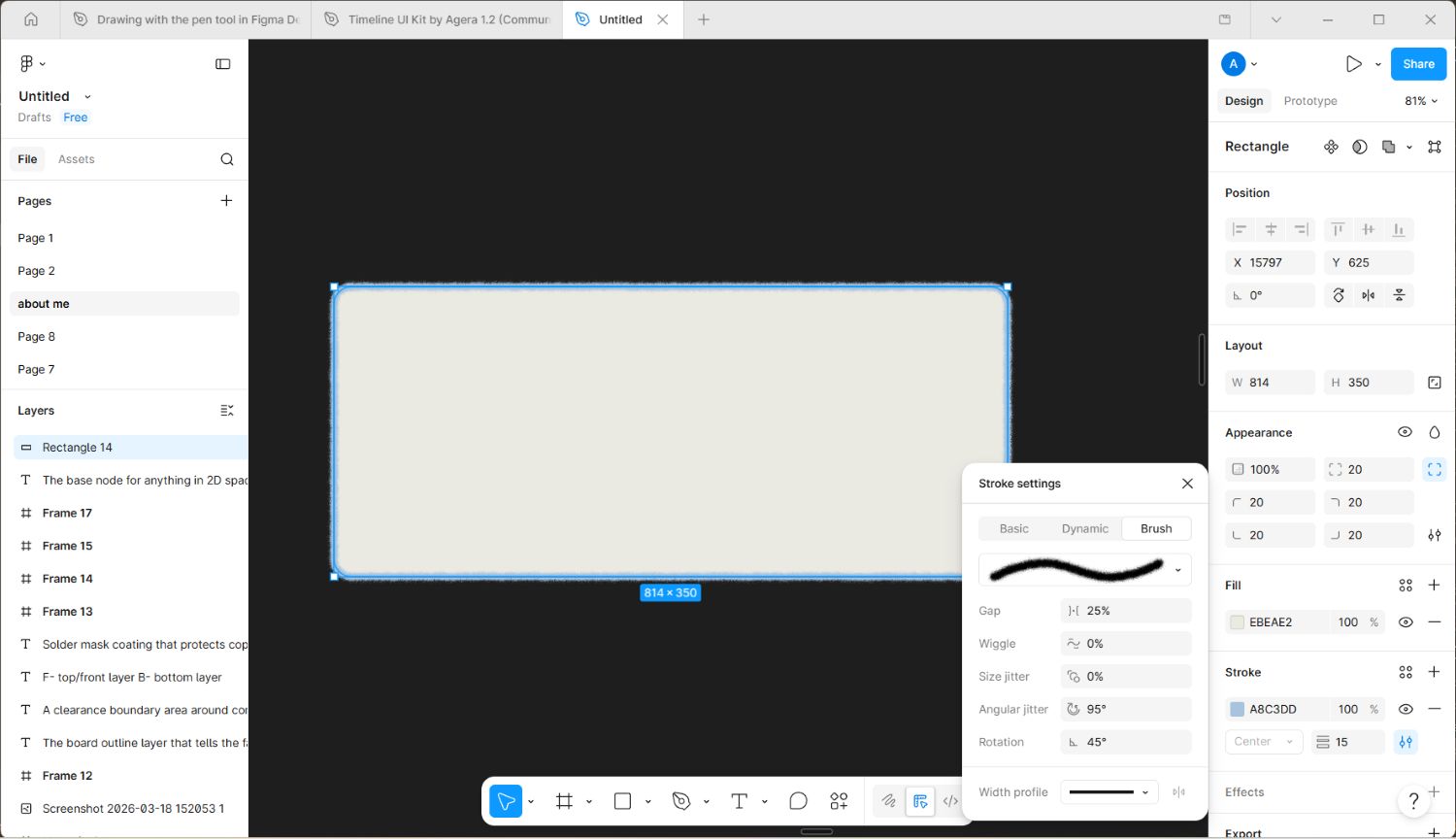
          .card{
            background: url("Rectangle 14.svg") no-repeat center;
            background-size: 100% 100%;
            padding: 30px;
            width: 350px;
          }
<div> used as a container for other html elements and for grouping sections
<li> defines a list item. It is used within parent elements like ordered lists (<ol>), unordered lists (<ul>)
<p> defines a paragraph
<pre> by using this text can displayed exactly as written in the HTML source code.
<header> used as a container for introductory content
@font-face {
font-family: myFirstFont;
src: url(sansation_light.woff);}
display: grid;
grid-template-columns:250px 1fr;
Specifies the size of the columns, and how many columns in a grid layout
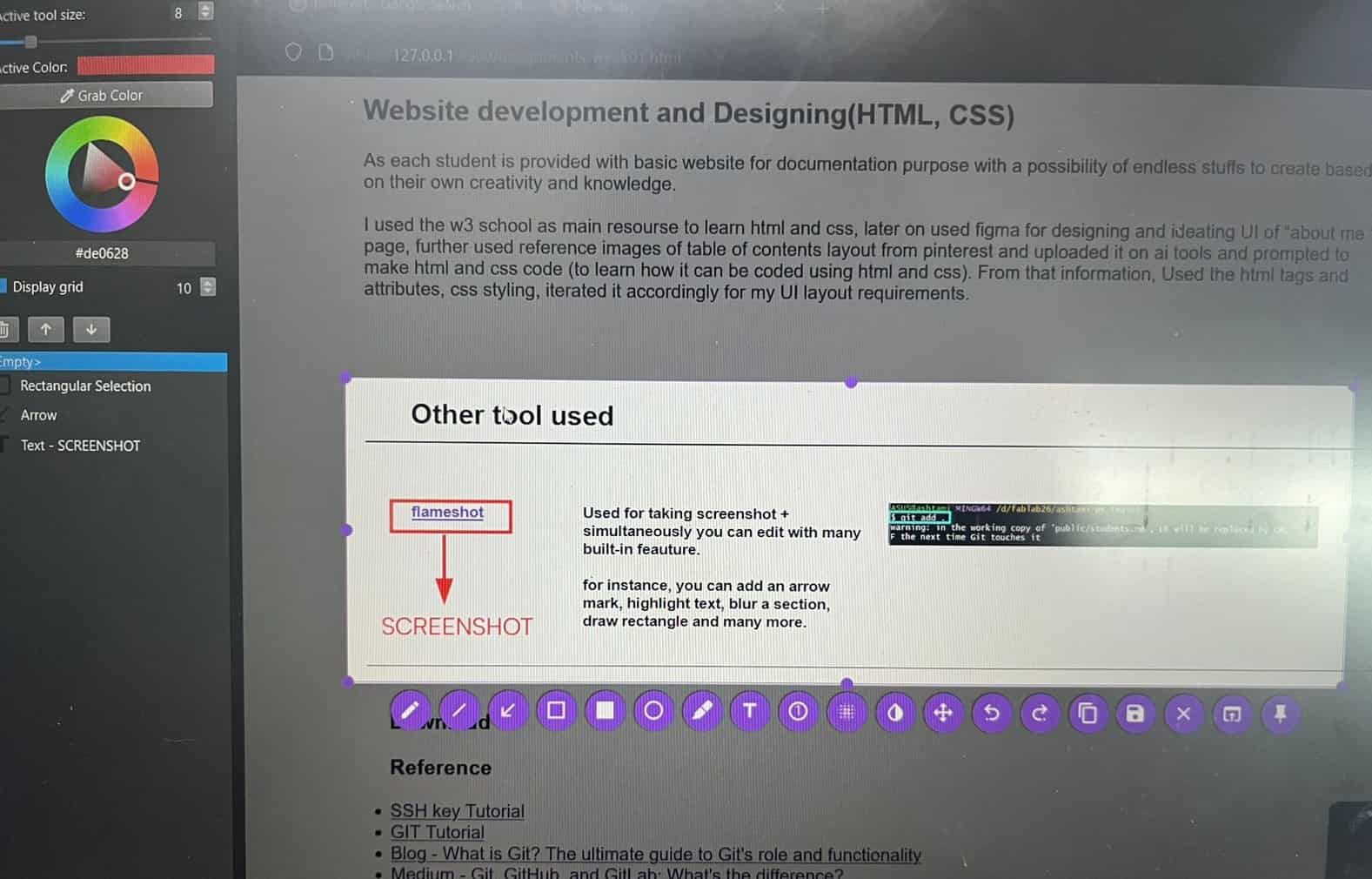
Other tool used
Used for taking screenshot + simultaneously you can edit with many built-in feauture.
for instance, you can add an arrow mark, highlight text, blur a section, draw rectangle and many more.
for instance, you can add an arrow mark, highlight text, blur a section, draw rectangle and many more.