Week 17 - Wildcard Week
Individual assignment
For wildcard week I wanted to try a process that did not fit neatly into the earlier electronics weeks.
I used a pre-trained hand gesture model from SenseCraft AI, deployed it to a XIAO ESP32S3 Sense, and then wrote
an Arduino sketch that reads the model output through serial. The test was small on purpose: rock, paper, scissors,
and a none state when the model was not confident enough.
This was also a useful way to document an embedded AI workflow. The design work was not training a new model from scratch. My job was to choose the model, deploy it to the board, make the camera and inference code run, and verify the output with a repeatable serial format.
| Requirement | How I covered it |
|---|---|
| Use a process not covered in another week | I used SenseCraft AI model deployment and on-board computer vision inference on the XIAO ESP32S3 Sense. |
| Produce a working result | The board classifies hand gestures and prints GESTURE=paper, GESTURE=rock, GESTURE=scissors, or GESTURE=none. |
| Document the workflow | I recorded the model choice, deployment preview, Arduino settings, serial output, and the camera/PSRAM problem I had to fix. |
Choosing the model
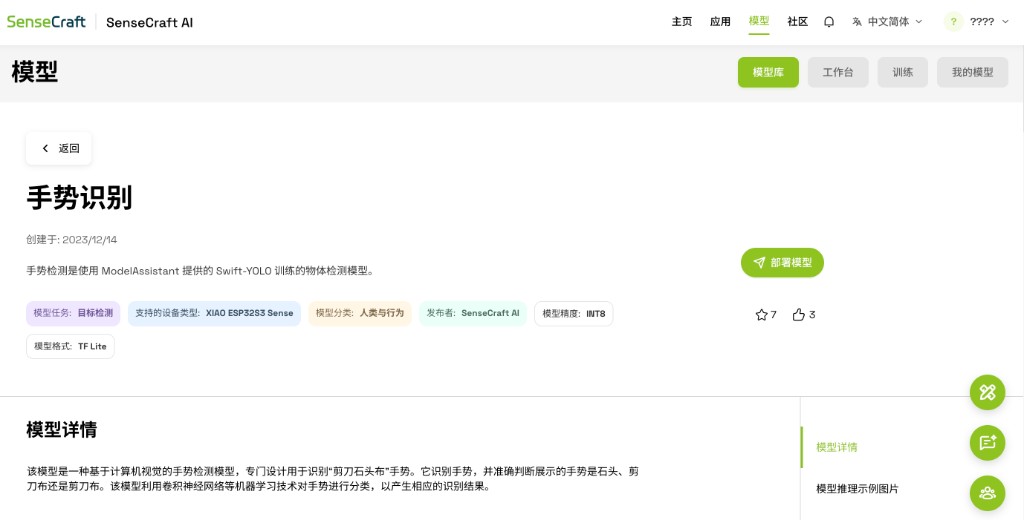
I used the hand gesture model from the SenseCraft model library. The model page describes it as an object detection model trained with Swift-YOLO and prepared for the XIAO ESP32S3 Sense. That matched the board I had on my desk, so I did not need to build a camera pipeline from zero before testing the wildcard idea.

Deploying and previewing
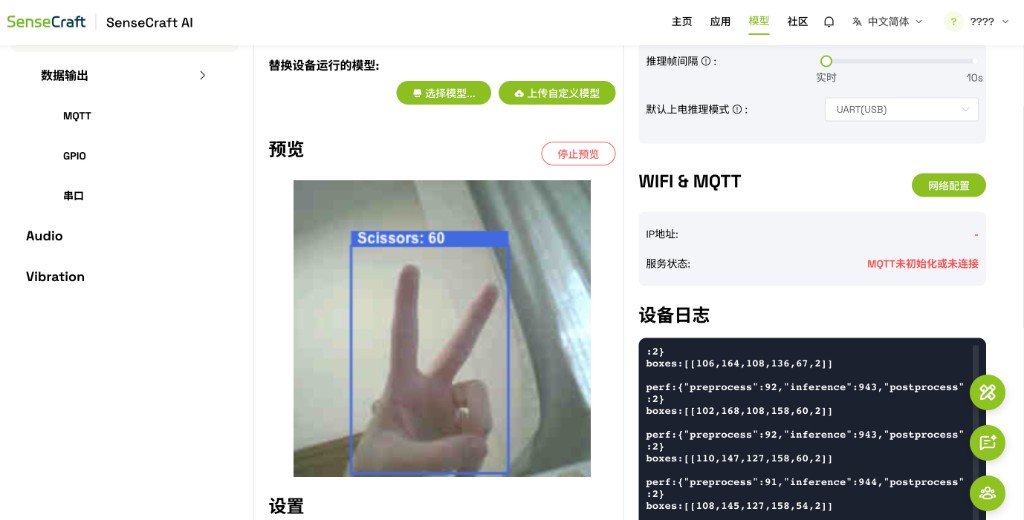
After selecting the model, I deployed it to the board from SenseCraft. Before writing my own sketch, I used the online preview to check that the camera and model were actually working together. The preview recognized a scissors gesture and showed a box around the hand, with the model log updating on the side.
Hardware
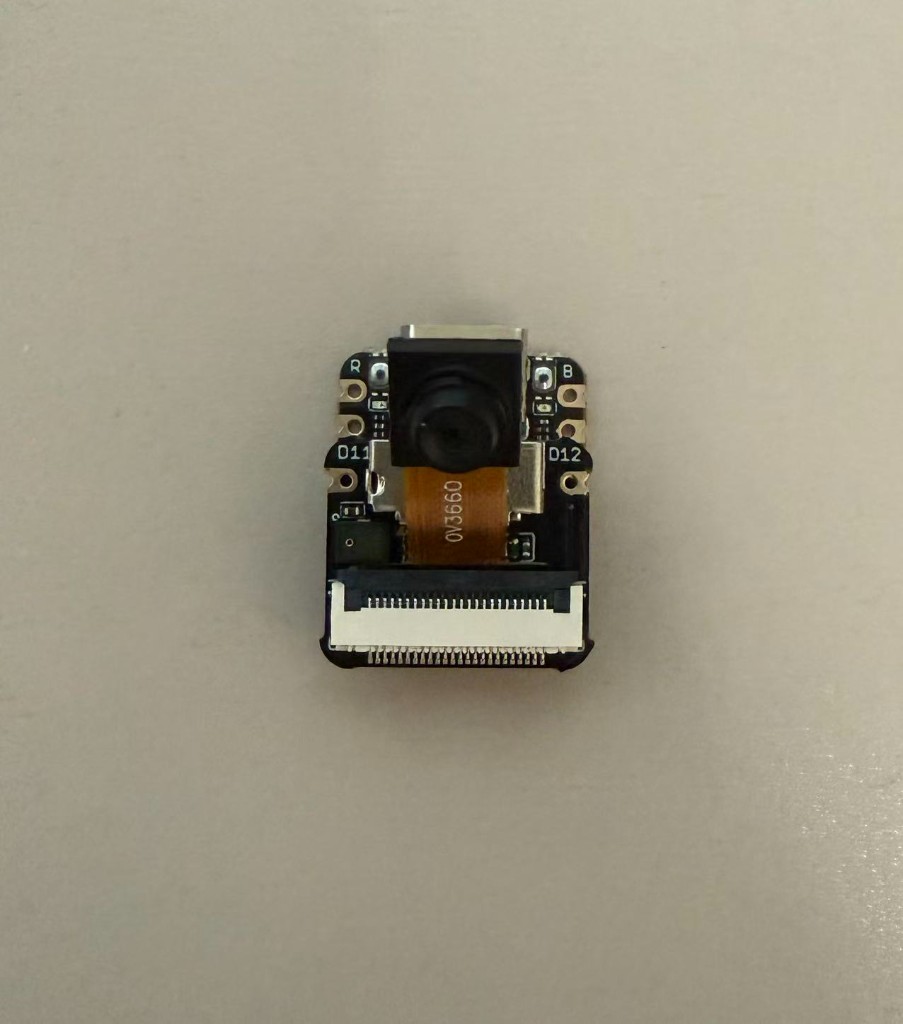
The hardware for this assignment was just the XIAO ESP32S3 Sense camera board over USB. I kept the setup simple because the main question was whether I could deploy and call the model locally. The camera module is small, but it is picky about board settings. That became the main debugging point later.
Arduino settings that mattered
The first version uploaded, but the serial monitor kept printing Managed frame is null. After checking the serial log,
the real error was frame buffer malloc failed. The board has PSRAM, but my Arduino build had PSRAM disabled, so the
camera frame buffer could not be allocated.
| Arduino IDE setting | Value I used | Why it matters |
|---|---|---|
| Board | XIAO_ESP32S3 |
This matches the Seeed XIAO ESP32S3 Sense board. |
| PSRAM | OPI PSRAM |
The camera frame buffer needs PSRAM. With PSRAM disabled, the camera initialized poorly and returned null frames. |
| USB CDC On Boot | Enabled | This keeps the USB serial monitor usable after upload and reset. |
| Erase All Flash Before Sketch Upload | Disabled | The SenseCraft model is stored in flash. Erasing all flash can remove the deployed model. |
| Serial monitor | 115200 baud | The sketch prints model status and gesture results at this speed. |
The key fix was compiling with PSRAM=opi. After that, the boot log changed to
PSRAM found: yes, the camera probe returned a 240 x 240 frame, and inference started running.
Serial output format
I made the serial output easy to read because I wanted proof that the board was not only showing a preview in SenseCraft. Each frame prints the selected gesture, the target number, the score, and the frame count. I also print the model timing so I can see whether the board is still running inference normally.
GESTURE=scissors,target=2,score=0.631,frame=193
PERF,preprocess=14ms,inference=624ms,postprocess=1ms
In my mapping, 0 is paper, 1 is rock, and 2 is scissors. I used a confidence threshold of
0.50; below that, the sketch prints GESTURE=none instead of forcing a guess.
Testing the three gestures
I tested the three gestures by holding my hand in front of the camera and watching the serial monitor. The camera was facing the hand at an angle, and the scores were not identical every time, but the labels changed correctly for scissors, paper, and rock.
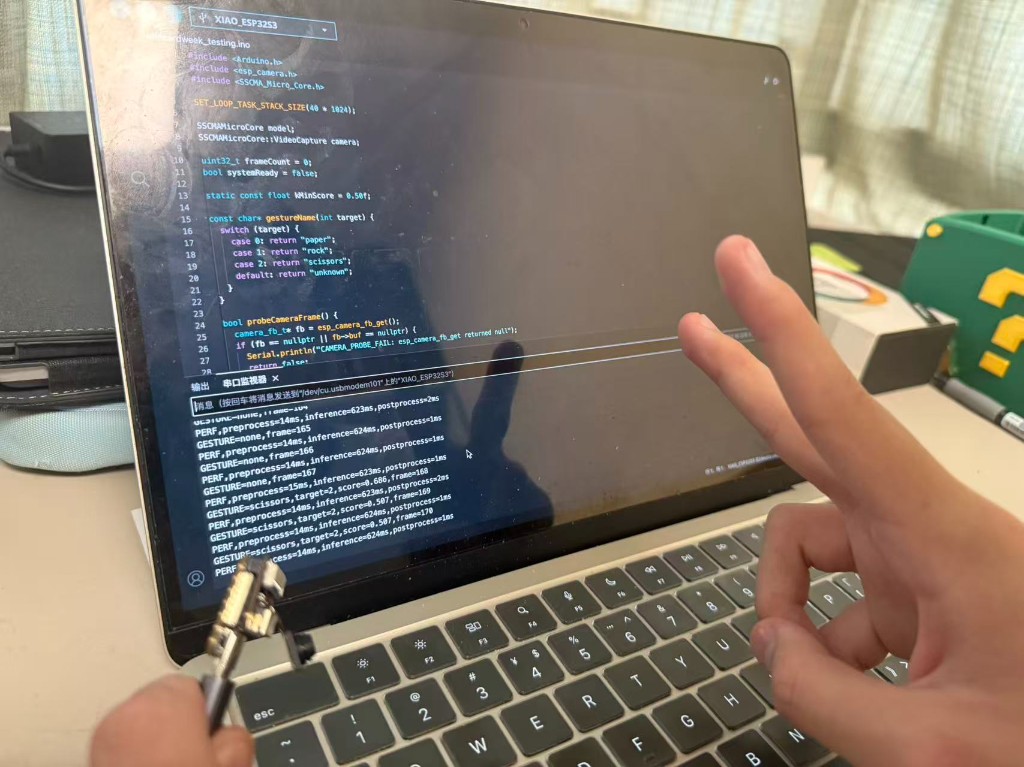
GESTURE=scissors with target 2, matching the hand pose in front of the camera.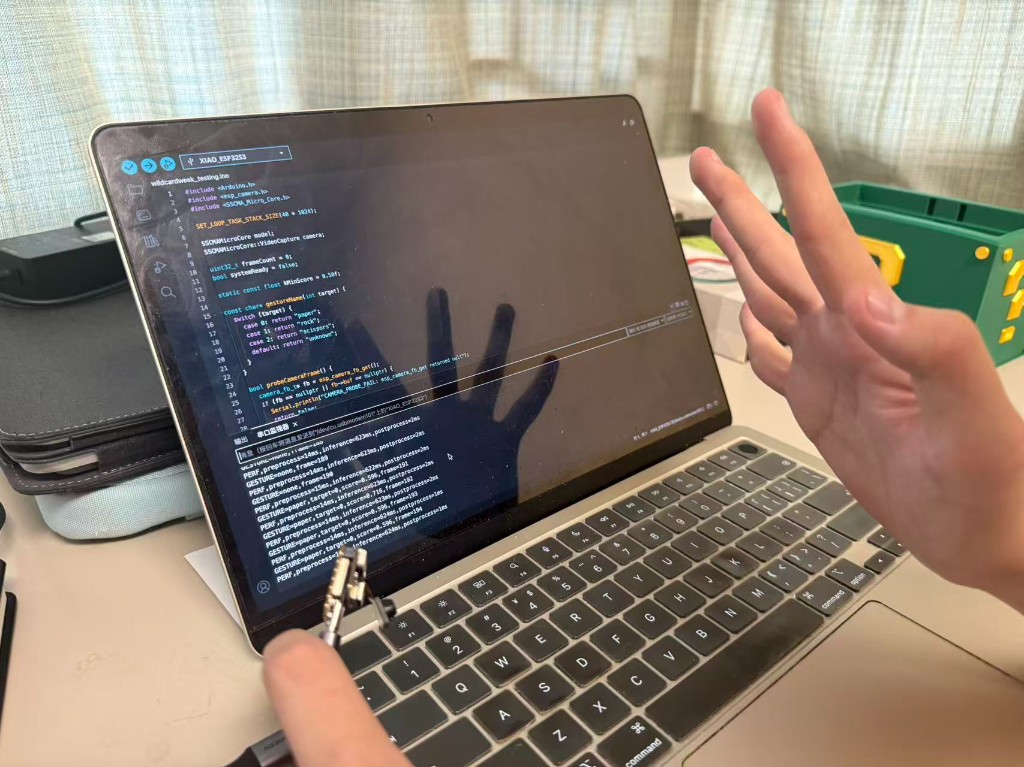
GESTURE=paper with target 0, matching the open hand in front of the camera.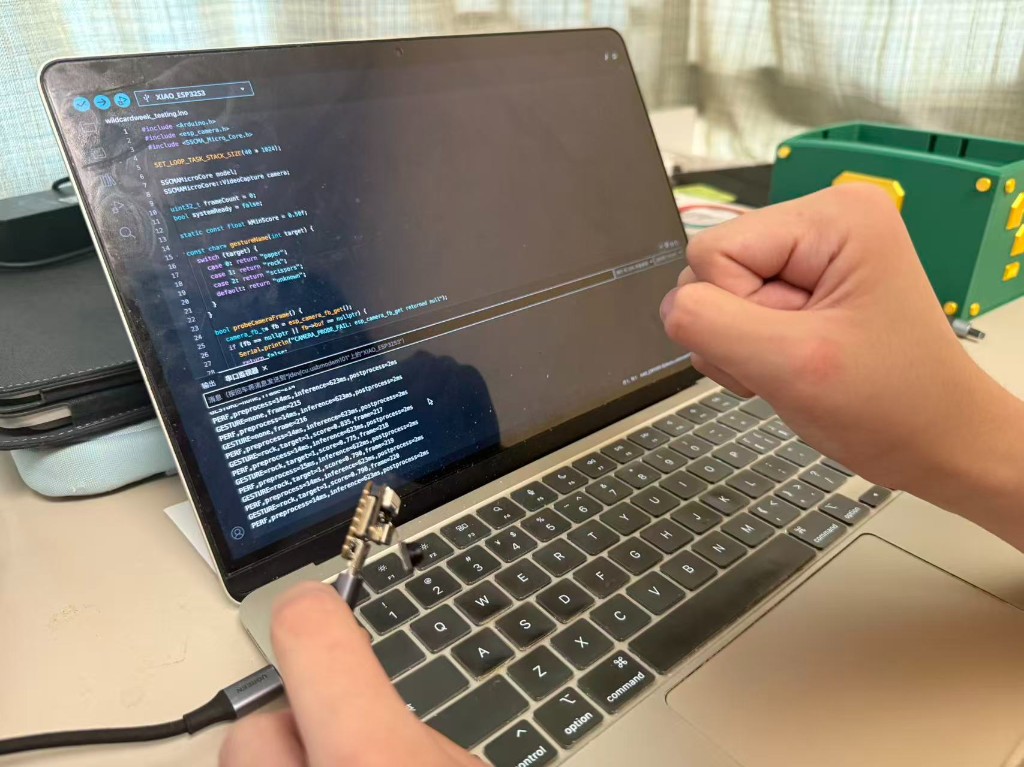
GESTURE=rock with target 1, matching the closed fist in front of the camera.Program
The sketch uses Seeed_Arduino_SSCMACore. It starts the camera, probes one frame, initializes the deployed model, then
runs inference in the loop. I also left the startup checks in the program because they helped me catch the PSRAM problem quickly.
What I learned
The model deployment part was quicker than I expected. The slow part was not AI, it was the embedded setup around it: board options, PSRAM, serial reset behavior, and checking whether the camera could return a frame. Once PSRAM was enabled, the same sketch started producing stable gesture lines.
If I repeat this, I would make a small host-side viewer that parses the serial line and shows the current gesture on screen. For this week, the serial monitor was enough evidence because the assignment goal was to test a new process and document the working output.