Interface and Application Programming
Week 15
- Compare as many tool options as possible.
- Document your work on the group work page and reflect on your individual page what you learned.
Interface Tools
For this group assignment, we compared two tools for designing interfaces and applications:
- Python + Guizero
- Lovable
Python + Guizero
Guizero is a Python 3 library designed to create Graphical User Interfaces (GUIs) quickly and easily.
Thonny is a beginner-friendly Python IDE: https://thonny.org/
In Thonny, libraries can be installed from Tools > Manage packages...
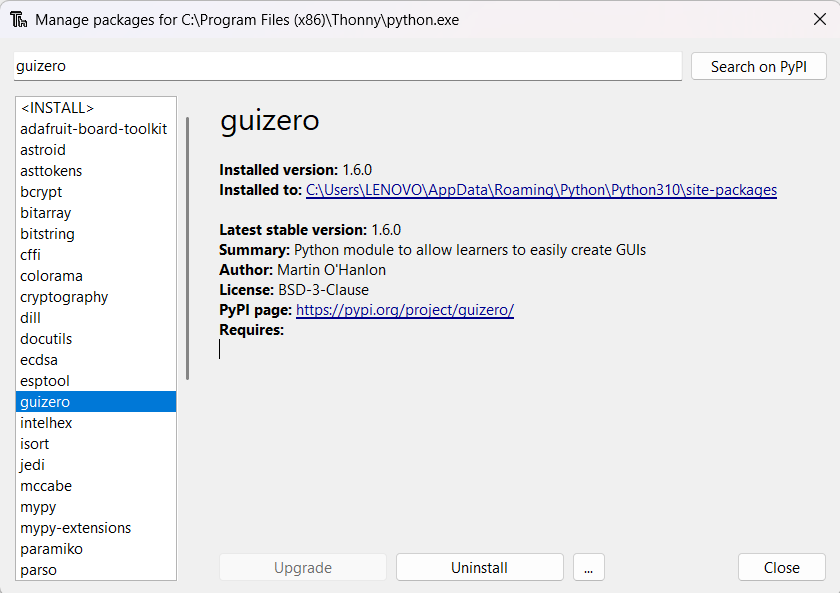
Using Python + Guizero in Thonny, we created an interface with a window and two buttons:
- Button 1: sends the message LED On.
- Button 2: sends the message LED Off.
First Interface Code
						from guizero import App, PushButton, Text
						import time

						def led_on():
							state.value = "LED ON"

						def led_off():
							state.value = "LED OFF"

						app = App(title="Control LED Interface", width=300, height=200)
						Text(app, text="Control LED", size=16)
						PushButton(app, text="LED On", command=led_on, width=20)
						PushButton(app, text="LED Off", command=led_off, width=20)
						state = Text(app, text="LED State")
						app.display()
Test
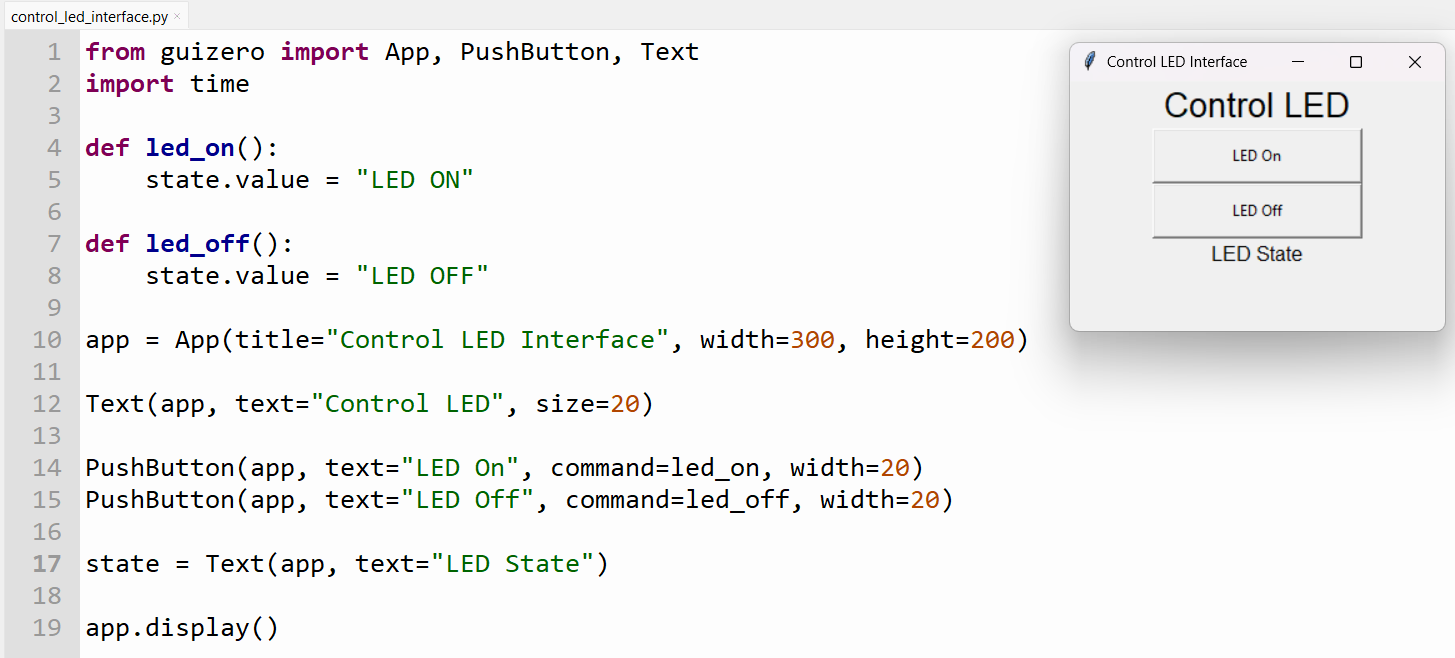
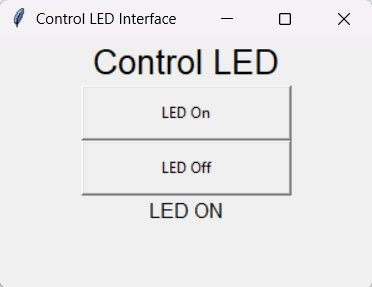
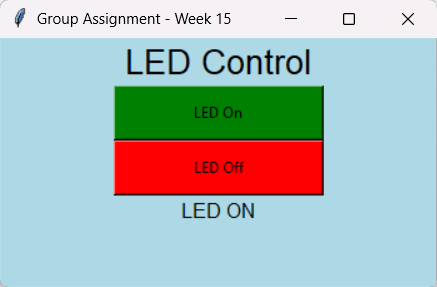
When the LED On button is pressed, the message at the bottom of the window changes to LED ON.
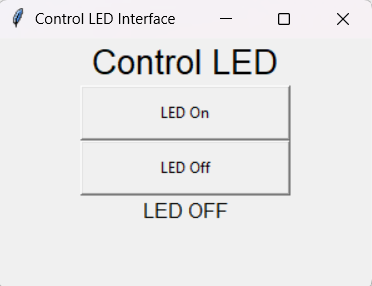
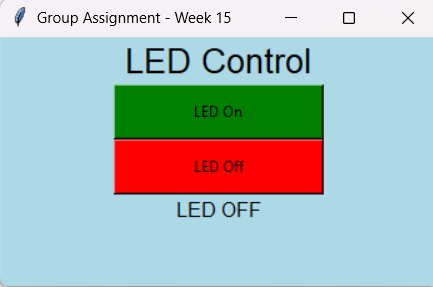
When the LED Off button is pressed, the message at the bottom of the window changes to LED OFF.
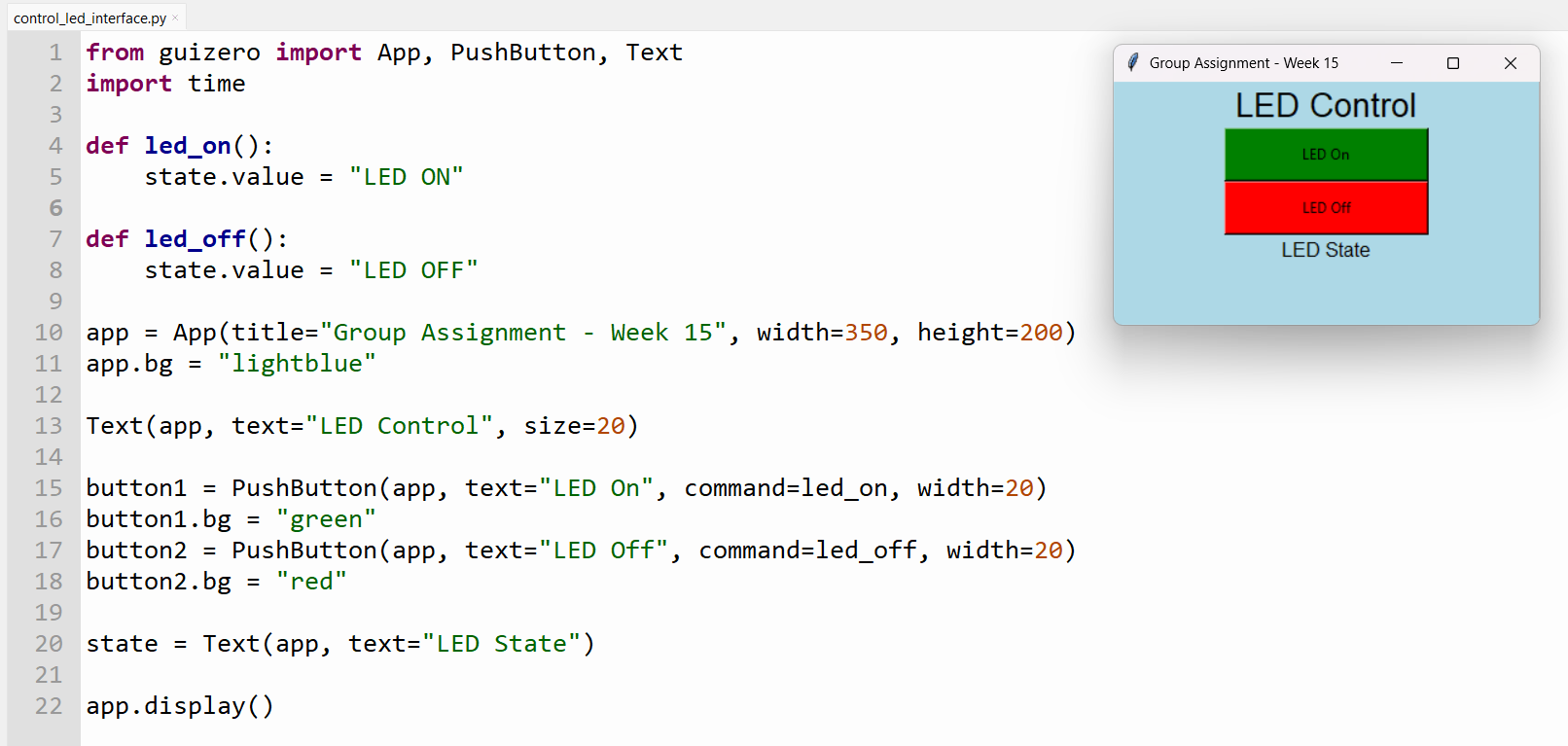
After the first test, we modified the code to add colors and update some interface text.
Improved Interface Code
						from guizero import App, PushButton, Text
						import time

						def led_on():
							state.value = "LED ON"

						def led_off():
							state.value = "LED OFF"

						app = App(title="Group Assignment - Week 15", width=350, height=200)
						app.bg = "lightblue"

						Text(app, text="LED Control", size=20)

						button1 = PushButton(app, text="LED On", command=led_on, width=20)
						button1.bg = "green"

						button2 = PushButton(app, text="LED Off", command=led_off, width=20)
						button2.bg = "red"

						state = Text(app, text="LED State")
						app.display()
Improved Interface Test
Lovable AI
Lovable is an artificial intelligence platform that makes it possible to create functional web pages and end-to-end applications through prompts.
We created a graphical interface that uses a webcam to track hand movement and provide details about each finger.
After creating an account, we entered the following prompt in the text window:
Create an interface that uses my webcam and tracks hand motion, with details on every finger.
After a few minutes, Lovable generated the interface and explained what it had built:
Built a webcam hand tracker using MediaPipe Hands — click "Start camera" to see live skeleton overlay plus per-finger extended/curled state, bend angle, tip-to-wrist distance, pinch value, and overall openness for each detected hand.
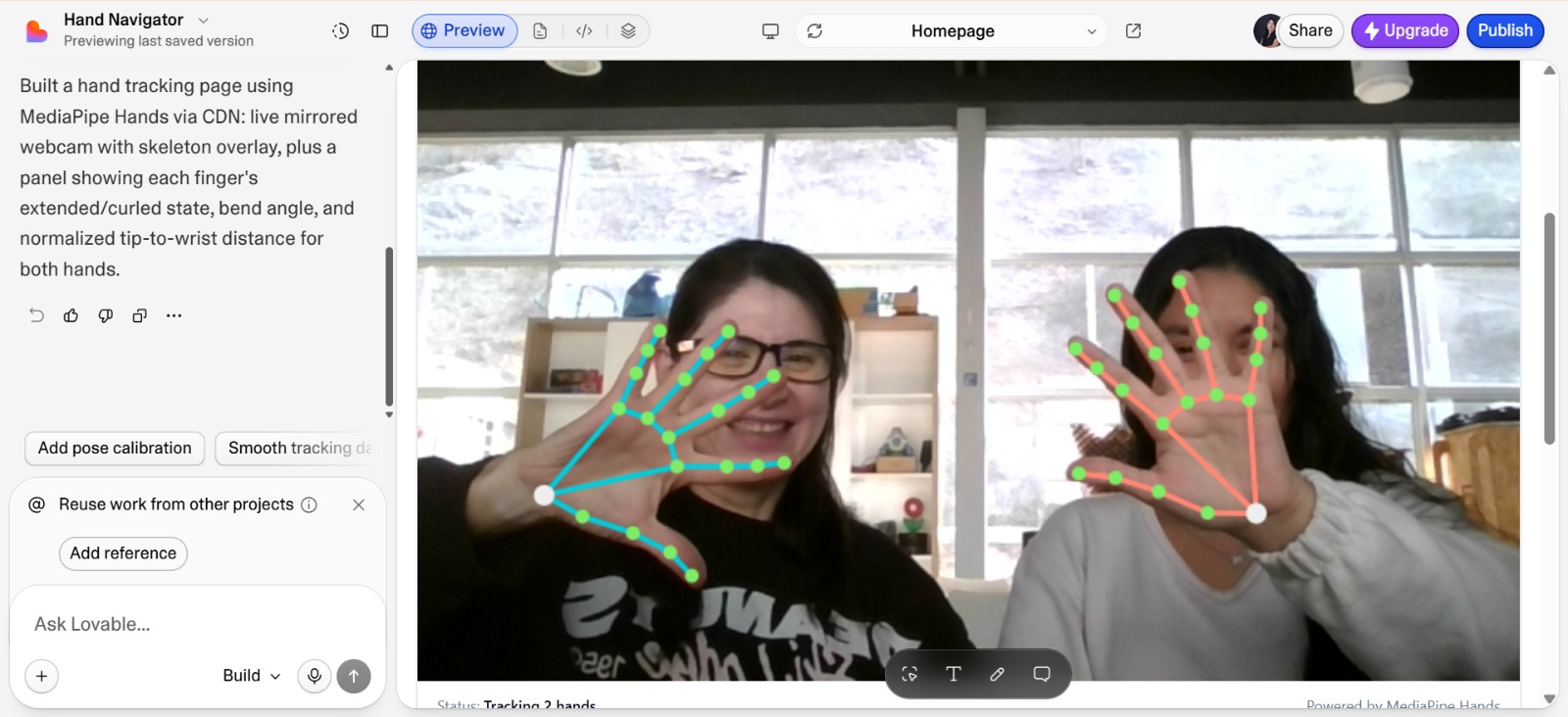
The interface looks professional. It detects hand movements using a skeleton with points on the joints. It also uses bars to show whether the fingers are extended or curled.
Problem found: the interface sometimes detects the thumb as closed when it is extended, and vice versa.
Tool Comparison
| Criterion | Python + Guizero | Lovable |
|---|---|---|
| Visual design | Basic, with the native style of the operating system. | Modern, responsive, and visually attractive. |
| Ease of development | Very simple for Python users. | Very fast through AI prompts. |
| Customization | Limited. | Very high. |
| Responsive design | No. | Yes. |
| Execution speed | Very fast because it runs as a local application. | Depends on the browser. |
| Hardware integration | Excellent for Serial, GPIO, Arduino, and ESP32. | Requires APIs or a backend. |
| Learning curve | Very low. | Low when using AI, medium if React code is modified. |
| Distribution | Executable file, such as .exe. | Web page. |
Conclusion
Python + Guizero is a good option for quickly creating simple local interfaces, especially when the project needs direct communication with electronic boards through serial ports or GPIO. Lovable is useful for quickly generating modern web interfaces and more complex visual applications using AI prompts. In the individual assignment, we will test whether these interfaces can interact with our electronic boards.