Week 17: Wildcard Week — Machine Learning
Assignment
Design and produce something with a digital process not covered in another assignment, documenting requirements met and everything necessary to reproduce it.
Project: Rock–Paper–Scissors hand-gesture recognition — train a machine-learning image classifier in Edge Impulse using phone-camera photos, then run inference on the Seeed XIAO ESP32S3 Sense.
Collect gesture photos with a smartphone → train in Edge Impulse → deploy to XIAO ESP32S3 Sense → show rock, paper, or scissors in front of the board camera and read the label on the Serial Monitor.
Why this is Wildcard (not covered elsewhere)
- Week 9 — TCS34725 color sensor (I²C), not camera vision.
- Week 11 — ESP-NOW wireless + web server; input was buttons, not ML gestures.
- Week 15 — interface/programming survey; no trained model deployed on MCU.
- This week — phone-camera dataset + Edge Impulse CNN training, deployed for inference on XIAO ESP32S3 Sense (ML workflow not used in earlier weeks).
Hardware
- Training: smartphone camera (collect rock / paper / scissors photos)
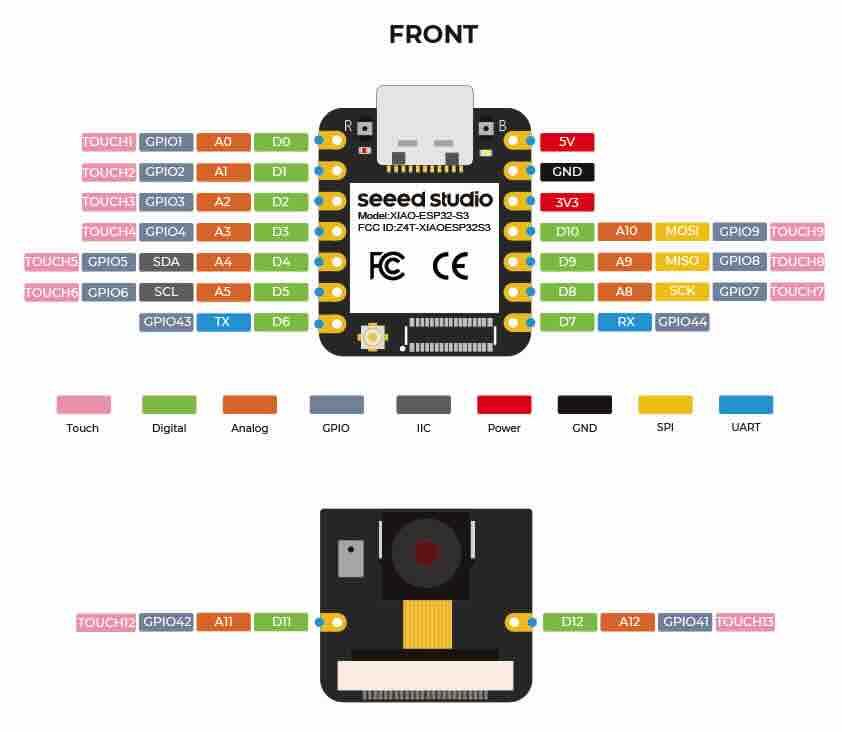
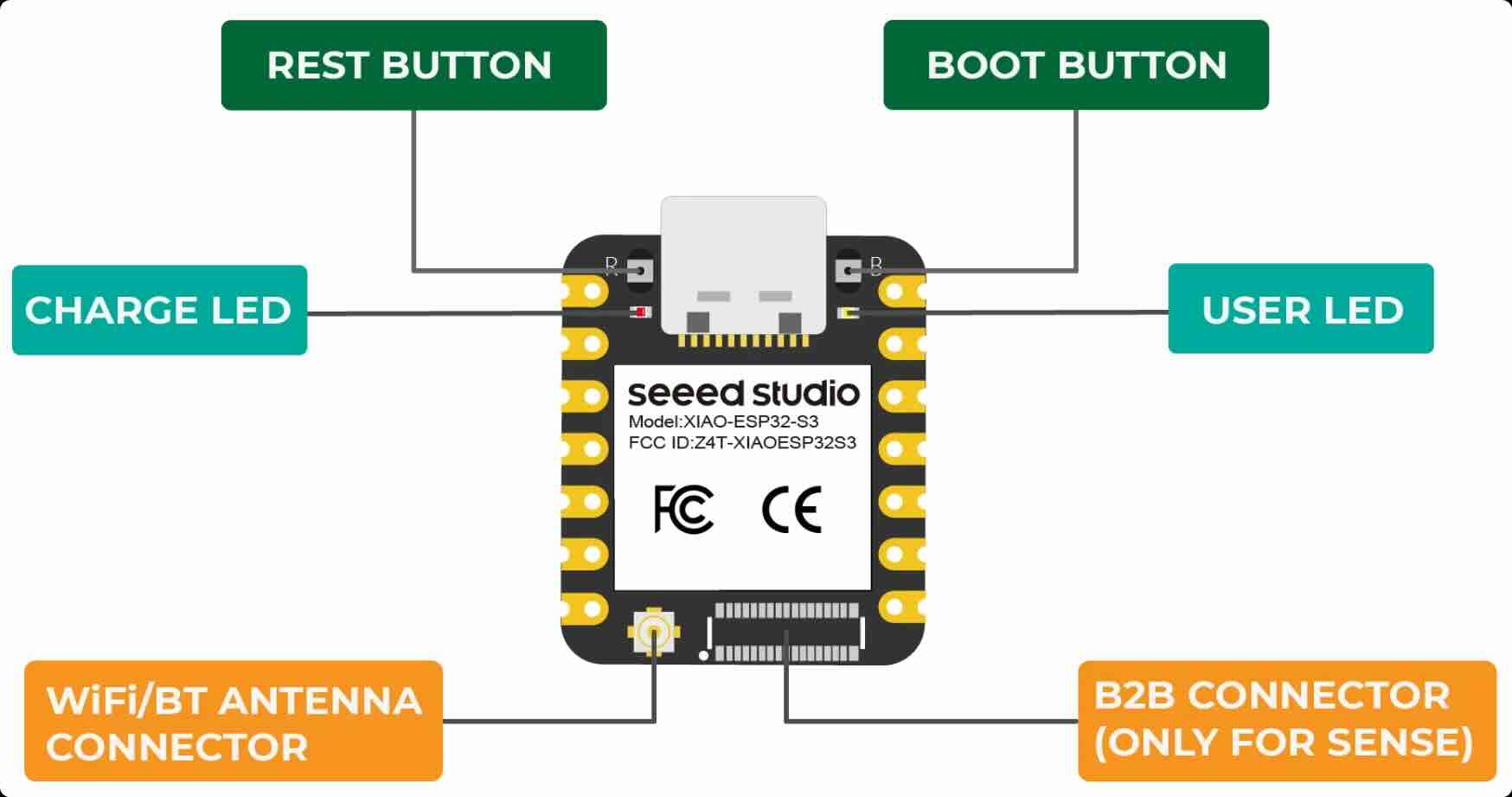
- Inference: Seeed Studio XIAO ESP32S3 Sense (onboard OV2640 camera)
- USB-C cable, plain background, stable lighting
Training a classification model with SenseCraft
Classification is a powerful tool in machine learning that allows you to train a model to recognize and categorize different types of data. In the SenseCraft AI platform, classification enables you to create models that can identify and distinguish between various objects, gestures, or scenes based on the images you provide during training.
The SenseCraft AI platform simplifies the classification process, allowing you to create custom models tailored to your specific needs without requiring extensive machine learning expertise.
Step 1. Connect your device to the SenseCraft AI platform
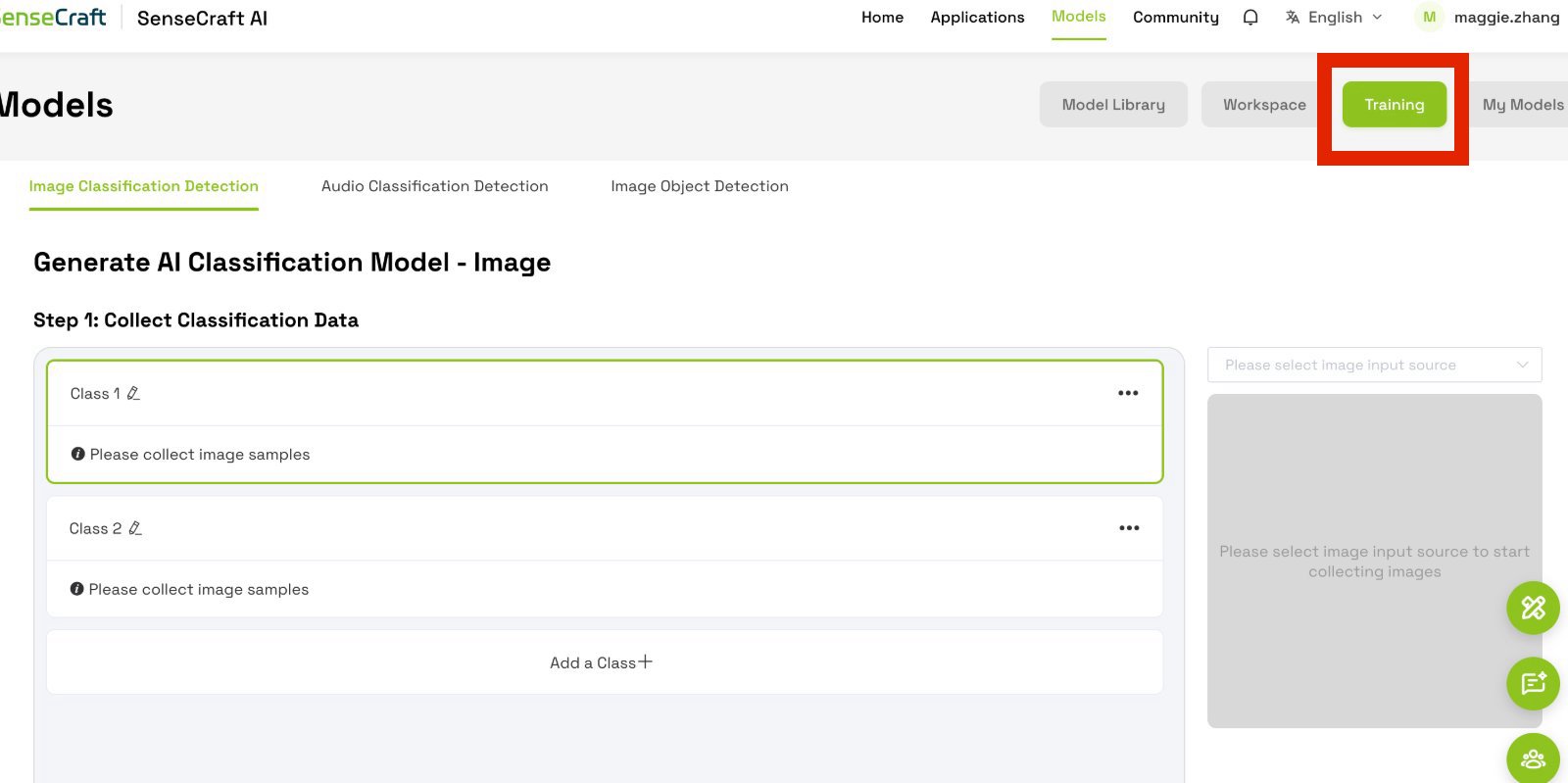
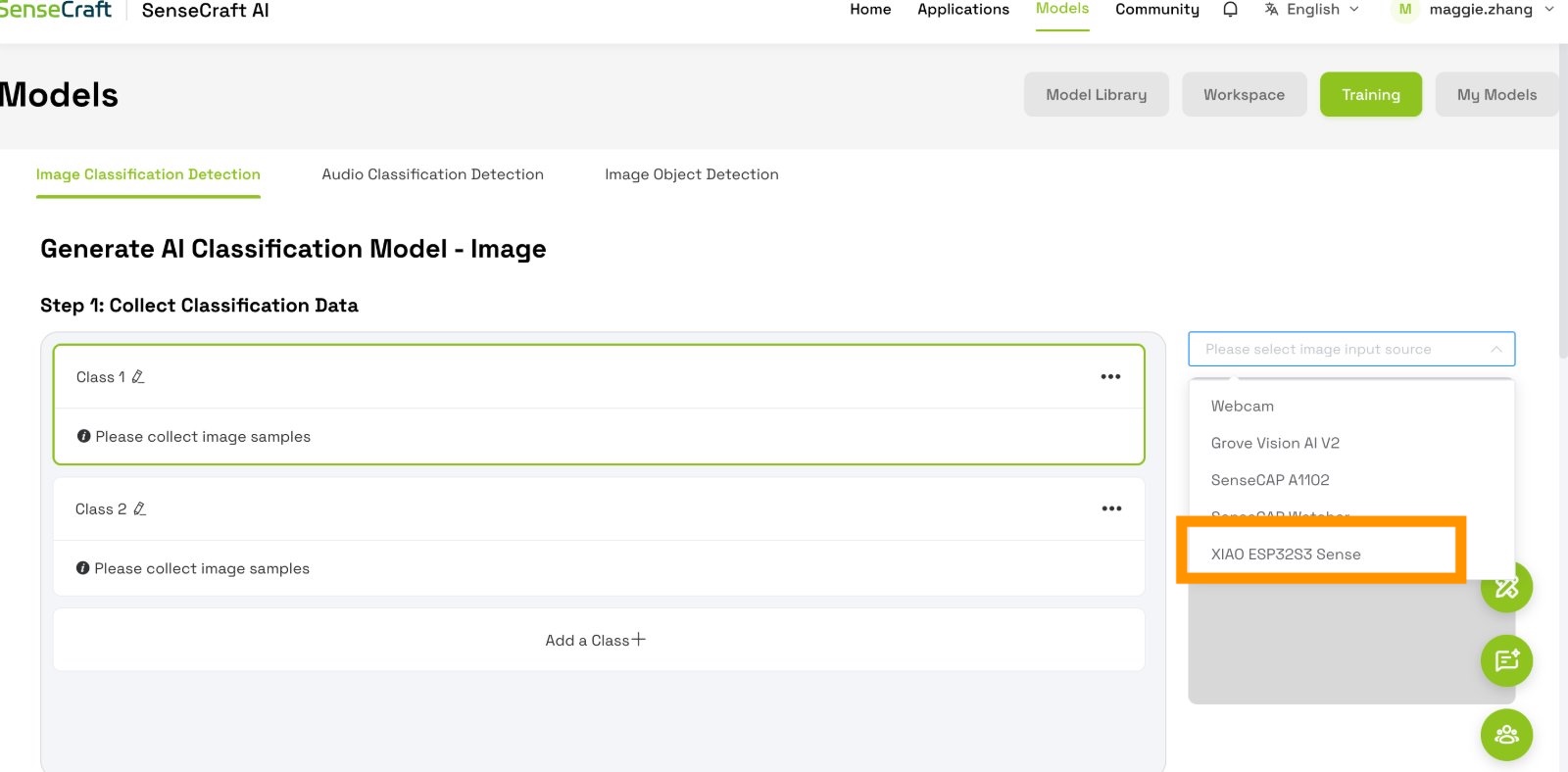
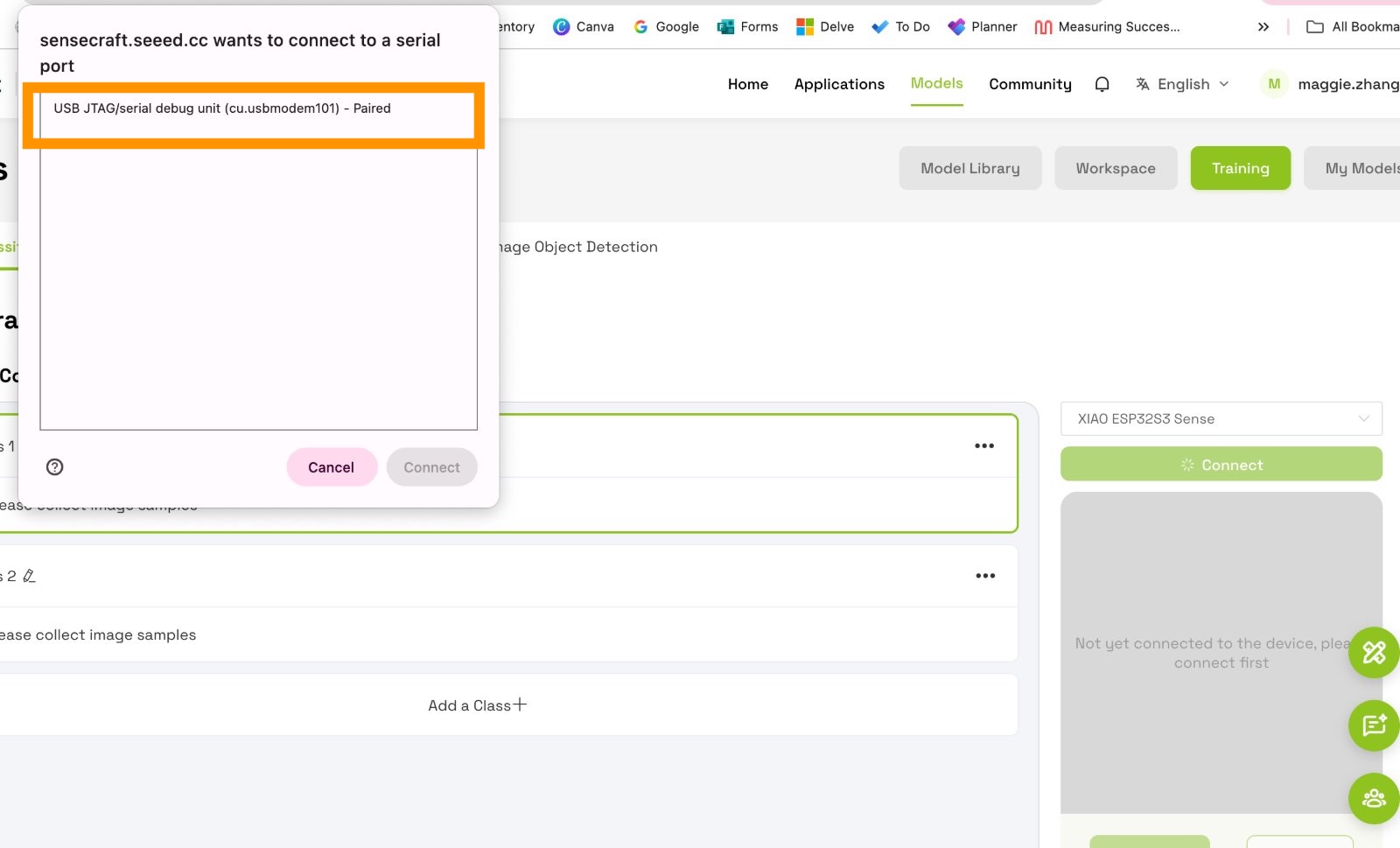
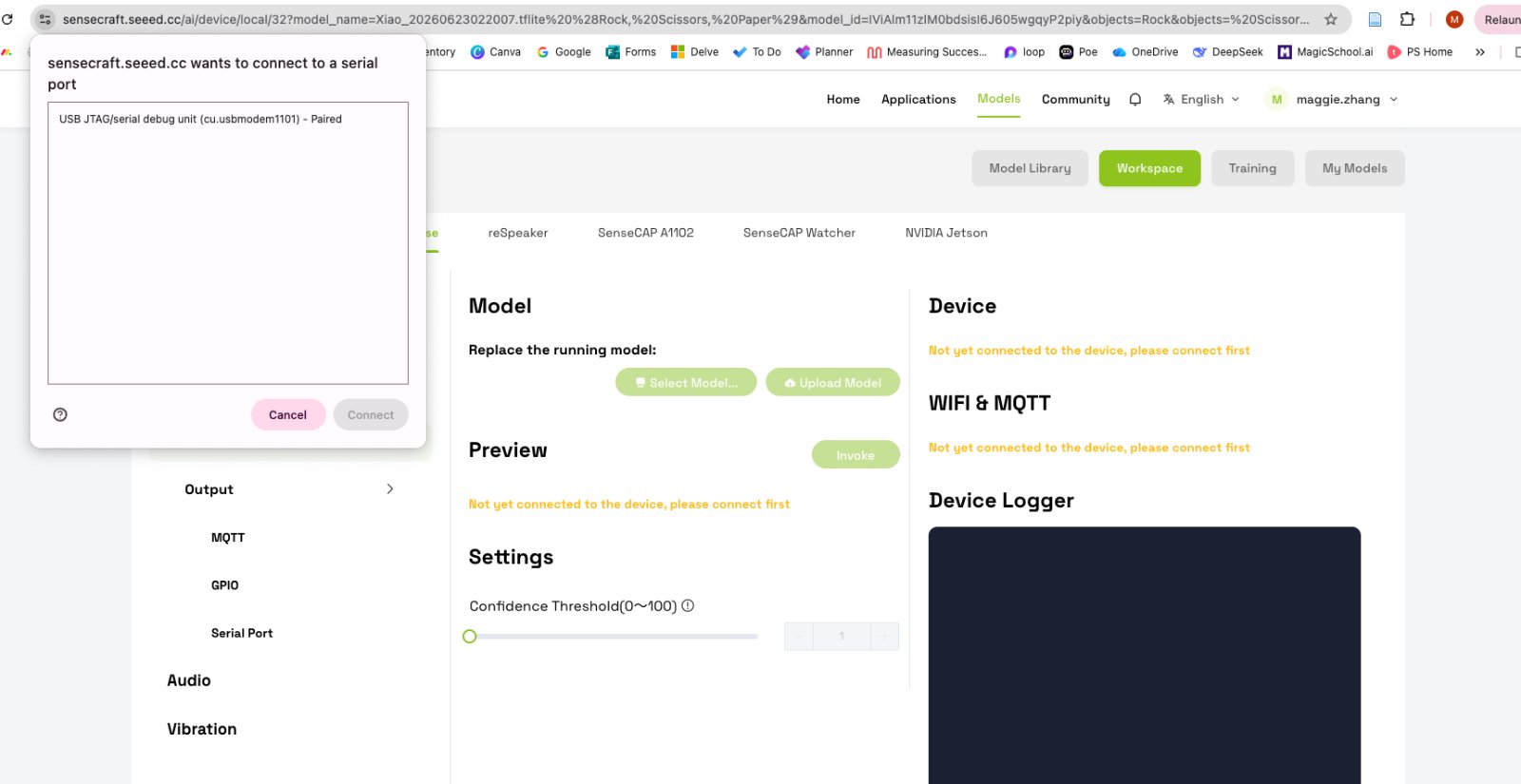
Getting start, navigate to the Training Models page, and click image classification detection. I used XIAO ESP32S3 Sense, connect it to your computer via USB-C cable. Select the corresponding device from the dropdown menu and click Connect. Choose the correct serial port for the connection.
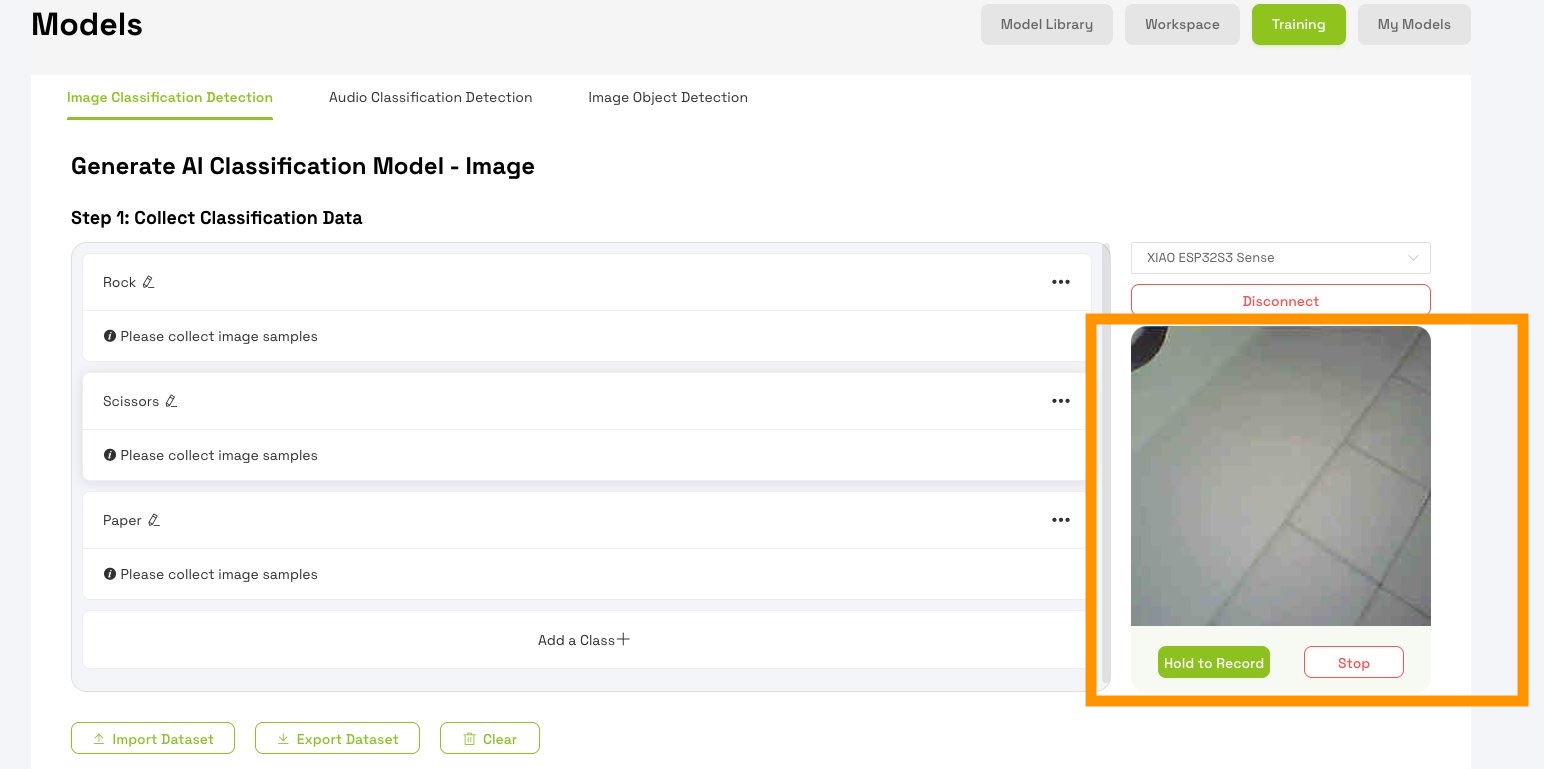
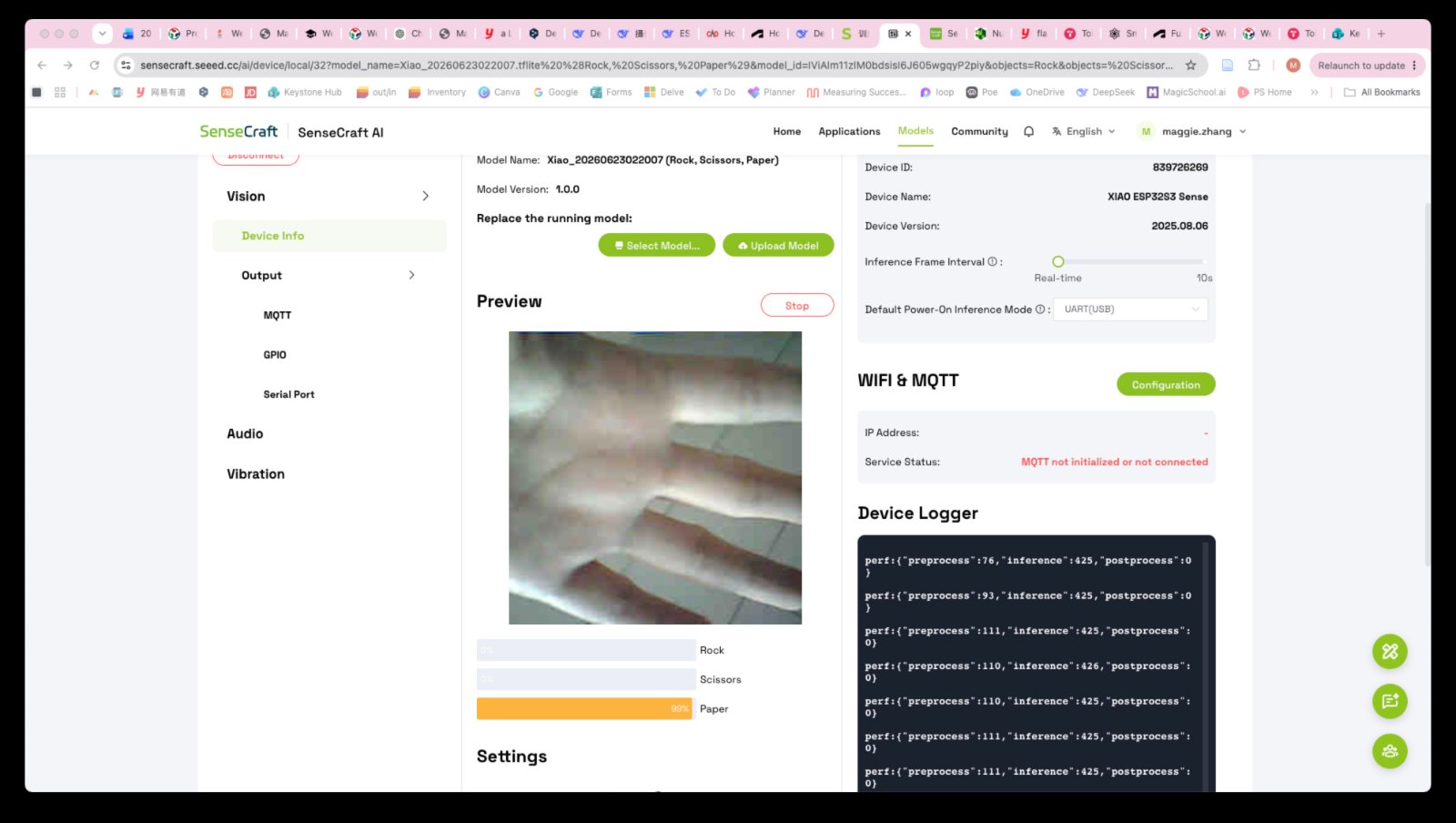
when you come to this page, it automatically shows the live feed of the camera.
Step 2. Create and label categories
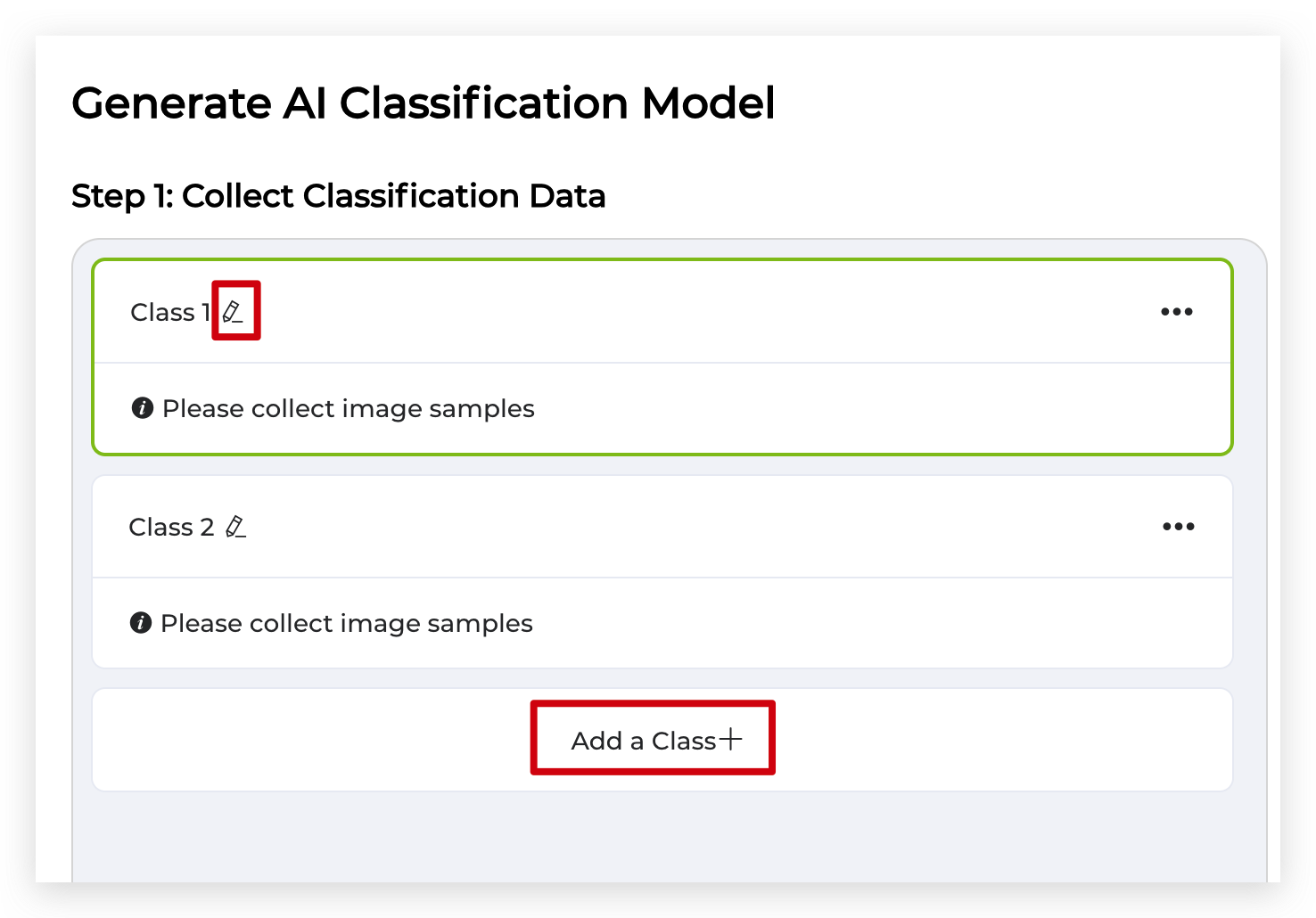
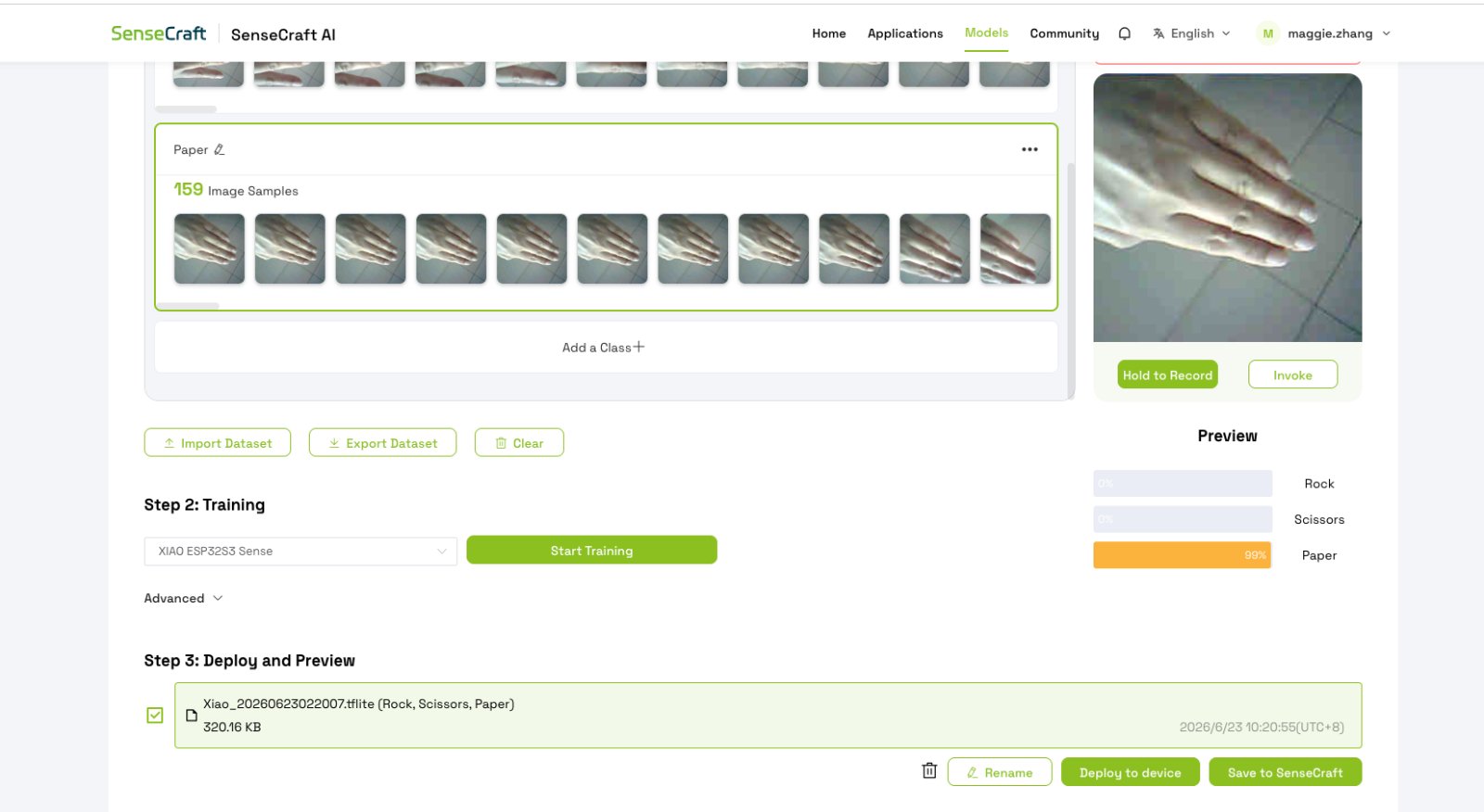
Click the pencil button to the right of an existing class name to rename an already existing class. Click the Add a Class button below to create four categories for the hand gestures you want to recognize.
Label the categories as rock, paper, scissors.
Step 3. Capture training data
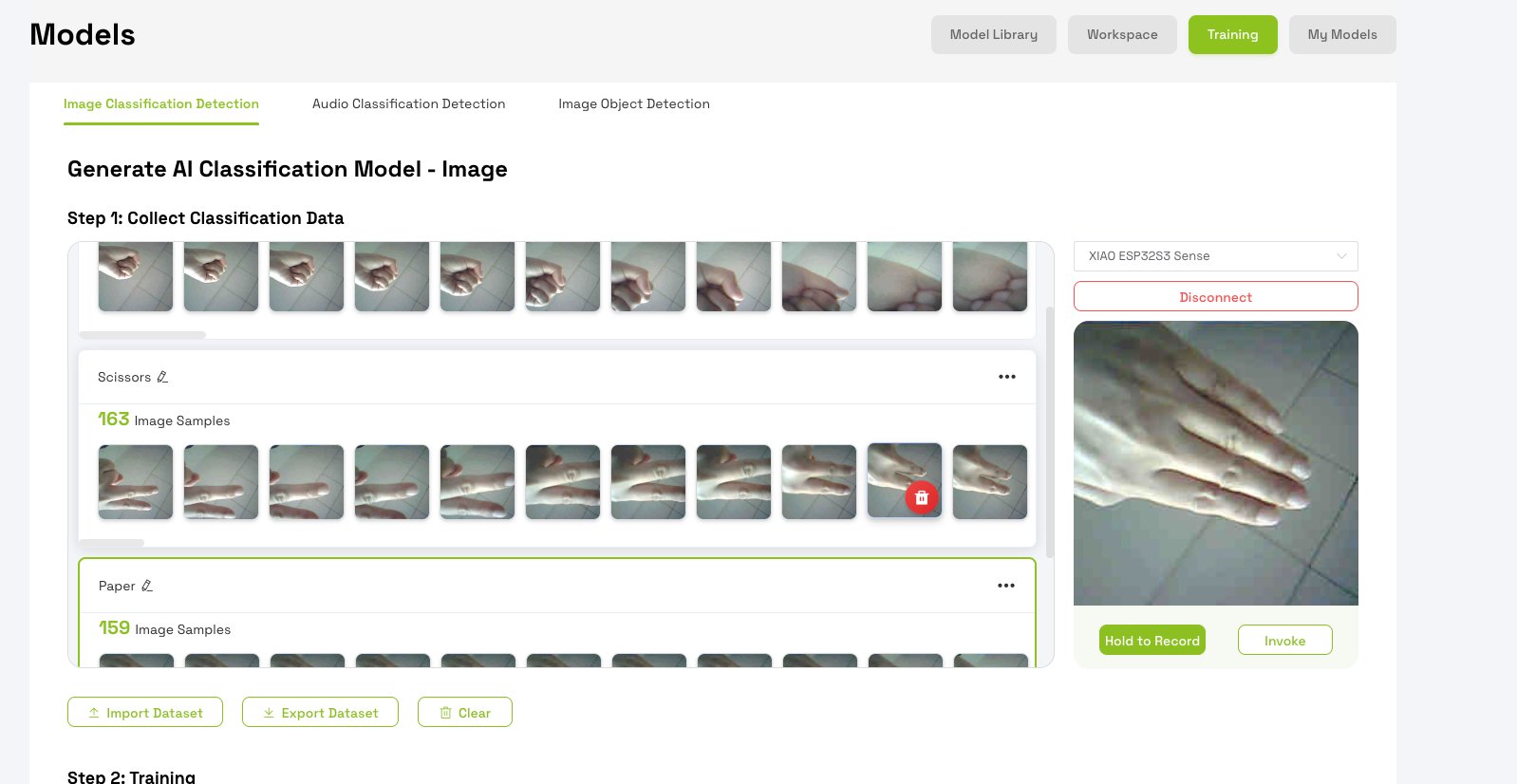
Select the first category from the list. Position yourself in front of the camera, perform the corresponding hand gesture, press and hold Hold to Record to capture images, then release. Aim for at least 40 images per category.
Step 4. Train the model
Once you have enough images per category, click Start Training. Training usually takes 1–3 minutes.
Step 5. Deploy the trained model
After training, select your XIAO ESP32S3 Sense from the device menu and click Deploy to device.
Edge Impulse Workflow (phone camera for training)
I used Edge Impulse Studio for the main Wildcard workflow. Training images were captured with my smartphone camera (not the XIAO board), then uploaded to Edge Impulse. The trained model was exported and deployed on XIAO ESP32S3 Sense for live gesture recognition.
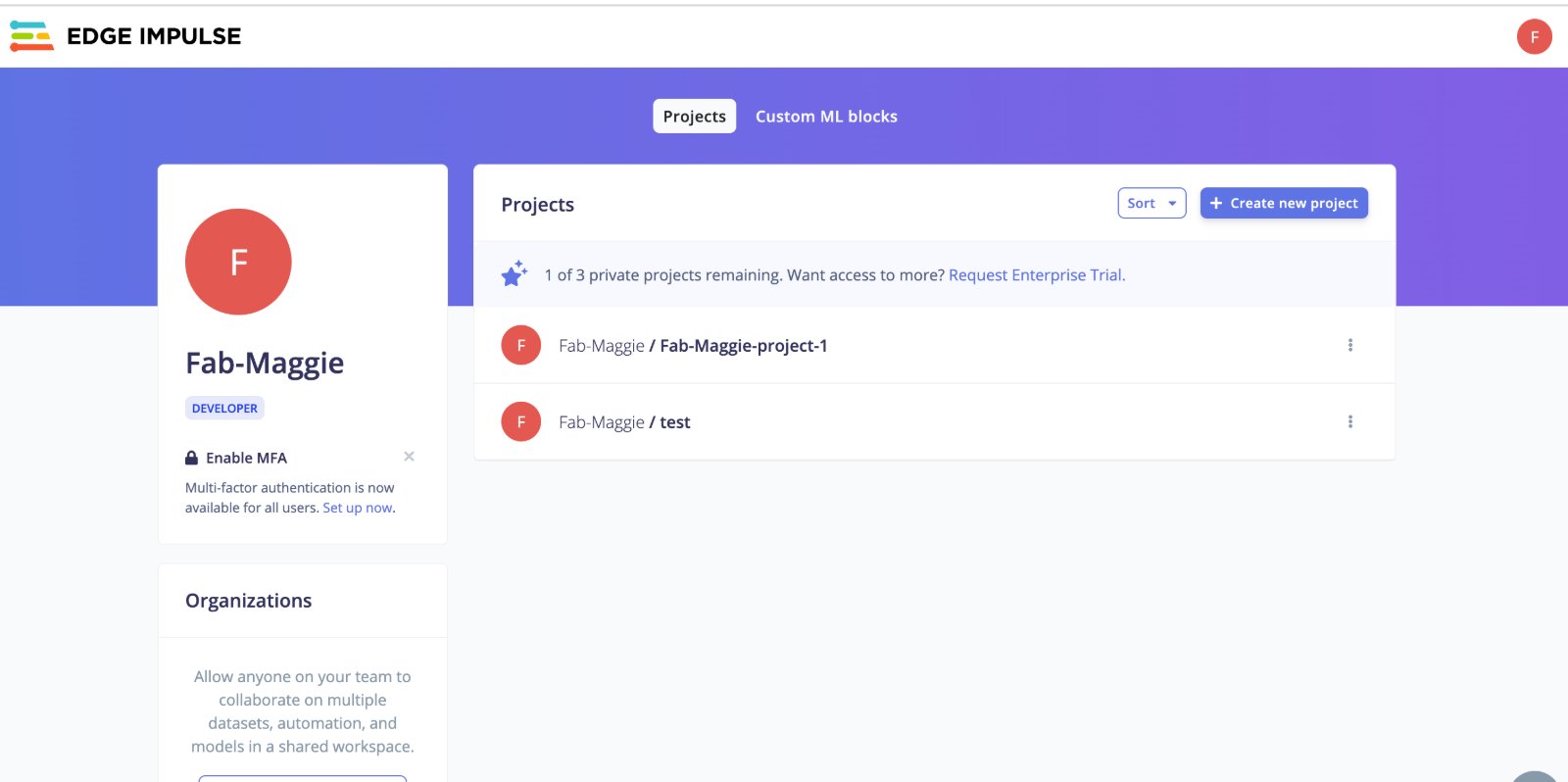
Step 1 — Create an Edge Impulse project
- Sign in at Edge Impulse Studio.
- Click Create new project → name it e.g.
rock-paper-scissors. - Choose an Images project for classification.
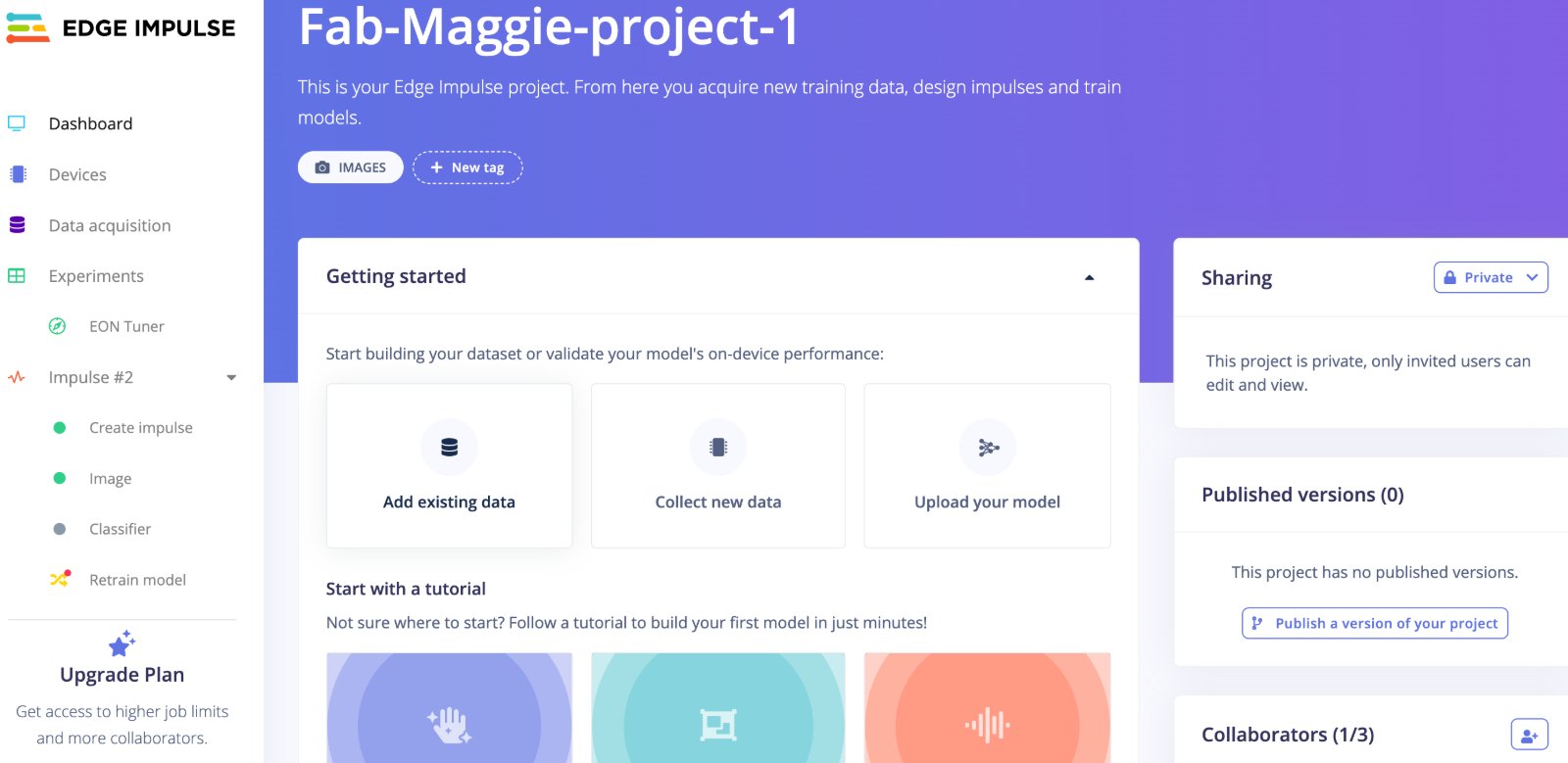
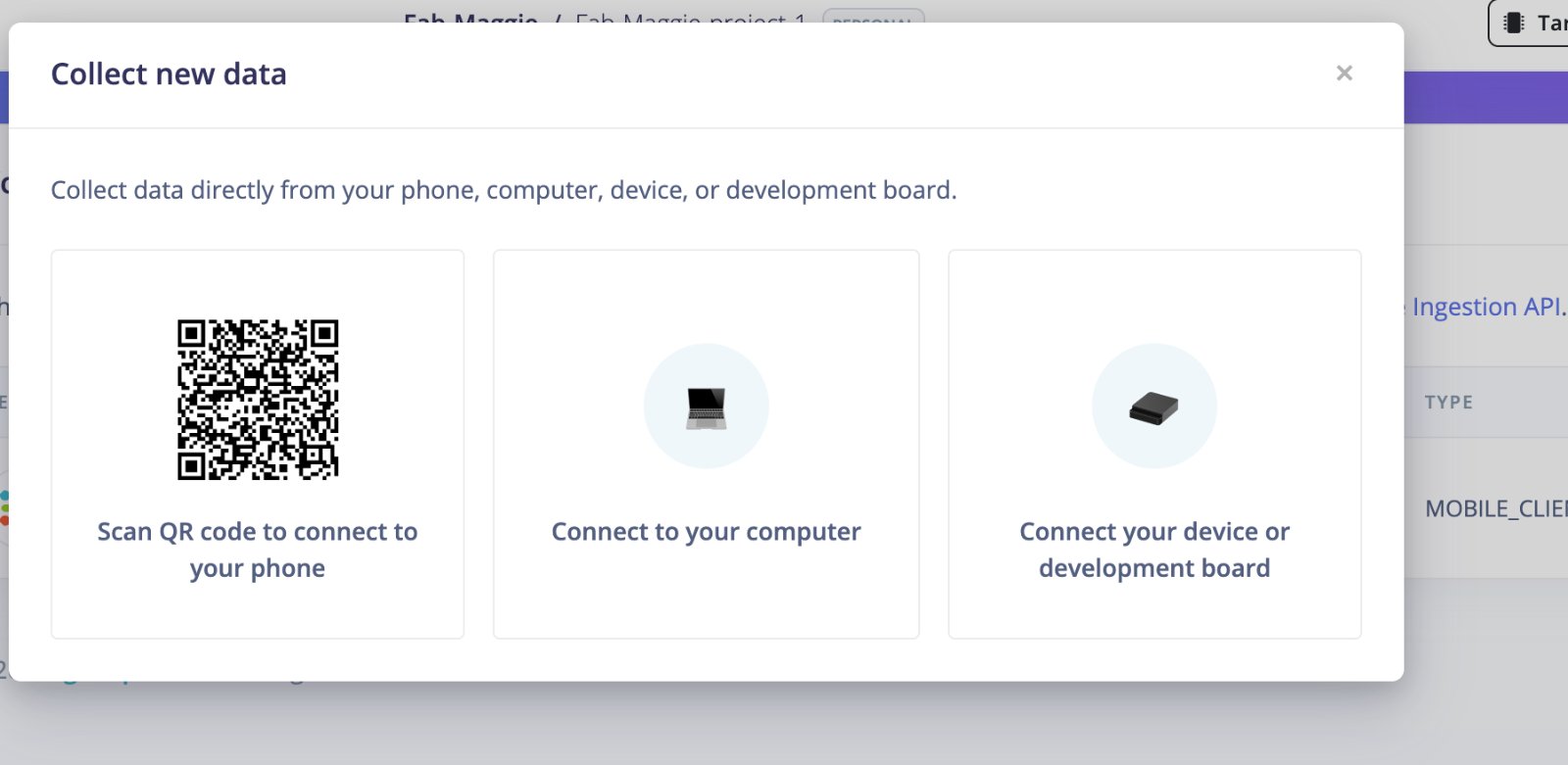
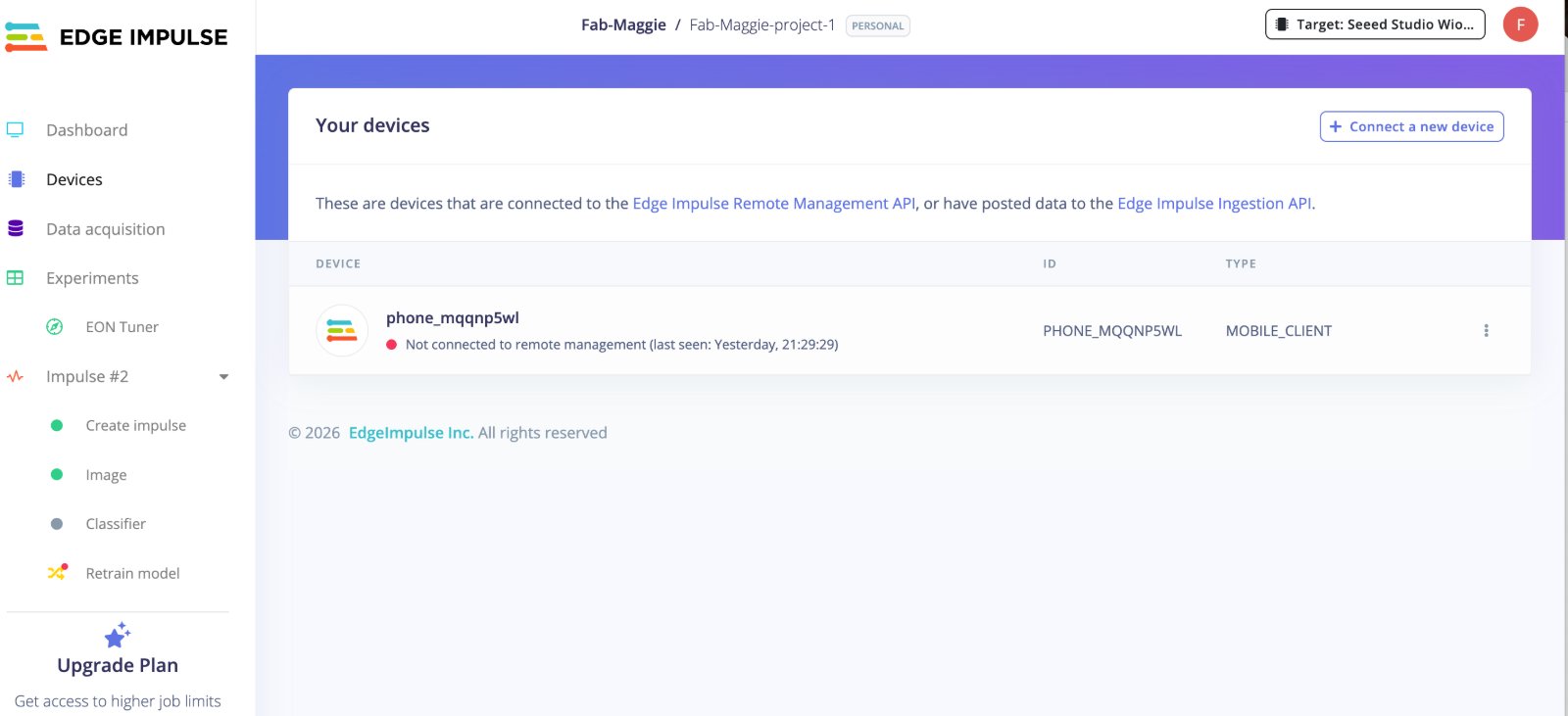
Step 2 — Collect training photos with a phone and training module
- On your phone, open the Camera app (or use a fixed camera angle on a tripod).
- Use a plain background and stable indoor lighting.
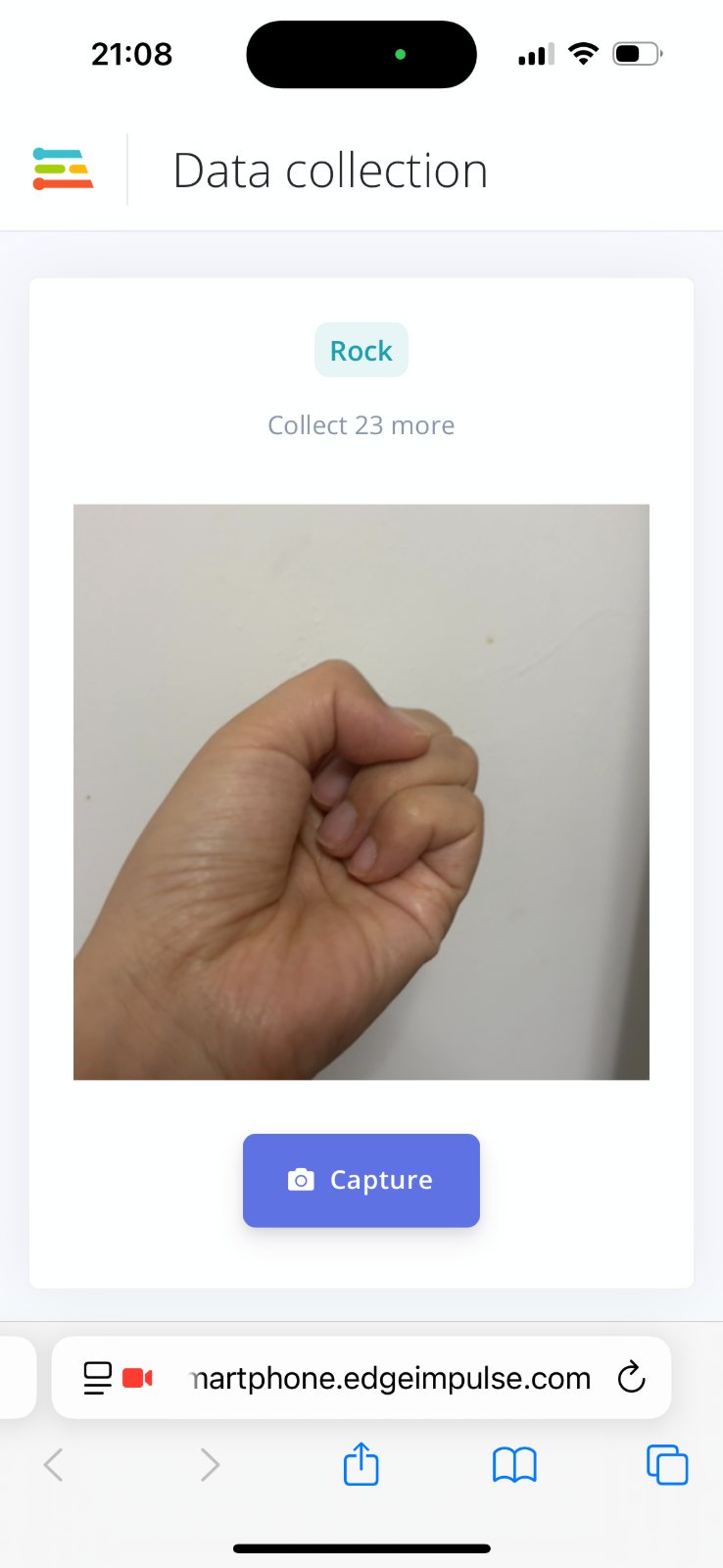
- Photograph each gesture separately: rock, paper, scissors.
- Keep hand distance and framing similar; change only the gesture shape.
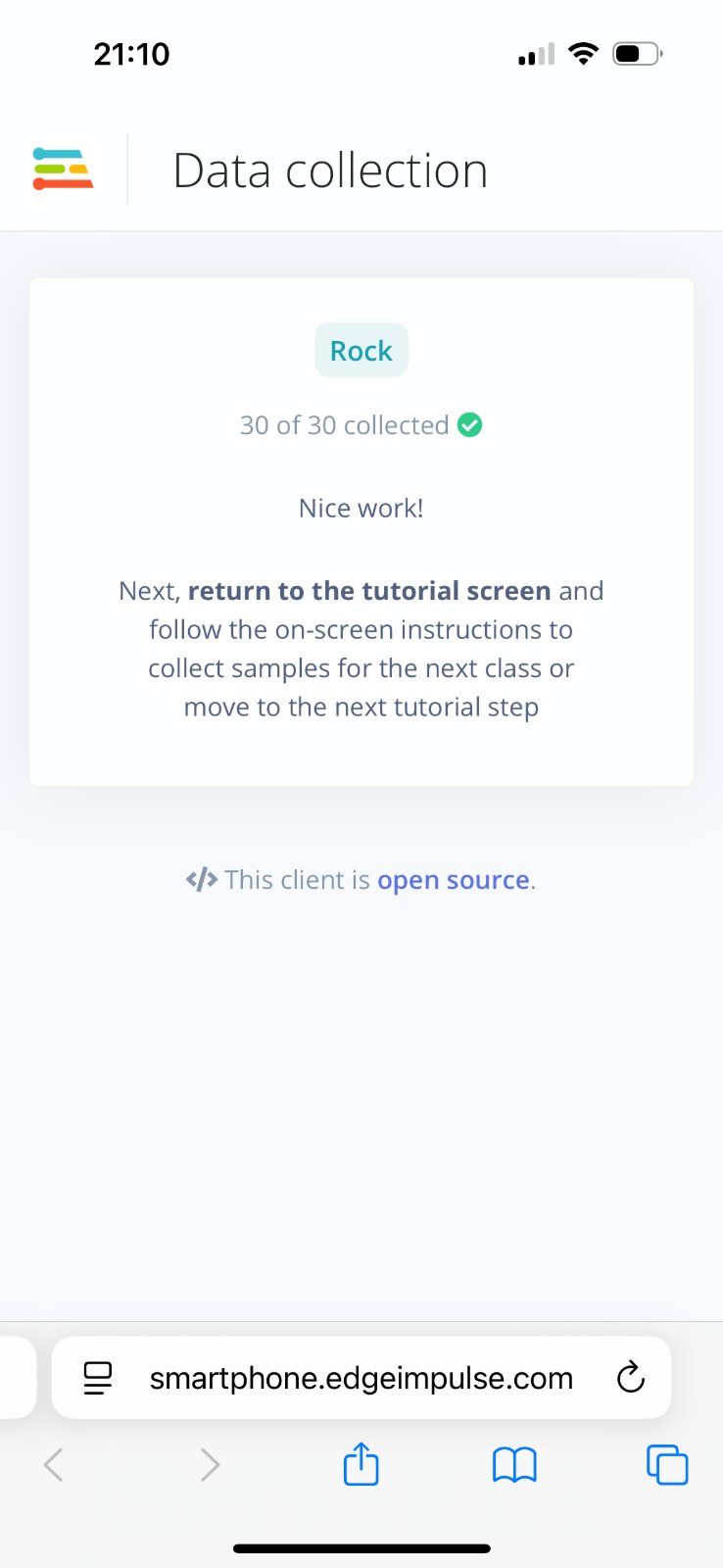
- Take ≥30 photos per class (90+ images total).
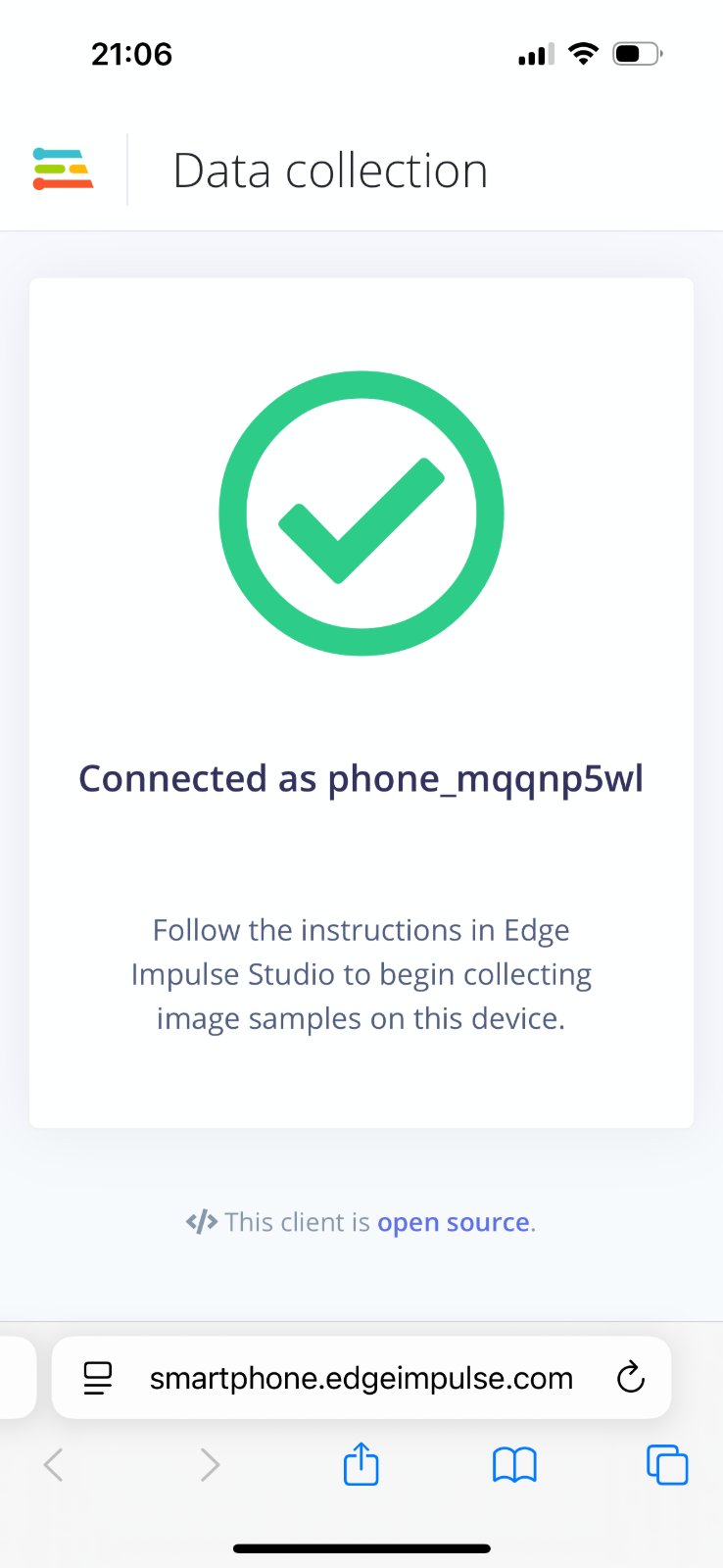
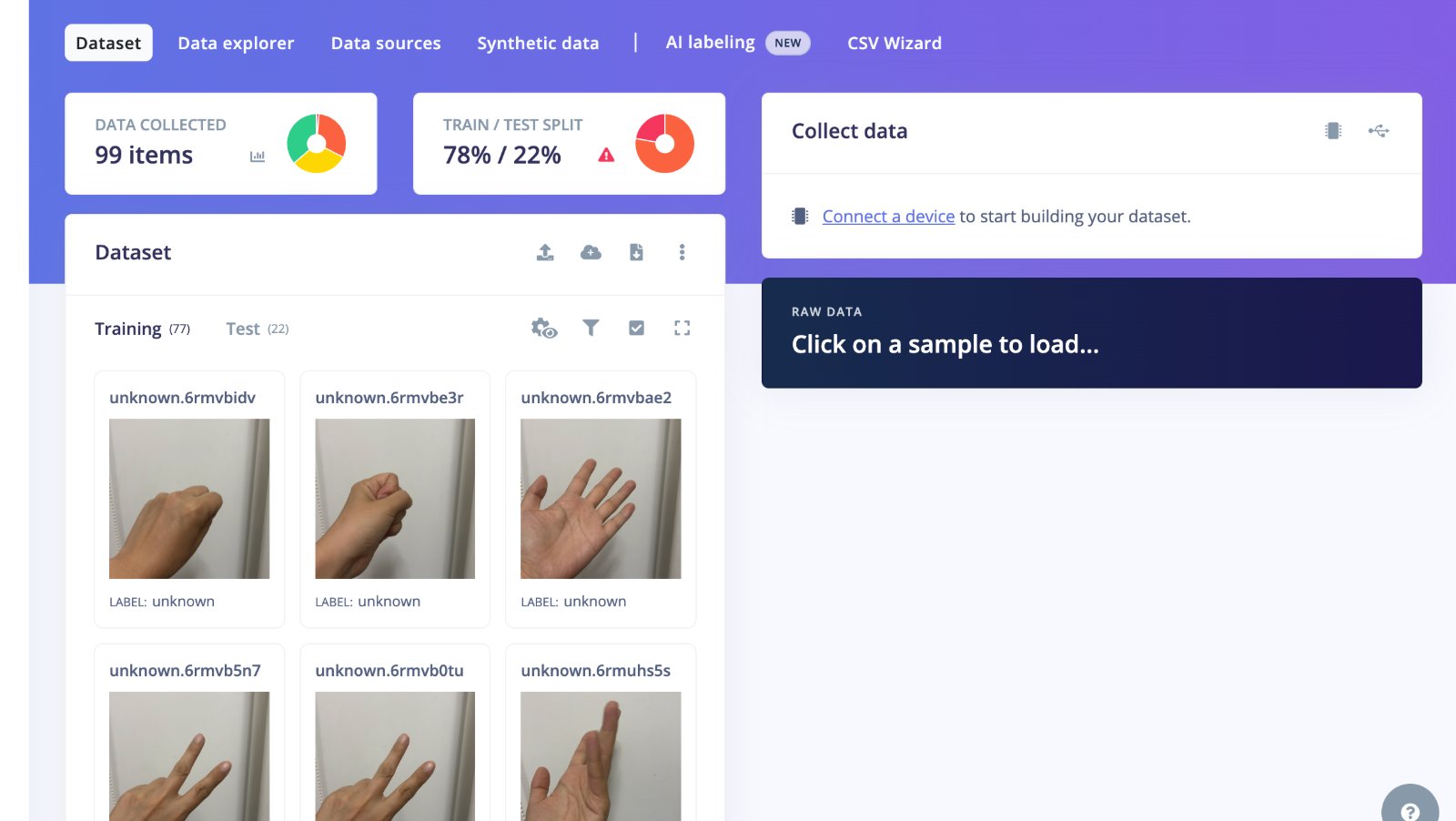
- Photos will be transferred to Edge Impulse automatically.And it measns all the datas will be collected in Edge Impulse.
My Result — Model accuracy & inference speed numbers
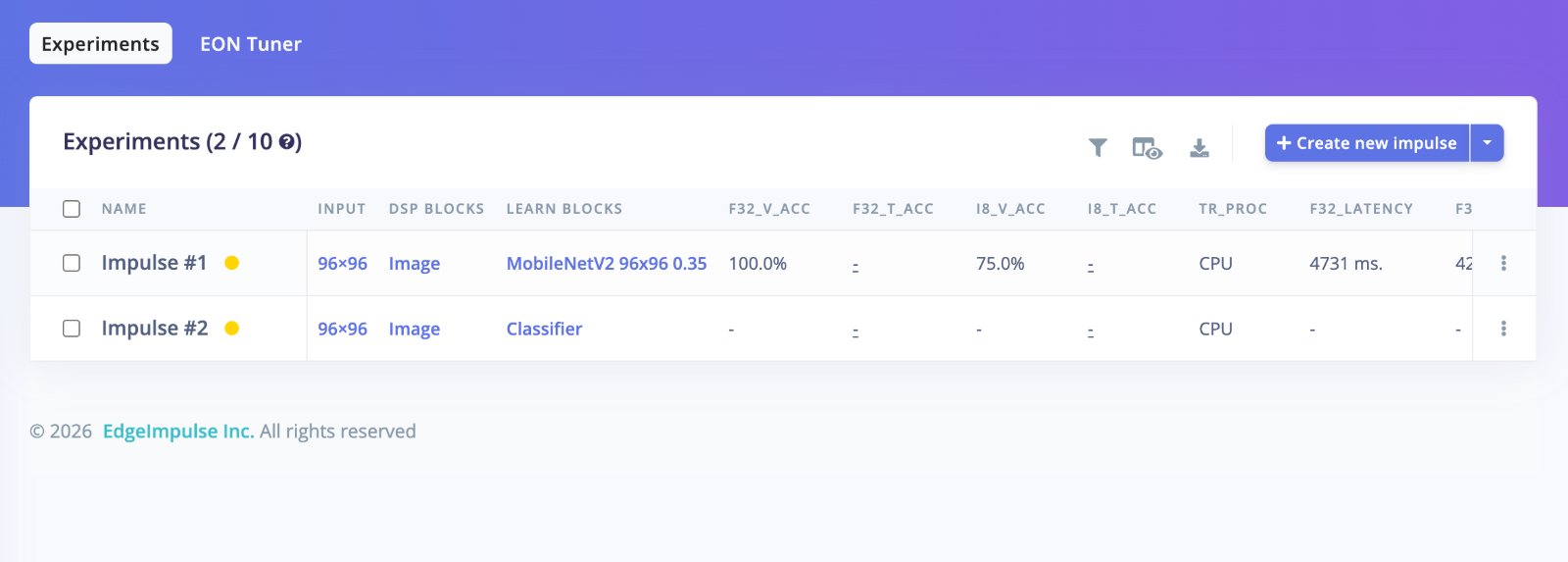
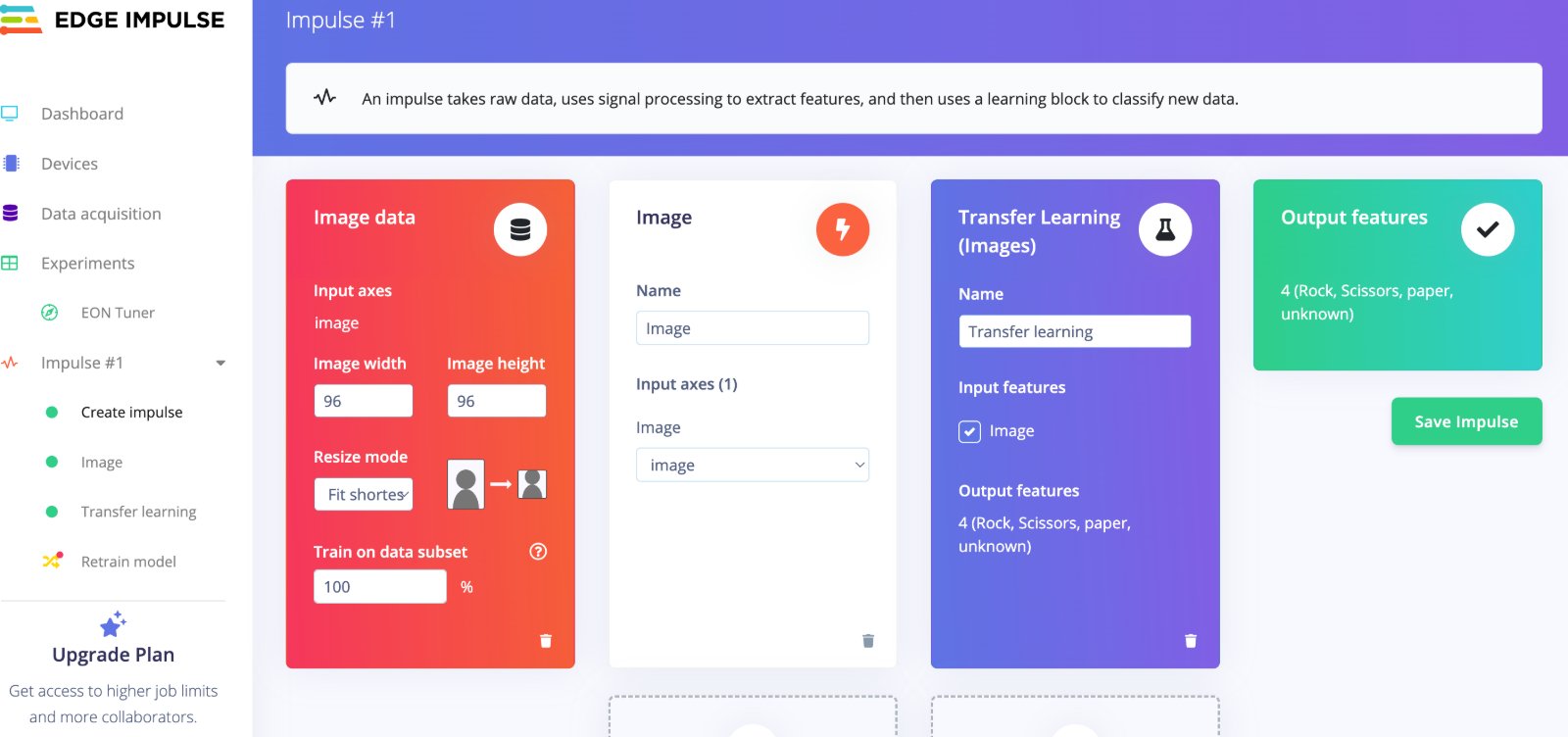
After collecting 99 phone photos (77 training / 22 testing) and training a MobileNetV2 96×96 0.35 transfer-learning classifier in Edge Impulse, these are the key numbers from my project:
| Metric | Value | Notes |
|---|---|---|
| Validation accuracy (float32) | 100% | Edge Impulse Experiments tab — best result on held-out validation set |
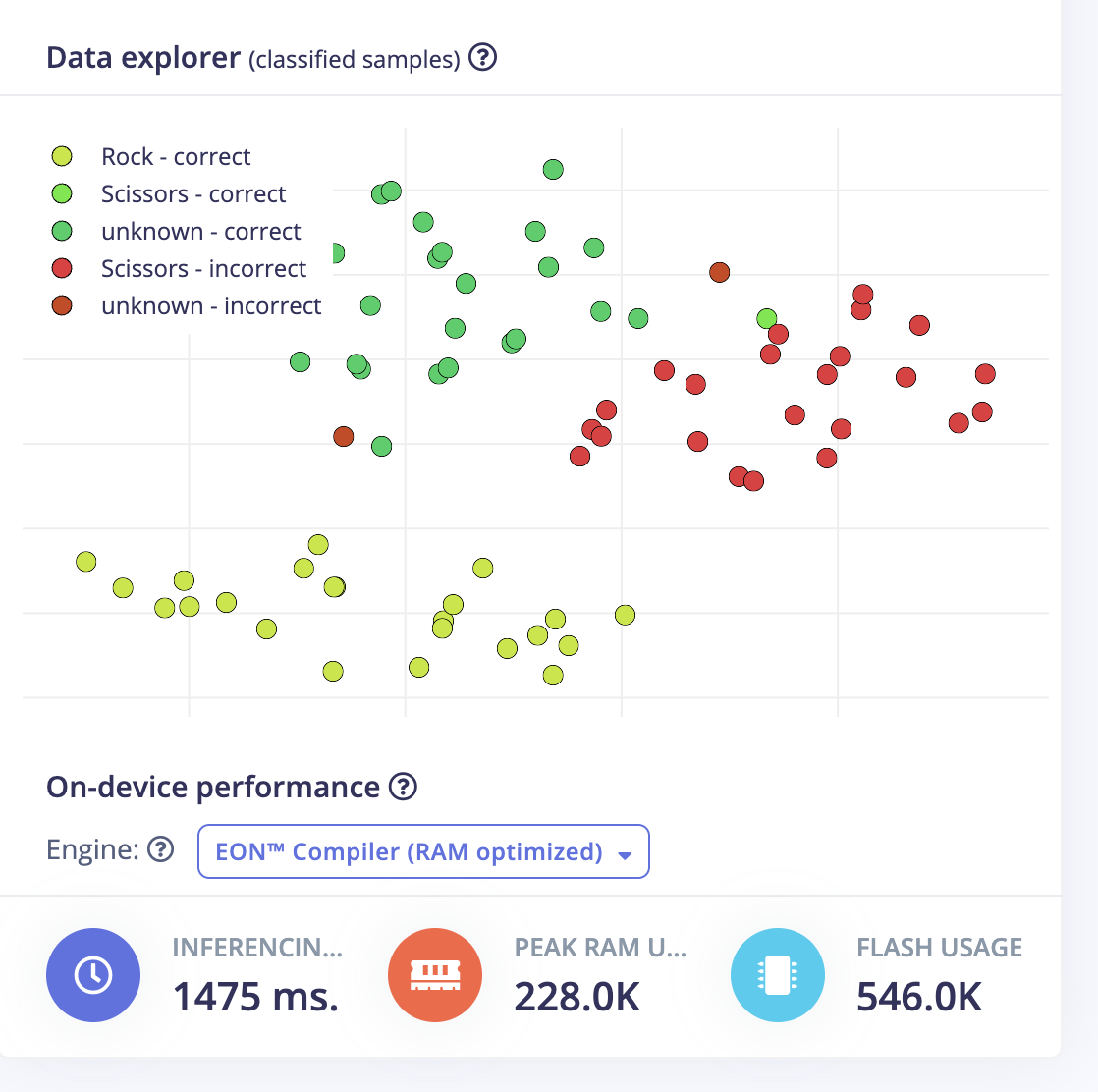
| Validation accuracy (int8 quantized) | 75% | Accuracy drop after quantization; Data explorer showed scissors/unknown samples clustering away from correct classes |
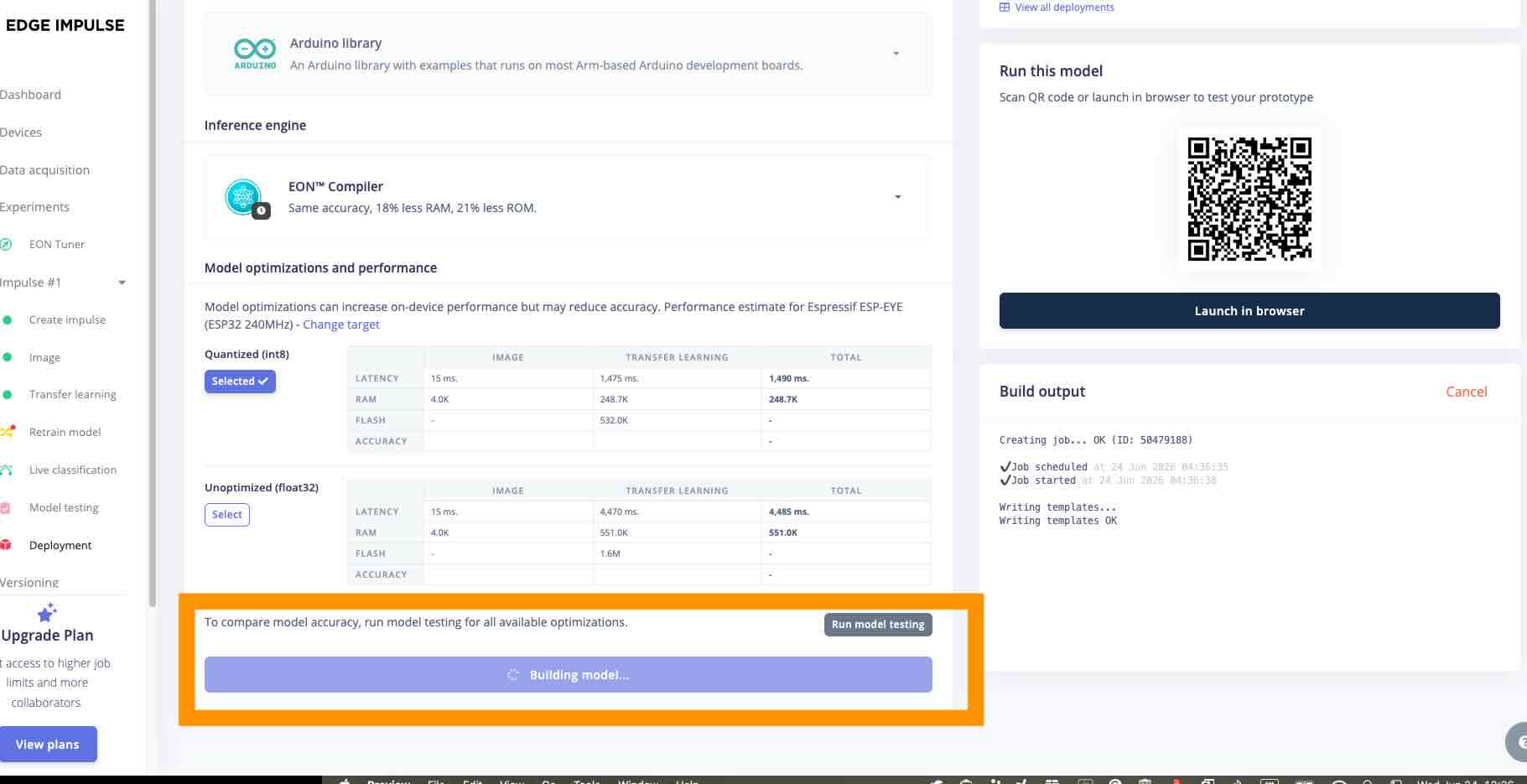
| Inferencing time | 1475 ms | XIAO ESP32S3 Sense — EON™ Compiler (RAM optimized) |
| Peak RAM usage | 228.0K | On-device deployment report (Edge Impulse) |
| Flash usage | 546.0K | On-device deployment report (Edge Impulse) |
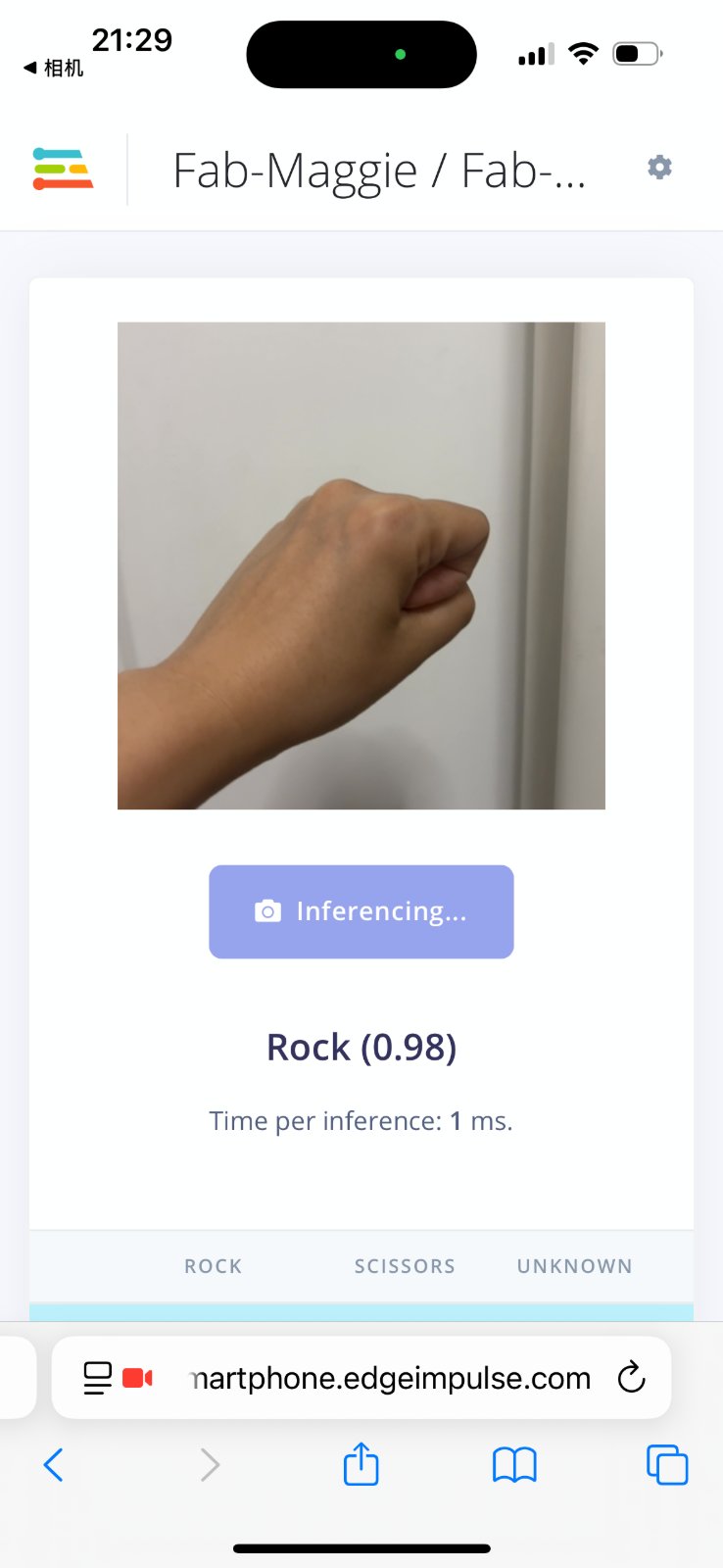
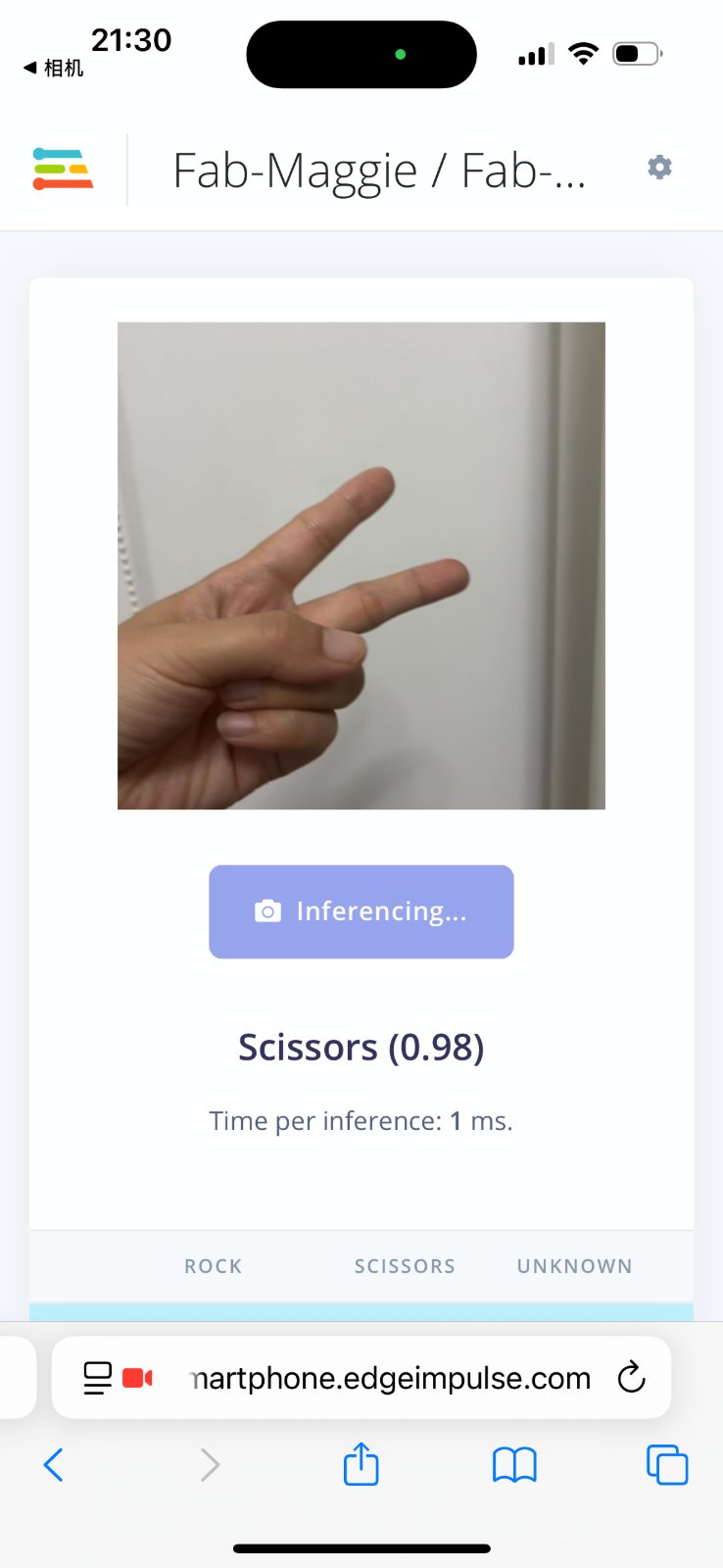
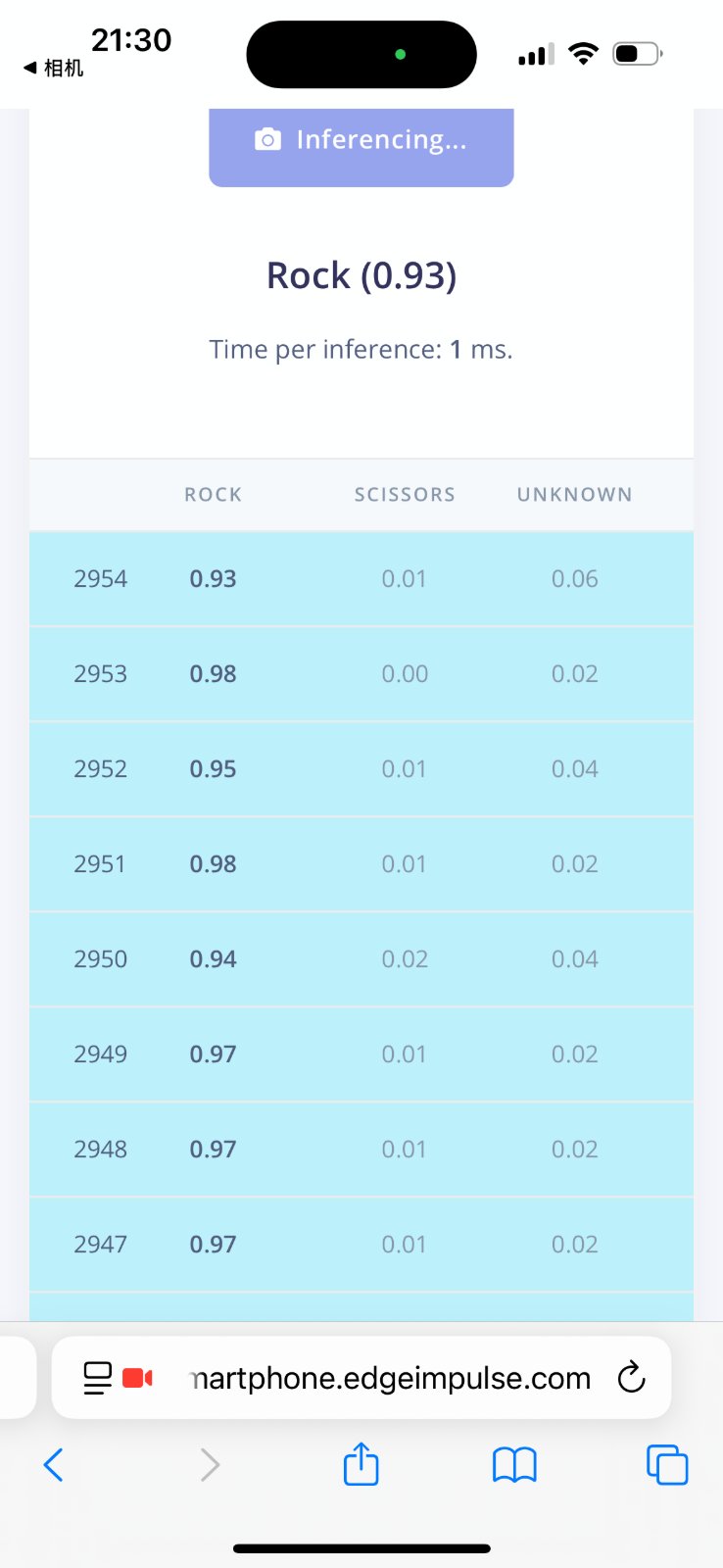
| Live test — Rock | 0.98 confidence, 1 ms/inference | Edge Impulse smartphone app (runs on phone CPU, not the MCU) |
| Live test — Scissors | 0.98 confidence, 1 ms/inference | Same smartphone test workflow |
| Live test — Rock (continuous) | 0.93–0.98 confidence, 1 ms/inference | Eight consecutive frames in the model-testing view |
Takeaway: Float32 training looked perfect on the validation set, but int8 quantization and the feature-space plot revealed real confusion between scissors and unknown(paper) — which matches the extra data I collected later to separate paper vs scissors. On the board, each inference takes 1475 ms (peak RAM 228.0K, flash 546.0K) — not the 1 ms seen on the phone; that is why the deployed sketch uses an 800 ms debounce and a 0.70 score threshold.
Step 3 — Design impulse & train classifier
- Go to Impulse design: Image input → Image processing (96×96) → Classification (Keras) learning block.
- Click Save impulse, then Generate features.
- Click Train model; target validation accuracy >85%.
- Use Model testing with held-out images; fix mislabeled or blurry phone photos if accuracy is low.
Step 4 — Deploy to XIAO ESP32S3 Sense
- Arduino IDE 2.x → install esp32 core; board: XIAO_ESP32S3; enable PSRAM.
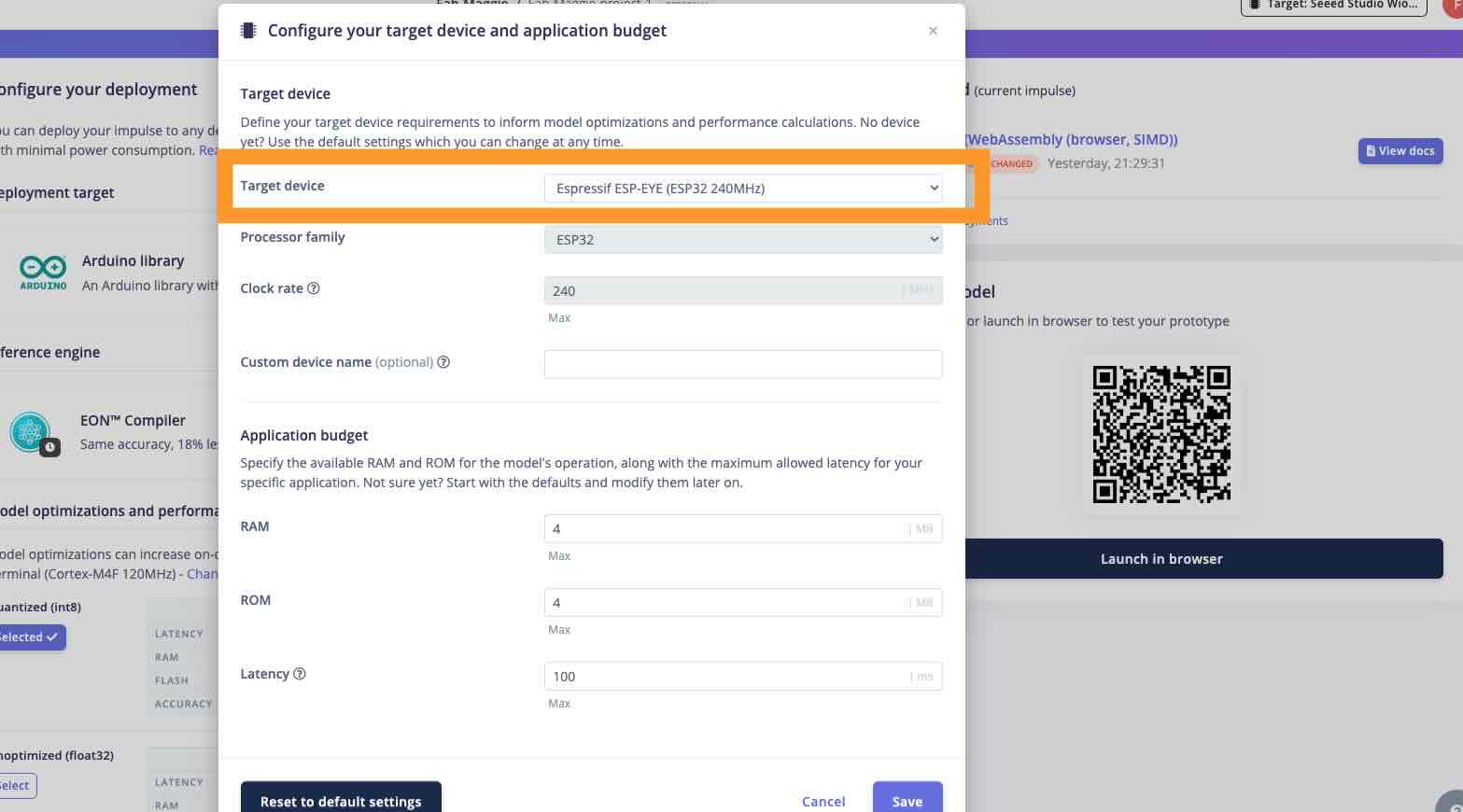
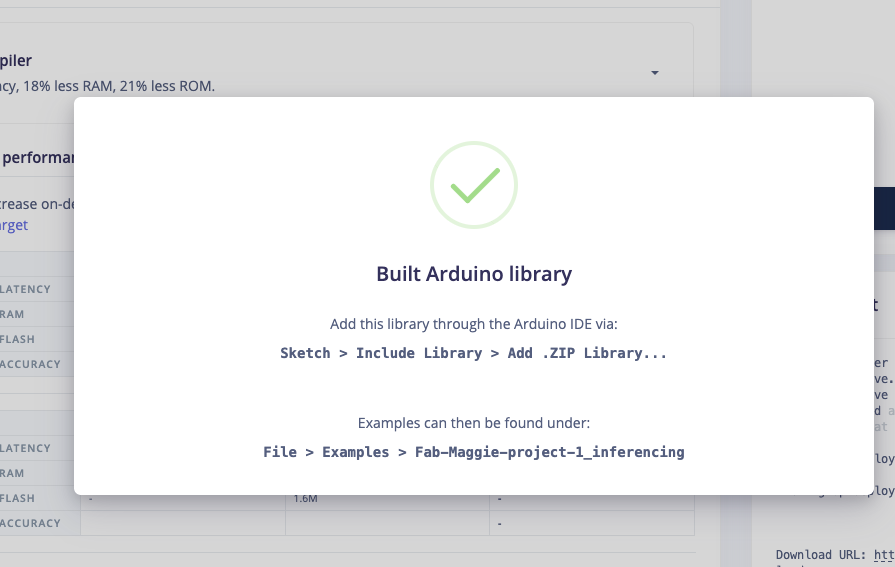
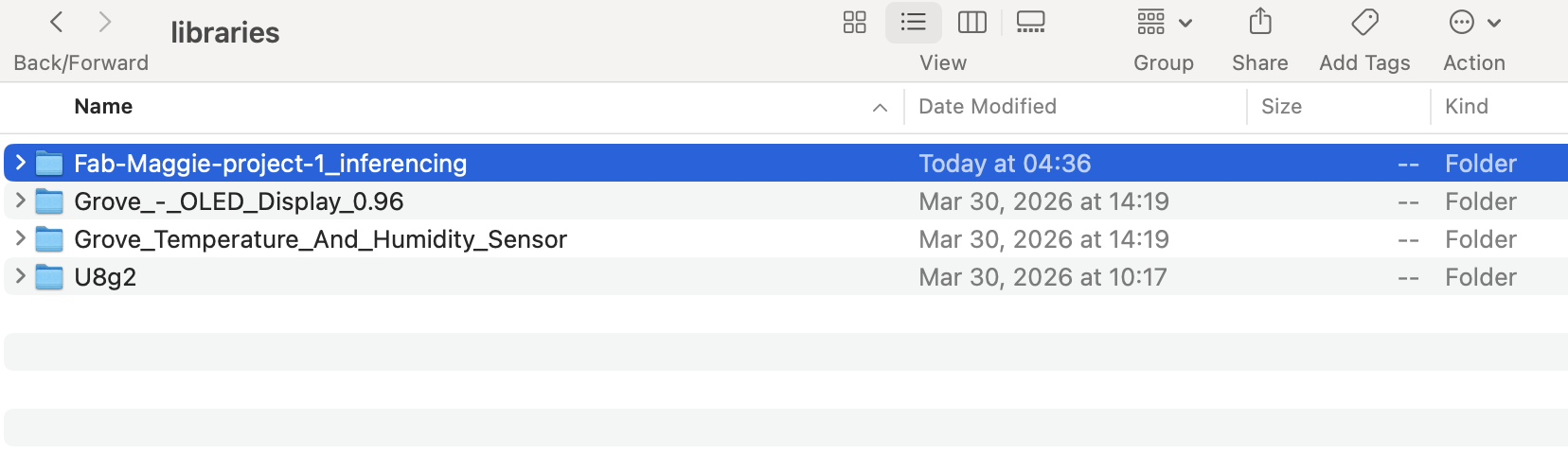
- In Edge Impulse: Deployment → Arduino library → download and unzip into
Arduino/libraries/. - Merge the exported library with Gesture_RPS_week17.ino; use the board onboard camera for live inference.
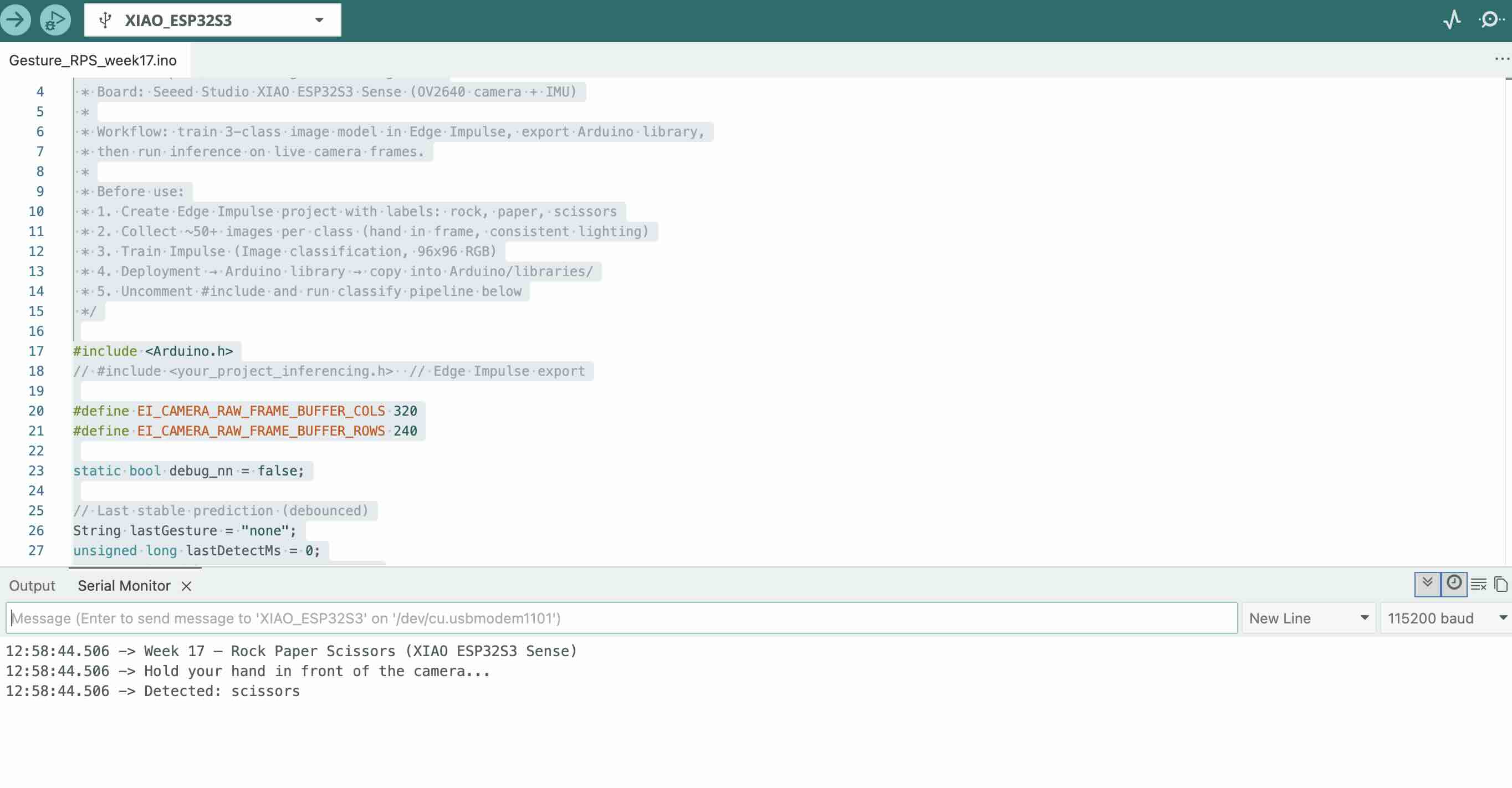
- Upload sketch; open Serial Monitor at 115200 baud and test each gesture in front of the Sense camera.
- Debounce predictions (≥800 ms, score >0.70) to avoid flickering labels.

Why phone for training? Faster to collect many clear photos; easier to adjust angle and lighting before upload. The MCU still runs the trained model on its own camera during the demo.
Source code
Repository sketch (links to Edge Impulse library after export):
// Core logic — map highest class score above threshold String gesture = "unknown"; float threshold = 0.70; if (scissors > threshold && scissors > rock && scissors > paper) gesture = "scissors"; else if (rock > threshold && rock > paper && rock > scissors) gesture = "rock"; else if (paper > threshold && paper > rock && paper > scissors) gesture = "paper"; Serial.println(gesture);/*
* Fab Academy 2026 — Week 17 Wildcard
* Rock / Paper / Scissors gesture recognition
* Board: Seeed Studio XIAO ESP32S3 Sense (OV2640 camera + IMU)
*
* Workflow: train 3-class image model in Edge Impulse, export Arduino library,
* then run inference on live camera frames.
*
* Before use:
* 1. Create Edge Impulse project with labels: rock, paper, scissors
* 2. Collect ~50+ images per class (hand in frame, consistent lighting)
* 3. Train Impulse (Image classification, 96x96 RGB)
* 4. Deployment → Arduino library → copy into Arduino/libraries/
* 5. Uncomment #include and run classify pipeline below
*/
#include
// #include // Edge Impulse export
#define EI_CAMERA_RAW_FRAME_BUFFER_COLS 320
#define EI_CAMERA_RAW_FRAME_BUFFER_ROWS 240
static bool debug_nn = false;
// Last stable prediction (debounced)
String lastGesture = "none";
unsigned long lastDetectMs = 0;
const unsigned long DEBOUNCE_MS = 800;
void setup() {
Serial.begin(115200);
delay(1000);
Serial.println("Week 17 — Rock Paper Scissors (XIAO ESP32S3 Sense)");
Serial.println("Hold your hand in front of the camera...");
// ei_camera_init(); // from Edge Impulse camera driver
}
void loop() {
// Snapshot + classify (Edge Impulse generated functions)
// if (!ei_camera_capture()) return;
// ei_impulse_result_t result = { 0 };
// EI_IMPULSE_ERROR err = run_classifier(&result, debug_nn);
// if (err != EI_IMPULSE_OK) return;
// float rock = result.classification[0].value; // label order from EI
// float paper = result.classification[1].value;
// float scissors = result.classification[2].value;
// Demo serial output when model is linked — replace with real inference values
float rock = 0.05, paper = 0.12, scissors = 0.83;
String gesture = "unknown";
float threshold = 0.70;
if (scissors > threshold && scissors > rock && scissors > paper) gesture = "scissors";
else if (rock > threshold && rock > paper && rock > scissors) gesture = "rock";
else if (paper > threshold && paper > rock && paper > scissors) gesture = "paper";
if (gesture != "unknown" && gesture != lastGesture &&
millis() - lastDetectMs > DEBOUNCE_MS) {
lastGesture = gesture;
lastDetectMs = millis();
Serial.print("Detected: ");
Serial.println(gesture);
// Optional: play tone or drive NeoPixel by gesture
}
delay(200);
}
Problems encountered & fixes
- Blurry phone photos — Retook images with the phone steadied; deleted out-of-focus samples before upload.
- Wrong labels after bulk upload — Sorted photos into three folders on the computer first (
rock/,paper/,scissors/) before uploading to Edge Impulse. - Low accuracy / confused paper vs scissors — Added more training images with fingers clearly separated; kept same distance and background as phone capture setup.
- Camera failed to init on board — Enabled PSRAM; selected XIAO_ESP32S3 Sense board profile, not generic ESP32-S3.
- Unstable labels (flickering) — Added debounce: only accept a new gesture after 800 ms and score >0.70.
- Model too large for flash — Used 96×96 input and Edge Impulse int8 / EON Compiler quantization.
Reproduction — what you need
| Item | Details |
|---|---|
| Training capture | Smartphone camera → upload to Edge Impulse (≥30 images per class) |
| Inference hardware | Seeed XIAO ESP32S3 Sense (onboard camera) |
| Software | Edge Impulse Studio, Arduino IDE 2.x, esp32 core ≥3.0 |
| Source | Gesture_RPS_week17.ino + Edge Impulse Arduino library export |
| Labels | rock, paper, scissors (3 classes) |
| Baud rate | 115200 |