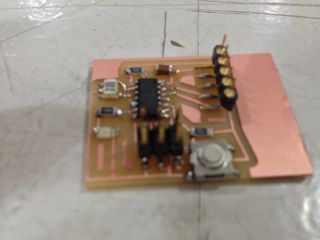
Designing a PCB board was a fascinating but also often frustrating experience. I have background in electronics since my undergraduate degree was in Physics. Therefore I am familiar with the theoretical mathematical underpinning of electronics. However I never had a the chance to approach this field from a hands-on perceptive. Therefore I was extremely happy when I started designing my boards with the help of a CAD software.
My first impression of Eagle was not positive at all unfortunately. I have used several times in the past graphical layout editors and graphical programming languages so I was expecting to find Eagle user friendly. I have downloaded the Light edition, version 6.0.5 for Mac OS X. It was very easy to understand the concept of the environment and understand it's operation. However from a user experience point of view I found it surprisingly poor. Moreover I soon realised that it had also some unacceptable bags.
Some problems and bugs I noted are:
- when you modify the grid settings, the object don't move smoothly
- on the board editor the zoom was not working properly
- the library editor is very slow and chaotic with poor search engine
- often when you define a net, its not connected to the object
- I could not figure out how to copy paste and object from one schematic to another
After spending many hours literally trying to design and develop further the hello-world board circuit schematic on the editor I achieved my goal and created my first .sch file. This file can be found here. I came across to similar problems when I started editing my schematic on the board editor. I soon realised that creating a correct board layout is not as easy as I expected. The integrated autorouter was not very helpful so I designed the layout manually. My .brd file can be found here.
When I finished my board on Eagle I saved it as a .png file. Then by using the open source gimp image editor, I created the two properly formated .png files for the traces and the cutout and drills.

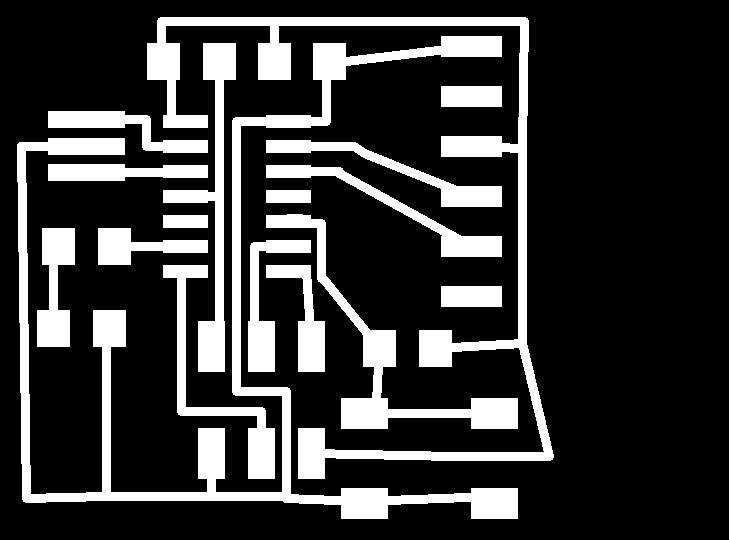
My final milled and fabricated board can is illustrated on the following image.